
Google Cloud VM Manager
Google Cloud VM Manager manages operating systems across Windows and Linux VM fleets running on Compute Engine.
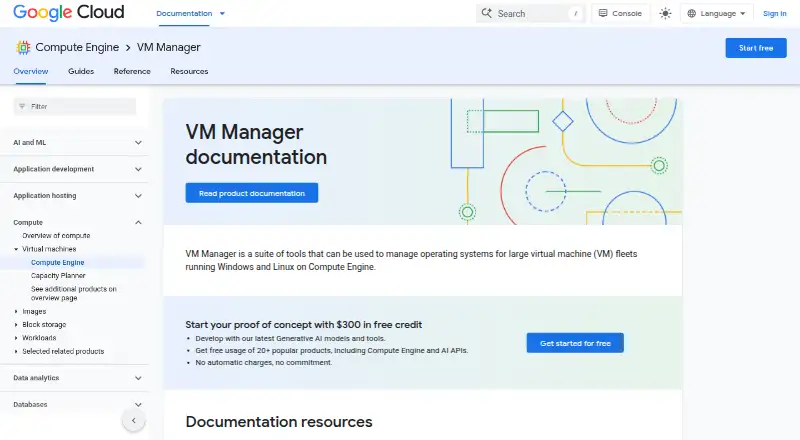
What Google Cloud VM Manager is
Google Cloud VM Manager manages operating systems across Windows and Linux VM fleets running on Compute Engine. Its tools cover patching, inventory, and software configuration policies. Patch jobs apply OS updates on demand or on a schedule, can use selected approvals and pre- or post-patching scripts, and provide compliance reporting. OS inventory records details such as hostnames, OS and kernel versions, installed packages, available updates, Windows applications, and vulnerabilities. OS policies automate and centralize software configuration deployment, maintenance, and reporting. You can manage VM Manager through the Google Cloud console, Google Cloud CLI, or OS Config API; Terraform can extend its scope across projects. Patch jobs operate within one Google Cloud project at a time, though compliance data can be viewed across projects. VM Manager supports Windows Server and several Linux distributions, and projects within VPC Service Controls service perimeters. The free tier covers 100 VMs per Cloud Billing account per month; after that, usage is billed at $0.003 per hour per VM with an active OS Config agent. Non-English OS locales can cause the agent and features to fail.
Good
- Schedules or runs OS patches on demand.
- Patch jobs include compliance reporting and scripts.
- Inventory covers packages, updates, and vulnerabilities.
- Integrates with console, CLI, API, and Terraform.
Watch out
- Supports only operating systems with an English locale.
- Patch jobs target one Google Cloud project at a time.
- Creating jobs or policies requires consequential IAM permissions.
Who it suits
It suits teams maintaining Windows or Linux VM fleets on Compute Engine that need patching, inventory, and software configuration policies. Teams should account for its English-locale requirement and single-project patch-job scope.
Verdict
VM Manager brings patching, fleet inventory, and configuration policies together for Compute Engine environments. Check locale and project-scope limits, and apply least-privilege IAM permissions when assigning access.
Plans and prices
From Google Cloud VM Manager's own pricing page, checked 15 Oct 2026.
| Plan | Price | What it gives you |
|---|---|---|
| Free tier | Free | 100 VMs monthly usage · limited functionality mode is free for unlimited VMs · monthly usage per Cloud Billing account |
| Usage-based VM Manager | Free | Charged for each VM with an active OS Config agent · 100-VM monthly allowance per billing account · $0.003 per VM-hour after the free tier |
| VM Manager | Free | 100 VMs per Cloud Billing account per month free · limited functionality mode has a subset of features at no cost for unlimited VMs · $0.003 per hour per VM with an active OS Config agent, after the free tier; billed per VM-hour |
The facts
Each one read from Google Cloud VM Manager's own pages, with the date it was checked.
What it does
- Access control
- Creating patch jobs or OS policy assignments requires IAM permissions that Google says can grant the ability to run code on VMs; Google recommends least privilege.checked 7 Oct 2026
- Agent requirement
- Using VM Manager requires the OS Config API and an active OS Config agent on managed VMs.checked 15 Oct 2026
- Automation
- Google says VM Manager uses automation to improve efficiency and reduce the operational burden of maintaining VM fleets.checked 7 Oct 2026
- Compliance
- Google Cloud lists auditor-validated offerings including ISO 27001, ISO 27017, ISO 27018, SOC 1, SOC 2, SOC 3, PCI DSS, FedRAMP, and HIPAA-related resources.checked 15 Oct 2026
- Cross-project limitation
- Patch jobs run only on VMs within one Google Cloud project, although compliance data can be viewed across projects.checked 15 Oct 2026
- Data retention
- OS inventory and vulnerability report data remains until the VM is deleted, but is deleted if the OS Config agent stops reporting for a few days.checked 7 Oct 2026
- Documentation depth
- The documentation includes overview, setup, operating-system details, patch guides, policy guides, troubleshooting, API reference links, Terraform guides, quotas, and release-note links.checked 15 Oct 2026
- Feature: Patch compliance
- Patch compliance reporting compares VM inventory with distribution vulnerability data and shows update severity in the Cloud console.checked 15 Oct 2026
- Feature: Patch deployment
- Patch schedules on-demand, one-time, or recurring patch jobs across selected VM instances.checked 15 Oct 2026
- Integrations
- VM Manager works with the Google Cloud console, Google Cloud CLI, direct OS Config API calls, and Terraform resources.checked 15 Oct 2026
- License evidence
- The GoogleCloudPlatform/osconfig repository is marked Apache-2.0 licensed; this covers the repository contents and does not state that the hosted VM Manager service is open source.checked 15 Oct 2026
- Limitations
- VM Manager supports only operating systems configured with an English locale; a non-English locale can cause the OS Config agent and VM Manager features to fail.checked 7 Oct 2026
- Limited functionality mode
- Free limited mode allows viewing OS policy assignments for unlimited VMs but prevents creating OS policy assignments or patch jobs.checked 15 Oct 2026
- Limit: G2 complexity and pricing
- G2 reviewers repeatedly mention platform complexity, unclear pricing, unexpected charges, and support difficulty.checked 15 Oct 2026
- Limit: Gartner reviewer feedback
- Gartner reviewer material includes complaints about billing complexity and difficult interfaces or setup for some advanced workflows.checked 15 Oct 2026
- Limit: TrustRadius administration
- TrustRadius reviewers report that Logs Explorer is difficult to search, permission-group management can become complicated, and customer support could improve.checked 15 Oct 2026
- Notable dated update
- Google's Compute Engine release notes dated September 22, 2026 record NVIDIA P100 GPUs reaching end of support and being shut down.checked 15 Oct 2026
The company
- Company founding
- Gartner Peer Insights lists Google as founded in 1998 and headquartered in Mountain View, California.checked 15 Oct 2026
- Company headquarters and size
- LinkedIn lists Google as a public software-development company headquartered in Mountain View, California, with 10,001-plus employees.checked 15 Oct 2026
- Company legal name
- Crunchbase identifies the maker's legal name as Google LLC and lists it as a subsidiary of Alphabet.checked 15 Oct 2026
Where it runs
- Feature: OS inventory
- The OS Config agent collects operating-system inventory that can be reviewed and queried through Google Cloud tooling.checked 15 Oct 2026
- Feature: OS policies
- OS policies install, remove, and automatically update software packages while maintaining a declared VM state.checked 15 Oct 2026
- OS inventory
- OS inventory collects details including hostname, OS and kernel versions, installed packages, available updates, Windows applications and OS vulnerabilities.checked 7 Oct 2026
Money
- Limit: Trustpilot billing and support
- Trustpilot complaints include incorrect or disputed billing, ineffective collections responses, domain outages, and difficulty obtaining support.checked 15 Oct 2026
The full review of Google Cloud VM Manager
Google Cloud VM Manager is an agent-based service for administering Windows and Linux virtual machines on Compute Engine. It is strongest for organizations already running substantial Google Cloud fleets that need coordinated patching, inventory, and configuration control. Its operational depth is useful, but single-project patch execution and an English-locale requirement can make another platform a better fit.
Overview
VM Manager combines patch management, operating-system inventory, and OS policies in a cloud deployment. Automation is designed to reduce the routine effort of maintaining VM fleets, while drift detection, policy as code, and compliance reporting support repeatable administration. The service is tightly aligned with Compute Engine, so it is a more natural choice for Google Cloud teams than for companies seeking one management layer across unrelated cloud or on-premises environments.
Key features
Patch control and reporting
Patch jobs can run on demand or on recurring schedules. Administrators can choose which patches receive approval and add scripts before and after a job. In practice, that gives operations teams control over maintenance windows and the preparation or cleanup work surrounding updates, rather than forcing a single all-or-nothing patch routine. Patch compliance reporting helps identify the machines that have or have not reached the intended state.
Execution has an important boundary: each patch job can run only against VMs in one Google Cloud project. Compliance data can be viewed across projects, so oversight can be broader than the action that produces it. Organizations with many projects will need to structure jobs accordingly instead of expecting one cross-project deployment.
Inventory and policy
OS inventory records hostnames, operating-system and kernel versions, installed packages, available updates, Windows applications, and OS vulnerabilities. That breadth makes it useful for locating outdated software and understanding fleet composition before maintenance decisions are made. OS policies centralize deployment, configuration, maintenance, and reporting of software configurations, helping teams enforce a consistent baseline rather than relying on separate manual procedures.
Administration and security
The service is manageable through the Google Cloud console, Google Cloud CLI, and OS Config API. Terraform can extend management across projects, which is valuable for infrastructure-as-code workflows even though individual patch jobs retain their project scope. VM Manager supports projects inside VPC Service Controls service perimeters.
Access must be designed carefully. Creating patch jobs or OS policy assignments requires IAM permissions that Google says can grant the ability to run code on VMs, so broad administrative grants are inappropriate; least-privilege assignments are essential. Inventory and vulnerability data remains until the VM is deleted, but is removed if the OS Config agent stops reporting for a few days. The agent model also creates an operational dependency: when reporting stops, retained visibility does not continue indefinitely.
Pricing
The VM Manager plan is listed as free, with billing of $0.003 per hour per VM when an active OS Config agent runs after the free tier. The charge is per VM-hour. Each Google Cloud Billing account receives 100 VMs per month free, making the plan practical for small fleets or limited deployments; larger estates pay for usage beyond that allowance.
A limited-functionality mode provides a subset of features at no cost for unlimited VMs. It can suit organizations that need basic coverage without the full feature set, but teams requiring the complete patch, inventory, policy, and reporting capability should budget for the per-VM-hour charge after the allowance. There is no separate seat charge stated, and support packages are purchased through Google Cloud, with options including 24/7 coverage, phone support, and access to a technical support manager.
Platforms
VM Manager is a cloud service with API, Linux, web, and Windows interfaces. Supported guest systems include Windows Server, Red Hat Enterprise Linux, Rocky Linux, CentOS, Debian, Ubuntu, and SUSE Linux Enterprise Server. All supported operating systems must be configured with an English locale; a non-English locale can cause the OS Config agent and VM Manager features to fail. That is a material deployment constraint for internationally standardized fleets.
Who it's for
Choose VM Manager when your machines run on Compute Engine and you want one Google Cloud-aligned workflow for patch scheduling, asset inventory, configuration policy, drift detection, and compliance reporting. It is especially appropriate for administrators managing many Windows and Linux VMs who can organize maintenance by project and enforce careful IAM boundaries.
It is less suitable for mixed-provider or heavily on-premises estates that need provider-neutral control, for fleets requiring non-English operating-system locales, or for teams that need a single patch action to span multiple projects.
Pros and cons
- Pro: On-demand and recurring patch jobs, approval selection, and pre- and post-patch scripts provide practical maintenance-window control.
- Pro: Inventory covers versions, packages, applications, updates, and vulnerabilities, giving administrators a detailed fleet picture.
- Pro: OS policies, policy as code, drift detection, and compliance reporting support enforceable configuration standards.
- Pro: The 100-VM monthly allowance and unlimited-VM limited mode create no-cost entry points.
- Con: A patch job cannot cross project boundaries, so multi-project execution requires separate jobs.
- Con: English locale is mandatory; non-English configurations can break the agent and features.
- Con: IAM for patch and policy assignments can permit code execution on VMs, increasing the consequences of overbroad access.
- Con: Inventory and vulnerability history disappears after several days without agent reporting.
Alternatives
For broader comparison, see Configuration Management Tools, Patch Management Software, IT Configuration Management Software, and IT Automation Software.
- Salt is a free, Apache 2.0-licensed option with Linux, Windows, macOS, API, and self-hosted support.
- CFEngine offers a free Community Edition, a free trial, and a paid Enterprise Edition with pricing not listed.
- AWS Systems Manager State Manager is the better directional choice for AWS estates; its plan has no additional charge, although limits may apply.
- config.XO suits a very small environment needing a free workspace capped at three managed systems.
- Rudder is an open-source-oriented alternative with free Core availability and a free trial.
- cdist is a free Linux, macOS, and self-hosted tool with no paid plans or usage limits stated.
- OpenVox is community-maintained software usable with an agent/server setup or standalone.
- pyinfra is a free MIT-licensed option for teams comfortable with Python 3.10 or newer.
Verdict
Google Cloud VM Manager is a strong choice for Compute Engine operators who need centralized patching, rich OS inventory, and policy-driven configuration at fleet scale. Its main reason to choose it is the combination of Google Cloud integration and detailed maintenance controls. Look elsewhere if patch execution must span projects, operating systems use non-English locales, or your infrastructure extends beyond Google Cloud and demands a provider-neutral control plane.
Alternatives to Google Cloud VM Manager
- 1

OPSI
Free planOpen sourceWebAPILinuxmacOS8.4From €4.99 a year - 2

ManageEngine Patch Manager Plus
Free planAndroidiOSWebAPI8.2From $245 a year - 3

PatchMon
Free planOpen sourceWebAPILinuxSelf-hosted8.1From $1 a month - 4

Patch My PC
Free planWebmacOSSelf-hostedWindows7.7From $3.50 a year - 5

Oracle Cloud Compute
Free planAndroidiOSWebAPI7.6Free plan - 6

Kudu
Free planWebAPILinuxmacOS7.5From $5 a month