
AWS Systems Manager State Manager
AWS Systems Manager State Manager automates keeping managed nodes and other AWS resources in a defined state.
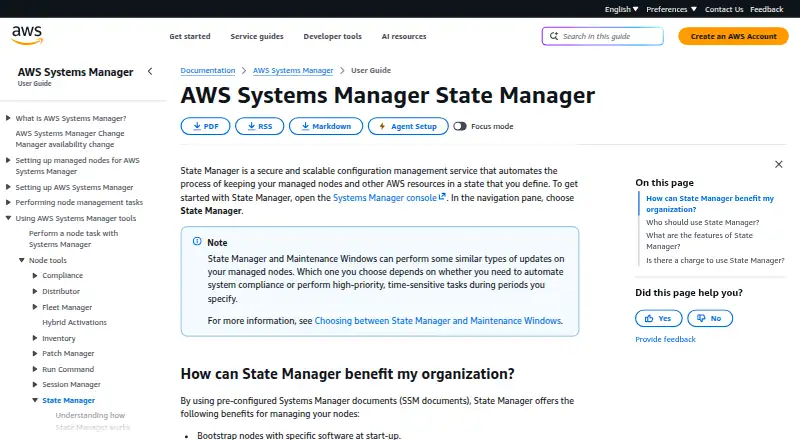
What AWS Systems Manager State Manager is
AWS Systems Manager State Manager automates keeping managed nodes and other AWS resources in a defined state. Its associations describe the configuration to maintain, when to apply it, and which resources to target. Associations can run immediately or later and accept most standard cron and rate expressions; cron expressions cannot specify months. Targeting can use tags, AWS Resource Groups, individual node IDs, or all managed nodes in the current Region and account. For managed nodes, State Manager can bootstrap software, schedule agent updates, configure network settings, join nodes to a Microsoft Active Directory domain, and run scripts on Linux, macOS, and Windows Server. Association output can be stored in Amazon S3, and State Manager can be used as an event type or target type in Amazon EventBridge rules. It is a cloud service with an agent-based model. State Manager has no additional charge, though limits may apply. AWS uses a shared responsibility model: AWS protects cloud infrastructure, while customer responsibilities depend on the service, data, and requirements.
Good
- Associations define configuration, timing, and resource targets.
- Targets include tags, resource groups, node IDs, or all managed nodes.
- Can bootstrap software and schedule agent updates.
- Association output can be stored in Amazon S3.
- No additional charge; limits may apply.
Watch out
- Association cron expressions cannot specify months.
- Supported managed-node systems are Linux, macOS, and Windows Server.
- Limits may apply.
Who it suits
State Manager is for AWS customers who want to manage resource configuration and reduce configuration drift. It may be useful for teams automating setup and maintenance across managed nodes.
Verdict
State Manager offers AWS customers a way to define and apply resource configurations at chosen times and targets. Consider the cron restriction and applicable limits when planning associations.
Plans and prices
From AWS Systems Manager State Manager's own pricing page, checked 5 Oct 2026.
| Plan | Price | What it gives you |
|---|---|---|
| AWS Systems Manager State Manager | Free | No additional charge · Limits may apply |
The facts
Each one read from AWS Systems Manager State Manager's own pages, with the date it was checked.
What it does
- Associations
- Associations define the state to maintain on AWS resources, along with when to apply the configuration and which resources to target.checked 5 Oct 2026
- Compliance
- Third-party auditors assess Systems Manager under multiple assurance programs, including SOC, PCI, FedRAMP, and HIPAA.checked 5 Oct 2026
- Integrations
- State Manager supports storing association run output in Amazon S3 and is supported as an event type and target type in Amazon EventBridge rules.checked 5 Oct 2026
- Node management
- It can bootstrap software, schedule agent updates, configure network settings, join nodes to a Microsoft Active Directory domain, and run scripts on Linux, macOS, and Windows Server managed nodes.checked 5 Oct 2026
- Purpose
- State Manager automates keeping managed nodes and other AWS resources in a state that you define.checked 5 Oct 2026
- Scheduling
- Associations support immediate or delayed processing and most standard cron and rate expressions; cron expressions for associations do not support specifying months.checked 5 Oct 2026
- Security
- AWS Systems Manager follows a shared responsibility model: AWS protects the cloud infrastructure, while customer responsibilities depend on the service and their data and requirements.checked 5 Oct 2026
- Targeting
- Associations can target resources by tags, AWS Resource Groups, individual node IDs, or all managed nodes in the current Region and account.checked 5 Oct 2026
- Who it is for
- AWS customers can use State Manager to improve management and governance of AWS resources and reduce configuration drift.checked 5 Oct 2026
Money
- Price limits
- State Manager has no additional charge, though limits may apply.checked 5 Oct 2026
The full review of AWS Systems Manager State Manager
AWS Systems Manager State Manager is AWS’s configuration-management service for keeping managed nodes and other AWS resources in a defined state. It is best suited to AWS customers who want repeatable fleet governance and less configuration drift. Its strongest appeal is scheduled automation at no additional charge; its AWS-scoped targeting and a cron limitation make it a poor fit for environments that need broader control.
Overview
State Manager uses associations to specify the desired state of a resource, when to apply it, and which resources to target. That model suits recurring configuration work inside AWS, where teams can encode a standard once and apply it across selected resources. Drift detection, patch management, policy as code, and compliance reporting support that governance role.
Associations can run immediately or after a delay and accept most standard cron and rate expressions. The calendar constraint is worth planning around: association cron expressions cannot specify months. Teams with month-specific schedules may need another approach. Targeting by tags, AWS Resource Groups, individual node IDs, or all managed nodes in the current Region and account offers useful ways to scope changes, but the Region-and-account boundary limits how naturally one association covers a wider estate.
Key features
For Linux, macOS on Amazon EC2, and Windows Server managed nodes, State Manager can bootstrap software, schedule agent updates, configure network settings, join nodes to a Microsoft Active Directory domain, and run scripts. These cover practical setup and upkeep tasks, making the service a strong fit for AWS fleet maintenance rather than a cross-environment configuration standard.
Association run output can be stored in Amazon S3, and State Manager can serve as an event type and target type in Amazon EventBridge rules. Those integrations help connect configuration runs to AWS storage and event workflows. AWS Systems Manager follows a shared responsibility model: AWS protects cloud infrastructure, while customer responsibilities depend on the service, data, and requirements. Systems Manager is assessed by third-party auditors under assurance programs including SOC, PCI, FedRAMP, and HIPAA.
Pricing
AWS Systems Manager State Manager — free (no additional charge; limits may apply). There are no paid State Manager plans to weigh against this free offering. It is compelling for AWS customers who need recurring configuration automation without a separate State Manager charge, though applicable limits still matter when sizing associations and managed resources. The free price does not make it a substitute for tools built to manage environments beyond AWS.
Platforms
State Manager is a cloud deployment with an agent-based model. Supported platforms are Linux, macOS on Amazon EC2, and Windows Server. Although the platform categorization also includes web, the managed-node capabilities described are for those operating systems; teams should choose it for AWS resource management, not assume it is a general endpoint-management service.
Who it's for
State Manager fits AWS customers responsible for governing AWS resources and reducing configuration drift, especially when they need to standardize node setup, schedule updates, or run scripts against selected groups. It is less suitable for teams seeking a self-hosted control plane, broad multi-environment targeting, or month-specific cron schedules.
Pros and cons
- Pro: No additional State Manager charge makes recurring configuration work economical for AWS customers, subject to applicable limits.
- Pro: Associations combine desired state, timing, and targeting, with tags, Resource Groups, node IDs, and all managed nodes in the current Region and account as target options.
- Pro: Common node tasks include software bootstrapping, agent updates, network configuration, domain joining, and script execution.
- Con: Association cron expressions cannot specify months, restricting some calendar-based schedules.
- Con: Targeting is scoped to the current Region and account, which is a constraint for broader estates.
- Con: Its managed-node support is centered on Linux, macOS on Amazon EC2, and Windows Server, rather than an unrestricted range of platforms.
Alternatives
Choose Salt if a free, Apache 2.0-licensed option with Linux, macOS, Windows, API, and self-hosted platform support better fits the deployment. CFEngine offers a free Community Edition with Linux support and community support, plus a trial and an Enterprise Edition, for readers considering that edition structure. config.XO is worth comparing when a capped free tier is enough: it includes one workspace, one admin user, one cloud connection, one hypervisor, three managed systems, and one API key.
Google Cloud VM Manager is the alternative to consider for Google Cloud VM management; its VM Manager plan is billed at no cost, then $0.003 per hour per VM with an active OS Config agent after the free tier. Rudder may suit readers who want an open-source option whose source can be downloaded and modified under its open-source licenses. OpenVox is a free, community-maintained alternative for agent/server or standalone use. pyinfra is a free MIT-licensed option for readers using Python 3.10 or later. Quattor is a free, self-hosted open-source option under Apache 2.0 and EU DataGrid Software licenses.
For broader comparisons, browse Configuration Management Tools, IT Operations Management Software, IT Automation Software, and IT Configuration Management Software.
Verdict
Choose State Manager if your team manages AWS resources and wants a no-additional-charge way to apply scheduled, targeted configurations and reduce drift. The defining reason to choose it is the combination of associations and AWS fleet targeting; look elsewhere if you need month-specific cron schedules or management that extends beyond AWS’s Region-and-account scope.
Getting started
- Visit the AWS Systems Manager State Manager documentation at https://docs.aws.amazon.com/systems-manager/latest/userguide/systems-manager-state.html.
- Define an association with the desired state, timing, and target resources.
- Target resources by tags, AWS Resource Groups, node IDs, or all managed nodes in the current Region and account.
- Choose immediate or delayed processing, or use a supported cron or rate expression.
- Use State Manager with managed nodes on Linux, macOS on Amazon EC2, or Windows Server.
Limits worth knowing
State Manager has no additional charge, though limits may apply. Association cron expressions support most standard cron expressions but cannot specify months.
Questions
How much does State Manager cost?
The plan is free, with no additional charge. Limits may apply.
What platforms does it support?
Supported managed-node platforms are Linux, macOS on Amazon EC2, and Windows Server.
How are configurations applied?
Associations define what state to maintain, when to apply it, and which resources to target. They can run immediately or later and accept most standard cron and rate expressions.
How can I target resources?
Associations can target resources by tags, AWS Resource Groups, individual node IDs, or all managed nodes in the current Region and account.
Does it integrate with other AWS services?
Association run output can be stored in Amazon S3. State Manager is supported as an event type and target type in Amazon EventBridge rules.
What security and compliance details apply?
AWS protects cloud infrastructure under a shared responsibility model, while customer responsibilities depend on the service, data, and requirements. Third-party auditors assess Systems Manager under programs including SOC, PCI, FedRAMP, and HIPAA.
Alternatives to AWS Systems Manager State Manager
- 1

Puppet
Free planOpen sourceWebAPILinuxmacOS8.4From $120 a month - 2

Rudder
Free planOpen sourceWebAPILinuxSelf-hosted8.2From $40 a year - 3

CFEngine
Free planOpen sourceWebAPILinuxmacOS7.8Free plan - 4

Uyuni
Free planOpen sourceWebAPILinuxSelf-hosted7.4Free plan - 5

Google Cloud VM Manager
Free planWebAPILinuxWindows7.1Free plan - 6
Canonical Landscape
Free planWebAPILinuxSelf-hosted7.0From $6,861 a year