GifCraft
GifCraft is a browser-based tool for creating and editing looping GIFs from videos, image sequences, or AI-generated images.
What GifCraft is
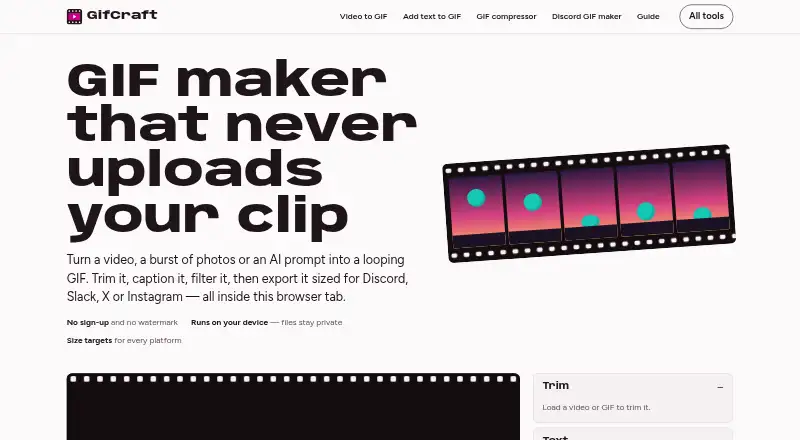
GifCraft is a browser-based tool for creating and editing looping GIFs from videos, image sequences, or AI-generated images. It can trim, caption, filter, resize, crop, rotate, change speed, adjust looping, and compress media. Supported inputs include MP4, MOV, WebM, M4V, GIF, PNG, JPG, WebP, and AVIF. It exports GIF, H.264 MP4, animated WebP, or PNG frames; GIF exports can have up to 240 frames, 2–256 colours, and optional dithering. Presets include Discord and Slack emoji sizes, an X preset, and Instagram MP4; MP4 exports are also described for TikTok and WhatsApp. GifCraft says editing and encoding happen in the browser and uploaded files are not sent to its servers. AI prompts are sent to the image model, and the generator allows a few images per hour. It works on web, Android, and iOS, though very long 4K clips may be slow on older phones. The Free plan is free, requires no account, adds no watermark, and has no export limit.
Good
- Edits video, image sequences, and AI-generated images.
- Exports GIF, MP4, animated WebP, or PNG frames.
- Processes media in the browser.
- No account or watermark is required.
- Offers presets for Discord, Slack, and X.
Watch out
- Text prompts do not directly generate GIFs.
- AI generation is limited to a few images per hour.
- Very long 4K clips may be slow on older phones.
- Uninterrupted availability is not guaranteed.
Who it suits
GifCraft suits people who want to make looping GIFs from video or images and adjust them in a browser. It also fits users who want watermark-free exports without an account.
Verdict
GifCraft covers common GIF editing and export tasks while keeping uploaded media in the browser. Its AI image generation has an hourly limit, and older phones may struggle with very long 4K clips.
Plans and prices
From GifCraft's own pricing page, checked 4 Oct 2026.
| Plan | Price | What it gives you |
|---|---|---|
| Free | Free | No account · no watermark · no export limit; AI generator allows a few images per hour |
The facts
Each one read from GifCraft's own pages, with the date it was checked.
What it does
- AI generation
- AI image generation uses Recraft through Vercel AI Gateway; animation and subsequent editing happen in the browser.checked 4 Oct 2026
- AI prompt handling
- The AI generator sends text prompts to the image model and says GifCraft does not store them; uploaded files are not sent anywhere.checked 4 Oct 2026
- AI usage limit
- The AI generator allows each visitor to generate a few images per hour.checked 4 Oct 2026
- Editing tools
- Its tools include trimming, captions, filters, resizing, cropping, rotation, speed changes, looping, and compression.checked 4 Oct 2026
- Export formats
- It exports GIF, H.264 MP4, animated WebP, or PNG frames.checked 4 Oct 2026
- Export limits
- Exports can contain up to 240 frames, with 2–256 colours and optional dithering.checked 4 Oct 2026
- GIF templates
- Nochecked 22 Sep 2026
- Image to GIF
- Yeschecked 22 Sep 2026
- Input formats
- It opens MP4, MOV, WebM, M4V, GIF, PNG, JPG, WebP, and AVIF files.checked 4 Oct 2026
- Integrations and destinations
- The site offers size presets for Discord, Slack, and X, and describes MP4 exports for Instagram, TikTok, and WhatsApp.checked 4 Oct 2026
- Local processing
- The site says files are opened, edited, and encoded in the browser and are never uploaded to its servers.checked 4 Oct 2026
- Mobile use
- The site says it works on iPhone and Android, while noting that very long 4K clips may be slow on older phones.checked 4 Oct 2026
- Privacy data
- The privacy policy says it may collect anonymous usage data such as page views, browser and device type, general location, and referral source.checked 4 Oct 2026
- Prompt to GIF
- Nochecked 22 Sep 2026
- Support and guarantees
- The terms provide the service as-is, disclaim warranties, and say uninterrupted availability is not guaranteed.checked 4 Oct 2026
- Video to GIF
- Yeschecked 22 Sep 2026
- What it does
- GifCraft creates and edits looping GIFs from videos, image sequences, or AI prompts in a browser.checked 4 Oct 2026
Money
- Free plan
- Yeschecked 22 Sep 2026
- Watermark-free export
- Yeschecked 22 Sep 2026
Where it runs
- Platform presets
- Presets include Discord emoji at 256 KB, Slack emoji at 128 KB, X at 15 MB, and Instagram MP4.checked 4 Oct 2026
The full review of GifCraft
Overview
GifCraft is a browser-based editor for turning videos and image sequences into looping GIFs, with AI image generation as another starting point. It suits people who want to edit and export without installing an editor or uploading their media. Its broad format support and watermark-free exports make the free tool useful, though AI generations are rationed by the hour.
Key features
GifCraft covers the core editing work: trim clips, add captions and filters, resize or crop, rotate, change speed, adjust looping, and compress files. It accepts MP4, MOV, WebM, M4V, GIF, PNG, JPG, WebP, and AVIF, then exports GIF, H.264 MP4, animated WebP, or PNG frames. That range makes it useful when a GIF is not the best delivery format, too.
Exports support up to 240 frames, with a selectable palette of 2–256 colours and optional dithering. Platform presets target Discord emoji (256 KB), Slack emoji (128 KB), X (15 MB), and Instagram MP4. The named size presets reduce guesswork for common destinations; for Instagram, TikTok, and WhatsApp, the described route is MP4 export rather than a platform-specific preset.
The site says editing and encoding happen in the browser and uploaded files are never sent to its servers. That is a meaningful privacy advantage for source media, though the privacy policy says anonymous usage data may include page views, browser and device type, general location, and referral source. AI generation is separate: prompts go to Recraft through Vercel AI Gateway, and GifCraft says it does not store them. The generated image is animated and edited in the browser. Visitors can generate only a few images per hour, so this is a modest creative extra rather than a dependable high-volume generator.
Pricing
Free — free. The plan requires no account, adds no watermark, and has no export limit. Those terms make it practical for regular editing and exporting, while the AI generator's few-images-per-hour allowance is the main constraint. There is no free trial because the product is free.
Platforms
GifCraft is offered on web, Android, and iOS. The site says it works on iPhone and Android, but very long 4K clips may run slowly on older phones. Browser-based processing avoids a server upload, but device performance remains relevant for demanding footage.
Who it's for
Choose GifCraft for occasional or ongoing GIF work when you value local media processing, multiple export formats, and no-watermark output without a paid plan. It is less suited to people who need frequent AI image generation or expect older phones to handle very long 4K clips smoothly. The service is provided as-is, with warranties disclaimed and uninterrupted availability not guaranteed.
Pros and cons
- Pro: No account, watermark, or export cap on the free plan makes finished work straightforward to save and share.
- Pro: Browser-side file processing keeps uploaded media off GifCraft's servers, while broad input and export support handles varied source material and output needs.
- Con: AI generation is limited to a few images per visitor per hour, which constrains iterative prompt work.
- Con: Very long 4K clips may be slow on older phones, and the service does not guarantee uninterrupted availability.
Alternatives
For a broader comparison of tools in this category, see AI GIF Makers.
- Moxion is worth considering if its shared daily free AI generation, gifted credits, and 480p preview better suit your workflow; its free plan includes a watermark, unlike GifCraft.
- Imgflip GIF Maker is an alternative if its stated caps of 160 video frames, 360x360 maximum video dimensions, and 24-second maximum segment fit your needs.
- GifRun is a web-only alternative with an anonymous tier capped at 10 seconds and 520px maximum resolution.
- Kapwing may fit users who want a desktop web editor and can work within the free plan's 10 credits, four-minute export length, and 720p cap.
- GIPHY Create is another free option on Android, iOS, and web.
- Hagif may suit users seeking local single-file tools without an account or watermark; its Power Pass provides 24-hour access for 4.99 USD as a one-time payment with no auto-renewal.
- Photo2GIF is an alternative for vintage-style AI GIFs, with one free AI GIF and a watermark on its free plan.
- Rewind.ai AI GIF Generator is worth comparing if a stated allowance of 5,000 tokens per day suits your AI GIF workflow.
Verdict
GifCraft is a strong fit for people who want a capable, no-account GIF editor with watermark-free exports and browser-side handling of uploaded files. Its main reason to choose it is the combination of broad editing and export options at no cost; look elsewhere if your work depends on frequent AI generation or long 4K edits on an older phone.
Getting started
- Open https://gifcraft.io/ in a browser
- Use the web, Android, or iOS version
- Load a supported video, image sequence, GIF, or image file
- Edit with trimming, captions, filters, sizing, cropping, rotation, speed, looping, or compression
- Choose an export format or a Discord, Slack, X, or Instagram preset
- Export without creating an account
Limits worth knowing
The Free plan has no export limit, but the AI generator allows only a few images per hour. Very long 4K clips can be slow on older phones.
Questions
How much does GifCraft cost?
The Free plan is free. It requires no account, adds no watermark, and has no export limit.
Which platforms support GifCraft?
GifCraft works on web, Android, and iOS.
Can it create GIFs from text prompts?
No direct prompt-to-GIF feature is listed. AI prompts generate images through Recraft, after which animation and editing occur in the browser.
Are uploaded files stored?
GifCraft says files are opened, edited, and encoded in the browser and are never uploaded to its servers. AI prompts are sent to the image model and are not stored by GifCraft.
What files can it export?
Exports include GIF, H.264 MP4, animated WebP, and PNG frames. GIFs can contain up to 240 frames and use 2–256 colours, with optional dithering.
Alternatives to GifCraft
- 1

Moxion
Free planAndroidiOSWebmacOS8.9From $19 a month - 2

Pollo AI
Free planAndroidiOSWebAPI8.7Free plan - 3
Imgflip GIF Maker
Free planAndroidiOSmacOSWindows8.5Free plan - 4

Brush Ninja
Free planAndroidiOSWebLinux8.2From $48 a year - 5

Hagif
Free planWebAPI8.1Free plan - 6

Fotor
Free planAndroidiOSWebAPI8.1Free plan