Fortra ZTNA
Fortra ZTNA provides secure remote access to private applications and helps protect the data they store.
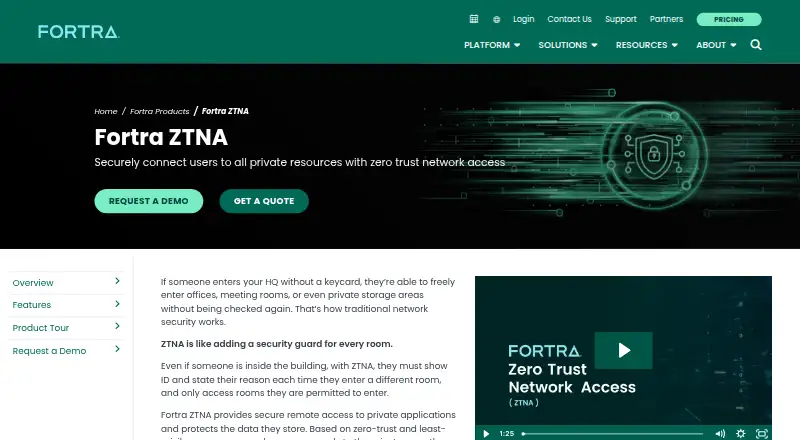
What Fortra ZTNA is
Fortra ZTNA provides secure remote access to private applications and helps protect the data they store. Access decisions use user, device, and data context so authorized users reach only approved applications. Its endpoint client monitors device posture and reports changes so access can be adjusted. The product can hide applications on a network and monitor traffic to identify and stop lateral movement. It can also discover private applications to help organizations onboard them from an existing VPN. Applications may be hosted in AWS, Azure, or GCP. Agent-based access supports browser and thick-client applications, while agentless access is available for web applications. Other listed protections include digital rights management, data loss prevention policies, and inspection of downloaded files for malware. Fortra describes a unified proxy architecture across its ZTNA, secure web gateway, and CASB offerings, with shared policies and monitoring. Deployment is hybrid; listed platforms include Android, iOS, Linux, macOS, web, and Windows. The product is paid, with pricing available on request and no free plan. Fortra offers quote and demo requests and directs customers to support.
Good
- Access decisions account for user, device, and data context.
- Endpoint client monitors device posture.
- Discovers private applications for VPN onboarding.
- Inspects downloaded files for malware.
- Offers agentless access for web applications.
Watch out
- Paid product with pricing available on request.
- No free plan.
- Agentless access is listed for web applications only.
Who it suits
Fortra ZTNA suits organizations that need to manage workers', partners', and contractors' access to private applications. Its mix of agent-based and agentless options may fit environments with browser, thick-client, and web applications.
Verdict
Fortra ZTNA combines context-based access with application discovery, posture monitoring, and data protections. Buyers should request a quote and check that its access options fit their application types.
Plans and prices
From Fortra ZTNA's own pricing page, checked 7 Oct 2026.
| Plan | Price | What it gives you |
|---|---|---|
| Fortra ZTNA | Priced on request | Pricing by quote; product page offers a demo and quote request |
The facts
Each one read from Fortra ZTNA's own pages, with the date it was checked.
What it does
- Access control
- It grants access based on user, device, and data context so authorized users reach only approved applications.checked 7 Oct 2026
- Access model
- ztnachecked 22 Sep 2026
- Adaptive access
- The endpoint client continuously monitors device posture and reports changes so access can be adjusted accordingly.checked 7 Oct 2026
- Admin control level
- advancedchecked 22 Sep 2026
- Agent options
- Fortra ZTNA supports agent-based access to browser and thick-client applications and agentless access to web applications.checked 7 Oct 2026
- Cloud environments
- The datasheet names AWS, Azure, and GCP as public cloud environments where private applications may be hosted.checked 7 Oct 2026
- Data protection
- The datasheet describes digital rights management and data loss prevention policies for private applications.checked 7 Oct 2026
- Integration
- Fortra describes a unified proxy architecture across its ZTNA, secure web gateway, and CASB offerings, with shared policies and monitoring.checked 7 Oct 2026
- Intended users
- The datasheet names workers, partners, and contractors as users the product serves.checked 7 Oct 2026
- Malware protection
- It inspects files downloaded from private applications and can block files identified as infected with malware.checked 7 Oct 2026
- Network visibility
- The product provides oversight of network traffic to identify and stop lateral movement across a private network.checked 7 Oct 2026
- Purpose
- Fortra ZTNA provides secure remote access to private applications and protects the data they store.checked 7 Oct 2026
- Support and sales
- Fortra directs customers to support and provides quote and demo request options.checked 7 Oct 2026
Where it runs
- Application cloaking
- It hides applications on the network to reduce the attack surface and prevent unauthorized access.checked 7 Oct 2026
- Application discovery
- It discovers private applications on a network to help organizations onboard them from an existing VPN.checked 7 Oct 2026
- Device posture
- Yeschecked 22 Sep 2026
- Supported platforms
- webchecked 22 Sep 2026
The company
- Company
- Fortra says it rebranded from HelpSystems in 2022 and is headquartered in the United States.checked 7 Oct 2026
- Headquarters
- Eden Prairie, Minnesota, United Stateschecked 28 Sep 2026
The full review of Fortra ZTNA
Overview
Fortra ZTNA is a remote-access service for private applications, designed for organizations that need to distinguish access by user, device, and data context. Its strongest case is replacing broad VPN access with application-level controls and visibility; its custom pricing and hybrid deployment make it a more considered purchase than a simple remote-access tool.
Key features
Context-based access gives authorized workers, partners, and contractors access only to approved applications. Application cloaking keeps those applications hidden from unauthorized users, while network-traffic oversight is intended to help detect and stop lateral movement. Together, these controls suit organizations concerned with limiting exposure inside a private network, rather than merely connecting remote users.
Application discovery can help teams move private applications from an existing VPN into the service. Applications can run in AWS, Azure, or GCP. Access can be agent-based for browser and thick-client applications, or agentless for web applications. That range accommodates varied application types, but the agent-based route requires client software on the relevant endpoints.
The endpoint client continuously monitors device posture and reports changes, giving administrators a basis for adjusting access as device conditions change. Data protections include digital rights management and data loss prevention policies for private applications. File inspection can also block downloads identified as malware-infected. These controls make the product relevant where endpoint condition and sensitive data both matter.
Fortra describes a unified proxy architecture shared across its ZTNA, secure web gateway, and CASB offerings, with shared policies and monitoring. That may suit organizations aligning those controls in one architecture. The deployment model is hybrid, and the product includes inline and API-based controls, SSO, audit logging, and automation API access.
Pricing
Fortra ZTNA has custom pricing, with quote and demo requests offered by Fortra. There is no free plan, so teams cannot use a free tier to assess fit before engaging with sales.
The Fortra ZTNA plan is priced by quote. That makes it a fit for organizations evaluating a tailored deployment and its access requirements with Fortra, rather than buyers who need a predictable published subscription price. No lower-priced plan is described, so there is no cheaper tier to weigh against the product's application controls and protections.
Platforms
The product supports Android, iOS, Linux, macOS, web, and Windows, as well as self-hosted deployment. Its supported-platform entry is web, so buyers should confirm that their intended access path fits the applications and endpoints they need to serve. Agentless access applies to web applications; browser and thick-client applications can use agent-based access.
Who it's for
Fortra ZTNA is best suited to organizations that need to provide private-application access to employees, partners, and contractors while applying device-aware controls and protecting application data. It is less compelling for teams seeking a free entry point, a public price, or a simple web-only access approach for thick-client applications.
Pros and cons
- Pros: Access is scoped to approved applications using user, device, and data context, which can reduce the broad exposure of network-level access.
- Pros: Discovery, cloaking, posture monitoring, malware file inspection, and data-protection policies address several points in the private-application access path.
- Pros: Agentless web access sits alongside agent-based support for browser and thick-client applications, giving organizations more than one access method.
- Cons: Custom pricing and no free plan make initial cost comparison and evaluation less direct.
- Cons: Agent-based access requires client software for the applicable application types, adding endpoint considerations.
- Cons: The hybrid deployment and broad set of controls are likely a heavier fit for teams that only need basic remote access.
Alternatives
For managed file transfers rather than private-application access, compare Managed File Transfer Software. For organizations focused on cloud access security broker products, see Cloud Access Security Broker Software. Fuzz Testing Software is a separate category for buyers evaluating fuzz-testing tools, while Business VPN Software is worth considering when the requirement is a business VPN rather than application-level ZTNA.
CompleteFTP is a freemium file-transfer option with a free plan for FTP/FTPS, virtual file systems, unlimited users, and non-Windows users; choose it when that transfer scope and a free tier are more relevant than ZTNA controls. Waarp R66 is a free, open-source option for buyers seeking open-source file-transfer software. Files.com starts at $199 a month, with 10 Full Users, 50 System Users, 2 outbound connections, and 1 TB monthly storage; consider it when those file-transfer allowances match the need.
GoAnywhere MFT offers custom pricing and licensing by module or server, making it a file-transfer alternative for buyers evaluating a quote-based deployment. Serv-U FTP Server costs $55 a month, billed annually, and includes 250 user accounts and 100 concurrent sessions; choose it when that FTP server scope fits better. Serv-U Managed File Transfer Server costs $335 a month per server, billed monthly, for buyers comparing managed file-transfer software. Oracle WebCenter Content is a paid content-management alternative with an Oracle Cloud Infrastructure marketplace offering. Progress MOVEit Transfer offers trial access for buyers who want to evaluate a managed file-transfer product before purchase.
Verdict
Choose Fortra ZTNA if your organization needs context-aware access to private applications, posture monitoring, and data protections across a hybrid environment. Its application-level controls and visibility are the main reason to choose it; custom pricing, no free plan, and the need to accommodate agent-based access for some applications are the reasons to look elsewhere if cost certainty or a lighter deployment matters more.
Getting started
- Visit the Fortra ZTNA product website.
- Request a demo or quote from Fortra.
- Choose agent-based access for browser and thick-client applications or agentless access for web applications.
- Deploy using the hybrid model.
- Use Fortra's support channel for assistance.
Questions
How much does Fortra ZTNA cost?
Pricing is available on request. Fortra offers a quote request option.
Is there a free plan?
No. Fortra ZTNA is a paid product and has no free plan.
Which platforms are listed?
The listed platforms are Android, iOS, Linux, macOS, self-hosted, web, and Windows. Web is identified as the supported platform.
Can it work without an agent?
Yes. Agentless access is available for web applications; agent-based access supports browser and thick-client applications.
What deployment model does it use?
Fortra ZTNA uses a hybrid deployment model.
What applications and cloud environments does it support?
It provides access to private applications, which may be hosted in AWS, Azure, or GCP.
Alternatives to Fortra ZTNA
- 1

Tailscale
Free planOpen sourceAndroidiOSWebAPI9.4From $1 a month - 2

Windscribe
Free planOpen sourceAndroidiOSWebExtension9.1From $3 a month - 3

NetBird
Free planAndroidiOSLinuxmacOS9.0From €6 a month - 4
Twingate
Free planAndroidiOSWebAPI8.9From $5 a month - 5

GoodAccess
Free planAndroidiOSWebLinux8.8Free plan - 6

ZeroTier
Free planAndroidiOSWebAPI8.8From $18 a month