Waarp R66
Waarp R66 is open-source software for large-scale file transfers with monitoring and operational controls.
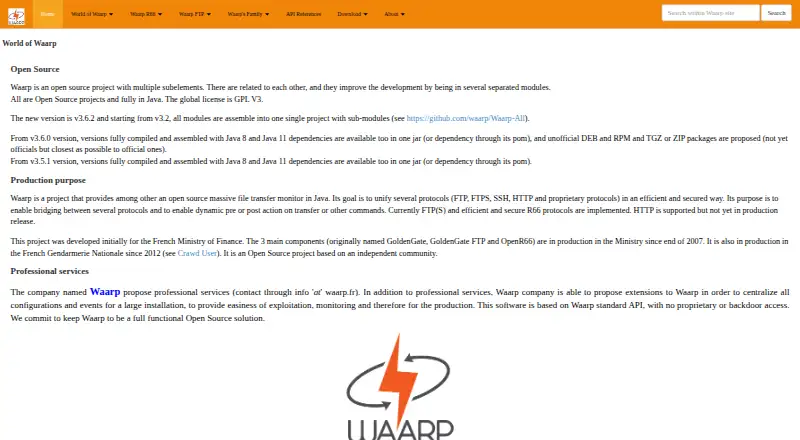
What Waarp R66 is
Waarp R66 is open-source software for large-scale file transfers with monitoring and operational controls. It moves files between identified partners using either push or pull flows, with persistence in a database, retry handling, and transfer restart support. Administrators can apply SSL connections, optional strong authentication, packet-integrity checks, and partner authentication. Transfer rules can trigger file operations or external procedures before a transfer, after it finishes, or when an error occurs. Monitoring is available through an HTTP interface and an SNMP agent, while events can be sent to a remote HTTP(S) REST API. Documented connections include FTP, S3 sources and targets, REST APIs, and Java applications. Database options listed by the maker are H2, PostgreSQL, and Oracle; MySQL and MariaDB implementations work but are not recommended. Downloads include an all-in-one package with R66, Proxy, and Gateway FTP, alongside Java JAR files. Waarp identifies the projects as GPL V3 open source. It supports Linux, Windows, web, API, and self-hosted deployments, with configurable bandwidth, CPU, simultaneous-transfer, and integrity settings. The light client can initiate transfers but does not provide database-backed history or restart capability.
Good
- Push and pull transfers between identified partners
- Database persistence, retries, and transfer restart
- SSL, authentication, and packet-integrity options
- HTTP monitoring, SNMP, and REST event delivery
- Pre-transfer, post-transfer, and error workflows
- Open-source GPL V3 deployment options
Watch out
- Light client lacks database transfer history
- Light client cannot restart transfers
- MySQL and MariaDB are not recommended
- Heavy and light clients only initiate transfers
Who it suits
R66 suits organizations moving substantial files between known partners that need monitoring, recovery, security controls, and automated transfer actions. It is also relevant to teams wanting open-source, on-premises deployment with database, API, FTP, S3, or Java integration.
Verdict
Choose Waarp R66 when partner-to-partner file exchange needs recovery, monitoring, security, and rule-driven workflows. Look elsewhere if a light client with transfer history and restart controls is essential.
The facts
Each one read from Waarp R66's own pages, with the date it was checked.
What it does
- Availability
- Waarp describes its projects as open source under GPL V3 and provides downloadable Java JARs for Waarp all in one, which includes R66, Proxy, and Gateway FTP.checked 8 Oct 2026
- Client limit
- The presentation says the heavy and light clients are limited to self-initiated transfers, and the light client lacks database transfer history and restart capability.checked 7 Oct 2026
- Client limitation
- The light client can initiate transfers but has no database-backed history or restart capability.checked 8 Oct 2026
- Databases
- R66 uses JDBC databases for configuration and transfer logs; the maker lists H2, PostgreSQL, Oracle, MySQL, and MariaDB, and recommends PostgreSQL.checked 8 Oct 2026
- Deployment
- The downloads page offers an all-in-one package containing R66, Proxy, and Gateway FTP.checked 7 Oct 2026
- Integrations
- The maker lists SNMP, REST APIs, S3, FTP through Waarp Gateway FTP, and Java application integration.checked 8 Oct 2026
- Monitoring
- The supervision interface shows transfer information and refreshes every 10 seconds; the maker says it runs in HTTP mode without authentication.checked 8 Oct 2026
- Open source
- The maker describes Waarp R66 as totally open source.checked 7 Oct 2026
- Pricing
- The opened maker pages provide download links but do not state a software price.checked 7 Oct 2026
- Purpose
- Waarp R66 is a Java file transfer monitor for managing and monitoring large-scale transfers.checked 8 Oct 2026
- Security
- The maker lists SSL connections, optional strong authentication, packet integrity support, and partner authentication.checked 7 Oct 2026
- Security and administration
- The maker describes SSL support and an HTTPS web administrator that can manage accounts with specific rights.checked 8 Oct 2026
- Support
- The maker says Waarp offers professional services and extensions for centralizing configuration and events in large installations.checked 8 Oct 2026
- Transfer actions
- Rules can run pre-transfer, post-transfer, or error actions.checked 8 Oct 2026
- Transfer controls
- It supports transfer restart, optional integrity checks, SSL, and configurable bandwidth, CPU, and simultaneous-transfer limits.checked 8 Oct 2026
- Transfer modes
- It supports sending and receiving files between identified partners in push or pull mode.checked 8 Oct 2026
- Transfer recovery
- Transfers can use database persistence and retries, and the product supports restarting transfers.checked 7 Oct 2026
- Workflow actions
- Transfer rules can run pre-transfer, post-transfer, and error actions, including file operations and external procedures.checked 7 Oct 2026
The company
- Founded
- 2011checked 28 Sep 2026
- Headquarters
- Nanterre, Francechecked 28 Sep 2026
Where it runs
- Platforms
- The software is written in Java and the maker says it has been tested on Windows, Linux, and AIX.checked 7 Oct 2026
The full review of Waarp R66
Waarp R66 is an open-source managed file-transfer system for large-scale exchanges between identified partners. It is aimed at organizations running their own transfer infrastructure and needing recovery, controls, and operational automation. The central trade-off is capable administration and monitoring versus client limitations that make it a poor fit for lightweight, user-led exchange.
Overview
R66 handles both push and pull transfers, so a partner can send files or retrieve them within an identified-partner model. Database persistence, retries, and restart support make interrupted jobs recoverable instead of forcing operators to begin again. That matters for large or scheduled exchanges where a failed connection can otherwise create manual work and uncertainty.
The software is totally open source under GPL V3 and is designed for on-premises deployment. Java downloads include an all-in-one package containing R66, Proxy, and Gateway FTP, giving administrators a consolidated starting point rather than separate products to assemble. Professional services may help with installation, which is useful for teams that want assistance with deployment but still intend to operate their own environment.
Key features
Security controls cover SSL connections, partner authentication, optional strong authentication, packet-integrity support, and optional integrity checks. These measures address both endpoint identity and file correctness, while configurable bandwidth, CPU, and simultaneous-transfer limits help prevent transfer workloads from consuming resources needed by other systems.
Rules can execute file operations or external procedures before a transfer, after it completes, or when it fails. This makes R66 suitable for approval steps, staging, cleanup, and error handling tied to existing operational processes. The benefit comes with administrative overhead: teams need people who can design and maintain those rules rather than expecting a purely turnkey workflow.
Monitoring combines an HTTP interface with SNMP agent support and event delivery to a remote HTTP(S) REST API. That supports dashboarding, infrastructure monitoring, and integration with an operations platform. FTP, S3 sources and targets, REST APIs, and Java applications are documented integration points, giving R66 a broad role in mixed environments.
H2, PostgreSQL, and Oracle are listed database choices. MySQL and MariaDB implementations work but are not recommended, so deployments standardized on those databases may need to reconsider their preferred stack. The HTTPS web administrator can manage accounts with specific rights, adding a practical separation between operators and other users.
Pricing
Waarp R66 is presented as free software with a free plan and open-source GPL V3 licensing. No paid tiers, seat charges, transfer quotas, trial period, or renewal terms are stated. That makes it attractive when licensing cost is the priority, while infrastructure, administration, and any professional installation assistance remain part of the ownership decision.
Platforms
R66 is offered for API, Linux, self-hosted, web, and Windows use. Its on-premises orientation suits organizations that need control of deployment and data location. The documented Java JAR distribution and all-in-one package support administrators building a server-side installation rather than users looking for a mobile-first client.
Who it's for
Choose R66 for partner-to-partner exchanges where recovery, monitoring, security controls, and rule-driven automation are important. It fits infrastructure teams comfortable with databases, administration, and integrating FTP, S3, REST, or Java systems. It is less suitable for casual file sharing or organizations that want a managed service with minimal operational responsibility.
The heavy and light clients are limited to self-initiated transfers. The light client also lacks database-backed transfer history and restart capability. Those constraints are significant for workflows in which another system must initiate jobs, or where users need to review prior transfers and resume them from a lightweight interface.
Pros and cons
Pros
- Recovery built in: persistence, retries, and restart support reduce the impact of interrupted large transfers.
- Operational control: resource limits, integrity checks, SSL, and partner authentication give administrators concrete safeguards.
- Automation hooks: pre-transfer, post-transfer, and error actions connect file movement to external procedures.
- Monitoring and integration: HTTP, SNMP, REST, FTP, S3, and Java options support existing operations stacks.
- Open-source deployment: GPL V3 licensing and downloadable Java packages support self-hosted control without a stated software fee.
Cons
- Client restrictions: clients can initiate only their own transfers, narrowing centrally orchestrated or user-driven designs.
- Light-client gaps: no database history or restart capability makes it unsuitable when users need those controls.
- Administration burden: rule configuration, database selection, and on-premises operation demand technical ownership.
- Database caveat: MySQL and MariaDB work but are not recommended, limiting preferred database choices for some teams.
Alternatives
For a freemium FTP/FTPS product with a free tier, unlimited users, and a virtual file system, consider CompleteFTP instead. Its paid Standard plan is listed at $369, paid once, while R66 emphasizes open-source, partner workflows and recovery.
Organizations seeking a paid, quote-based zero-trust access product across desktop and mobile platforms may prefer Fortra ZTNA.
Files.com is the better direction for a hosted paid service with a documented $199 a month Starter plan, 10 Full Users, 50 System Users, two outbound connections, and 1 TB monthly storage.
For a commercial managed-file-transfer platform licensed by module or server, choose GoAnywhere MFT instead.
Serv-U FTP Server suits buyers wanting a paid server at $55 a month billed annually, with 250 user accounts and 100 concurrent sessions.
For a higher-priced managed-transfer server at $335 a month per server, consider Serv-U Managed File Transfer Server.
Oracle WebCenter Content is an alternative for organizations evaluating an Oracle Cloud Infrastructure marketplace offering.
Teams wanting a commercial transfer service with a free-trial route can consider Progress MOVEit Transfer.
See the broader Managed File Transfer Software category for more options.
Verdict
Waarp R66 is a strong choice for technically capable organizations that need open-source, self-hosted partner transfers with recovery, monitoring, security, and workflow hooks. Its main reason to choose is the breadth of operational control without a stated software charge. Look elsewhere when a lightweight client must provide transfer history and restart, when external systems need to initiate client transfers, or when a managed commercial service is preferable to running the infrastructure.
Getting started
- Open the Waarp website
- Download the Java JARs or the all-in-one package containing R66, Proxy, and Gateway FTP
- Deploy on Linux, Windows, or another self-hosted environment
- Select H2, PostgreSQL, or Oracle for database-backed transfer persistence
- Set up identified partners, transfer rules, and monitoring interfaces
- Configure SSL, authentication, integrity checks, and transfer limits as needed
Limits worth knowing
The light client is limited to self-initiated transfers and has neither database-backed transfer history nor restart capability. MySQL and MariaDB implementations work but are not recommended.
Questions
Is Waarp R66 free?
Waarp describes R66 as open source under GPL V3, and its pricing model is free with a free plan.
Which platforms does R66 support?
Listed platforms are API, Linux, self-hosted, web, and Windows.
Which databases can R66 use?
The maker lists H2, PostgreSQL, and Oracle. MySQL and MariaDB implementations work but are not recommended.
Does R66 provide monitoring and APIs?
It includes HTTP monitoring and SNMP agent support, and can push events to a remote HTTP(S) REST API.
What integrations are documented?
Documented integrations include FTP, S3 file sources and targets, REST APIs, and Java applications.
Alternatives to Waarp R66
- 1
CompleteFTP
Free planWebAPILinuxSelf-hosted7.8$369 one-time - 2
Serv-U FTP Server
AndroidiOSWebAPI7.8 - 3
Oracle WebCenter Content
AndroidiOSWebAPI7.7$3,450 one-time - 4

Files.com
AndroidiOSAPImacOS7.5From $199 a month - 5
GoAnywhere MFT
AndroidiOSWebAPI7.1 - 6

JSCAPE Managed File Transfer
AndroidiOSWebAPI7.1