FontMaker
FontMaker turns handwriting, drawings, SVG files, and images into downloadable font files.
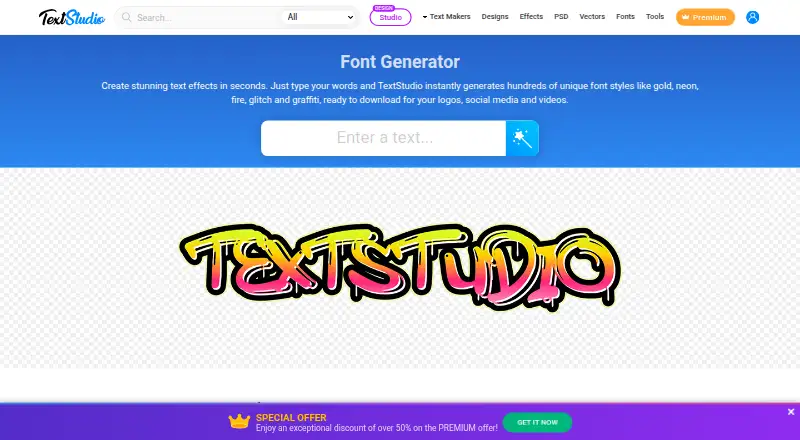
What FontMaker is
FontMaker turns handwriting, drawings, SVG files, and images into downloadable font files. Users can photograph a handwritten page, draw letters with a mouse, finger, or stylus, or import files. It can trace PNG, JPG, GIF, and WebP images into vector glyphs. Each glyph’s baseline, size, and left and right spacing can be adjusted, with a live preview while typing. Exports are available in OTF, TTF, and WOFF formats. The maker lists Photoshop, Word, Canva, Figma, and Procreate as compatible uses for exported fonts, and says WOFF is for websites. FontMaker says processing happens in the browser and files are not uploaded to its servers. The free version downloads 26 characters, either lowercase or uppercase, for personal use, with no account or watermark. Pro downloads permit commercial use: FontMaker Pro Monthly costs $3.99 a month, while FontMaker Pro for life costs 19.99 USD once. FontMaker Studio is described as available for iPhone, iPad, and Android, with drawing, scanning, and TTF export.
Good
- Accepts handwriting, drawings, SVG files, and images.
- Exports OTF, TTF, and WOFF files.
- Includes a live preview while adjusting glyphs.
- Free downloads require no account and have no watermark.
Watch out
- Free downloads are limited to 26 characters.
- Free-version fonts are for personal use.
- Commercial use requires a paid Pro plan.
Who it suits
FontMaker suits people who want to create fonts from handwriting, drawings, or image files. The free option is for personal-use fonts with a 26-character limit; commercial use requires Pro.
Verdict
FontMaker offers several ways to build a font and tune individual glyphs. The free version is limited to 26 characters for personal use; Pro plans allow commercial use.
Plans and prices
From FontMaker's own pricing page, checked 11 Oct 2026.
| Plan | Price | What it gives you |
|---|---|---|
| Free | Free | 26 characters (a-z or A-Z) · Personal use · OTF, TTF, WOFF |
| FontMaker Pro Monthly | $3.99 a month | All characters · Commercial use · Up to 3 browsers · Cancel any time · $3.99 a month |
| FontMaker Pro for life | $19.99, paid once | All characters · Commercial use · Up to 3 browsers · No renewal · $19.99 once |
The facts
Each one read from FontMaker's own pages, with the date it was checked.
What it does
- Commercial use
- Fonts downloaded with Pro can be used commercially; fonts downloaded with the free version are for personal use.checked 11 Oct 2026
- Export formats
- FontMaker exports OTF, TTF, and WOFF files.checked 11 Oct 2026
- Glyph controls
- Users can adjust each glyph’s baseline, size, and left and right spacing, with a live preview while typing.checked 11 Oct 2026
- Image tracing
- The FAQ says FontMaker traces PNG, JPG, GIF, and WebP images into vector glyphs.checked 11 Oct 2026
- Integrations and compatibility
- The maker lists Photoshop, Word, Canva, Figma, and Procreate as compatible uses for exported fonts, and says WOFF is for websites.checked 11 Oct 2026
- Payment handling
- The maker says Lemon Squeezy handles payments, applies country taxes, and sends invoices, and that FontMaker does not see card details.checked 11 Oct 2026
- Privacy
- The maker says files are processed in the browser and fonts and files are not uploaded to its servers.checked 11 Oct 2026
- Purpose
- FontMaker turns handwriting, drawings, SVG files, and images into downloadable font files.checked 11 Oct 2026
- Refunds
- The Pro page states purchases are refundable in full within 14 days without giving a reason.checked 11 Oct 2026
- Support
- The FAQ invites users to email questions, bug reports, or ideas and says every message is read.checked 11 Oct 2026
- Ways to create
- Users can photograph a handwritten page, draw letters with a mouse, finger, or stylus, or import files.checked 11 Oct 2026
Money
- Free tier limit
- The free version downloads 26 characters, either lowercase or uppercase, and has no account or watermark.checked 11 Oct 2026
The company
- Headquarters
- Mauritiuschecked 28 Sep 2026
- Maker
- The About page identifies Marc as FontMaker’s founder and says he makes the product.checked 11 Oct 2026
Where it runs
- Mobile app
- FontMaker Studio is described as available for iPhone, iPad, and Android, with drawing, scanning, and TTF export.checked 11 Oct 2026
The full review of FontMaker
FontMaker is a browser-based tool for turning handwriting and artwork into downloadable fonts, suited to people who want a personal typeface without building each glyph from scratch. It combines several ways to create letters with practical spacing controls, but the free version’s 26-character limit rules it out for a complete font.
Overview
You can photograph a handwritten page, draw letters with a mouse, finger, or stylus, or import files. FontMaker traces PNG, JPG, GIF, and WebP images into vector glyphs, making existing lettering a usable starting point rather than requiring every character to be drawn in the editor.
Each glyph can be adjusted for baseline, size, and left and right spacing, with a live preview while typing. That helps users refine how letters align and sit together. It does not, however, expand the free tier: a free download contains 26 characters, either lowercase or uppercase, so it is a sample alphabet rather than a complete font.
Key features
Creation and export
FontMaker exports OTF, TTF, and WOFF files. The maker identifies Photoshop, Word, Canva, Figma, and Procreate as compatible uses for exported fonts, and says WOFF is for websites. That makes the output suitable for familiar design and document tools as well as web projects, without locking users to a single export format.
Browser and mobile use
The maker says files are processed in the browser and fonts and files are not uploaded to its servers, a useful privacy position for personal handwriting or artwork. FontMaker Studio is described as available for iPhone, iPad, and Android, with drawing, scanning, and TTF export. The supported platform for the main product is web; the mobile app is a separate route for creating fonts on those devices.
Support and payments
The FAQ invites questions, bug reports, and ideas by email, and says every message is read. The maker identifies Marc as FontMaker’s founder and says he makes the product. Lemon Squeezy handles payments, applies country taxes, and sends invoices; FontMaker says it does not see card details. Pro purchases are refundable in full within 14 days without giving a reason.
Pricing
FontMaker is freemium, with no free trial. The Free plan costs nothing and exports OTF, TTF, and WOFF, but is limited to 26 characters (a-z or A-Z) and personal use. It requires no account and adds no watermark, making it a low-friction way to create a short personal alphabet; it is not enough for a full set of letters or commercial work.
FontMaker Pro Monthly costs $3.99 a month, billed $3.99 a month. It unlocks all characters and commercial use, supports up to 3 browsers, and can be cancelled any time. It suits someone who needs a complete font for paid or business use but prefers not to pay upfront for ongoing access.
FontMaker Pro for life costs $19.99, paid once, billed $19.99 once. It includes all characters and commercial use, supports up to 3 browsers, and has no renewal. It is the more direct fit for users who expect to keep making or using fonts beyond a short project; the monthly plan avoids that one-time payment but renews monthly unless cancelled. Both Pro plans remove the free tier’s character and personal-use restrictions.
Platforms
The main FontMaker product is supported on the web. FontMaker Studio is described as available for iPhone, iPad, and Android, with drawing, scanning, and TTF export. The listed platforms for the main product do not establish a separate desktop application for Android, iOS, Linux, macOS, or Windows.
Who it's for
FontMaker is a good fit for hobbyists, illustrators, and designers who want to turn their own lettering into a font, adjust individual glyphs, and export to common formats. The browser workflow and no-account free tier lower the barrier to trying a personal alphabet. Anyone who needs more than one case, commercial rights, or a complete working font will need Pro. Users seeking a broader character set at no cost should compare other font editors rather than treating the free download as a finished typeface.
Pros and cons
- Pros: Photographs, drawings, and imported images can all serve as starting points, so users are not restricted to one way of creating glyphs.
- Pros: Baseline, size, and side spacing controls plus a live preview give useful per-character adjustment before export.
- Pros: OTF, TTF, and WOFF exports cover common design, document, and web uses; the free plan has no account requirement or watermark.
- Cons: The free plan exports only 26 lowercase or uppercase characters and restricts use to personal projects, so it cannot provide a complete commercial font.
- Cons: Commercial use and all characters require a paid plan, and the monthly option renews unless cancelled.
Alternatives
For a broader comparison, see Font Design Software. Choose FontBob if you want drawing, spacing, preview, and OTF export on its free plan, or prefer its Pro plan at $7 a month. Counterpunch is worth considering if an open-source, GPLv3-licensed editor that works without registration is the priority.
Prototypo is an alternative with a free plan and a free trial. Birdfont is another freemium option. Calligraphr offers a free plan with up to 75 characters per font, though it requires registration and allows only one concurrent font. Fontra is a free, libre, open-source, browser-based option; Runebender is free and open source but described as alpha software; and FontForge is free and open source with source code access and redistribution permitted.
Verdict
Choose FontMaker if you want a straightforward route from handwriting or artwork to a font, with per-glyph adjustments and flexible exports. Its strongest case is the combination of image tracing, browser processing, and a simple path to a personal typeface. Look elsewhere if you need a complete font without paying: the free plan stops at one 26-character case, and commercial use requires Pro.
Getting started
- Open https://www.textstudio.com/font-maker in a web browser.
- Photograph a handwritten page, draw letters, or import files.
- Adjust glyph size, baseline, and spacing while checking the preview.
- Export the font in OTF, TTF, or WOFF format.
- Choose Free for 26 characters and personal use, or Pro for all characters and commercial use.
Limits worth knowing
The free plan exports 26 characters, either lowercase or uppercase, and permits personal use. Pro provides all characters and commercial use; the monthly plan is $3.99 a month, while the lifetime plan costs 19.99 USD once.
Questions
Is FontMaker free?
Yes. The free plan costs 0.00 USD and allows downloads of 26 characters, either lowercase or uppercase, for personal use.
How much does FontMaker Pro cost?
FontMaker Pro Monthly costs $3.99 a month. FontMaker Pro for life costs 19.99 USD once.
Can I use free FontMaker fonts commercially?
No. Commercial use is allowed for fonts downloaded with Pro; free-version downloads are for personal use.
What file formats can FontMaker export?
It exports OTF, TTF, and WOFF files.
Does FontMaker have a mobile app?
FontMaker Studio is described as available for iPhone, iPad, and Android, with drawing, scanning, and TTF export.
Alternatives to FontMaker
- 1

Counterpunch
Free planOpen sourceWebAPILinuxmacOS8.0From €5 a month - 2

FontBob
Free planAndroidiOSWebLinux7.9From $7 a month - 3
Calligraphr
Free planWebmacOSWindows7.6From £8 a month - 4

Fontra
Free planOpen sourceWebLinuxmacOSSelf-hosted7.5Free plan - 5
Prototypo
Free planWebExtensionLinuxmacOS7.0From $8.25 a month - 6

Birdfont
Free planLinuxmacOSWindows6.7$4.99 one-time