Calligraphr
Calligraphr turns handwriting or calligraphy into downloadable font files.
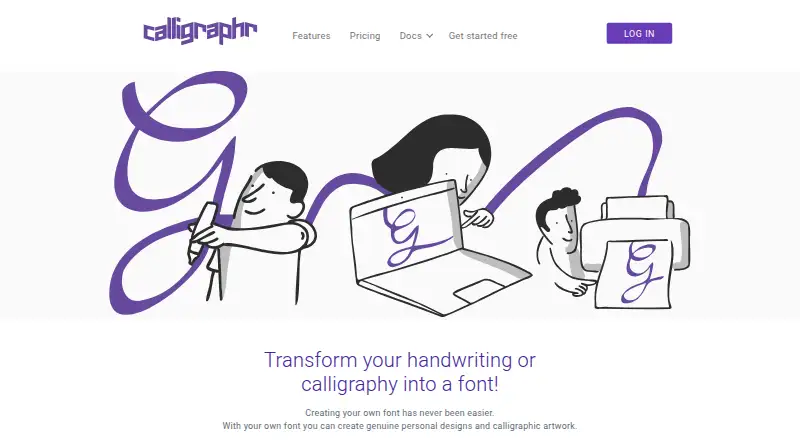
What Calligraphr is
Calligraphr turns handwriting or calligraphy into downloadable font files. Users prepare a template with a chosen character set and cell size, print and fill it in, then scan or photograph it for upload. An image editor supports character touch-ups, and tools adjust height and spacing. Multiple character variants can be randomized to give a font more natural variation. Downloads are standard TTF or OTF files that work independently after download. The Free plan requires registration and allows one concurrent font, 75 characters per font and two variants per character; it has no ligatures. Pro costs £6 a month, billed per month for a 6 months upgrade, and includes 20 concurrent fonts, 600 characters per font, 15 variants per character, ligatures, backup, prioritized processing, and browser and server storage. Free account data is kept in the browser and may be deleted after inactivity. Users own their creations and may use them commercially without crediting Calligraphr.
Good
- Creates standard TTF or OTF font files.
- Character variants can be randomized.
- Users may use creations commercially without credit.
- Templates can be customized by character set and cell size.
Watch out
- Free fonts are limited to 75 characters each.
- Free account data may be deleted after inactivity.
- Google Docs does not support custom font uploads.
- Android IndexedDB support is described as unreliable.
Who it suits
Calligraphr suits people who want to create a font from their own handwriting or calligraphy. It also fits users who need downloadable fonts for Windows or Mac programs such as MS Word or Adobe Illustrator.
Verdict
Calligraphr offers a straightforward template-to-font workflow, with a free tier and larger Pro limits. Keep downloaded files safe: browser data may be deleted, and server data is removed when Pro expires.
Plans and prices
From Calligraphr's own pricing page, checked 15 Oct 2026.
| Plan | Price | What it gives you |
|---|---|---|
| Free | Free | Unlimited fonts · 1 concurrent font · 75 characters · 2 variants per character · no ligatures · no per-character spacing · browser storage · no backup · no prioritized processing · Registration required |
| Pro six-month upgrade | £6 a month | Unlimited fonts · 20 concurrent fonts · 600 characters · 15 variants per character · ligatures · per-character spacing · browser plus server storage · backup · prioritized processing · £ 6 gbp per month for a 6 months upgrade |
| Pro | £8 a month | Unlimited fonts · 20 concurrent fonts · 600 characters · 15 variants per character · ligatures · per-character spacing · browser plus server storage · backup · prioritized processing · £ 8 gbp for one month |
The facts
Each one read from Calligraphr's own pages, with the date it was checked.
What it does
- AlternativeTo user review
- AlternativeTo shows one five-star user review and four likes; the reviewer says the free option handles basic lettering and its editing tools correct handwriting slips.checked 15 Oct 2026
- Character randomization
- Multiple drawn variants of a character can be selected randomly to make handwriting look less repetitive.checked 15 Oct 2026
- Character variants
- Multiple variants of characters can be used to simulate natural handwriting through character randomization.checked 8 Oct 2026
- Commercial rights
- The maker says users own creations made with Calligraphr and may use or share them commercially without crediting Calligraphr.checked 15 Oct 2026
- Commercial use
- Calligraphr says creations are the user's sole property and may be used commercially without crediting Calligraphr.checked 8 Oct 2026
- Custom templates
- Users can choose their character set and change template-cell size before printing.checked 15 Oct 2026
- Documentation
- Official documentation includes three tutorials covering first fonts, randomized fonts and ligatures, plus a FAQ.checked 15 Oct 2026
- Downgrade behavior
- Server data is deleted when an upgrade expires, while already downloaded TTF and OTF files continue working.checked 15 Oct 2026
- Editing
- The app includes an image editor for touching up characters and tools to adjust character height and spacing.checked 8 Oct 2026
- Font formats
- Generated fonts are standard TTF or OTF files that work independently after download.checked 15 Oct 2026
- Google Docs limitation
- The FAQ says custom Calligraphr fonts cannot be uploaded into Google Docs.checked 15 Oct 2026
- Integrations
- Fonts can be installed on Windows or Mac and used in external programs such as MS Word or Adobe Illustrator; Google Docs does not support uploading custom fonts.checked 8 Oct 2026
- Licence classification
- AlternativeTo classifies Calligraphr as freemium and proprietary.checked 15 Oct 2026
- Ligatures
- The Pro version can replace specified character sequences with user-created ligatures.checked 15 Oct 2026
- Limit: cursive construction
- Reddit users report that connecting cursive strokes is difficult and often produces unnatural results even after following the FAQ.checked 15 Oct 2026
- Limit: language coverage
- A G2 reviewer says the product is limited to roughly five to ten languages.checked 15 Oct 2026
- Limit: lettering flow
- A G2 reviewer says the lettering template does not work well for smooth connected handwriting and requires cutting and pasting letters as a workaround.checked 15 Oct 2026
- Limit: output quality
- A Trustpilot reviewer says generated fonts looked computer-like rather than handwritten.checked 15 Oct 2026
- Limit: precision editing
- Reddit users report warped diagonal glyphs and say the app lacks tools for editing generated vector paths precisely.checked 15 Oct 2026
Where it runs
- Android limitation
- The login page warns that IndexedDB support on Android devices is not yet reliable.checked 15 Oct 2026
- Browser data risk
- The FAQ says browsers may delete inactive font data after roughly two months in Firefox or Chrome and about a week in Safari.checked 15 Oct 2026
- Browser implementation
- The login page says the app uses IndexedDB for local storage and does not work in Firefox private mode.checked 15 Oct 2026
Money
- Free storage
- Free-account font data is kept in the current browser and cannot synchronize between computers or browsers.checked 15 Oct 2026
The company
- Headquarters
- Massein, Switzerlandchecked 28 Sep 2026
The full review of Calligraphr
Calligraphr converts your handwriting or calligraphy into an installable font through a print, fill, scan and upload process. It is aimed at creators who want a personal handwritten style without drawing every glyph in a traditional editor. The template-based approach is focused and practical, although serious type designers may need more control than it provides.
Overview
Calligraphr is a web app for turning supplied lettering into standard font files. You select the characters you need and the size of each template cell, print the sheet, write or draw the glyphs, then upload a scan or photograph. That route is considerably more direct than constructing a typeface one character at a time, and it keeps the emphasis on capturing an existing hand or calligraphic style.
The result is a downloadable TTF or OTF file that works independently of the service. Calligraphr says the resulting creations belong solely to the user and can be used commercially without crediting the company. The main caveat is persistence: Free data lives in the browser, so losing browser storage can mean losing editable project data.
Key features
Templates can be tailored to the character set and cell dimensions required, avoiding unnecessary glyphs and giving you room that suits your lettering. After upload, an image editor provides character clean-up, while height and spacing controls help bring uneven handwritten forms into a more coherent set. These are useful corrective tools, but they do not turn Calligraphr into a full professional type-design workstation.
Character variants are the standout expressive feature. Supplying multiple versions of a letter lets Calligraphr randomize them, reducing the repeated-letter look of a simple digital trace and producing more natural handwriting. Free accounts allow two variants per character; Pro raises that to 15 and adds ligatures. The service supports OpenType layout tools, but offers no webfont export, so it is not intended as a hosted web-typography pipeline.
Downloaded fonts install on Windows or Mac and can be used in applications such as MS Word and Adobe Illustrator. Google Docs cannot accept uploaded custom fonts. Some iPhone and iPad apps permit font changes, but a Calligraphr font cannot become an iOS system font, and Android IndexedDB support is described as unreliable.
Pricing
| Plan | Price and terms | What you get |
|---|---|---|
| Free | free; registration required | Unlimited fonts, one concurrent font, 75 characters per font, two variants per character, no ligatures, browser storage |
| Pro | £6 a month, billed per month for a six-month upgrade | Unlimited fonts, 20 concurrent fonts, 600 characters per font, 15 variants per character, ligatures, browser and server storage, backup and prioritized processing |
The Free plan is suitable for a small personal alphabet or a quick handwriting experiment, but one active font and 75 characters impose a real ceiling on broader language sets. Browser storage is the bigger risk: the FAQ says Firefox and Chrome may clear it after about two months of inactivity and Safari after about a week. Pro is the sensible choice for larger character inventories, multiple projects, or anyone who needs server retrieval and backups. When a Pro upgrade expires, server data is deleted; downloaded TTF and OTF files continue to work. The six-month upgrade term matters if you only need the service briefly.
Platforms
Calligraphr is delivered through the web and supports macOS and Windows use through the browser and downloaded fonts. It does not provide webfont export. Fonts can be installed locally on Windows or Mac, while mobile use depends on individual apps rather than system-wide installation.
Who it's for
Choose Calligraphr for journals, invitations, classroom projects, branding experiments and other work where your own handwriting is the source material. It is especially well matched to users who value quick template capture and randomized variants over detailed Bézier-level construction. Look elsewhere if you need collaborative editing, a native desktop workflow, webfont files, or dependable Android font handling.
Pros and cons
Pros
- Handwriting-first workflow: Printing and filling a template is a natural fit for converting an existing hand into a font.
- Independent standard files: TTF and OTF downloads remain usable after leaving the service.
- Natural variation: Multiple glyph variants and randomization reduce mechanical repetition.
- Commercial ownership: Calligraphr states that users retain sole ownership and may use creations commercially without attribution.
Cons
- Free-tier limits: One concurrent font, 75 characters and two variants restrict substantial typefaces.
- Fragile Free storage: Browser data can disappear after inactivity, with Safari given a particularly short possible retention period.
- Expiry consequence: Pro server data is removed when the upgrade ends, so exports and personal backups are essential.
- Limited ecosystem: No webfont export, no collaboration and no Google Docs custom-font uploads.
Alternatives
For a wider font-design category, browse Font Design Software. FontBob is a better fit when you want drawing, spacing, preview tools, OTF export and production-ready sharing across more platforms. Pick FontMaker if a broad Android, iOS, Linux, macOS, web and Windows footprint matters. Counterpunch suits users wanting a GPLv3 editor with no registration. Prototypo is preferable for parameter-based type design and a Pro tier with a trial. Birdfont offers an open-source editor with kerning, ligatures, alternates and SVG import. Fontra is a free/libre, browser-based cross-platform option. Runebender is a no-cost open-source choice, albeit alpha software. FontForge is the established free/open-source route when source access and redistribution are priorities.
Verdict
Calligraphr is a strong choice for turning real handwriting into a usable personal font with minimal design overhead. Its templates, cleanup controls and randomized variants make the process approachable, and Pro removes the limits that matter for larger sets. Choose it when handwriting capture is the goal; choose a dedicated font editor instead when you need collaboration, webfont output or deep typographic construction.
Alternatives to Calligraphr
- 1

Counterpunch
Free planOpen sourceWebAPILinuxmacOS8.0From €5 a month - 2

FontBob
Free planAndroidiOSWebLinux7.9From $7 a month - 3

Fontra
Free planOpen sourceWebLinuxmacOSSelf-hosted7.5Free plan - 4
FontMaker
Free planAndroidiOSWebLinux7.3From $3.99 a month - 5
Prototypo
Free planWebExtensionLinuxmacOS7.0From $8.25 a month - 6

Birdfont
Free planLinuxmacOSWindows6.7$4.99 one-time