Folder Size
Folder Size analyzes Windows storage and helps locate large files and folders.
What Folder Size is
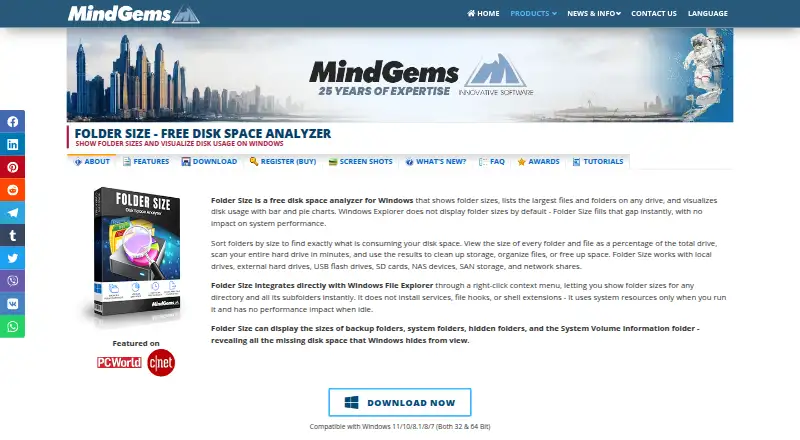
Folder Size analyzes Windows storage and helps locate large files and folders. It presents disk usage in bar and pie charts, and can scan folders, local and external drives, USB and flash drives, SD cards, NAS, SAN, and network shares. From File Explorer, users can open a folder’s right-click menu to scan that folder and its subfolders. Results can include the largest, oldest, newest, empty, and longest-path items, with exports to Excel, CSV, or XML. The application also supports cutting, copying, pasting, deleting, and moving files or folders. Saved scan data can be loaded later to compare results and follow changes. The maker says scans stay local and that file names, folder sizes, and other data are not transmitted. Folder Size has a free plan. The Personal license costs 24.95 USD as a one-time fee and does not expire; Professional adds command-line scan and export automation. It cannot scan symbolic links.
Good
- Scans local, external, and network storage.
- Shows usage with bar and pie charts.
- Exports reports to Excel, CSV, or XML.
- Saved scans support comparisons over time.
Watch out
- Available only for Windows.
- Cannot scan symbolic links.
- Command-line automation requires Professional.
Who it suits
It suits Windows users who want to find and manage space-consuming files across local, external, or network storage. Its listed audiences include home users, photographers, gamers, developers, IT professionals, and businesses.
Verdict
Folder Size combines storage visualization, reporting, and file management in a Windows utility. Its free plan covers analysis and charts, while command-line automation is reserved for Professional.
Plans and prices
From Folder Size's own pricing page, checked 28 Sep 2026.
| Plan | Price | What it gives you |
|---|---|---|
| Free | Free | Freeware; Windows |
| Personal | $24.95, paid once | Feature-limited; registered versions have no portable variation · One-time fee; lifetime license |
| Professional | $39.95, paid once | Command-line options available in Professional · One-time fee; lifetime license |
| Corporate | $499, paid once | Unlimited computers within the purchasing company or organization · One-time fee; lifetime license |
The facts
Each one read from Folder Size's own pages, with the date it was checked.
What it does
- Automation
- Command-line scan and export automation is available only in the Professional version.checked 28 Sep 2026
- Explorer integration
- A Windows File Explorer right-click context menu lets users scan a folder and its subfolders with Folder Size.checked 28 Sep 2026
- Exportable reports
- Yeschecked 22 Sep 2026
- External drive scans
- Yeschecked 22 Sep 2026
- File management
- Users can cut, copy, paste, delete, and move files or folders from within the application.checked 28 Sep 2026
- Intended users
- The maker describes the product for home users, gamers, photographers, video editors, software developers, IT professionals, and businesses.checked 28 Sep 2026
- Notable limit
- The FAQ says Folder Size cannot scan symbolic links because they are references rather than real folders or files.checked 28 Sep 2026
- Paid from
- 24.95checked 22 Sep 2026
- Privacy
- The maker says scans run locally and that folder sizes, file names, and other data are never uploaded or transmitted.checked 28 Sep 2026
- Purpose
- Folder Size analyzes Windows disk usage, lists large files and folders, and visualizes storage with bar and pie charts.checked 28 Sep 2026
- Reports and exports
- The product lists reports such as largest, oldest, newest, empty, and longest-path items, and supports exporting results to Excel, CSV, or XML.checked 28 Sep 2026
- Scan history
- Users can save and load scan data to compare results and track changes over time.checked 28 Sep 2026
- Scan scope
- files_folderschecked 22 Sep 2026
- Storage sources
- It scans local and external drives, USB and flash drives, SD cards, NAS, SAN, and network shares.checked 28 Sep 2026
- Support and updates
- The maker says registered users receive free support and minor version updates.checked 28 Sep 2026
- System requirements
- The maker lists Windows 11, 10, 8.1, 8, 7, and Windows Server 2008 or newer, with 1 GB RAM minimum and 10 MB disk space.checked 28 Sep 2026
Where it runs
- Desktop platforms
- windowschecked 22 Sep 2026
Money
- Free plan
- Yeschecked 22 Sep 2026
The full review of Folder Size
Overview
Folder Size is a Windows utility for locating wasted disk space across folders, drives, and network storage. It is best suited to users who need charts, detailed reports, and the ability to act on files in the same interface. The free edition handles core analysis, while scripting and deeper reporting require a paid license.
Key features
Scans cover local and external hard drives, USB and flash media, SD cards, optical media, NAS, SAN, and network computers or shares. Bar and pie charts make the distribution of storage easier to interpret than a plain directory listing. A File Explorer context-menu command can send a folder and its subfolders directly to Folder Size, which is practical when investigating one project or user directory rather than an entire machine.
Results can be filtered into largest, oldest, newest, empty, and longest-path items. Exports to Excel, CSV, and XML make the findings useful for documentation or further processing. Saved scan data can be loaded later to compare usage and track change over time. File previews, automatic selection, folder exclusions, and Recycle Bin handling add control when deciding what to remove.
This is also an operational file manager: files and folders can be cut, copied, pasted, moved, or deleted without leaving the application. Matching options include binary content, similar content, file size, similar names, and identical name-plus-size combinations, helping users investigate duplicates as well as oversized directories. Symbolic links are not scannable, so environments that rely heavily on link-based folder structures will not receive a complete picture.
The maker states that scans run locally and that names, sizes, and related data are not transmitted. That is a meaningful advantage for confidential drives. Command-line scanning and export automation are restricted to Professional, limiting unattended or scheduled workflows on cheaper licenses.
Pricing
Free costs nothing and includes folder and file size analysis, disk-usage charts, and local and external-drive scanning. It is the sensible starting point for personal cleanup and occasional investigations, but it does not provide the Professional automation capability.
Personal costs $24.95 a month, billed as a one-time fee; the license never expires. This feature-limited lifetime license adds registered-user support and minor version updates. It fits an individual who wants an ongoing desktop license without command-line control.
Professional costs $39.95 a month, also billed as a one-time fee with a license that never expires. It adds a Professional lifetime license, command-line automation, and advanced reporting and export. Choose it when repeatable scripts or richer reporting justify the extra cost.
Corporate costs $499 a month, billed as a one-time fee, and permits unlimited computers within the company or organization. It is aimed at organization-wide deployment rather than a single technician. There is no free trial.
Platforms
Folder Size runs on Windows 11, 10, 8.1, 8, 7, and Windows Server 2008 or newer. The stated minimum is 1 GB of RAM and 10 MB of disk space. It therefore suits Windows desktops and servers, but not macOS, Linux, Android, or iOS users.
Who it's for
Home users, gamers, photographers, video editors, developers, IT professionals, and businesses can use the broad scan coverage to identify space-heavy content. Personal users should start with Free; administrators managing repeat scans or exports have a stronger case for Professional, while Corporate is intended for unrestricted organizational installation.
Pros and cons
Pros
- Broad storage reach: local, removable, NAS, SAN, and network locations can be examined from one Windows tool.
- Actionable reporting: multiple report types, three export formats, and saved scan history support cleanup and ongoing capacity reviews.
- Privacy-conscious design: scans remain local according to the maker.
- In-app file operations: cleanup does not require switching to another file manager.
Cons
- Windows-only: there is no cross-platform edition.
- Symbolic-link blind spot: linked locations cannot be scanned.
- Automation paywall: command-line scanning and export are confined to Professional.
- Corporate pricing is substantial: the 499.00 USD tier makes sense only for broad company deployment.
Alternatives
For duplicate-focused tools, compare the Duplicate File Finders list. For visual storage investigation, see Disk Space Analyzers.
dupeGuru is a free duplicate finder for Windows, macOS, and Linux, so choose it when cross-platform duplicate detection matters more than Folder Size's storage charts and reporting.
Czkawka is free, ad-free software spanning Android, Linux, macOS, and Windows; it is preferable for broad platform coverage without a paid tier.
Anti-Twin is freeware for private use on Linux, macOS, and Windows, making it a straightforward no-cost duplicate-search option.
Duplicate Files Fixer offers a free scanner with unlimited-file scans but limits removal to 15 duplicates at once, while its paid plan is €35.95 a year; pick it when duplicate removal is the primary task.
fclones, jdupes, and rdfind are free command-line-oriented choices; they suit users who prefer lightweight duplicate matching over a graphical disk-usage workspace.
Space Wizard has a free home-drive plan capped at 100 GB per scan and a paid Pro tier, so it may fit smaller personal scans with a different licensing model.
Verdict
Choose Folder Size if you use Windows and want one application to map storage, produce exportable reports, retain scan history, and perform cleanup across local, removable, and network locations. Its strongest case is the combination of broad scanning and practical file management. Look elsewhere if you need macOS or Linux support, complete symbolic-link coverage, or free command-line automation; those requirements quickly expose the Windows-only scope and Professional-only scripting.
Alternatives to Folder Size
- 1

WizTree
Free planmacOSWindows8.0Free plan - 2
LumaDisk
Free planmacOSWindows7.9$6.89 one-time - 3

Disk Usage Analyzer
Free planOpen sourceLinuxmacOS7.7Free plan - 4

FolderSizes
Free planWindows7.7$30 one-time - 5
SizeTrend
Free planWindows7.7$69.99 one-time - 6
dust
Free planOpen sourceLinuxmacOSWindows7.6Free plan