fclones
fclones is a free, open-source command-line utility for finding identical files and handling unwanted copies.
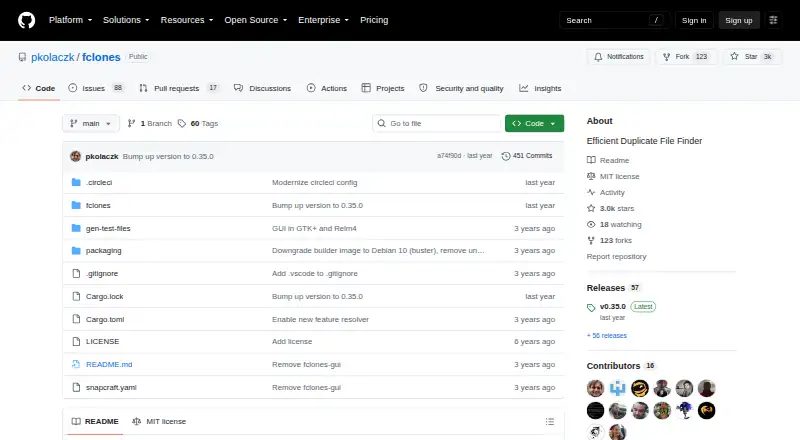
What fclones is
fclones is a free, open-source command-line utility for finding identical files and handling unwanted copies. It can scan multiple directory roots, file lists supplied through standard input, and mounted or removable devices. Search controls include recursion limits, glob and regular-expression filters, and minimum or maximum file sizes. The tool compares files using size, identifiers, prefix and suffix hashes, and full-content hashes. Results can be displayed as standard text, fdupes-compatible output, CSV or JSON, and the project describes integration with Unix utilities such as find. After locating duplicates, fclones can remove or move files, or replace them with soft or hard links. On supported file systems, it can deduplicate file data with native copy-on-write reflinks, but that capability is not supported on Windows. Users can inspect and modify duplicate lists before removal, and dry-run mode reports filesystem changes without carrying them out. Its Rust implementation parallelizes I/O and CPU-heavy stages and tunes processing for SSDs and HDDs. Optional persistent hash caching can help with repeated grouping and interrupted work. It runs on Linux, macOS and Windows under the MIT license.
Good
- Scans multiple roots and standard-input file lists.
- Offers glob and regular-expression filters.
- Supports text, fdupes-compatible, CSV and JSON output.
- Dry-run reports changes without executing them.
- Can move, remove or link redundant files.
Watch out
- Copy-on-write file-data deduplication is unavailable on Windows.
- Some access-ordering and page-cache optimizations are Linux-only.
- It is a command-line utility.
Who it suits
fclones suits users comfortable with a command-line tool who want to find and manage duplicate files across directory trees or removable devices. Its output formats and Unix utility integration may also suit scripted workflows.
Verdict
fclones provides configurable duplicate detection with several ways to review results before changes are made. Its file-data deduplication has a Windows limitation, and some optimizations are Linux-specific.
Plans and prices
From fclones's own pricing page, checked 1 Oct 2026.
| Plan | Price | What it gives you |
|---|---|---|
| Open-source fclones | Free | MIT license · command-line utility |
The facts
Each one read from fclones's own pages, with the date it was checked.
What it does
- Caching
- Optional persistent hash caching can speed up repeated grouping and resume interrupted work.checked 1 Oct 2026
- Deduplication
- It can deduplicate file data using native copy-on-write reflinks on supported file systems.checked 1 Oct 2026
- File operations
- It can remove, move, or replace redundant files with soft or hard links.checked 1 Oct 2026
- Integrations
- The project says it integrates with Unix utilities such as find and speaks JSON.checked 1 Oct 2026
- Output
- It provides standard text, fdupes-compatible, CSV, and JSON output formats.checked 1 Oct 2026
- Performance
- The Rust implementation parallelizes I/O and CPU-heavy stages and automatically tunes processing for SSDs and HDDs.checked 1 Oct 2026
- Purpose
- fclones identifies groups of identical files and removes unwanted copies.checked 1 Oct 2026
- Safety controls
- Users can inspect and modify duplicate lists before removal, and the --dry-run option reports filesystem changes without executing them.checked 1 Oct 2026
- Security
- The repository is released under the MIT license.checked 1 Oct 2026
- Selection
- It supports multiple directory roots, standard-input file lists, recursion limits, glob and regular-expression filters, and minimum or maximum file sizes.checked 1 Oct 2026
- Support
- The project provides GitHub Issues and Discussions for community support.checked 1 Oct 2026
Where it runs
- Linux optimization
- Physical file-access ordering and page-cache drop-behind optimizations are unavailable on platforms other than Linux.checked 1 Oct 2026
- Platform limit
- Copy-on-write file-data deduplication is not supported on Windows.checked 1 Oct 2026
The full review of fclones
fclones is a free, open-source command-line utility for finding identical files and managing redundant copies. It suits users who want precise control over scans and cleanup; its chief trade-off is that it expects comfort with command-line workflows rather than offering a graphical interface.
Overview
After identifying duplicate groups, fclones can remove or move extra files, replace them with soft or hard links, or deduplicate file data with copy-on-write reflinks on supported file systems. Users can inspect and edit duplicate lists before removal, and --dry-run reports filesystem changes without carrying them out. These options make it possible to choose a cautious workflow, but they also leave the decisions about what to keep with the user.
Key features
Scan controls include multiple directory roots, file lists supplied through standard input, recursion limits, folder exclusions, glob and regular-expression filters, and minimum or maximum file sizes. Scans can cover directory trees and mounted or removable devices. Matching can use file size, inode or file identifiers, prefix and suffix hashes, and full-content hashes, so users can tune the process to their collection rather than relying on a single matching method.
Results can be output as standard text, fdupes-compatible text, CSV or JSON. JSON support and integration with Unix utilities such as find make fclones suitable for scripted workflows as well as manual review. File preview and automatic selection are also supported, though the command-line orientation remains a poor fit for anyone seeking a visual cleanup experience.
The Rust implementation parallelizes I/O and CPU-heavy work and adjusts processing for SSDs and HDDs. Optional persistent hash caching can speed up repeated grouping and help resume interrupted work. These are practical advantages for large or recurring scans, while some performance optimizations are Linux-only: physical file-access ordering and page-cache drop-behind are unavailable elsewhere. Copy-on-write file-data deduplication is not supported on Windows.
Pricing
fclones is free: the Open-source fclones plan costs nothing and is released under the MIT license. It is a command-line utility, with no paid tier or trial to weigh against a free-plan cap. Its GitHub Issues and Discussions provide community support, rather than a paid support option.
Platforms
fclones is cross-platform, with support for Linux, macOS and Windows. The Windows limitation on reflink-based file-data deduplication means users who need that operation should choose another platform or tool. Linux users also get physical file-access ordering and page-cache drop-behind optimizations that are not available on macOS or Windows.
Who it's for
Choose fclones if you are comfortable using a command line and want to control where and how duplicate scans run, review results before changes, or connect output to other Unix utilities. It is less suitable if you want a graphical interface to guide file selection, or if Windows-based reflink deduplication is essential.
Pros and cons
- Pros: Detailed scan filters and several matching methods let users target large or specialized collections.
- Pros: Editable duplicate lists and dry-run reporting support a more deliberate cleanup process.
- Pros: Multiple output formats, Unix utility integration and persistent hash caching suit repeatable or scripted work.
- Cons: Its command-line design is not aimed at users who want a graphical file-cleanup workflow.
- Cons: File-data deduplication with reflinks is unavailable on Windows, and two performance optimizations are Linux-only.
Alternatives
Browse duplicate file finders for more options by category.
- dupeGuru is a free alternative for Linux, macOS and Windows if you want another cross-platform duplicate-file finder.
- Czkawka is free and adds Android support, making it a better fit if you need duplicate-file finding on that platform.
- Anti-Twin is a free alternative for Linux, macOS and Windows.
- Duplicate Files Fixer offers Android support and a free version that scans unlimited files but removes up to 15 duplicates at once, then one at a time; its paid plan costs €35.95 a year.
- Folder Size is Windows-only and focuses on folder and file-size analysis, disk-usage charts, and local and external drive scanning in its free plan.
- jdupes is a free, MIT-licensed option for exact duplicate matching across Linux, macOS and Windows.
- rdfind is a free option for Linux, macOS and Windows, released under GPLv2 or later.
- Space Wizard is a freemium alternative for Linux, macOS and Windows; its free plan covers a home drive and scans up to 100 GB per scan.
Verdict
fclones is a strong choice for command-line users who want configurable duplicate scans, reviewable results and multiple ways to handle redundant files without paying. Look elsewhere if you need a graphical workflow, or if Windows reflink-based file-data deduplication is a requirement.
Alternatives to fclones
- 1
Czkawka
Free planOpen sourceAndroidAPILinuxmacOS7.4Free plan - 2
Avidemux
Free planOpen sourceWebLinuxmacOSWindows7.3Free plan - 3
DoubleKiller
Free planWindows7.2$19.95 one-time - 4
jdupes
Free planOpen sourceLinuxmacOSWindows7.2Free plan - 5
Duplicate Files Fixer
Free planAndroidmacOSWindows6.8From €35.95 a year - 6
Duplicate Photos Fixer Pro
AndroidiOSmacOSWindows6.7From $39.95 a year