
dupeGuru
dupeGuru is a desktop application for locating duplicate files on Windows, macOS, and Linux.
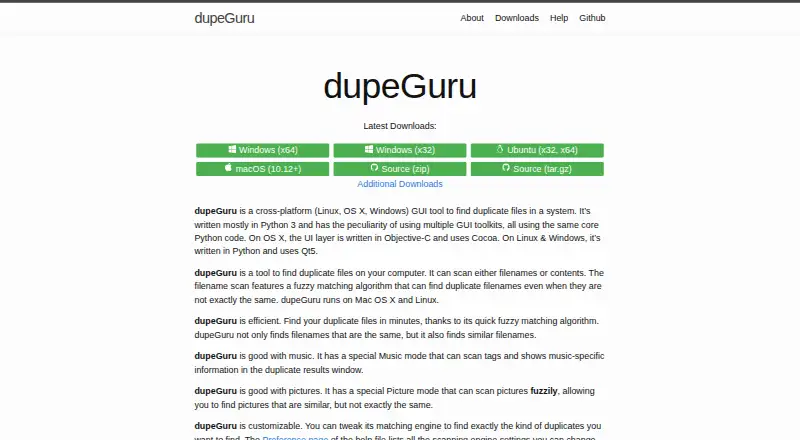
What dupeGuru is
dupeGuru is a desktop application for locating duplicate files on Windows, macOS, and Linux. It offers Standard, Music, and Picture scan modes, with options tailored to different kinds of matches. Filename scans can catch similar rather than identical names. Music scans compare filenames or selected music tags, while Picture scans look for similar images, including different-sized images when that preference is enabled. Contents scans identify exact matches, using file size to exclude files that cannot match before comparing contents; recursive scans can also find duplicate folders. After scanning, users can filter and sort results, compare a file with its reference in a details panel, and mark files to delete, move, or copy. Reference folders and duplicate groups are designed to protect reference files and leave at least one group member. The documentation recommends reviewing results before deletion: similar-word matching can produce false positives, and picture comparison checks every image against every other image, which can make it slow and CPU-intensive. The project is free and GPL-3.0 licensed.
Good
- Runs on Linux, macOS, and Windows.
- Offers filename, content, music-tag, and picture matching.
- Can filter and sort results before acting.
- Reference safeguards aim to protect files and retain a group member.
Watch out
- Similar-word matching can produce false positives.
- Picture comparisons can be slow and CPU-intensive.
- Documentation recommends reviewing results before deletion.
Who it suits
dupeGuru suits people who want to find and review duplicate files across folders on a desktop computer. Its separate music and picture modes may help users working with those collections.
Verdict
dupeGuru covers exact duplicates as well as similar filenames, music, and pictures, with review and file-action tools. Review proposed deletions carefully, particularly when using similar-word matching or picture scans.
Plans and prices
From dupeGuru's own pricing page, checked 30 Sep 2026.
| Plan | Price | What it gives you |
|---|---|---|
| dupeGuru | Free | Find duplicate files on your computer · Windows, macOS, Linux |
The facts
Each one read from dupeGuru's own pages, with the date it was checked.
What it does
- Content scans
- Contents scans consider files duplicates when their contents match exactly, using file sizes to narrow comparisons and MD5 hashes to compare contents.checked 29 Sep 2026
- Deletion safeguards
- Reference folders can prevent deletion from selected folders, and the group reference system keeps at least one file in each duplicate group.checked 30 Sep 2026
- Downloads
- The latest release page lists packages for Windows, macOS, Debian, RPM, Arch Linux, and Ubuntu PPA; Windows packages include installer and portable versions.checked 30 Sep 2026
- Duplicate folders
- A recursive contents scan can find duplicate folders when their contained files have matching contents.checked 30 Sep 2026
- Exact content scans
- Contents scans treat files as duplicates when their contents match exactly and use file sizes to exclude files that cannot match before reading contents.checked 30 Sep 2026
- False positive caveat
- The help warns that enabling similar-word matching can produce false positives and significantly slow scans.checked 30 Sep 2026
- False positive review
- The documentation recommends reviewing duplicates before deleting them and provides a details panel to compare a file with its reference.checked 29 Sep 2026
- File actions
- Users can delete, move, or copy duplicates, and can filter and sort results to review possible false matches.checked 30 Sep 2026
- Filename matching
- Filename scans can use fuzzy matching to find similar names that are not exactly the same.checked 29 Sep 2026
- Fuzzy matching
- Some scan types use fuzzy matching to find duplicates with similar rather than identical filenames or tags.checked 30 Sep 2026
- Languages
- The homepage lists English, French, German, Chinese (Simplified), Czech, Italian, Armenian, Russian, Ukrainian, Brazilian, and Vietnamese as supported languages.checked 29 Sep 2026
- License
- The GitHub repository identifies the project as GPL-3.0 licensed.checked 29 Sep 2026
- Music mode
- Music scans can compare file names or music tags, and the tags to compare can be selected in preferences.checked 30 Sep 2026
- Music scans
- Music mode can compare music tags and display music-specific information in duplicate results.checked 29 Sep 2026
- Performance limit
- Picture matching compares every picture with every other picture, making the comparison count quadratic in the number of pictures.checked 29 Sep 2026
- Picture mode
- Picture mode can find similar pictures using picture-block comparisons and can compare images of different dimensions when that preference is enabled.checked 30 Sep 2026
- Picture scan limit
- Picture matching compares every image against every other image, so its fuzzy scan can be CPU intensive and slow.checked 30 Sep 2026
- Picture scans
- Picture mode can scan for similar pictures that are not exactly the same.checked 29 Sep 2026
- Privacy and security
- The official pages opened describe local computer scanning and deletion safeguards but do not state a privacy policy or compliance certification.checked 30 Sep 2026
- Purpose
- dupeGuru is a desktop GUI tool for finding duplicate files on a computer.checked 30 Sep 2026
- Result actions
- Users can delete, move, or copy marked duplicates, and can filter and sort results.checked 29 Sep 2026
- Scan modes
- It has Standard, Music, and Picture modes, each with specialized scan types and preferences.checked 30 Sep 2026
- Support
- The project directs users to its GitHub issue tracker to report bugs or suggest features.checked 30 Sep 2026
Where it runs
- Platforms
- The homepage lists Windows x64 and x32, Ubuntu x32 and x64, and macOS 10.12+ downloads.checked 29 Sep 2026
The full review of dupeGuru
dupeGuru is a free desktop tool for finding duplicate files, best suited to people who want several matching methods without paying for a cleanup app. Its exact-content scans are a strong fit for dependable duplicate checks; similarity scans are broader, but require more careful review.
Overview
Scans run against folders and are organized into Standard, Music, and Picture modes, each with specialized scan types and preferences. You can filter and sort results, inspect a file beside its reference in a details panel, and then delete, move, or copy marked files. Automatic selection can speed up choosing candidates, but it does not remove the need to check what a similarity scan has matched.
The reference-folder and duplicate-group safeguards are designed to protect reference files and retain at least one file in each duplicate group. They reduce the risk of a mistaken cleanup, but the help still recommends reviewing results before deletion.
Key features
- Standard scans: Filename matching can find similar names, while content scans treat files as duplicates only when their contents match exactly. File sizes first rule out files that cannot match, then MD5 hashes are used to compare contents. Recursive content scans can also find duplicate folders when their contained files have matching contents. Exact matching is the better choice when certainty matters more than finding near-matches.
- Similarity matching: Some scan types use fuzzy matching on filenames or tags. Similar-word matching can produce false positives and significantly slow scans, so it is less suitable for a quick, unattended cleanup.
- Music mode: Compare music by filename or tags, and choose which tags to compare in preferences. Results include music-specific information, which helps when a filename alone is not enough to assess a match.
- Picture mode: Picture-block comparisons can find images that are similar but not identical. An option allows comparisons between images of different dimensions. Because every picture is compared with every other picture, this scan can become CPU-intensive and slow as a collection grows.
- File actions and review: Filter and sort possible matches, compare a result with its reference, and delete, move, or copy marked files. These controls make it possible to verify ambiguous matches before acting, rather than relying solely on automatic selection.
Pricing
dupeGuru is free: its plan costs nothing and covers finding duplicate files on Windows, macOS, and Linux. There is no paid tier or free trial; the project is GPL-3.0 licensed. That makes it a straightforward choice for anyone comfortable using a desktop application, though the free price does not make fuzzy results safe to delete without review.
Platforms
dupeGuru runs on Linux, macOS, and Windows. Packages are available for Windows, macOS, Debian, RPM, Arch Linux, and Ubuntu PPA; Windows downloads include installer and portable versions. Supported interface languages include English, French, German, Chinese (Simplified), Czech, Italian, Armenian, Russian, Ukrainian, Brazilian, and Vietnamese.
Who it's for
Choose dupeGuru if you want a cross-platform folder scanner with both exact-content matching and specialized options for music and pictures. It particularly suits users willing to inspect results before deleting and those who value local file actions such as moving or copying duplicates. It is less compelling for large picture libraries where scan time matters, or for anyone expecting fuzzy matches to be definitive. The maker directs bug reports and feature suggestions to GitHub issues.
Pros and cons
- Pro: Exact content matching compares file contents after using sizes to narrow candidates, making it distinct from filename-only duplicate checks.
- Pro: Standard, Music, and Picture modes cover exact duplicates as well as similar names, tags, and images in one tool.
- Pro: Reference comparisons, filters, sorting, and safeguards support deliberate review before file actions.
- Con: Similar-word matching can create false positives and slow scans, so broad matching takes more supervision.
- Con: Picture comparisons scale quadratically with the number of images and can be CPU-intensive.
Alternatives
Browse the Duplicate File Finders directory to compare more tools in this category.
- Czkawka is another free option, with versions for Android as well as Linux, macOS, and Windows.
- fclones is a free, MIT-licensed command-line utility for Linux, macOS, and Windows; choose it if a command-line tool is preferable to a desktop GUI.
- Folder Size is a Windows freemium option focused on folder and file size analysis, disk-usage charts, and local or external drive scanning.
- Space Wizard is a freemium option for Linux, macOS, and Windows; its Free plan covers the home drive and up to 100 GB per scan.
- AllDup is a free Windows-only option for private users and companies.
- CloneSpy is a free duplicate-file cleanup tool for Windows.
- Duplicate Cleaner is a Windows freemium option with a free basic plan for personal and home use only, not commercial use.
Verdict
dupeGuru is a strong free choice for users who want exact-content checks alongside filename, music-tag, and picture matching across desktop platforms. Its main advantage is that range, supported by review tools and deletion safeguards. Look elsewhere if you need large picture scans to stay fast or want to delete fuzzy matches without manually checking them.
Getting started
- Visit the dupeGuru website.
- Choose a Windows, macOS, or Linux package from the downloads.
- Install or launch the package for your platform.
- Select folders to scan and choose Standard, Music, or Picture mode.
- Review, filter, and sort the results before marking files to move, copy, or delete.
Questions
How much does dupeGuru cost?
The listed plan is free at no cost.
Which operating systems does it support?
dupeGuru supports Linux, macOS, and Windows.
What kinds of duplicates can it find?
It can search by filename similarity, exact file contents, music tags, and picture similarity. Recursive contents scans can also find duplicate folders.
Can I review matches before deleting them?
Yes. You can filter and sort results and compare a file with its reference in a details panel. The help recommends reviewing matches before deletion.
Is dupeGuru open source?
The project’s GitHub repository identifies it as GPL-3.0 licensed.
Alternatives to dupeGuru
- 1
Czkawka
Free planOpen sourceAndroidAPILinuxmacOS7.4Free plan - 2
Avidemux
Free planOpen sourceWebLinuxmacOSWindows7.3Free plan - 3
DoubleKiller
Free planWindows7.2$19.95 one-time - 4
jdupes
Free planOpen sourceLinuxmacOSWindows7.2Free plan - 5
Duplicate Files Fixer
Free planAndroidmacOSWindows6.8From €35.95 a year - 6
Duplicate Photos Fixer Pro
AndroidiOSmacOSWindows6.7From $39.95 a year