dust
dust is a free Rust command-line tool for identifying where disk space is being used.
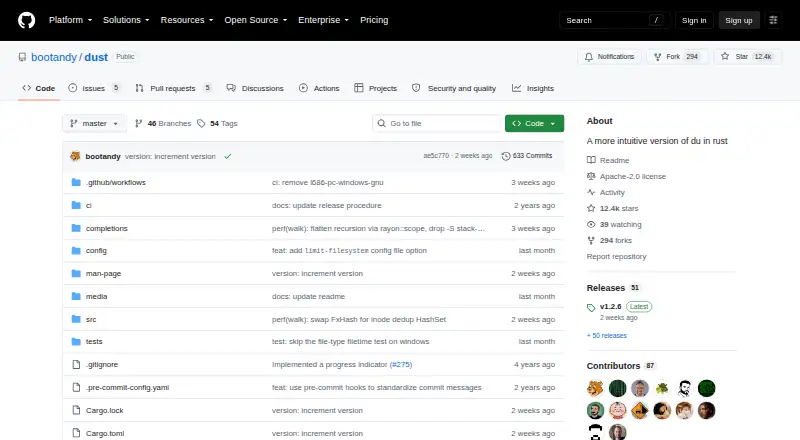
What dust is
dust is a free Rust command-line tool for identifying where disk space is being used. It displays large files and subdirectories in a tree, with colored bars showing disk usage and hierarchy. Filters can include or exclude files by regular expression and set a minimum file size. Output options allow results to show only files or directories, group entries by file type, or use different size units. A screen-reader option removes bars and symbols and adds a column for depth level. dust is available for Linux, macOS, and Windows. Its README lists installation through Cargo, Homebrew, DNF, Snap, mise, Pacstall, conda-forge, deb-get, x-cmd, and Scoop. The releases page lists downloadable packages for all three operating systems, including architecture-specific builds, and the v1.2.6 release page displays SHA-256 checksums for its assets. The project identifies its license as Apache-2.0 and provides GitHub Issues and Discussions. One limitation applies to the Snap package: it can access only files stored in the /home directory.
Good
- Available for Linux, macOS, and Windows.
- Filters support regular expressions and minimum file sizes.
- Can group output by file type.
- Includes a screen-reader option.
- Apache-2.0 licensed.
Watch out
- The Snap installation can access only files in /home.
Who it suits
dust may suit people who prefer a command-line view of disk usage and need to locate large files or directories. Its screen-reader option may help readers who need output without bars and symbols.
Verdict
dust offers a tree-based, filterable view of disk usage with output options for different workflows. If installing through Snap, account for its restriction to files in /home.
Plans and prices
From dust's own pricing page, checked 7 Oct 2026.
| Plan | Price | What it gives you |
|---|---|---|
| dust | Free | Command-line disk usage tool · Apache-2.0 license |
The facts
Each one read from dust's own pages, with the date it was checked.
What it does
- Accessibility
- A screen-reader option removes bars and symbols and adds a depth-level column.checked 7 Oct 2026
- Automatic overview
- It recursively seeks the largest entries and displays a compact overview without requiring sort or head.checked 15 Oct 2026
- Configuration
- Defaults can be stored in XDG_CONFIG_HOME/dust/config.toml, ~/.config/dust/config.toml, or ~/.dust.toml.checked 15 Oct 2026
- Depth control
- The -d option limits displayed recursion depth.checked 15 Oct 2026
- Exportable reports
- Yeschecked 23 Sep 2026
- Extensibility
- The manifest shows a binary application using clap, rayon, regex, serde, serde_json, sysinfo, and configuration-related crates; it does not advertise a public SDK.checked 15 Oct 2026
- File and directory filters
- Options include directories-only, files-only, minimum-size, filename regex inclusion and exclusion, hidden-file control, and filesystem boundaries.checked 15 Oct 2026
- File-type breakdown
- Yeschecked 23 Sep 2026
- Filtering
- Options can include or exclude files by regular expression and set a minimum file size.checked 7 Oct 2026
- Hierarchy bars
- Colored bars show relative size and parent-child directory relationships.checked 15 Oct 2026
- Homebrew availability
- Homebrew lists dust 1.2.6, Apache-2.0 licensed, with bottles for Apple Silicon macOS and Linux ARM64 and x86_64.checked 15 Oct 2026
- Homebrew usage
- Homebrew reported 3,466 installs in the preceding 30 days and 32,035 in the preceding 365 days when the page was read.checked 15 Oct 2026
- Independent resource profile
- X-CMD estimates about 6 MB memory use, 2.8 MB disk use, low CPU, one process, and no network activity.checked 15 Oct 2026
- Independent setup rating
- ExplainGit rates setup difficulty as easy, with an estimated five minutes to first use.checked 15 Oct 2026
- Installation
- The README lists installation through Cargo, Homebrew, DNF, Snap, mise, Pacstall, conda-forge, deb-get, x-cmd, and Scoop.checked 7 Oct 2026
- Installation channels
- Official instructions list a shell installer, Cargo, Homebrew, DNF, Snap, mise, Pacstall, Conda, deb-get, x-cmd, Scoop, and release archives.checked 15 Oct 2026
- JSON output
- The -j option emits JSON that can be piped into tools such as jq.checked 15 Oct 2026
- Latest release
- Version 1.2.6 was released on 16 September 2026 with Linux, macOS, and Windows assets.checked 15 Oct 2026
- License
- The repository contains the Apache License 2.0 text.checked 15 Oct 2026
- Limit: broken-pipe panic
- An open issue reports a panic when dust is piped to a consumer that exits early.checked 15 Oct 2026
- Limit: documentation
- A LinuxLinks reader comment says dust needed a man page, identifying a documentation gap.checked 15 Oct 2026
Where it runs
- Application sizes
- Nochecked 23 Sep 2026
- Desktop platforms
- linux,macOS,Windowschecked 23 Sep 2026
Money
- Free plan
- Yeschecked 23 Sep 2026
The full review of dust
dust is a command-line disk-usage tool for people who want a clearer view of what is filling a drive. Its tree layout and filters suit terminal users tracing large files through nested folders; those who need a graphical map or application-size reports should look elsewhere.
Overview
Built in Rust as a more intuitive alternative to du, dust arranges large files and subdirectories in a hierarchy, with colored bars showing disk usage. Seeing size alongside folder structure helps trace where space is accumulating without losing the relationship between a large directory and its contents. The trade-off is a terminal-centered view: dust has no treemap and does not report application sizes.
Key features
Regular-expression filters can include or exclude matching files, and a minimum-size option can hide smaller items. These controls help narrow a scan when a directory contains more detail than is useful. Output options can show only files or directories, group results by file type, and change size units. Grouping helps surface which file types occupy space, while exportable reports make results available beyond the immediate terminal view.
A screen-reader option removes bars and symbols and adds a depth-level column. That gives the hierarchy a text-based structure for readers who cannot rely on the visual cues in the default display.
Pricing
dust is free. Its dust plan costs nothing and includes the command-line disk-usage tool under the Apache-2.0 license. There is no paid tier to compare; the plan's focused scope means it is best suited to users who need disk-usage analysis rather than application-size reporting or a graphical treemap.
Platforms
dust supports Linux, macOS, and Windows. Installation options include Cargo, Homebrew, DNF, Snap, mise, Pacstall, conda-forge, deb-get, x-cmd, and Scoop, with downloadable release packages for all three platforms, including architecture-specific builds. Snap has a meaningful restriction: it can access only files stored in /home. Users who need to inspect other locations should account for that when choosing an installation method. The v1.2.6 release page provides SHA-256 checksums for its downloadable assets, and GitHub Issues and Discussions are available for project support.
Who it's for
dust is a good fit for terminal users who want to locate large files and folders, narrow results with filters, or group usage by file type. The screen-reader option also offers a more structured text view. Users who prefer a graphical disk map or need application sizes should choose another kind of analyzer.
Pros and cons
Pros
- The tree and colored bars connect disk usage to folder hierarchy, making large directories easier to investigate than a flat total.
- Regular-expression filters and a minimum-size threshold let users focus on relevant files.
- File-only, directory-only, file-type grouping, and unit options adapt the output to different questions.
- The screen-reader option replaces visual bars and symbols with a depth-level column.
- Free use under the Apache-2.0 license and packages for Linux, macOS, and Windows keep it accessible across common desktop platforms.
Cons
- It is a command-line tool, so users seeking a graphical disk map will need another option.
- It does not show application sizes.
- The Snap installation is confined to files in /home.
Alternatives
For other options in the category, browse Disk Space Analyzers. The other linked products cover different categories: SkyEmu, 3Beans, melonDS, MindSpark, DeSmuME, GB Enhanced+, Delta, and iDroidDS.
Verdict
Choose dust if you want a free, cross-platform terminal tool that connects large disk-usage totals to their files and folders, with filters and flexible output to focus the search. Look elsewhere if a graphical treemap or application-size reporting is central to your cleanup workflow.
Getting started
- Open the dust project website on GitHub.
- Choose an installation route listed in the README, such as Cargo, Homebrew, DNF, Snap, mise, Pacstall, conda-forge, deb-get, x-cmd, or Scoop.
- Alternatively, choose a downloadable package for Linux, macOS, or Windows from the releases page.
- If using Snap, keep in mind that it can access only files stored in /home.
Limits worth knowing
The Snap installation can access only files stored in the /home directory.
Questions
Is dust free?
Yes. The free plan is listed as free.
Which platforms does dust support?
Linux, macOS, and Windows.
Is dust open source?
The repository identifies its license as Apache-2.0.
How can I install dust?
The README lists Cargo, Homebrew, DNF, Snap, mise, Pacstall, conda-forge, deb-get, x-cmd, and Scoop. Downloadable packages are also listed for Linux, macOS, and Windows.
Does dust have a Snap limitation?
Yes. The Snap installation can access files only in the /home directory.
How can I get support for dust?
The project repository provides GitHub Issues and Discussions.
Alternatives to dust
- 1

WizTree
Free planmacOSWindows8.0Free plan - 2
LumaDisk
Free planmacOSWindows7.9$6.89 one-time - 3

Disk Usage Analyzer
Free planOpen sourceLinuxmacOS7.7Free plan - 4

FolderSizes
Free planWindows7.7$30 one-time - 5
SizeTrend
Free planWindows7.7$69.99 one-time - 6
Drive Atlas
Free planLinuxWindows7.4Free plan