MindSpark
MindSpark is a free, open-source mind-mapping app that runs in a browser or can be self-hosted.
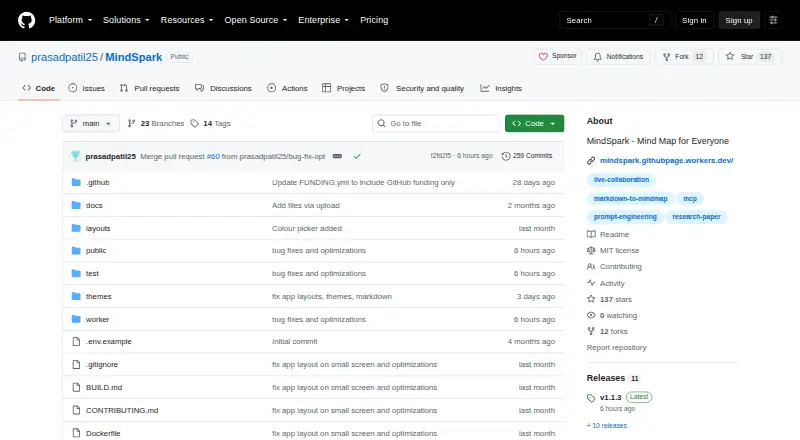
What MindSpark is
MindSpark is a free, open-source mind-mapping app that runs in a browser or can be self-hosted. Its editor provides an infinite canvas, keyboard-first editing, automatic layout, drag-and-drop reordering, multiple layouts, map search, presentation mode, and undo and redo. A Markdown outline and the map canvas stay synchronized in both directions. Citation tools can retrieve details from Crossref using a DOI, and cited nodes can become a references list. Users can compile a map branch into a prompt, estimate its tokens, and run it with their own Anthropic or OpenAI API key. The app imports JSON, OPML, Markdown, GitMind, and MindMeister files, and exports PNG, PDF, JSON, Markdown, Word, and Mermaid. Self-hosted mode uses SQLite and requires Node.js 22 or later. In browser mode, maps are saved as private JSON files in the user’s repository; GitHub, Gitea, Forgejo, and GitLab are supported. Real-time collaboration, editable shared links, and identity-based access controls require the optional cloud worker. MindSpark is released under the MIT license and is described as having no feature gates or usage limits.
Good
- Markdown outline and map canvas synchronize both ways.
- Citation details can be retrieved using a DOI.
- Supports imports from five named mind-map formats.
- Exports PNG, PDF, Word, and Mermaid.
- Described as having no feature gates or usage limits.
Watch out
- Self-hosting requires Node.js 22 or later.
- Collaboration and shared-link controls require the optional cloud worker.
- GitHub Pages sign-in does not provide OAuth or live collaboration.
- Browser-stored tokens use localStorage.
Who it suits
It suits researchers and engineers who want mind maps with citation, prompt-building, and software-engineering workflows. It also fits users who prefer self-hosting or storing maps in a repository they control.
Verdict
MindSpark combines mapping with research citations, prompt workflows, and several import and export formats. Choose its deployment mode with care: self-hosting has a Node.js requirement, while collaboration features depend on the optional cloud worker.
Plans and prices
From MindSpark's own pricing page, checked 8 Oct 2026.
| Plan | Price | What it gives you |
|---|---|---|
| Free | Free | No accounts · no paywalls · no feature gates · no usage limits · $0 forever |
The facts
Each one read from MindSpark's own pages, with the date it was checked.
What it does
- AI assistance
- Yeschecked 20 Sep 2026
- AI features
- Users can compile a map branch into a prompt, estimate tokens, and run it against Anthropic or OpenAI using their own API key.checked 8 Oct 2026
- AI workflows
- Users can compile a map branch into a prompt and run it with their own Anthropic or OpenAI API key.checked 8 Oct 2026
- Audience
- The maker describes MindSpark as built for researchers and engineers, with research, prompt-engineering, and software-engineering templates.checked 8 Oct 2026
- Collaboration
- Real-time collaboration, editable shared links, and identity-based access controls require the optional cloud worker.checked 8 Oct 2026
- Data storage
- Self-hosted mode stores maps in SQLite, while browser cloud mode saves maps as JSON files in the user's private repository.checked 8 Oct 2026
- Deployment limit
- The GitHub Pages deployment uses personal access token sign-in and does not provide OAuth or live collaboration.checked 8 Oct 2026
- Editing
- The editor includes an infinite canvas, keyboard-first editing, automatic layout, drag-and-drop reordering, and multiple layout options.checked 8 Oct 2026
- Export formats
- PNG,PDF,JSON,Markdown/text,Word (.doc),Mermaidchecked 20 Sep 2026
- Git hosts
- The app supports GitHub, Gitea, Forgejo, and GitLab for storing maps in repository-backed mode.checked 8 Oct 2026
- Import and export
- MindSpark imports JSON, OPML, Markdown, GitMind, and MindMeister files and exports formats including PNG, PDF, Word, and Mermaid.checked 8 Oct 2026
- Imports and exports
- MindSpark imports JSON, OPML, Markdown, GitMind, and MindMeister files, and exports formats including PNG, PDF, JSON, Markdown, Word, and Mermaid.checked 8 Oct 2026
- Integrations
- The project describes a separate MCP server for connecting MindSpark with Claude Desktop, Claude Code, ChatGPT, and other MCP-compatible clients.checked 8 Oct 2026
- License
- MindSpark is released under the MIT license.checked 8 Oct 2026
- Markdown
- Its Markdown outline and mind-map canvas stay synchronized live in both directions.checked 8 Oct 2026
- Offline mode
- Yeschecked 20 Sep 2026
- Presentation mode
- Yeschecked 20 Sep 2026
- Pricing and limits
- The README describes the app as free with no feature gates or usage limits; the static deployment is listed at $0 and the Worker deployment at $0 on Cloudflare's free tier.checked 8 Oct 2026
- Privacy
- In browser mode, maps are saved as private JSON files in the user's own repository, and the app says there is no server in between.checked 8 Oct 2026
- Product
- MindSpark is an open-source mind-mapping app that stores maps locally or in a private repository owned by the user.checked 8 Oct 2026
- Purpose
- MindSpark is an open-source mind-mapping app that runs in the browser and can be self-hosted.checked 8 Oct 2026
- Real-time collaboration
- Yeschecked 20 Sep 2026
Money
- Free plan
- Yeschecked 20 Sep 2026
Where it runs
- Mind mapping
- The editor provides an infinite canvas, automatic layout, multiple layouts, map search, presentation mode, and undo and redo.checked 8 Oct 2026
The full review of MindSpark
MindSpark is an open-source mind-mapping workspace for researchers and engineers who want visual planning tied to Markdown, citations, repositories, and AI prompts. It suits people comfortable managing their own storage or API credentials. The strongest case is structured research and prompt development; readers seeking turnkey team collaboration should account for the extra deployment component.
Overview
MindSpark runs in a browser and can also be self-hosted under the MIT license. Maps can remain local to a self-hosted SQLite database or live as JSON files in a private repository. Browser mode supports GitHub, Gitea, Forgejo, and GitLab, giving repository-minded users ownership of their files rather than placing them in an intermediary service.
That control comes with operational choices. Self-hosting starts with Node.js 22 or later and node server.js; GitHub Pages uses personal-access-token sign-in, without OAuth or live collaboration. Browser tokens are kept in localStorage and sent only to the selected Git host, while GitHub fine-grained tokens can be restricted to one repository. Gitea, Forgejo, and GitLab tokens are account-wide, so their access scope deserves closer attention.
Key features
The editor provides an infinite canvas, keyboard-first editing, automatic layout, multiple layout options, drag-and-drop reordering, search, undo and redo, and presentation mode. It is therefore useful both for building a map and presenting it, rather than treating the canvas as a disposable sketchpad.
A synchronized Markdown outline is the practical differentiator: edits made in the outline and on the map flow both ways. Researchers and engineers who switch between prose structure and visual relationships can keep one working model instead of reconciling separate documents.
Citation tools can fill bibliographic details from Crossref when given a DOI, and cited nodes can produce a references list. AI workflows compile a branch into a prompt, estimate tokens, and run it through Anthropic or OpenAI with the user's own key. That is a flexible BYOK design, but provider access, billing, and key management remain the user's responsibility.
Imports cover JSON, OPML, Markdown, GitMind, and MindMeister. Exports include PNG, PDF, JSON, Markdown/text, Word (.doc), and Mermaid, making it practical to move a map into documents, diagrams, or another workflow. The project also describes an MCP server for Claude Desktop, Claude Code, ChatGPT, and other compatible clients.
Offline mode and real-time collaboration are both supported in the product's feature set, but shared links, identity-based access controls, and live collaboration require the optional cloud worker.
Pricing
MindSpark's Free plan costs nothing, billed at $0 forever. There are no accounts, paywalls, feature gates, usage limits, or free trial. Static deployment is listed at $0, and Worker deployment is also $0 on Cloudflare's free tier. This is an unusually unrestricted option for individuals and teams willing to handle deployment and their own AI-provider costs.
Platforms
MindSpark is available on the web, through an API, on Linux, and as self-hosted software. The self-hosted route requires Node.js 22 or later; browser repository mode is the simpler choice when maintaining a server is undesirable.
Who it's for
Researchers benefit from DOI-based citations, references exports, and synchronized outlines. Engineers and prompt designers gain repository-backed maps, Mermaid output, MCP connectivity, and branch-to-prompt workflows. It is less suitable for organizations that need collaboration without configuring a worker, or for users unwilling to manage Git credentials, Node.js, or third-party API keys.
Pros and cons
- Pros: no feature or usage caps on the free plan; private repository or SQLite storage; two-way Markdown synchronization; Crossref citation capture; broad imports and exports; BYOK Anthropic and OpenAI workflows; MIT licensing.
- Cons: self-hosting requires Node.js 22 or later; collaboration and access controls depend on a cloud worker; GitHub Pages lacks OAuth and live collaboration; non-GitHub tokens are account-wide; AI usage requires your own provider key.
Alternatives
For a broader comparison of mapping tools, see Mind Mapping Software. The other linked products are emulators or utilities rather than direct mind-mapping substitutes: choose SkyEmu, 3Beans, melonDS, DeSmuME, GB Enhanced+, Delta, or iDroidDS for their respective console-emulation platforms, or dust for command-line disk-usage analysis.
Verdict
Choose MindSpark if you are a researcher, engineer, or prompt-focused user who values open-source ownership, repository storage, citations, and flexible exports at no software cost. Look elsewhere if collaboration must work without a worker deployment or if you want a managed service that hides infrastructure and credential decisions.