Finch
Finch is a free, open-source tool for local container development on macOS, Windows, and Linux.
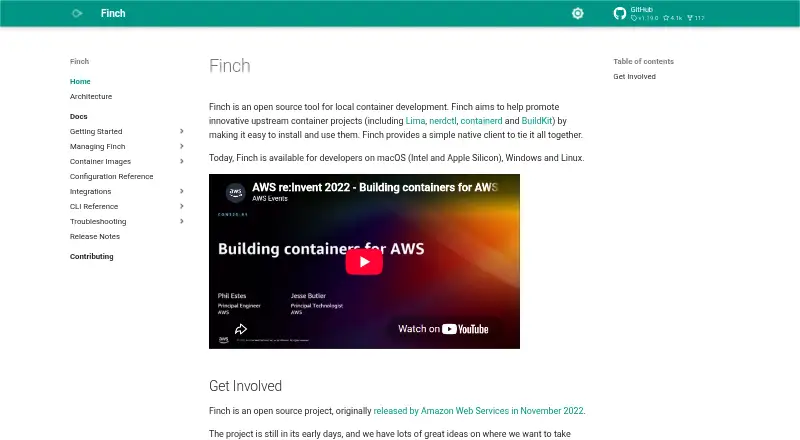
What Finch is
Finch is a free, open-source tool for local container development on macOS, Windows, and Linux. It provides a native client for upstream container projects and brings together Lima, nerdctl, containerd, and BuildKit. Its CLI supports Docker Compose-compatible commands, so users can translate commands such as `docker compose up` to `finch compose up`. Finch also covers a majority of Visual Studio Code Dev Container use cases as an open-source container runtime solution. Developers can sign and verify container images with cosign, using self-managed keys. Finch originated as an Amazon Web Services project released in November 2022. It is intended for development rather than production, especially not multi-tenant workloads; its macOS and Windows virtual machine does not create a security boundary. On macOS, it uses the encrypted Keychain by default for registry credentials, but does not support Windows `wincred` or Linux `secretservice` stores. Windows installation requires WSL 2 and administrative privileges. macOS installation also requires administrative privileges and recommends at least 2 vCPU and 4 GB of memory. Linux installation lists kernel v4.x or later as a prerequisite.
Good
- Free and open source, with no licensing tiers.
- Available on macOS, Windows, and Linux.
- CLI supports Docker Compose-compatible commands.
- Supports a majority of Visual Studio Code Dev Container use cases.
- Can sign and verify images with cosign.
Watch out
- Not intended for production, especially multi-tenant workloads.
- macOS and Windows virtual machines are not security boundaries.
- Windows installation requires WSL 2 and admin privileges.
- Linux installation requires kernel v4.x or later.
Who it suits
Finch suits developers who want a local, open-source container tool across macOS, Windows, or Linux, particularly those using Compose workflows or Visual Studio Code Dev Containers. It is not intended for production use, especially multi-tenant workloads.
Verdict
Finch brings several container development components together and supports Compose-compatible workflows across three desktop operating systems. Its stated development scope and platform-specific installation requirements are important limits to consider.
Plans and prices
From Finch's own pricing page, checked 7 Oct 2026.
| Plan | Price | What it gives you |
|---|---|---|
| Finch | Free | No licensing tiers or commercial agreements required |
The facts
Each one read from Finch's own pages, with the date it was checked.
What it does
- Compose
- Finch provides a CLI compatible with Docker Compose commands, so commands such as `docker compose up` can be translated to `finch compose up`.checked 7 Oct 2026
- Core components
- Finch brings together Lima, nerdctl, containerd, and BuildKit.checked 7 Oct 2026
- Credential storage
- On macOS, Finch configures the encrypted macOS Keychain by default for registry credentials; it does not support Windows `wincred` or Linux `secretservice` system stores.checked 7 Oct 2026
- Dev Containers
- Finch supports a majority of Visual Studio Code Dev Container use cases as an open source container runtime solution.checked 7 Oct 2026
- Image signing
- Finch supports signing and verifying container images with cosign, and currently supports self-managed keys.checked 7 Oct 2026
- Project origin
- Finch is an open source project originally released by Amazon Web Services in November 2022.checked 7 Oct 2026
- Purpose
- Finch is an open source tool for local container development that provides a native client for upstream container projects.checked 7 Oct 2026
- Security limitation
- Finch is a developer tool not meant for production use, especially multi-tenant workloads, and its macOS and Windows virtual machine does not create a security boundary.checked 7 Oct 2026
- Support
- Users can report issues through the Finch GitHub repository, and AWS customers with Developer tier or higher support can open technical support tickets for Finch.checked 7 Oct 2026
The company
- Founded
- 2022checked 28 Sep 2026
Where it runs
- Linux prerequisite
- The Linux installation guide lists Linux kernel v4.x+ as a prerequisite.checked 7 Oct 2026
- macOS prerequisites
- Finch on macOS requires administrative privileges to install and recommends at least 2 vCPU and 4 GB of memory.checked 7 Oct 2026
- Supported platforms
- Finch is available for developers on macOS, Windows, and Linux.checked 7 Oct 2026
- Windows prerequisites
- Finch on Windows requires WSL 2 and administrative privileges to install.checked 7 Oct 2026
The full review of Finch
Finch is a free, open-source local container development tool for developers who want a Compose-compatible command line and Visual Studio Code Dev Containers across desktop operating systems. It is strongest as a practical workstation runtime built from established container components, but its virtualization and multi-tenant security limits make it unsuitable for production workloads.
Overview
Originally released by Amazon Web Services in 2022, Finch provides a native client for upstream container projects rather than presenting itself as a production platform. It bundles Lima, nerdctl, containerd and BuildKit into one development-oriented tool. That combination gives developers a coherent local stack without licensing tiers or commercial agreements, while keeping the scope firmly on individual development machines.
Key features
Finch's command-line interface is compatible with Docker Compose commands. Existing Compose-oriented workflows can therefore use finch compose up where they would otherwise run docker compose up. This is a meaningful advantage for developers who already organize local services with Compose, although compatibility is not a promise that every Docker-specific behavior or extension will transfer unchanged.
The runtime supports a majority of Visual Studio Code Dev Container use cases, making Finch a credible choice for editor-centered development environments. It also supports OCI images, resource controls and a hybrid runtime mode. Rootless mode is not supported, so teams that require rootless containers as a standard security or compliance practice should look elsewhere.
For supply-chain checks, Finch can sign and verify container images with cosign. Its current key support is self-managed, which suits teams willing to operate their own key material but is less convenient for organizations expecting an externally managed signing service. On macOS, registry credentials are stored in the encrypted macOS Keychain by default. Windows wincred and Linux secretservice are not supported, a practical drawback when those system stores are part of an existing credential-management policy.
Finch is explicitly a developer tool. Its macOS and Windows virtual machine does not provide a security boundary, and it is not intended for production, particularly multi-tenant workloads. Treat it as a local development runtime, not as isolation for untrusted or shared production workloads.
Pricing
Finch is open source and free to use. The Finch plan costs nothing, with no licensing tiers or commercial agreements required. There is no free trial because the product is already free, and there are no paid feature levels or seat charges to weigh.
Issue reports can be filed through the Finch GitHub repository. AWS customers with Developer tier support or higher can also open technical support tickets for Finch; other users should expect community-oriented issue handling rather than a separately priced support package.
Platforms
Finch runs on Linux, macOS and Windows. Windows installation requires WSL 2 and administrative privileges. macOS installation also requires administrative privileges and recommends at least 2 vCPU and 4 GB of memory. Linux installation requires a Linux kernel version 4.x or newer. These prerequisites make Finch a better fit for managed developer machines than locked-down systems where users cannot install virtualization components or obtain administrator access.
Who it's for
Choose Finch if you are a developer who wants an open-source local runtime, Compose-style commands, OCI support and broad Visual Studio Code Dev Container coverage on macOS, Windows or Linux. It is particularly well matched to teams standardizing local workflows without purchasing a desktop-container license.
Look elsewhere if you need production-grade isolation, multi-tenant security, rootless operation, or credential integration with Windows wincred or Linux secretservice. Windows users unable to enable WSL 2, and macOS users without administrator rights, should also consider another runtime.
Pros and cons
Pros
- Free and open source: The 0.00 USD plan has no licensing tiers or commercial-agreement requirement.
- Compose-compatible CLI: Developers can carry familiar Compose command patterns into local Finch projects.
- Broad desktop coverage: Linux, macOS and Windows support enables a common tool choice across mixed teams.
- Useful development stack: Lima, nerdctl, containerd and BuildKit are brought together with OCI, resource controls and hybrid runtime support.
- Image signing: Cosign signing and verification adds an integrity workflow for teams managing self-managed keys.
Cons
- Not a production boundary: The macOS and Windows VM does not isolate workloads, especially in multi-tenant scenarios.
- No rootless mode: Teams requiring rootless containers cannot use Finch for that requirement.
- Installation prerequisites: Windows needs WSL 2 and administrator rights; macOS needs administrator rights and recommends 2 vCPU plus 4 GB memory.
- Credential-store gaps: Windows wincred and Linux secretservice are unsupported.
- Self-managed signing keys: Cosign support leaves key administration to the user.
Alternatives
Docker Desktop is the better choice when you want a freemium product with a Personal plan at no cost and a Pro plan at $9 a month, plus Docker Engine, Kubernetes, Docker Hub, Docker Scout and Docker Debug in the Personal offering.
Apptainer suits readers seeking a free, open-source container platform across a broad set of hosted and desktop environments, with commercial support available through partners.
Incus is a free-software alternative under the Apache 2 license for readers who prefer that project model.
Rancher Desktop is another free, open-source desktop application for Linux, macOS and Windows.
LXD is worth considering when KVM-based virtual machines, system containers or self-hosted deployment are priorities; its open-source plan is free, and a free Ubuntu Pro Personal plan is also offered.
Colima is a free MIT-licensed option focused on container runtimes on macOS and Linux.
crun is a free OCI container runtime for Linux and self-hosted setups.
Podman is a free, open-source alternative providing container, pod and image management, including Podman Desktop.
For broader category comparisons, see Container Runtime Software and Container Development Environments.
Verdict
Finch is a strong recommendation for developers who want a no-cost, open-source local runtime with Compose compatibility and broad desktop support. Choose it for workstation development and Dev Container workflows; choose another platform when production isolation, rootless execution or deeper host credential integration is a non-negotiable requirement.
Alternatives to Finch
- 1

Docker Desktop
Free planWebLinuxmacOSWindows7.2From $9 a month - 2

OrbStack
Free planAPImacOS7.2From $8 a month - 3

LXD
Free planWebAPILinuxSelf-hosted7.0From $25 a year - 4
Incus
Free planAPILinuxmacOSSelf-hosted6.8Free plan - 5
Apptainer
Free planAPILinuxmacOSSelf-hosted6.7Free plan - 6
Rancher Desktop
Free planAPILinuxmacOSWindows6.7Free plan