dualmon
dualmon provides remote access and remote support for computers, plus browser-based online meetings.
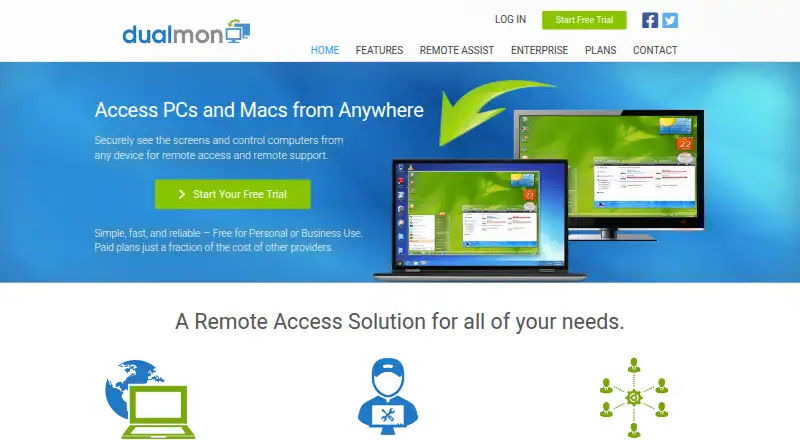
What dualmon is
dualmon provides remote access and remote support for computers, plus browser-based online meetings. It supports Windows, macOS, iOS, Android, and web access, with file transfer and session recording. Users can connect at any time, and the service can reconnect automatically after a remote reboot. Support providers can deploy dualmon remotely to connect with users and assist them. Meetings include screen annotation, shared control, calendar integration, meeting history, and presentation recording; the site names Outlook, Google Calendar, and other calendar integrations. Security controls include two-factor authentication, IP whitelisting, screen blanking, and input locking. The maker says transferred data uses SSL encryption. A free account is listed for personal or business use, and a 14-day trial is available. Paid choices include individual, small-office, Remote Assist, and enterprise plans. Enterprise plans list capacity from 10 to 1,000 remote computers and unlimited user accounts. The searchable knowledge base covers use of the website, installation, product features, accounts, and service.
Good
- Supports Windows, macOS, iOS, Android, and web.
- Includes file transfer and session recording.
- Reconnects automatically after a remote reboot.
- Meetings include annotation, shared control, and recording.
- Free account and 14-day trial are available.
Watch out
- Remote Assist is listed at $99/year.
- The Remote Assist page includes a 50% first-year promotion.
- Free Account lists five managed devices.
Who it suits
dualmon may suit individuals, offices, or support providers needing remote computer access, support, or browser-based meetings. Enterprise plans are sized by remote-computer capacity and list unlimited user accounts.
Verdict
dualmon combines computer access and support with online meeting features across desktop, mobile, and web platforms. Compare plan capacity and account needs when choosing among its free, individual, office, Remote Assist, and enterprise options.
Plans and prices
From dualmon's own pricing page, checked 20 Sep 2026.
| Plan | Price | What it gives you |
|---|---|---|
| Remote Assist | $99 a year | 20 user accounts · 5 unattended computers · Price shown as $99/year; includes a 50% first-year promotion on the page. |
| Enterprise - 10 computers | $99 a year | 10 remote computers · Price / year |
| Enterprise - 25 computers | $149 a year | 25 remote computers · Price / year |
| Enterprise - 50 computers | $199 a year | 50 remote computers · Price / year |
| Enterprise - 100 computers | $249 a year | 100 remote computers · Price / year |
| Enterprise - 250 computers | $399 a year | 250 remote computers · Price / year |
| Enterprise - 500 computers | $649 a year | 500 remote computers · Price / year |
| Enterprise - 1,000 computers | $999 a year | 1,000 remote computers · Price / year |
| Free Account | Free | Personal or business use · remote access and meetings |
| PRO — Individuals | $19 a year | Access 2 computers · $19 / year |
| PRO — Small Offices | $24 a year | Access up to 5 computers · $24 / first year; page shows ~~$49~~ / year |
| Enterprise — 10 computers | $49 a year | 10 remote computers · unlimited user accounts · $49 / first year; page shows ~~$99~~ / year |
| Enterprise — 25 computers | $74 a year | 25 remote computers · unlimited user accounts · $74 / first year; $149 / year |
| Enterprise — 50 computers | $99 a year | 50 remote computers · unlimited user accounts · $99 / first year; $199 / year |
| Enterprise — 100 computers | $124 a year | 100 remote computers · unlimited user accounts · $124 / first year; $249 / year |
| Enterprise — 250 computers | $199 a year | 250 remote computers · unlimited user accounts · $199 / first year; $399 / year |
| Enterprise — 500 computers | $324 a year | 500 remote computers · unlimited user accounts · $324 / first year; $649 / year |
| Enterprise — 1000 computers | $499 a year | 1000 remote computers · unlimited user accounts · $499 / first year; $999 / year |
The facts
Each one read from dualmon's own pages, with the date it was checked.
What it does
- Access mode
- bothchecked 20 Sep 2026
- Business scale
- Enterprise plans list computer limits from 10 to 1000 and include unlimited user accounts.checked 7 Oct 2026
- Calendar integrations
- The home page says meetings integrate with Outlook, Google calendar, and others.checked 7 Oct 2026
- Encryption
- The maker says all data is transferred with SSL encryption.checked 7 Oct 2026
- File transfer
- The product transfers files directly between computers without email or cloud storage.checked 7 Oct 2026
- Meetings
- Meeting features include screen annotation, shared control, calendar integration, meeting history, and presentation recording.checked 7 Oct 2026
- Privacy
- The privacy policy says dualmon will not provide personal information to third party partners for marketing or promotional purposes and will not sell it.checked 7 Oct 2026
- Product
- dualmon provides remote access and remote support to computers from anywhere, and also offers browser based online meetings.checked 7 Oct 2026
- Remote access
- Users can connect at any time and automatically reconnect after a remote reboot.checked 7 Oct 2026
- Remote support
- Support providers can remotely deploy dualmon to connect to users and assist them.checked 7 Oct 2026
- Security controls
- Features include two factor authentication, IP whitelisting, screen blanking, and input locking.checked 7 Oct 2026
- Session recording
- Yeschecked 20 Sep 2026
- Support
- The site offers a searchable knowledge base with FAQs for using the website, installing software, product features, and accounts and service.checked 7 Oct 2026
The company
- Company
- dualmon LLC describes itself as an independent, privately held company headquartered in Southern California.checked 7 Oct 2026
Money
- Free plan
- Yeschecked 20 Sep 2026
Where it runs
- Managed devices
- 5checked 20 Sep 2026
- Mobile apps
- Yeschecked 20 Sep 2026
- Platform support
- The enterprise page lists Windows XP and newer, Windows Server versions, and macOS Mavericks and newer; it also describes access from mobile devices.checked 7 Oct 2026
- Supported platforms
- Windows,macOS,iOS,Android,webchecked 20 Sep 2026
The full review of dualmon
dualmon is a remote access and support service with browser-based meetings. It suits people who need to reach computers and help users across desktop and mobile, especially when meetings belong in the same workflow. Its strongest case is that combination; its tier limits make computer and account counts central to the buying decision.
Overview
Remote access lets users connect at any time and reconnect automatically after a remote reboot, a useful capability for unattended computers. Support providers can remotely deploy dualmon to connect to users and assist them. File transfer and session recording add practical tools for support work beyond simply viewing a screen.
Browser-based meetings include screen annotation, shared control, calendar integration, meeting history, and presentation recording. That mix makes dualmon more compelling for teams that need both computer support and meetings. If remote assistance is the only priority, compare dedicated options in Remote Support Software; for computer access, see Remote desktop software.
Key features
Security controls include two-factor authentication, IP whitelisting, screen blanking, and input locking. The maker says data transfers use SSL encryption. These controls address common remote-access concerns, while organizations with specific security requirements should check that the service meets them. The privacy policy says dualmon does not sell personal information or provide it to third-party partners for marketing or promotional purposes.
Meetings integrate with Outlook, Google Calendar, and other calendars. A searchable knowledge base covers website use, installation, product features, accounts, and service, giving users a self-service option for common questions.
Pricing
The Free Account costs $0.00 per free and supports personal or business use, remote access, and meetings. It is a sensible starting point, though the paid plans show that computer capacity and user accounts determine the step up. A 14-day trial is available.
PRO — Individuals costs $19 a year for access to two computers, a low-cost fit for one person managing a small personal setup. PRO — Small Offices is $24.00 USD for the first year, shown against $49 per year, and covers up to five computers. That makes it a modestly priced option for a small office, but the first-year price is promotional and the page shows a higher annual price afterward.
Remote Assist costs $99 a year, with a 50% first-year promotion, and includes 20 user accounts and five unattended computers. It is the clearest fit for support providers who need multiple accounts but only a handful of unattended machines. Its computer allowance is the main constraint for larger support operations.
Enterprise — 10 computers is shown at $49.00 USD for the first year against $99 per year, with 10 remote computers and unlimited user accounts. For larger deployments, annual prices are $99.00 USD for 10 computers, $149.00 USD for 25, $199.00 USD for 50, $249.00 USD for 100, $399.00 USD for 250, $649.00 USD for 500, and $999.00 USD for 1,000. The enterprise range scales computer capacity and includes unlimited user accounts, making it better suited to organizations with many users or managed machines. Compare the first-year promotions with the stated annual prices when budgeting renewal costs.
Platforms
dualmon supports Windows, macOS, iOS, Android, and web access. The enterprise page covers Windows XP and newer, Windows Server versions, and macOS Mavericks and newer, with access from mobile devices. Mobile apps extend its reach beyond desktop computers, while web meetings provide a browser-based option.
Who it's for
Choose dualmon if you need remote access, user support, and online meetings in one service, and its computer and account allowances fit your workload. Individuals can start with two computers, while small offices have a five-computer plan and support providers can use Remote Assist for 20 accounts. Organizations managing more machines can choose enterprise capacity up to 1,000 computers with unlimited user accounts.
It is less compelling for buyers who need only one of those functions or whose deployment exceeds the available enterprise ceiling. In those cases, compare specialist tools and their specific capacity limits.
Pros and cons
- Pros: Combines remote access, support, and browser-based meetings, including annotation, shared control, calendar integration, and presentation recording.
- Pros: Supports file transfer and session recording, plus security controls such as two-factor authentication, IP whitelisting, screen blanking, and input locking.
- Pros: Offers plans from two computers to 1,000, with unlimited user accounts on enterprise plans.
- Cons: The lowest individual and office tiers cap access at two and five computers, respectively, so they do not suit larger deployments.
- Cons: Several entry prices are first-year promotions, so renewal pricing matters when comparing budgets.
- Cons: Remote Assist includes 20 user accounts but only five unattended computers, which may constrain providers supporting many machines.
Alternatives
TeamViewer Remote is worth comparing if Linux support matters; its free plan is for personal, non-commercial use. Zoho Assist offers a free tier for one technician and five devices, a direct alternative for a small support setup. DWService is a free, open-source option for readers who value open-source software.
Getscreen.me is another freemium alternative. Iperius Remote has a free plan limited to one connection. ManageEngine Remote Access Plus offers a free plan for up to 10 devices. AirDroid Remote Support has a free plan capped at one channel, one licensed user, 10 hours per month, and three unattended Windows or macOS devices. RustDesk is a freemium alternative with an open-source free plan.
Verdict
dualmon is a strong fit for individuals, small offices, and support teams that want computer access and assistance alongside browser-based meetings. Its broad feature mix and tier range are the main reasons to choose it. Look elsewhere if the computer caps on the lower plans are too restrictive or you need a tool focused on just one part of the job.
Getting started
- Visit https://www.dualmon.com/.
- Choose a free account or a paid plan; a 14-day trial is also offered.
- Install dualmon on the computer to be accessed, or have a support provider deploy it remotely.
- Connect from Windows, macOS, iOS, Android, or the web.
- Use the browser-based meeting features when needed.
Limits worth knowing
The free plan supports five managed devices. Remote Assist costs $99/year and includes five unattended computers; enterprise options are sized from 10 to 1,000 remote computers.
Questions
Is there a free plan?
Yes. The Free Account costs $0.00 per free and is available for personal or business use, with remote access and meetings. The free plan lists five managed devices.
How much do paid plans cost?
Listed options include PRO — Individuals at $19 a year, PRO — Small Offices at $24 a year, and Remote Assist at $99 a year.
Which platforms does dualmon support?
It supports Windows, macOS, iOS, Android, and web access.
What can users do in meetings?
Meeting features include screen annotation, shared control, calendar integration, meeting history, and presentation recording. The home page says meetings integrate with Outlook, Google Calendar, and others.
What security controls are included?
Features include two-factor authentication, IP whitelisting, screen blanking, and input locking. The maker says transferred data uses SSL encryption.
Is there a trial?
Yes, the listed pricing note includes a 14-day trial.
Alternatives to dualmon
- 1

DWService
Free planOpen sourceAndroidiOSWebAPI8.7From $40 a year - 2

ManageEngine Remote Access Plus
Free planAndroidiOSWebAPI8.2From $75 a year - 3

AirDroid Remote Support
Free planAndroidiOSWebAPI8.1From $18.99 a year - 4

Zoho Assist
Free planAndroidiOSWebLinux8.1From $10 a month - 5

Getscreen.me
Free planAndroidWebAPIExtension7.8Free plan - 6
Iperius Remote
Free planAndroidiOSLinuxmacOS7.8Free plan