
Distill Web Monitor
Distill Web Monitor tracks website content on a schedule, compares changes, and sends alerts.
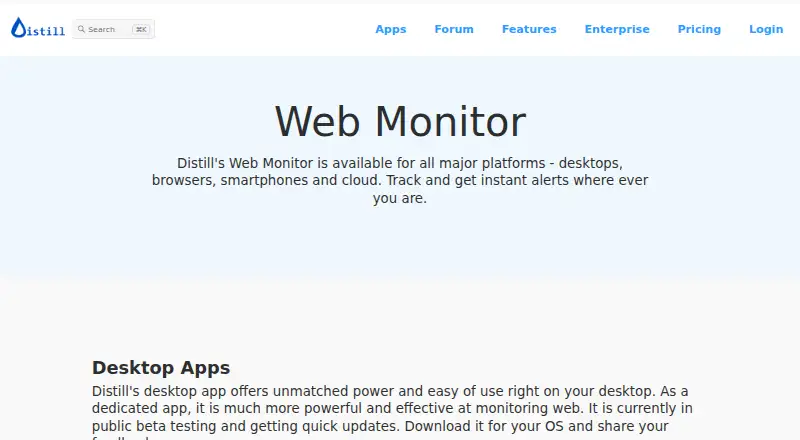
What Distill Web Monitor is
Distill Web Monitor tracks website content on a schedule, compares changes, and sends alerts. Users can select all or part of a page visually, then refine what is monitored with XPath, CSS, regular expressions, or JavaScript. Local monitors run in a browser or on a computer; cloud monitors run on Distill's servers without requiring the user's device to stay on. Monitoring covers webpages, PDFs, JSON, Word, XML, feeds, uptime, and sitemaps. Rules can filter alerts by text, numeric ranges, and regular expressions. Notifications include email, SMS, phone push, Slack, Discord, Microsoft Teams, and webhooks. Macros can perform actions such as filling forms and clicking, and API access is available on request. Local checks can run as often as every five seconds, while Free cloud checks start at six-hour intervals. The free plan includes 25 monitors, five of them cloud, 1,000 cloud checks monthly, two devices, and 30 email alerts per month.
Good
- Monitors webpages, PDFs, JSON, and other listed content.
- Local checks can run every five seconds.
- Alerts can go to email, SMS, and collaboration tools.
- Free plan includes 25 monitors.
Watch out
- Free cloud interval starts at six hours.
- Unused resources expire at billing-period end.
- Cloud checks count in ten-second units.
Who it suits
Distill suits people who want scheduled change alerts for selected site content or other listed monitor types. The maker positions Free for testing and non-essential use, and paid tiers for individual use through larger-scale monitoring.
Verdict
Distill offers both local and cloud monitoring with detailed content selection and multiple alert channels. Consider the free cloud interval and quota rules when deciding how often it needs to check pages.
Plans and prices
From Distill Web Monitor's own pricing page, checked 15 Oct 2026.
| Plan | Price | What it gives you |
|---|---|---|
| Free | Free | 25 monitors (5 cloud) · 6-hour cloud interval · 1,000 cloud checks/month · 2 devices · 30 email alerts/month · 100 push notifications/month |
| Starter | $15 a month | 50 monitors · 10-minute cloud interval · 30,000 cloud checks/month · 3 devices · 2,000 email alerts/month · 100 SMS/month · 10 version-history entries · monthly |
| Professional | $35 a month | 150 monitors · 5-minute cloud interval · 100,000 cloud checks/month · 3 devices · unlimited email alerts · 250 SMS/month · 100 local macro actions · 20 version-history entries · monthly |
| Flexi | $80 a month | 500+ monitors · 2-minute cloud interval · 200,000+ cloud checks/month · 4+ devices · unlimited email alerts · 500+ SMS/month · 300+ local macro actions · 20 version-history entries · monthly plus metered overages |
| Enterprise | Priced on request | Shared watchlist and centralized billing; unlimited cloud monitors; multiple user accounts · Contact sales |
The facts
Each one read from Distill Web Monitor's own pages, with the date it was checked.
What it does
- API access
- An API is available for developers and teams on request, and the terms direct users to contact support for API documentation.checked 15 Oct 2026
- Automation and developer tools
- Features include macros for actions such as filling forms and clicking, plus API access on request.checked 10 Oct 2026
- Change history
- Distill stores detected versions and provides highlighted diffs and version history for monitored content.checked 15 Oct 2026
- Conditions
- Single and compound conditions can filter alerts using text, numeric ranges, and regular-expression matches.checked 15 Oct 2026
- Configuration format
- Monitor configurations are exposed as editable JSON, and monitors can be imported or exported as JSON or CSV.checked 15 Oct 2026
- Content selection
- Users can visually select all or part of a webpage and refine selections with XPath, CSS, regular expressions, and JavaScript.checked 10 Oct 2026
- Custom intervals
- Local checks can run as often as every five seconds, while cloud intervals depend on the subscription plan.checked 15 Oct 2026
- Desktop requirements
- Desktop downloads are offered for Windows x64, macOS Apple Silicon, macOS Intel, and Linux Flatpak; the desktop app is in public beta.checked 15 Oct 2026
- Documentation and support
- Distill publishes documentation, tutorials, a community forum, blog, webinars, and email support; TechRadar says phone and live-chat support are absent.checked 15 Oct 2026
- Enterprise support
- Distill advertises 24×7 support from a dedicated team for Enterprise and says it will respond to enterprise inquiries in 2–3 days.checked 10 Oct 2026
- Filtering
- Conditions can filter alerts using individual or combined rules such as text matches, numeric ranges, or regular expressions.checked 10 Oct 2026
- Google Play listing
- The Android listing shows 50K+ downloads, encrypted data in transit, no third-party data sharing, and user-requested deletion.checked 15 Oct 2026
- Independent affordability assessment
- TechRadar calls Distill affordable, highlights its free plan, macros, visual selector, and conditional alerts, but says support options are limited.checked 15 Oct 2026
- Integrations
- Slack, Discord, and Microsoft Teams actions use incoming webhooks and are available to paid customers.checked 15 Oct 2026
- Intended users
- The maker describes Free as suited to testing and non-essential use, Starter for individuals, Professional for advanced individual use, and Flexi for scale and fast updates.checked 10 Oct 2026
- JSON monitoring
- JSON monitors support GET, POST, PUT, PATCH, and DELETE requests plus configurable query parameters and headers.checked 15 Oct 2026
- Legal entity
- The terms identify Neemb LLC as a Delaware-incorporated limited liability company, while the Google Play listing names Neemb Web Services Pvt Ltd in Bengaluru as the developer.checked 15 Oct 2026
- Licence
- The terms state that the platform, software, APIs, and related intellectual property are licensed rather than sold and remain owned by Neemb LLC.checked 15 Oct 2026
- Limit: false positives or missed changes
- Apple reviewers report false change emails and one 2025 reviewer said a merchandise drop was not detected despite a ten-minute schedule.checked 15 Oct 2026
- Limit: interface and learning curve
- G2 reviewers call the interface dated or in need of improvement, while an independent review says the selector and conditions require more learning than competitors.checked 15 Oct 2026
- Limit: local monitoring dependency
- Independent review coverage says local monitoring stops when the browser is closed, so unattended monitoring requires cloud checks and their quotas.checked 15 Oct 2026
- Limit: subscription complaint
- Trustpilot has one review alleging an almost-$100 unexpected charge and refusal of a refund; the page shows a 3.2 average from one review.checked 15 Oct 2026
- Local and cloud modes
- Local monitors run in a browser extension or desktop app and require the device to stay on, while cloud monitors run on Distill servers with the device off.checked 15 Oct 2026
Where it runs
- Browser and mobile availability
- Extensions are offered for Chrome, Firefox, Edge, and Opera, with iOS and Android apps; the Android app is identified as public beta.checked 15 Oct 2026
The full review of Distill Web Monitor
Overview
Distill Web Monitor tracks selected website content on a schedule and alerts you when it changes. It suits people who need to watch specific page details, from individuals following updates to teams monitoring many pages. Its strongest case is flexible content selection and alerting; its cloud-check quotas and intervals require careful plan matching.
Key features
Distill can monitor on a browser or computer, or in the cloud. Local checks can run as often as every five seconds, but require the user's device to be on; cloud checks run on Distill's servers, so they continue without that device. The web app's cloud interval starts at six hours on Free and reaches two minutes on Flexi.
Visual selection lets users target a whole page or a specific region, then refine what is watched with XPath, CSS, regular expressions, or JavaScript. Conditions can combine text matches, numeric ranges, and regular expressions to limit alerts. This level of control is useful when a page changes frequently but only certain updates matter.
Supported monitors cover webpages, PDFs, JSON, Word, XML, feeds, uptime, and sitemaps. Notifications include email, SMS, phone push, Slack, Discord, Microsoft Teams, and webhooks. Macros can fill forms or click controls; API access is available on request. Page health checks are also supported.
Cloud checks are counted in ten-second units, and unused resources expire at the end of the current billing period. That makes actual checking frequency important: a short interval can consume a quota faster than the monitor count alone suggests.
Pricing
Free costs nothing and includes 25 monitors, of which five can be cloud monitors, 1,000 cloud checks per month, two devices, and 30 email alerts per month. The maker positions it for testing and non-essential use; its six-hour minimum cloud interval and small cloud allowance make it a poor fit for time-sensitive monitoring.
Starter is $15 a month, billed $15/mon, with an annual option advertising a 20% discount. It raises the allowance to 50 monitors, 30,000 cloud checks per month, and three devices, with a 10-minute minimum cloud interval. It fits individuals who need regular cloud checks but can live without very fast updates.
Professional is $35 a month, billed $35/mon, also with an annual option advertising a 20% discount. It includes 150 monitors, 100,000 cloud checks per month, three devices, and a five-minute minimum cloud interval. Advanced individual users get more capacity and faster checks, though the same three-device cap as Starter remains.
Flexi is $80 a month, billed $80+/mon, for 500+ monitors, 200,000+ cloud checks per month, four or more devices, and a two-minute minimum cloud interval. Extra usage is billed separately, so its higher capacity does not make costs unlimited. It is the fit for scale and fast updates, provided usage is kept in view.
Enterprise has custom pricing and includes shared watchlists, centralized billing, unlimited cloud monitors, and multiple user accounts. Distill advertises 24×7 support from a dedicated team and says it responds to enterprise inquiries in 2–3 days. Neemb says it uses technical, organizational, and administrative safeguards, while acknowledging that no service can guarantee complete security.
Platforms
Distill supports Android, iOS, Linux, macOS, Windows, web, and browser extensions. Local monitoring suits device-based checks; cloud monitoring is the choice when checks must continue while your device is off.
Who it's for
Choose Distill if you need to track particular page elements, apply precise alert conditions, or route changes into several notification channels. It is less compelling for readers who need frequent cloud checks on a free plan, or who want predictable costs without tracking check consumption.
Pros and cons
- Pros: Fine-grained visual and code-based content selection helps avoid alerts for irrelevant page changes.
- Pros: Local checks can run at five-second intervals, while cloud monitoring avoids keeping a device on.
- Pros: A wide range of monitored content types and notification channels serves more than basic webpage tracking.
- Cons: Free cloud checks start at a six-hour interval, limiting use for updates that need a prompt response.
- Cons: Ten-second cloud billing units and expiring unused resources make quota planning material.
- Cons: Flexi bills extra usage separately, so high-volume monitoring can exceed its base price.
Alternatives
Compare website monitoring software if you want to weigh Distill against other tools in the category. Dotcom-Monitor is worth considering for a free plan with up to 25 targets, five-minute monitoring, two locations, and email alerts. Tallwatch offers a free plan with 10 monitors, 60-second checks from three regions, and up to three team members. Visual Sentinel is another freemium option with a free trial. SolidPing has a free forever plan with five team members, 10 check executions per minute, and 100 monitors. UptimeRobot offers 50 free monitors with a five-minute interval. Better Stack may suit readers seeking a broader monitoring product, with its free personal-project plan including monitors and heartbeats, a status page, exceptions, session replays, and retained logs and traces. Downdetector is an alternative for tracking service outages, with free favorites and outage notifications. OnWebChange provides free daily monitoring for three page trackers, a better fit when daily checks suffice.
Verdict
Distill is a strong choice for individuals and teams that need precise page monitoring, configurable filters, and flexible alerts across local and cloud checks. Its main advantage is control over what triggers an alert; its main drawback is that cloud speed and volume depend on quotas and, at higher usage, separately billed capacity. Choose it when those controls matter more than simple, predictable monitoring costs.
Getting started
- Open the Distill Web Monitor website.
- Choose a Free or paid plan; paid plans start at $15 per month.
- Use the platform available for your device: Android, browser extension, iOS, Linux, macOS, web, or Windows.
- Select a webpage area to monitor and refine the selection if needed.
- Set a schedule, alert conditions, and notification method.
Limits worth knowing
Free includes 25 monitors, five cloud monitors, 1,000 cloud checks per month, two devices, and 30 email alerts per month. Its cloud interval starts at six hours. Unused resources expire at the end of the billing period, and cloud checks are counted in ten-second units.
Questions
Is Distill Web Monitor free?
Yes. Its Free plan costs nothing and includes 25 monitors, five cloud monitors, 1,000 cloud checks monthly, two devices, and 30 email alerts monthly.
How much do paid plans cost?
Starter costs $15 per month, Professional $35 per month, and Flexi $80+/month. Annual options for Starter and Professional advertise a 20% discount; Enterprise pricing is available by contacting sales.
Which platforms does it support?
Distill lists Android, browser extension, iOS, Linux, macOS, web, and Windows.
Can monitors run when my device is off?
Yes. Cloud monitors run on Distill’s servers and do not require your device to stay on. Local monitors run in your browser or on your computer.
What can I monitor and where can alerts go?
Monitor types include webpages, PDFs, JSON, Word, XML, feeds, uptime, and sitemaps. Alerts can go through email, SMS, phone push, Slack, Discord, Microsoft Teams, or webhooks.
What happens to unused resources?
Unused resources expire at the end of the current billing period. Cloud checks are counted in ten-second units.
Alternatives to Distill Web Monitor
- 1

Dotcom-Monitor
Free planAndroidiOSWebAPI8.3From $13.33 a month - 2
OnWebChange
Free planAndroidiOSWebAPI8.0From €0.89 a month - 3
Visual Sentinel
Free planAndroidiOSWebAPI8.0From $6 a month - 4

Pingdom
AndroidiOSWebAPI7.8From $16.50 a month - 5

UptimeRobot
Free planAndroidiOS7.8From $9 a month - 6
Tallwatch
Free planWebAPILinuxmacOS7.7From $14.99 a month