DanceBiz
DanceBiz is software for dance studios that handles administration such as timetabling, online registrations, invoicing and online payments.
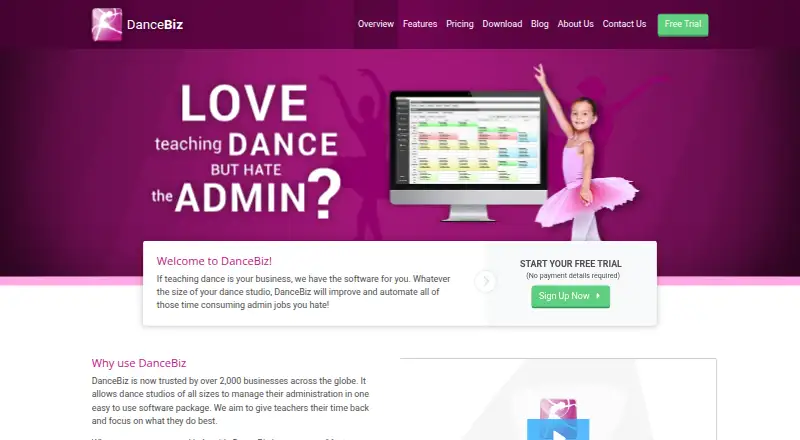
What DanceBiz is
DanceBiz is software for dance studios that handles administration such as timetabling, online registrations, invoicing and online payments. Its visual scheduler provides daily, weekly and staff views, and classes can use weekly, daily or custom schedules. Student management includes skill tracking, waiting lists, attendance history and make-up class tracking. Through the customer portal, customers can manage enrolments, payments, absences, make-up bookings and student progress. DanceBiz generates class invoices and can sync invoices and payments with Xero and Intuit QuickBooks Online. Named payment services include Stripe, Ezidebit and Worldpay. Staff can use the smartphone app on iPhone, iPad and Android for schedules, customer and class details, attendance, skills and invoices; desktop apps are available for PC and Mac. Subscriptions include email and phone support, setup, customer-data import and unlimited staff logins. A 14-day trial is listed, but there is no free plan. Plans range from Biz50 at $24.95 a month for up to 50 active customers to Biz1000 at $179.95 a month for up to 1,000.
Good
- Scheduler offers daily, weekly and staff views.
- Tracks attendance, skills and make-up classes.
- Syncs invoices and payments with Xero and QuickBooks Online.
- Subscriptions include setup and customer-data import.
- Unlimited staff logins are included.
Watch out
- No free plan; a 14-day trial is listed.
- Some features may incur additional charges.
- Plans have active-customer limits.
Who it suits
DanceBiz suits dance studios that need scheduling, student tracking, invoicing and payment administration. Its customer portal and staff mobile app may help studios that want customers and staff to access those details online.
Verdict
DanceBiz combines studio scheduling and student administration with invoicing, payment and customer-facing tools. Review the active-customer allowance and any add-on charges when choosing a plan.
Plans and prices
From DanceBiz's own pricing page, checked 15 Oct 2026.
| Plan | Price | What it gives you |
|---|---|---|
| Biz50 | $24.95 a month | Up to 50 active customers · email and phone support · setup/data import · unlimited staff logins · unlimited devices · automatic upgrades · Monthly rolling or annual commitment, paid monthly |
| Biz100 | $49.95 a month | Up to 100 active customers · email and phone support · setup/data import · unlimited staff logins · unlimited devices · automatic upgrades · Monthly rolling or annual commitment, paid monthly |
| Biz250 | $84.95 a month | Up to 250 active customers · email and phone support · setup/data import · unlimited staff logins · unlimited devices · automatic upgrades · Monthly rolling or annual commitment, paid monthly |
| Biz500 | $109.95 a month | Up to 500 active customers · email and phone support · setup/data import · unlimited staff logins · unlimited devices · automatic upgrades · Monthly rolling or annual commitment, paid monthly |
| Biz1000 | $179.95 a month | Up to 1,000 active customers · email and phone support · setup/data import · unlimited staff logins · unlimited devices · automatic upgrades · Monthly rolling or annual commitment, paid monthly |
The facts
Each one read from DanceBiz's own pages, with the date it was checked.
What it does
- Add-on charges
- The pricing page says some add-on features may incur additional charges; the features page identifies the customer portal, online registration, online bookings, and several other features as add-ons.checked 2 Oct 2026
- API availability
- SoftwareWorld reports that DanceBiz does not offer an API.checked 15 Oct 2026
- Attendance
- Attendance reasons are customizable and historical attendance reports can be generated.checked 15 Oct 2026
- Changelog
- The version-history page lists release 15.15.2 with crash fixes, notification fixes, payment fixes and security improvements.checked 15 Oct 2026
- Check-in limit
- The check-in app is documented as supporting Android 13 or earlier, with newer-version support planned for a future update.checked 15 Oct 2026
- Class management
- Classes can be configured on weekly, daily or custom schedules and linked to terms, semesters and staff.checked 15 Oct 2026
- Customer base
- The maker says more than 2,000 businesses worldwide use DanceBiz.checked 15 Oct 2026
- Customer portal
- The optional portal lets customers enroll, pay, report absences, book make-up classes, track progress and receive automated messages.checked 15 Oct 2026
- Data and uptime terms
- The terms say ThinkSmart accepts no liability for data loss, server errors, or downtime, and that canceled-account data may be deleted within 30 days.checked 2 Oct 2026
- Email and SMS
- Filtered emailing supports newsletters, promotions, invoices and notices; SMS supports reminders, cancellations and promotions as an add-on.checked 15 Oct 2026
- Google Play data disclosure
- Google Play says the ThinkSmart Apps listing shares no data with third parties, may collect personal information, does not encrypt data and permits deletion requests.checked 15 Oct 2026
- Integrations
- Official pages name Xero, QuickBooks, Stripe, GoCardless, Worldpay and Ezidebit integrations, plus AskNicely for feedback.checked 15 Oct 2026
- Invoicing and accounting
- DanceBiz can generate class invoices and integrates with Xero and Intuit QuickBooks Online to sync invoices and payments.checked 2 Oct 2026
Where it runs
- Check-in app
- The optional Android check-in app supports cards, barcodes, student name/date of birth and parent phone lookup.checked 15 Oct 2026
- Check-in app limit
- The ThinkSmart Check-in app page says it currently supports Android 13 or earlier, with support for newer versions planned for a future update.checked 2 Oct 2026
- Desktop apps
- DanceBiz is available to download and install on PC and Mac.checked 2 Oct 2026
- Google Play app
- ThinkSmart Apps is an Android add-on requiring a DanceBiz or other ThinkSmart account and supports schedules, enrollment, attendance, invoices, payments and bulk texting.checked 15 Oct 2026
The company
- Company founded
- The maker's history says ThinkSmart Software was founded in Melbourne in 2007 by Andrew Leigh.checked 15 Oct 2026
- Company founding discrepancy
- LinkedIn lists ThinkSmart Software Ltd as founded in 2010, while the maker's history states 2007.checked 15 Oct 2026
- Company headquarters
- LinkedIn lists the headquarters as Wallsend, Tyne & Wear, United Kingdom, with an additional Australian location.checked 15 Oct 2026
- Company size
- LinkedIn lists ThinkSmart Software Ltd as a privately held software-development company with 11–50 employees.checked 15 Oct 2026
- Founded
- 2007checked 28 Sep 2026
- Headquarters
- Melbourne, Victoria, Australiachecked 28 Sep 2026
Money
- Event planner
- The event planner supports concerts and special events with sessions, participants, times and durations.checked 15 Oct 2026
The full review of DanceBiz
Overview
DanceBiz is studio-management software for dance schools that want scheduling, student administration and billing in one system. It is best suited to studios that need staff tools alongside customer-facing enrolment and payment options. Its broad administrative coverage is appealing, but the active-customer caps and possible add-on charges deserve close attention.
Key features
Scheduling and student records
A visual scheduler offers daily, weekly and staff views, with classes set up on daily, weekly or custom schedules. That flexibility can help studios with varied timetables, while attendance history, skill tracking, waiting lists and make-up class records keep routine student administration together. DanceBiz also supports instructor scheduling and recital management.
Billing and customer access
The system generates class invoices and can sync invoices and payments with Xero and Intuit QuickBooks Online. Stripe is the recommended payment gateway; Ezidebit and Worldpay are also supported for direct debit and card payments. For studios that want families to handle routine tasks themselves, the customer portal supports enrolments, payments, absences, make-up bookings and progress tracking. The portal, online registration and online bookings are add-ons, however, and some add-on features may cost extra, so the headline subscription may not cover every workflow.
Staff tools, setup and security
Subscriptions include account setup, customer-data import, free email and phone support, and unlimited staff logins. Two-step login authentication verifies identity by text message or email. Staff can use the smartphone app to view schedules, customer and class details, attendance, skill tracking and invoices; desktop applications are available for PC and Mac. The separate ThinkSmart Check-in app currently supports Android 13 or earlier, which may constrain studios using newer Android versions.
Pricing
DanceBiz is paid software with a 14-day trial and no free plan. The lower tiers suit smaller studios, but each plan is capped by active customers, not staff logins:
| Plan | Price and term | Active-customer limit |
|---|---|---|
| Biz50 | $24.95 a month, monthly rolling plan | Up to 50 |
| Biz100 | $49.95 a month, monthly rolling plan | Up to 100 |
| Biz250 | $84.95 a month, 12-month subscription paid monthly | Up to 250 |
| Biz500 | $109.95 a month, 12-month subscription paid monthly | Up to 500 |
| Biz1000 | $179.95 a month, monthly rolling plan | Up to 1,000 |
Biz50 and Biz100 offer rolling monthly terms for studios with smaller active rosters. Biz250 and Biz500 raise those caps at lower monthly prices than Biz1000, but require a 12-month commitment. Biz1000 has the largest stated allowance and returns to a monthly rolling term. Studios near a tier limit should weigh the next price step against their expected active-customer count, and budget separately for any required add-ons.
Platforms
DanceBiz is available on Android, iOS, macOS, the web and Windows. Desktop apps can be installed on PC and Mac, while the smartphone app is aimed at staff and covers core schedule and studio records. The Check-in app's Android 13-or-earlier compatibility caveat is worth checking for studios relying on newer Android devices.
Who it's for
DanceBiz fits dance studios that want scheduling, attendance, tuition invoicing, payment processing and student records under one roof, especially those that value included setup, data import, support and unlimited staff logins. It is less compelling for a very small studio seeking a free option, or for a studio that needs every customer-facing feature in the base price. The service terms also matter to operators with strict data-continuity requirements: ThinkSmart disclaims liability for data loss, server errors and downtime, and canceled-account data may be deleted within 30 days.
Pros and cons
- Pros: Scheduling, attendance, skill tracking, waiting lists, make-up classes, invoicing and recital management address a wide range of dance-studio operations.
- Pros: Unlimited staff logins, setup, customer-data import and email and phone support are included with subscriptions.
- Pros: Accounting integrations and multiple named payment services can fit studios already using Xero, QuickBooks Online, Stripe, Ezidebit or Worldpay.
- Cons: Customer portal, online registration and online bookings may add cost, making the full customer-facing workflow more expensive than the base plan.
- Cons: Every plan has an active-customer ceiling, and the mid-range Biz250 and Biz500 tiers carry 12-month commitments.
- Cons: The terms disclaim responsibility for downtime and data loss, and permit canceled-account data deletion within 30 days.
Alternatives
Compare dance studio management software if you want to weigh DanceBiz against a broader set of category options.
- DanceTide is a web-based freemium option for studios prioritizing a free plan.
- Stepsi offers a free plan and Android, iOS and web access; its Plus and Grow plans charge annually and cap active members at 100 and 250 respectively.
- OttoDance is a freemium Android, iOS and web option, with an organization-funded plan whose fees are absorbed by the organization and card processing charged at 2.9% + 29¢.
- Jackrabbit Dance is a paid Android, iOS and web alternative; its core plan is $49 a month and includes unlimited support.
- Kananas has a free tier for up to 50 contacts and paid plans starting at $99 a year, making it worth considering when contact caps and a free entry tier suit your needs.
- Rosterra is a paid Android, iOS and web option with a free trial; its Core plan is $30 a month per location for up to 25 active members.
- Class Manager offers a free plan with no monthly subscription, charging a flat service fee for online payments.
- Studio Pro is another paid option available on web, iOS and Android.
Verdict
Choose DanceBiz if your studio needs a substantial set of scheduling, student, billing and staff tools, and its customer caps and add-on costs fit your operation. Included setup, data import, support and unlimited staff logins strengthen the case. Look elsewhere if you need a free plan, want customer-facing tools included without possible add-on charges, or cannot accept its data and uptime terms.
Alternatives to DanceBiz
- 1

Kananas
Free planAndroidiOSWebAPI8.1From $366 a year - 2

Stepsi
Free planAndroidiOSWeb8.1From €30 a month - 3
StudioPartner
Free planAndroidiOSWeb7.9From ₹9,999 a year - 4
Flexync
Free planWebAPI7.4From $19 a month - 5

ClassJuggler
AndroidiOSWebmacOS7.2From $44.95 a month - 6

ClassForKids
AndroidiOSWeb7.1From £34.99 a month