
Clara
Clara is a web-based AI scheduling assistant that handles meeting arrangements through email.
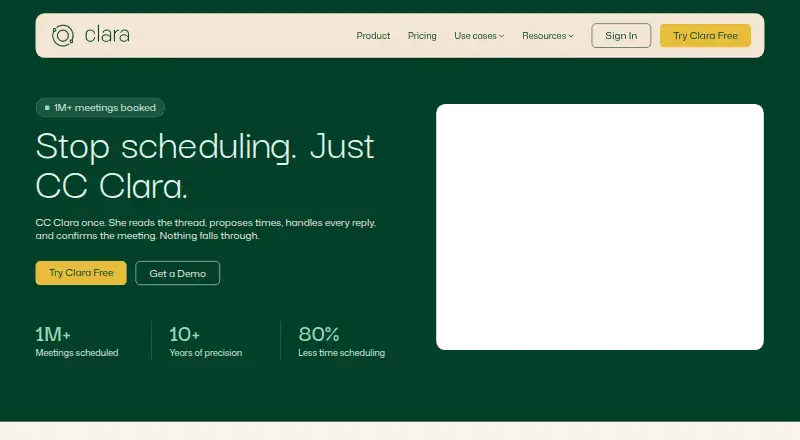
What Clara is
Clara is a web-based AI scheduling assistant that handles meeting arrangements through email. It reads scheduling threads, proposes times, manages replies, and confirms meetings; if participants do not respond, it follows up in the thread. When a confirmed meeting must move, Clara coordinates another time, cancels the original invite, and sends an updated one. It can coordinate group meetings, track responses, and support calls across time zones. Users can set scheduling windows, buffer times, meeting types, priority contacts, and communication preferences. Clara works natively with Google Workspace and Microsoft Outlook and Exchange; its homepage also displays Zoom and Teams among associated tools. The maker says no human reads scheduling emails and customer data is not used to train its models. Its privacy policy names OpenAI, Anthropic, and Google as AI providers that may receive email and calendar content to generate responses. The Free plan is free for 14 days and five meetings. Standard costs $80 a month and includes 30 meetings. When the free plan's meeting limit is reached, scheduling stops until upgrade.
Good
- Follows up on unanswered scheduling threads.
- Coordinates rescheduling and updates meeting invites.
- Supports group scheduling across time zones.
- Offers customizable scheduling preferences.
- Works natively with Google Workspace and Outlook and Exchange.
Watch out
- Free plan is limited to five meetings over 14 days.
- Free-plan scheduling stops at its meeting limit.
- AI providers may receive email and calendar content.
Who it suits
Clara suits recruiters, legal and finance professionals, executives, founders, and agencies that arrange meetings by email. It may also fit teams coordinating group meetings across time zones.
Verdict
Clara can handle scheduling, follow-ups, and rescheduling within email threads. Check the Free plan's five-meeting cap and the stated handling of email and calendar content before choosing it.
Plans and prices
From Clara's own pricing page, checked 15 Oct 2026.
| Plan | Price | What it gives you |
|---|---|---|
| Free | Free | 5 meetings · Multiple calendars · Customizable preferences · No credit card · 14 days |
| Standard | $80 a month | 30 meetings · Multiple calendars · Customizable preferences · Delegate access · Advanced integrations · $80 month |
| Enterprise | Priced on request | Unlimited meetings · Multiple calendars · Customizable preferences · Delegate access · Company-wide preferences · Admin dashboard · Custom domain · Tenant-wide access · Custom email reminders · Data retention · Let's Talk ([email protected]) |
The facts
Each one read from Clara's own pages, with the date it was checked.
What it does
- Acquisition
- Y Combinator lists Clara Labs as a Summer 2014 company that was acquired, with San Francisco location and a team size of 20.checked 15 Oct 2026
- AI providers
- The privacy policy names OpenAI, Anthropic, and Google as third-party AI providers and says email and calendar content may be sent to them to generate scheduling responses.checked 29 Sep 2026
- API and SDK documentation
- The published integrations documentation covers calendar and video-service connections but provides no public REST API or SDK instructions.checked 15 Oct 2026
- Audience
- Clara presents use cases for recruiters, legal and finance professionals, executives and founders, and agencies.checked 29 Sep 2026
- Calendar integrations
- Connected accounts support Google Calendar and Microsoft Outlook, combining availability across calendars.checked 15 Oct 2026
- Data-processing vendors
- Clara says email and calendar content may be sent to OpenAI, Anthropic and Google APIs and is not used to train their models.checked 15 Oct 2026
- Data retention
- The privacy policy says account deletion is completed within 30 days, while backups may persist for up to 90 days.checked 15 Oct 2026
- Email workflow
- Users start scheduling by CCing Clara; it handles replies until a meeting is confirmed.checked 15 Oct 2026
- Enterprise domain
- Enterprise plans can use a custom domain email address when Clara schedules on the customer's behalf.checked 29 Sep 2026
- Event description limitation
- Clara generates calendar descriptions from email context but cannot attach files to invitations or provide fully custom descriptions.checked 15 Oct 2026
- Follow-up
- Clara follows up when participants do not respond and stays in the email thread until a meeting is confirmed.checked 29 Sep 2026
- General-purpose limitation
- The help center says Clara is for concrete scheduling actions and is not a general chatbot or status-explanation tool; vague instructions can produce unintended results.checked 15 Oct 2026
- Group and timezone scheduling
- Clara coordinates group meetings, internal meetings and multi-timezone calls, including follow-ups and rescheduling.checked 15 Oct 2026
- Group scheduling
- Clara coordinates group meetings, tracks participant responses, and supports multi-timezone calls.checked 29 Sep 2026
- Human-review caveat
- Although marketing pages say no human reads scheduling emails, the privacy policy permits authorized engineering staff to review content for debugging and quality assurance.checked 15 Oct 2026
- Independent historical complaint
- A 2026 retrospective records historical complaints that Clara's price rose from an announced $49 monthly figure to $199 monthly and that response times could be lengthy.checked 15 Oct 2026
- Integrations
- Clara works natively with Google Workspace and Microsoft Outlook and Exchange.checked 29 Sep 2026
- Language behavior
- Clara understands non-English scheduling requests but responds in English.checked 15 Oct 2026
- Limit: assistant identity
- A G2 reviewer wanted the ability to rename Clara so clients would not realize software was handling correspondence.checked 15 Oct 2026
- Limit: response speed
- A G2 reviewer reported that Clara was slow to respond on Sundays.checked 15 Oct 2026
The company
- Company identity
- LinkedIn lists Clara Labs as a privately held software-development company founded in 2014 with 11–50 employees and headquarters in Mars, United States.checked 15 Oct 2026
- Headquarters
- United Stateschecked 28 Sep 2026
Money
- Free plan
- Nochecked 19 Sep 2026
- Independent price criticism
- An independent 2026 review describes Clara as premium-priced and therefore aimed mainly at professionals with high scheduling value.checked 15 Oct 2026
The full review of Clara
Clara is an AI assistant that coordinates meetings through email, handling the conversation rather than sending people to a booking page. It suits professionals, executives, recruiters, and teams arranging recurring one-to-one or group calls. Its strongest case is delegated scheduling with follow-ups and rescheduling; lighter users should weigh the paid entry price and the free plan’s hard cap.
Overview
Clara reads an email thread, proposes suitable times, handles replies, and remains in the conversation until the meeting is confirmed. If someone does not respond, it follows up. When an agreed meeting must move, Clara negotiates a replacement time, cancels the original invitation, and sends an updated one. This is useful for people who want coordination to stay inside ordinary email exchanges, but less suitable for workflows built around self-service booking pages.
Key features
Email-based delegation
Scheduling windows, buffer times, meeting types, priority contacts, and communication preferences give Clara explicit rules for different commitments. That can reduce repetitive back-and-forth for users with varied calendars, provided they are comfortable delegating those decisions to an AI assistant.
Group meetings and rescheduling
Clara tracks responses from multiple participants and supports meetings spanning time zones. It also handles the administrative work of moving a confirmed event, including replacing the calendar invitation. These capabilities matter most to recruiters, agencies, executives, and other professionals who regularly coordinate several people rather than simply publish availability.
Calendar and meeting integrations
Native support covers Google Workspace and Microsoft Outlook and Exchange. Zoom and Teams appear among the tools associated with Clara, while the scheduling channel is email. Enterprise customers can have Clara schedule from a custom domain email address, a useful distinction for organizations that want the assistant to represent the company rather than an individual account.
Privacy and security
Clara says no human reads scheduling emails and that customer data is not used to train its models. Its privacy policy describes a SOC 2 Type II certified security program and encryption in transit and at rest. Email and calendar content may be sent to OpenAI, Anthropic, and Google to generate scheduling responses, so organizations should assess that data flow. After account deletion, account data is deleted or de-identified within 30 days; backup copies may remain for up to 90 days.
Pricing
Clara has a free plan and a 14-day trial, with paid service starting at $80/mo.
| Plan | Price | What it includes |
|---|---|---|
| Free | free | 14 days, five meetings, multiple calendars, and customizable preferences |
| Standard | $80 a month, billed monthly | 30 meetings, multiple calendars, customizable preferences, delegate access, and advanced integrations |
| Enterprise | Custom pricing | Unlimited meetings, multiple calendars, delegate access, company-wide preferences, admin settings and dashboard, and a custom domain name |
The Free plan is best treated as a short evaluation or very occasional use: after five meetings, Clara stops scheduling until the customer upgrades. Standard is aimed at an individual or small operation with up to 30 meetings per month; its $80 monthly commitment is difficult to justify for sporadic scheduling. Enterprise is the logical fit for organizations needing unlimited volume, centralized controls, and a company-domain identity, although its price is negotiated.
Platforms
Clara is available on the web. Its calendar support includes Google, alongside native Google Workspace and Microsoft Outlook and Exchange integration.
Who it's for
Clara fits recruiters arranging interviews, legal and finance professionals managing client conversations, executives and founders delegating their calendars, and agencies coordinating clients or groups. It is a weaker choice for people who mainly need a simple calendar, prefer booking links, or schedule too few meetings to make the Standard fee worthwhile.
Pros and cons
- Pro: It handles proposing times, replies, non-response follow-ups, confirmations, and rescheduling within the email thread.
- Pro: Group coordination and multi-timezone support address the hardest cases in shared scheduling.
- Pro: Detailed preferences and delegate access allow more controlled delegation than a basic availability page.
- Con: The free allowance ends after five meetings and then blocks further scheduling.
- Con: Standard costs $80 per month for a 30-meeting quota, making it a poor fit for light users.
- Con: Scheduling content may be processed by OpenAI, Anthropic, and Google, which may rule it out for some sensitive workflows.
Alternatives
For a broader category comparison, see AI Scheduling Assistants, AI Personal Assistants, and Calendar apps.
- Toki is the better alternative when broad device coverage and a freemium plan with up to three calendars matter.
- Remeet suits teams that value meeting recording and a free concierge onboarding session.
- Sidekick Scheduling is worth considering for users who want scheduling pages across Android, iOS, and web.
- Ari fits users seeking a low-cost free allowance with Google and Microsoft calendars and common video links.
- Schedly is a better match for booking-focused workflows with unlimited bookings on its free plan.
- DayOtter suits users wanting unlimited event types and booking pages on a free tier.
- Sarra is aimed at simpler, lower-volume scheduling with a three-meeting monthly free allowance.
- Schedulera AI Scheduling Agent offers a free plan with unlimited session types and bookings.
Verdict
Choose Clara if you regularly delegate complex one-to-one or group scheduling and want the work completed inside email, including follow-ups and rescheduling. Look elsewhere if five free meetings are insufficient but $80 per month is excessive, or if sending calendar and email content to third-party AI providers is unacceptable.
Alternatives to Clara
- 1
Schedly
Free planAndroidiOSWebAPI8.1Free plan - 2
Toki
Free planAndroidiOSWebLinux7.5From $3.99 a month - 3

Remeet
Free planAndroidWebmacOSWindows7.3From $10 a month - 4

Schedulera AI Scheduling Agent
Free planWebAPI7.3From $99.50 a year - 5
Sidekick Scheduling
Free planAndroidiOSWeb7.3From $5 a month - 6

CalendarBridge AI Scheduling Assistant
AndroidiOSWeb7.1From $4 a month