CDM+
CDM+ is fund-accounting and management software for nonprofit and faith-based organizations.
What CDM+ is
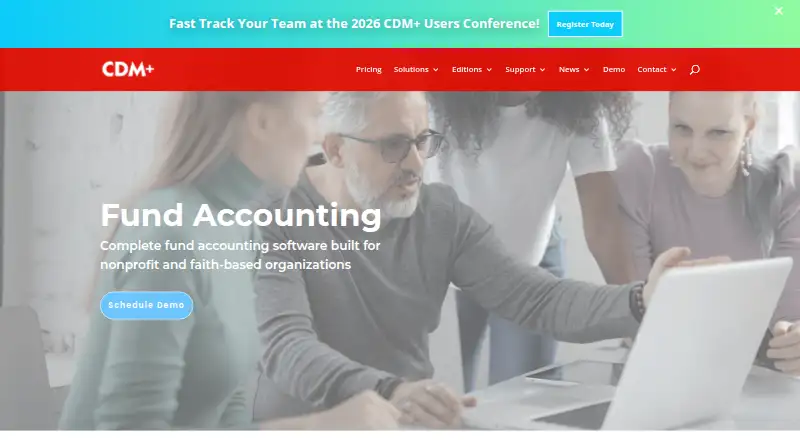
CDM+ is fund-accounting and management software for nonprofit and faith-based organizations. Its accounting tools include a fund-accounting general ledger, unlimited accounts, budget tracking, bank reconciliation, customizable reporting, and an unchangeable audit trail. Organizations can manage designated and undesignated funds, transfers, expenses, and multiple entities. Other capabilities include clergy payroll, electronic 1099 filing, online invoice payments by card or ACH, and receipt submission through the mobile app. Data Hosting is included with every plan, providing 24/7 database access, automatic secure off-site daily backups, and server upgrades. Starter and Grow plans have limits on Individual and Giving Unit records. Complete includes every CDM+ program and unlimited concurrent user licenses. The product offers desktop software, Apple, Google, and Amazon mobile apps, plus an API. Support is available by phone and email during weekday business hours.
Good
- Includes fund accounting and bank reconciliation.
- Tracks budgets against actuals.
- Offers mobile receipt submission.
- Data Hosting is included with every plan.
Watch out
- No free plan is listed.
- SaaS plans require monthly ACH payments.
- Annual SaaS billing is unavailable.
- Starter and Grow plans limit some records.
Who it suits
CDM+ is aimed at nonprofit and faith-based organizations that need fund accounting and management tools. It may suit organizations that also need clergy payroll, online invoice payments, or mobile receipt submission.
Verdict
CDM+ brings accounting, payroll, payments, and receipt workflows into software for nonprofit and faith-based organizations. Consider its monthly ACH billing and plan-specific record limits when choosing a tier.
Plans and prices
From CDM+'s own pricing page, checked 27 Sep 2026.
| Plan | Price | What it gives you |
|---|---|---|
| CDM+ Essentials | $25 a month | Base price for 1 program and 1 user · 1 program · Paid monthly via auto-draw ACH |
| CDM+ Starter | $25 a month | Base price for 1 program and 1 user · 1 program · 1 concurrent user · 50 individual records · 25 giving unit records · Paid monthly via auto-draw ACH |
| CDM+ Grow 1 | $50 a month | 1 program · 1 concurrent user · 75 individual records · 50 giving unit records · Paid monthly via auto-draw ACH |
| CDM+ Grow 2 | $75 a month | 1 program · 1 concurrent user · 100 individual records · 75 giving unit records · Paid monthly via auto-draw ACH |
| CDM+ Core | $100 a month | 1 program · 1 concurrent user · Paid monthly via auto-draw ACH |
| CDM+ Choice | $50 a month | 1 program · 1 concurrent user · Unlimited individual records · Unlimited giving unit records · Paid monthly via auto-draw ACH |
| CDM+ Complete | $175 a month | Unlimited programs · Unlimited concurrent users · Unlimited individual records · Unlimited giving unit records · Paid monthly via auto-draw ACH |
| Essentials | $25 a month | Nonprofit fundraising suite · plans start at $25/mo · starting monthly |
| GROW | $50 a month | 3 core programs · max 50 Givers · max 75 Individuals · +$25/mo per additional program · monthly |
| Complete | $175 a month | Every program · unlimited users · unlimited records · monthly |
| Choice | $50,150 a month | Any 1–5 programs · unlimited records · +$25/mo per additional program · monthly |
The facts
Each one read from CDM+'s own pages, with the date it was checked.
What it does
- Accounting
- Its accounting includes a true fund-accounting general ledger, unlimited accounts, budgeting, bank reconciliation, and customizable reporting.checked 28 Sep 2026
- API
- CDM+ provides an API for building integrations into the CDM+ Software Suite.checked 28 Sep 2026
- Audit trail
- The ledger includes a full, unchangeable audit trail and audit trail reports.checked 27 Sep 2026
- Bank integration
- CDM+ integrates with bank accounts for accounting and reconciliation.checked 27 Sep 2026
- Budget tracking
- Budgets support annual and monthly amounts and comparisons of actual versus budget.checked 27 Sep 2026
- Cloud hosting
- Data Hosting is included with every CDM+ plan and provides 24/7 database access, automatic secure off-site daily backups, and automatic server upgrades.checked 28 Sep 2026
- Data migration
- CDM+ can import data from just about any system, with conversion free for new subscriptions that remain active for at least 12 months.checked 28 Sep 2026
- Desktop licensing
- CDM+ Desktop uses concurrent licensing; it can be installed on any number of computers, while simultaneous users are limited except on Complete.checked 28 Sep 2026
- Fund accounting
- The accounting product supports designated and undesignated fund balances and fund transfers.checked 27 Sep 2026
- Mobile receipts
- The CDM+ Mobile app lets staff photograph receipts and submit expenses directly to Accounts Payable.checked 28 Sep 2026
- Online payments
- Customers can pay invoices by card or ACH, with payments saved to CDM+ Accounting.checked 27 Sep 2026
- Organizations
- Additional organizations generally cost $15 monthly, subject to a stated $30 monthly cap.checked 27 Sep 2026
- Paid from
- 25checked 20 Sep 2026
- Payroll
- CDM+ supports clergy payroll, different employee roles and payers with unique Federal EINs, electronic 1099 filing, and automatically updated tax tables.checked 28 Sep 2026
Money
- Annual billing
- Annual payment is not available for SaaS plans.checked 27 Sep 2026
- Complete plan
- Complete includes every CDM+ program and unlimited concurrent user licenses.checked 27 Sep 2026
- Free plan
- No free plan is stated on the provided pages.checked 27 Sep 2026
- Free promotion
- New subscribers can receive their first 3 months free, with data transfer at no extra cost.checked 28 Sep 2026
- Monthly billing
- All SaaS plans are paid monthly through automatic ACH withdrawals.checked 27 Sep 2026
- Online billing
- Customers can view and pay invoices online by credit/debit card or ACH, with payments saved directly to CDM+ Accounting.checked 28 Sep 2026
The company
- Company name
- CDM+ is provided by Suran Systems, Inc.checked 27 Sep 2026
Where it runs
- Mobile devices
- Mobile Receipts can be installed on unlimited personal devices.checked 27 Sep 2026
- Platforms
- CDM+ Desktop installers are provided for macOS and Windows, and the product also offers CDM+ Engage web tools and CDM+ Mobile apps.checked 28 Sep 2026
- Platforms and apps
- CDM+ offers desktop software plus Apple, Google, and Amazon mobile apps.checked 27 Sep 2026
The full review of CDM+
CDM+ is nonprofit and faith-based management software that brings accounting, payroll, billing, and expense workflows together. It is best suited to organizations that need fund accounting alongside operational tools such as clergy payroll and receipt submission. Its strongest case is a broad, hosted suite with plans from $25.00 per month; record caps on entry tiers and monthly ACH billing are meaningful constraints.
Overview
CDM+ is provided by Suran Systems, Inc. Its accounting centers on fund balances, transfers, budgeting, bank reconciliation, and customizable reporting, with unlimited accounts and an unchangeable ledger audit trail. That combination suits organizations that need to distinguish designated from undesignated funds and preserve an auditable record of changes.
The suite also handles clergy payroll, electronic 1099 filing, online invoice payment, and expense submission. Customers can pay invoices by card or ACH, with payments saved to CDM+ Accounting; staff can photograph receipts in the mobile app and send expenses to Accounts Payable. Data Hosting is included with every plan, providing 24/7 database access, off-site daily backups, and automatic server upgrades. CDM+ says most hosting facilities are SOC-2 certified and remote access is limited to Suran staff using best-practice security controls.
Key features
- Fund accounting and audit trail: Track designated and undesignated balances, transfer funds, and use a general ledger with an unchangeable audit trail and reports. This is central to CDM+’s fit for organizations managing restricted funds.
- Budgets and reconciliation: Set annual and monthly budgets, compare actuals against budget, and reconcile bank accounts. Bank integration connects accounts to accounting and reconciliation workflows.
- Payroll: Clergy payroll, different employee roles and payers with unique Federal EINs, electronic 1099 filing, and automatically updated tax tables make the payroll tools relevant to organizations with varied ministry and staff arrangements.
- Billing and receipts: Customers can pay invoices online by credit or debit card or ACH, with payments recorded in CDM+ Accounting. Staff can photograph receipts and submit expenses directly to Accounts Payable.
- Hosting, training, and migration: Every plan includes hosted access, daily off-site backups, server upgrades, and introductory training. Phone and email support are available during weekday business hours, alongside online and in-person training, documentation, and videos. Data conversion is free for new subscriptions that remain active for at least 12 months.
- Integrations: An API supports integrations into the CDM+ suite. Essentials can export data, but it does not provide a specific QuickBooks integration.
Pricing
CDM+ is paid software with no free plan. SaaS plans are billed monthly through automatic ACH withdrawals; annual SaaS payment is not available. Most plans include one concurrent user, with additional users generally costing $5 monthly; additional organizations generally cost $15 monthly, subject to a $30 monthly cap. Desktop licensing permits installation on any number of computers, but simultaneous users remain limited except on Complete.
- Essentials — $25 a month: The lowest-cost entry point, priced for one program and one user. It suits organizations needing the Essentials offering, but data export is not a dedicated QuickBooks integration.
- Starter — $25 a month: One program and one concurrent user, capped at 50 individual records and 25 giving unit records. Those caps make it a constrained starting tier for smaller record sets.
- Grow 1 — $50 a month: One program and one concurrent user, with 75 individual and 50 giving unit records.
- Grow 2 — $75 a month: One program and one concurrent user, with 100 individual and 75 giving unit records. The higher allowance may fit an organization outgrowing Starter, though the record ceiling remains.
- Core — $100 a month: One program and one concurrent user, without a stated record cap in the plan details.
- Choice — $50 a month: One program and one concurrent user, with unlimited individual and giving unit records. This is the clearest fit for a single-program organization that needs room to grow its records.
- Complete — $175 a month: Unlimited programs, concurrent users, individual records, and giving unit records. It is the natural choice for organizations needing multiple programs or broad concurrent access.
Online payment processing adds transaction fees: $0.30 plus 2.9% for Visa, MasterCard, or Discover; $0.30 plus 3.5% for American Express; and $0.30 plus 0.8% for ACH. Payroll direct deposit costs $0.50. New subscribers can receive their first three months free, with data transfer at no extra cost. CDM+ offers a free trial, but no trial duration or refund policy is stated.
Platforms
CDM+ supports Android, iOS, macOS, web, and Windows, and provides an API. It offers desktop software and Apple, Google, and Amazon mobile apps. Mobile Receipts can be installed on unlimited personal devices, which gives staff a way to submit expenses without requiring each person to use a desktop installation.
Who it's for
CDM+ is a strong match for churches and nonprofits that need fund accounting, bank reconciliation, budget tracking, and payroll in one suite. It is especially compelling when clergy payroll, online invoice collection, or receipt-to-payables workflows matter. Organizations with record counts above Starter or Grow limits should compare Choice and Complete rather than assume the entry plans will scale; teams needing broad simultaneous desktop access should look at Complete.
Pros and cons
- Pro: True fund accounting, designated and undesignated balances, transfers, and an unchangeable audit trail support accountable financial management.
- Pro: Accounting, clergy payroll, online billing, and receipt submission are combined, reducing the need to separate these workflows across tools.
- Pro: Hosting, backups, server upgrades, and introductory training are included across plans.
- Con: Starter and Grow impose individual and giving unit record limits, so growing organizations may need a higher tier.
- Con: SaaS subscriptions require monthly automatic ACH payments and have no annual billing option.
- Con: Added users and organizations can raise the monthly bill, and payment processing carries per-transaction fees.
- Con: Essentials exports data but lacks a specific QuickBooks integration, limiting its fit for organizations that require that connection.
Alternatives
For payroll-focused comparisons, see Church Payroll Software and Nonprofit Payroll Software. For broader accounting comparisons, see Church Accounting Software and Fund Accounting Software. Organizations focused on check-in workflows can consult Church Check-In Software.
- ADP Workforce Now is worth considering when an all-in-one payroll and HR suite, with a higher tier adding benefits administration, is the priority.
- isolved HCM offers a modular platform with customized pricing for organizations of different sizes and industries.
- Shelby Financials Payroll is an option for organizations already using Shelby Financials; its payroll module requires an active Shelby Financials subscription.
- Amplify Accounting is an alternative for churches seeking accounting priced by church size and selected solutions through a personalized quote.
- CarbonHRM is an option for organizations seeking core HRM and payroll with a mobile app and a custom subscription.
- IconCMO Payroll starts at $40 a month for unlimited employees and is an add-on to an accounting or membership and donation package.
- Paycor is a paid alternative with Basic, Essential, Complete, and HCM plans for organizations under 50 employees.
- SurePayroll starts at $20 a month plus $4 per employee for its No Tax Filing plan, a lower stated entry price for small-business payroll without tax filing.
Verdict
Choose CDM+ if your nonprofit or faith-based organization needs real fund accounting and wants payroll, billing, and expense workflows in the same hosted suite. Its audit trail, budgeting, bank reconciliation, and included hosting make a persuasive package for organizations with those needs. Look elsewhere if monthly ACH billing, extra-user costs, limited entry-tier records, or the lack of a specific QuickBooks integration would interfere with how your organization operates.
Getting started
- Visit the CDM+ accounting software website.
- Choose a plan starting at $25 per month for one program and one user.
- Arrange monthly payment through automatic ACH withdrawal.
- Use the included Data Hosting for database access and backups.
- Install the desktop software or use an Apple, Google, or Amazon mobile app.
Limits worth knowing
The $25 per month starting plan covers one program and one user. Starter and Grow plans limit Individual and Giving Unit records, with limits varying by plan; Complete includes unlimited records and concurrent user licenses.
Questions
Does CDM+ have a free plan?
No.
How are CDM+ SaaS plans billed?
All SaaS plans are paid monthly through automatic ACH withdrawals. Annual payment is not available.
What platforms does CDM+ support?
CDM+ offers desktop software and Apple, Google, and Amazon mobile apps. It also provides an API for building integrations.
What does the Complete plan include?
Complete includes every CDM+ program, unlimited records, and unlimited concurrent user licenses.
Does CDM+ support online payments?
Customers can view and pay invoices online by card or ACH, and payments are saved to CDM+ Accounting.
Alternatives to CDM+
- 1
OnPay
AndroidiOSWebAPI7.7From $10 a month - 2
Patriot Payroll
AndroidiOSWeb7.7From $17 a month - 3

ParishSOFT
AndroidiOSWebAPI7.6$250 one-time - 4

IconCMO Payroll
AndroidiOSWebAPI7.5From $35 a month - 5

Church Windows
WebmacOSSelf-hostedWindows7.4From $205 a year - 6
isolved HCM
AndroidiOSWebAPI7.4From $9 a month