OnPay
OnPay brings payroll, HR, benefits, and time tracking together for small businesses.
What OnPay is
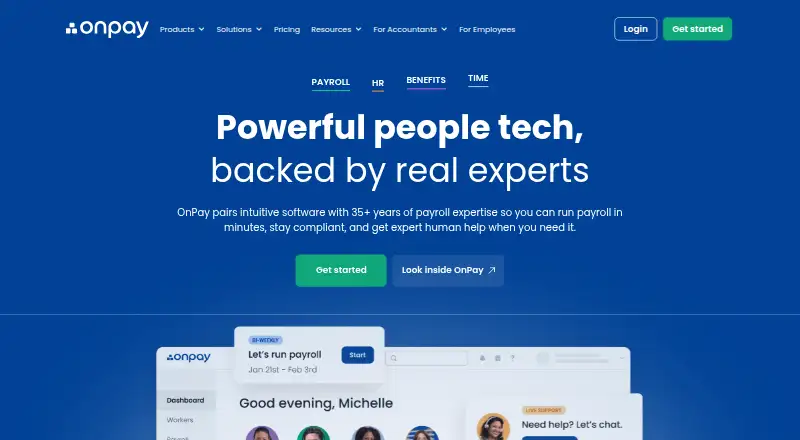
OnPay brings payroll, HR, benefits, and time tracking together for small businesses. It automates payroll calculations, tax payments and filings, including year-end filings, and supports W-2 employees and 1099 contractors in one pay run. HR tools cover onboarding, e-signatures, personnel records, delegated tasks, and six permission levels. Employees can clock in on mobile devices with geofencing; approved hours can then feed into payroll. OnPay offers access to health plans and ongoing plan administration at no extra cost, though premiums still apply. The service lists integrations such as QuickBooks, Xero, TurboTax, Deputy, and When I Work. OnPay says it has no added fees for unlimited pay runs, multi-state payroll, or workers inactive in a month. The employee mobile app supports pay-stub and tax-form access and direct deposit features.
Good
- Automates tax filings, payments, and year-end filings.
- Pays W-2 employees and 1099 contractors in one run.
- Approved mobile clock-in hours can sync to payroll.
- Includes access to health-plan administration at no extra cost.
Watch out
- Health plan premiums still apply.
- Mobile app features are for employees.
Who it suits
OnPay suits small businesses that want payroll alongside HR, benefits, and time tracking. Its listed industry support includes restaurants, farms, nonprofits, healthcare, and retail.
Verdict
OnPay combines payroll processing with HR, benefits, and time tools, with support for multi-state payroll and multiple worker types. The stated monthly cost has a base fee and per-worker charge, while benefits premiums remain separate.
Plans and prices
From OnPay's own pricing page, checked 15 Oct 2026.
| Plan | Price | What it gives you |
|---|---|---|
| Compliance Resources | $10 a month | state compliance alerts · labor-law updates · handbook guidance · compliance library · $10 base per month |
| Time Tracking | $15 a month | time clocks · timesheets · overtime and break rules · supervisor approvals · payroll synchronization · $15 base + $4/worker per month |
| HR | $15 a month | PTO management · onboarding workflows · org chart · employee directory · eSignature documents · $15 base + $2/worker per month |
| Payroll | $49 a month | Unlimited pay runs and schedules · W-2s, 1099s, and year-end filings included · federal, state, and local tax filings included · no extra charge for workers in multiple states · $49 base fee per month + $6 per worker per month |
| Payroll Essentials | $49 a month | full-service payroll · unlimited pay runs · all 50 states · W-2 and 1099 workers · tax filings · employee self-service · $49 base + $6/worker per month |
| Live HR Support | $65 a month | on-demand HR concierge · licensed HR experts · phone, chat and email · unlimited access · $65 base per month |
| Hourly Employees Bundle | $70 a month | Payroll Essentials · Time Tracking · HR · $70 base + $10/worker per month |
| Salaried Employees Bundle | $120 a month | Payroll Essentials · HR · Compliance Resources · Live HR Support · $120 base + $7/worker per month |
| Growing Businesses Bundle | $130 a month | Payroll Essentials · Time Tracking · HR · Compliance Resources · Live HR Support · $130 base + $10/worker per month |
The facts
Each one read from OnPay's own pages, with the date it was checked.
What it does
- Accounting integrations
- Official integrations include QuickBooks Online, QuickBooks Desktop and Xero with customizable item mapping and ledger synchronization.checked 15 Oct 2026
- API documentation
- The public partner reference documents OAuth 2.0 authorization-code and refresh-token flows and requires contacting OnPay to partner.checked 15 Oct 2026
- Benefits
- OnPay administers health, dental, vision, life, disability, HSA and FSA benefits with automated deductions and licensed-agent guidance.checked 15 Oct 2026
- Documentation and support
- The help center provides navigation, onboarding, payroll, security and troubleshooting articles; U.S.-based support is available weekdays 9 a.m.–8 p.m. Eastern by phone, chat and email.checked 15 Oct 2026
- Funding news
- OnPay announced on January 7, 2025 that it raised more than $100 million, including a $63 million Series B led by Carrick Capital Partners.checked 15 Oct 2026
- Hiring and onboarding
- Built-in onboarding includes custom offer letters, electronic signatures for I-9 and W-4 forms, and employee self-onboarding.checked 15 Oct 2026
- HR
- HR features include employee onboarding, e-signatures, personnel documents, task delegation, and six permission levels.checked 3 Oct 2026
- HR tools
- HR add-ons provide PTO workflows, delegated tasks, equipment tracking, org charts, directories and custom eSignature documents.checked 15 Oct 2026
- Integrations
- Named integrations include QuickBooks Online and Desktop, Xero, TurboTax, QuickBooks Time, Deputy, and When I Work.checked 3 Oct 2026
- Legal entity
- OnPay's privacy statement identifies the operating company as OnPay, LLC, a Delaware corporation with offices at 675 Ponce de Leon Avenue NE, Atlanta.checked 15 Oct 2026
- Licence model
- APIs.io classifies OnPay as a commercial hosted SaaS product and marks it as not open source.checked 15 Oct 2026
- Limit: customization
- Reviewers cite limited payroll-scheduling customization, reporting customization and advanced scheduling controls.checked 15 Oct 2026
- Limit: support delays
- Some reviewers report slow responses on tax-filing problems and occasional technical or support delays.checked 15 Oct 2026
- Limit: time clocks
- Review summaries repeatedly request a built-in time clock or stronger time-tracking capability.checked 15 Oct 2026
- MFA
- Users can secure accounts with authenticator-app or SMS six-digit multi-factor authentication, although the help center says client MFA is recommended rather than required.checked 15 Oct 2026
- Multi-state payroll
- Payroll supports workers in all 50 states with automatic state registrations and local withholding calculations.checked 15 Oct 2026
- No added payroll fees
- OnPay says there are no extra fees for unlimited pay runs, multi-state payroll, or workers inactive in a given month.checked 3 Oct 2026
The company
- Company history
- OnPay says it grew from founder Jesse Burgess’s family payroll business after he joined it in 2007.checked 3 Oct 2026
- Company size
- LinkedIn lists OnPay as a privately held financial-services company headquartered in Atlanta with 51–200 employees and about 190 visible employees.checked 15 Oct 2026
- Founded and origin
- The company says its online payroll product grew from founder Jesse Burgess's family payroll business and was spun out in 2015.checked 15 Oct 2026
- Headquarters
- Atlanta, Georgia, United Stateschecked 28 Sep 2026
Where it runs
- Limit: mobile app
- App-store reviewers report crashes, login loops, blank pages and inability to download W-2 files from the mobile app.checked 15 Oct 2026
- Mobile apps
- The employee mobile app provides pay-stub and tax-document access, PTO requests, bank-detail changes, contact lookup and document signing.checked 15 Oct 2026
- Mobile app scope
- The OnPay Mobile app is for employees, who can view pay stubs, access tax forms, and use direct deposit features.checked 3 Oct 2026
Alternatives to OnPay
- 1

CDM+
AndroidiOSWebAPI7.9From $25 a month - 2
Patriot Payroll
AndroidiOSWeb7.7From $17 a month - 3

ParishSOFT
AndroidiOSWebAPI7.6$250 one-time - 4

IconCMO Payroll
AndroidiOSWebAPI7.5From $35 a month - 5

Church Windows
WebmacOSSelf-hostedWindows7.4From $205 a year - 6
isolved HCM
AndroidiOSWebAPI7.4From $9 a month