biomed
biomed is a free Minecraft biome editor for Java world saves.
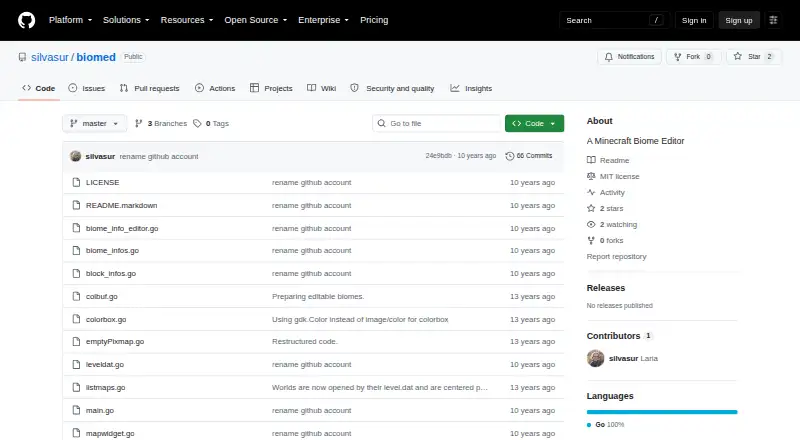
What biomed is
biomed is a free Minecraft biome editor for Java world saves. It lets users choose a biome and apply it to a map with Fill or Draw tools, then switch between biome and map views. A Fix Snow/Ice tool melts snow and ice in warm biomes and adds them in cold biomes. Users can open a savegame from File > Open World or select its region directory manually, then save changes through File > Save. The editor focuses on biome and region changes; it does not edit terrain or entities. It supports batch operations and Minecraft saves containing level.dat and a region directory. biomed runs on Linux, macOS, and Windows and requires GTK 2.x. Precompiled downloads are listed for 64-bit Linux and 32-bit Windows. The README advises backing up maps before editing. The software is offered under the MIT license, which permits use, copying, modification, distribution, sublicensing, and sale subject to its conditions; it comes without warranty.
Good
- Free under the MIT license
- Fill and Draw tools for biome changes
- Includes a Fix Snow/Ice tool
- Supports batch operations
- Runs on Linux, macOS, and Windows
Watch out
- Requires GTK 2.x
- Precompiled downloads listed only for 64-bit Linux and 32-bit Windows
- Does not edit terrain or entities
- README advises backing up maps before editing
Who it suits
It suits Minecraft Java players who want to change biomes in saved worlds. It is not for users seeking terrain or entity editing.
Verdict
biomed provides focused biome editing for Minecraft Java saves, including snow and ice adjustment. Check the GTK 2.x requirement and back up a map before making changes.
Plans and prices
From biomed's own pricing page, checked 29 Sep 2026.
| Plan | Price | What it gives you |
|---|---|---|
| MIT-licensed software | Free | Use, copy, modify, publish, distribute, sublicense, and sell, subject to the license conditions |
The facts
Each one read from biomed's own pages, with the date it was checked.
What it does
- Backup caution
- The README advises users to back up their maps before editing.checked 29 Sep 2026
- Biome editing
- It lets users select a biome and use Fill or Draw tools on the map.checked 29 Sep 2026
- Downloads and requirements
- Precompiled downloads are listed for 64-bit Linux and 32-bit Windows, and the software requires GTK 2.x.checked 29 Sep 2026
- License
- The MIT license grants permission to use, copy, modify, publish, distribute, sublicense, and sell the software, subject to its stated conditions.checked 29 Sep 2026
- Map views
- Users can switch between a biome view and a map view.checked 29 Sep 2026
- Purpose
- biomed is a Minecraft biome editor.checked 29 Sep 2026
- Snow and ice
- Its Fix Snow/Ice tool melts snow and ice for warm biomes and adds them for cold biomes.checked 29 Sep 2026
- Warranty
- The license provides the software “as is” and disclaims warranty.checked 29 Sep 2026
- World files
- Users can open a savegame through File > Open World or manually select the map's region directory, then save changes with File > Save.checked 29 Sep 2026
The company
- Founded
- 2013checked 28 Sep 2026
- Maker profile
- The GitHub profile identifies the maker as Laria (silvasur) and lists Hamburg as the location.checked 29 Sep 2026
Where it runs
- Platforms
- The README says biomed works on Linux and Windows and should work on Mac OS X, though the author says Mac compatibility is untested.checked 29 Sep 2026
The full review of biomed
biomed is a map-focused editor for Minecraft Java saves, built for players who want to change biome assignments without taking on a broader world-editing workflow. Its narrow toolset is a strength for that job, but the GTK 2.x requirement and save-file risk make it less appealing as an all-purpose editor.
Overview
biomed works with Minecraft world saves containing level.dat and a region directory. Open a save through File > Open World or select the region directory manually, then use File > Save to commit changes. The README advises backing up a map before editing; that matters because the program writes changes to world data and the MIT license supplies no warranty.
This is region editing, not full world construction. biomed does not edit terrain or entities, so it is a poor match for reshaping landscapes or changing mobs. Its focus is useful when the task is changing which biome covers an area.
Key features
- Fill and Draw tools: Choose a biome and apply it to the map. Fill suits broader areas, while Draw gives a more direct way to mark assignments; batch operations are supported for repeated edits.
- Biome and map views: Switching between the two views helps users concentrate on biome assignments or work from the broader map context.
- Fix Snow/Ice: The tool melts snow and ice for warm biomes and adds them for cold biomes. It can keep snow and ice aligned with biome changes, but does not extend biomed into general terrain editing.
Pricing
biomed is free: the MIT-licensed software plan is free. The license permits use, copying, modification, publication, distribution, sublicensing, and sale subject to its conditions. There are no paid tiers or seat-based tradeoffs in this plan; the license provides the software “as is” and disclaims warranty.
Platforms
biomed supports Linux, macOS, and Windows, but the GTK 2.x requirement is an important compatibility consideration. Precompiled downloads are listed for 64-bit Linux and 32-bit Windows; those builds do not cover every platform and architecture in the same way. It edits Minecraft Java saves, not Bedrock worlds.
Who it's for
Choose biomed if you need to adjust biome regions in a Java save, especially when snow and ice should change along with biome assignments. Skip it if you need terrain or entity editing, or if GTK 2.x is unsuitable for your setup. Anyone changing a valuable save should keep a backup before using File > Save.
Pros and cons
Pros
- Fill and Draw provide direct tools for applying biome choices across map areas.
- Fix Snow/Ice handles snow and ice according to warm and cold biome assignments.
- The MIT license allows modification and redistribution subject to its conditions, and the software is free.
Cons
- No terrain or entity editing, which rules it out for broader world changes.
- GTK 2.x is required, and precompiled downloads are listed only for 64-bit Linux and 32-bit Windows.
- Editing writes to a world save, so backing up first is prudent; the license disclaims warranty.
Alternatives
Minecraft World Editors is the broader category to browse if biomed's narrow scope is not enough.
- MCBE Inventory Editor is a free option for readers comparing inventory-editing software across Linux, macOS, self-hosted, web, and Windows platforms.
- Chunker is a free, open-source alternative for readers who prefer a web-capable tool with code available under the MIT license.
- LiveNBTEditor is a free option for Minecraft Java 26.3, with a Windows editor required.
- MCA Selector is a free alternative with Linux, macOS, Windows, and universal JAR builds.
- Minecraft Region Fixer is a free option for readers comfortable with a Python 3.x requirement and GPL-3.0 licensing.
- Minecraft World Trimmer is a free, MIT-licensed alternative provided as-is without warranty.
- WorldPainter is a free and open-source option under GPL version 3.
- Bedrock Toolchest is a free alternative for readers looking for Linux or Windows support without subscriptions, paywalls, or an account requirement.
Verdict
biomed is the right pick for Minecraft Java players who want a free, focused way to repaint biome regions and correct snow or ice. Look elsewhere for terrain or entity editing, or if GTK 2.x makes it impractical on your system.
Getting started
- Open the project website
- Use a Linux, macOS, or Windows system
- Install or obtain a build, with precompiled downloads listed for 64-bit Linux and 32-bit Windows
- Back up the Minecraft map before editing
- Open a savegame with File > Open World or select its region directory
- Choose a biome and use Fill or Draw
- Save with File > Save
Limits worth knowing
The software is free under its MIT-licensed plan. Its listed requirements include GTK 2.x, and the precompiled downloads are listed for 64-bit Linux and 32-bit Windows.
Questions
What Minecraft editions and saves does biomed support?
It supports Minecraft Java world saves containing level.dat and a region directory.
Which operating systems can run biomed?
Supported platforms are Linux, macOS, and Windows.
Is biomed free?
Yes. The listed MIT-licensed plan costs nothing.
What does the MIT license allow?
It permits use, copying, modification, publication, distribution, sublicensing, and sale subject to its conditions, and provides the software without warranty.
Can biomed edit terrain or entities?
Its listed editing capability is for regions and biomes; terrain editing and entity editing are not included.
Alternatives to biomed
- 1
Chunker
Free planOpen sourceWebAPILinuxmacOS7.6Free plan - 2
MCBE Inventory Editor
Free planOpen sourceWebLinuxmacOSSelf-hosted7.4Free plan - 3
Minecraft Region Fixer
Free planOpen sourceLinuxmacOSSelf-hostedWindows7.2Free plan - 4

Amulet Map Editor
APILinuxmacOSSelf-hosted6.9From £7 a year - 5

Bedrock NBT Editor
Free planAndroidiOSWeb6.6Free plan - 6

Universal Minecraft Tool
Free planWindows6.5From $60 a year