
Bedrock Toolchest
Bedrock Toolchest is a free desktop editor for Minecraft Bedrock worlds on supported Windows and Linux systems.
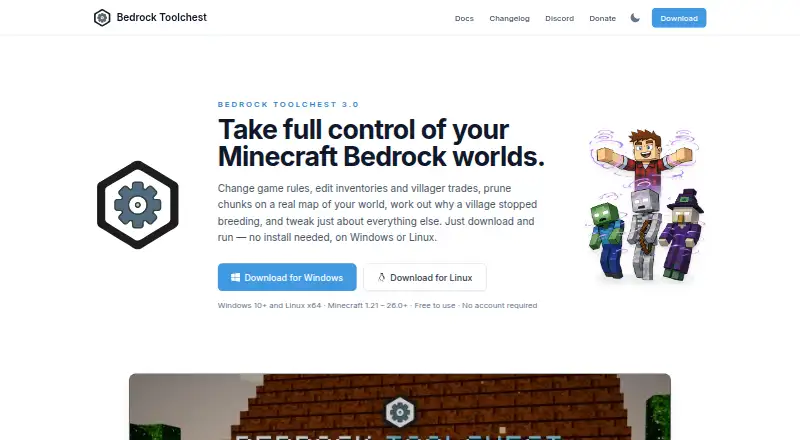
What Bedrock Toolchest is
Bedrock Toolchest is a free desktop editor for Minecraft Bedrock worlds on supported Windows and Linux systems. It can change world settings, all 31 game rules, superflat layers, and experiments; edit player position, health, experience, inventory, enchantments, effects, and tamed pets; and display a world map for chunk pruning and editing entities, chests, signs, and villager trades. The Structure Viewer renders saved structures in 3D and imports or exports .mcstructure files. Add-on management can install, remove, reorder, and update packs, while flagging missing packs and unmet dependencies. It supports Bedrock worlds from version 1.21 through the current release, including world folders and extracted .mcworld worlds, but not Java Edition worlds. The app supports 64-bit Windows 10 or later and 64-bit x86 Linux desktops; ARM machines are not supported. Changes are staged until saved, and by default a full backup is taken before the first save of a session. The app reads back and checks saved changes. Its default backup budget is 10 GB per world, with five backups kept per world; users can change both settings. An internet connection is optional. Update checks send a version string, not a machine identifier, world data, or counts.
Good
- Edits world settings and all 31 game rules
- Player editor can export a player to a file
- Structure Viewer handles .mcstructure files
- Changes are staged and saved changes are checked
- No internet connection is required
Watch out
- Does not support Java Edition worlds
- Does not support ARM machines
- Default backup budget is 10 GB per world
Who it suits
It suits Minecraft Bedrock players who want to edit worlds, players, structures, or add-on packs on a supported Windows or Linux desktop. It is not for Java Edition worlds or ARM machines.
Verdict
Bedrock Toolchest offers a broad set of editing tools for supported Bedrock worlds, with staged changes and default session backups. Confirm that your system and world edition are supported before choosing it.
Plans and prices
From Bedrock Toolchest's own pricing page, checked 4 Oct 2026.
| Plan | Price | What it gives you |
|---|---|---|
| Free | Free | No paywalls · no subscriptions · no account required |
The facts
Each one read from Bedrock Toolchest's own pages, with the date it was checked.
What it does
- Add-ons
- Add-on management supports installing, removing, reordering, and updating packs, and flags missing packs and unmet dependencies.checked 4 Oct 2026
- Backup limits
- The default backup budget is 10 GB per world, with five backups kept per world by default; users can change the settings.checked 4 Oct 2026
- Level editing
- The Level Editor can change world settings, all 31 game rules, superflat layers, and experiments.checked 4 Oct 2026
- Minecraft compatibility
- It supports Bedrock Edition worlds from version 1.21 through the current release and does not support Java Edition worlds.checked 4 Oct 2026
- Network and privacy
- An internet connection is not required; the app can check for updates and, when enabled, fetch player head and 3D model previews from minecraftrender.com.checked 4 Oct 2026
- Player editing
- The Player Editor supports changes to player position, health, experience, inventory, enchantments, effects, and tamed pets, and can export a player to a file.checked 4 Oct 2026
- Structures
- The Structure Viewer renders saved structures in 3D and supports exporting and importing .mcstructure files.checked 4 Oct 2026
- Support
- The maker points users to its Discord community for help and welcomes translation contributions there.checked 4 Oct 2026
- Supported systems
- The app supports 64-bit Windows 10 or later and 64-bit x86 Linux desktops; ARM machines are not supported.checked 4 Oct 2026
- Update data
- The update check sends a version string and no machine identifier, world data, or counts.checked 4 Oct 2026
- What it does
- Bedrock Toolchest is a desktop editor for Minecraft Bedrock worlds that lets users inspect and change settings, players, entities, villages, maps, structures, and add-ons.checked 4 Oct 2026
- World editing
- The World Editor displays a map of the world and supports chunk pruning and editing entities, chests, signs, and villager trades.checked 4 Oct 2026
- World protection
- Changes are staged until saved, a full backup is taken before the first save of a session by default, and saved changes are read back and checked.checked 4 Oct 2026
The full review of Bedrock Toolchest
Bedrock Toolchest is a desktop editor for changing Minecraft Bedrock worlds, from player inventories to add-on packs. It is best suited to Bedrock players who want a broad set of save-editing tools on a supported Windows or Linux desktop. Its staged edits and default session backups make it a capable free choice, but the lack of batch operations and support for Java worlds narrows its reach.
Overview
The editor brings world settings, player data, map-based world changes, structures, and add-on management into one application. That range suits players maintaining a save or making targeted changes without switching between separate tools. Changes remain staged until saved; by default, the app takes a full backup before the first save of a session and checks saved changes by reading them back. These safeguards are useful, though the default backup budget and retention settings still put a ceiling on how much history each world keeps.
An internet connection is not required. Update checks send a version string, not a machine identifier, world data, or counts. When enabled, the app can also fetch player head and 3D model previews from minecraftrender.com.
Key features
World and player editing
The Level Editor covers world settings, all 31 game rules, superflat layers, and experiments. The World Editor adds a world map, chunk pruning, and editing for entities, chests, signs, and villager trades. Together, these tools cover both configuration and targeted changes to world contents, but the lack of batch operations makes large-scale repetitive edits a weaker fit.
The Player Editor can change position, health, experience, inventory, enchantments, effects, and tamed pets, and can export a player to a file. That is a useful range for fixing or adjusting an individual player record without limiting the app to world-level settings.
Structures and add-ons
The Structure Viewer renders saved structures in 3D and supports importing and exporting .mcstructure files, making it practical to inspect and move structures. Add-on management can install, remove, reorder, and update packs, while flagging missing packs and unmet dependencies. Those checks help identify pack issues, though the app is focused on Bedrock add-on management rather than Java worlds.
Pricing
Bedrock Toolchest is free: the Free plan costs nothing, with no paywalls, subscriptions, or account requirement. There is no free trial because the free plan is the product’s pricing offer. It keeps the full described editing toolkit accessible without a recurring charge or seat limit.
Backups have practical limits: the default budget is 10 GB per world, with five backups kept per world. Users can change both settings, but should consider storage and retention needs before relying on backups as long-term history.
Platforms
Bedrock Toolchest supports 64-bit Windows 10 or later and 64-bit x86 Linux desktops; ARM machines are not supported. It works with Bedrock Edition worlds from version 1.21 through the current release, including Minecraft Bedrock world folders, extracted .mcworld worlds, and .mcstructure files. Java Edition worlds are not supported.
Who it's for
This is a strong fit for Bedrock players who want one desktop tool for player edits, world settings, entity and terrain work, structure files, and add-on packs. It is less suitable for Java players, ARM desktop users, or anyone who needs batch editing.
The maker points users to its Discord community for help and welcomes translation contributions there.
Pros and cons
- Pros: The free plan has no paywalls, subscription, or account requirement, so the full described toolkit does not depend on an upgrade.
- Pros: Staged edits, default pre-save backups, and read-back checks provide safeguards when changing a world.
- Pros: Player editing, world-map tools, structure handling, and add-on management cover a broad range of Bedrock maintenance tasks.
- Cons: Java Edition worlds and ARM machines are outside its supported range.
- Cons: Batch operations are not supported, limiting its fit for repetitive changes across many regions or records.
- Cons: Backups default to 10 GB and five copies per world, so retention is finite unless users adjust the settings.
Alternatives
Minecraft World Editors is a useful starting point for comparing tools across the category. Choose Universal Minecraft Tool if its Windows-only offering suits you and you want a free NBT editor limited to world settings, or consider its yearly plan for full access to all apps. WorldPainter is a free, open-source option for Linux, macOS, and Windows. MCA Selector is another free option with Windows, macOS, Linux, and universal JAR builds.
MCBE Inventory Editor is a free alternative spanning Linux, macOS, self-hosted, web, and Windows. Voxelier is free, requires no account, and runs on web and Windows. Minecraft Region Fixer is free for Linux, macOS, and Windows and requires Python 3.x. Amulet Map Editor is a paid option for Windows, macOS, and Linux. World Repair Studio is a free option for Windows, macOS, and Linux.
Verdict
Choose Bedrock Toolchest if you play Bedrock on a supported desktop and want a free, broad editor with staged changes and default session backups. Look elsewhere if you need Java-world support, ARM compatibility, or batch operations.
Alternatives to Bedrock Toolchest
- 1

Chunker
Free planOpen sourceWebAPILinuxmacOS7.6Free plan - 2
MCBE Inventory Editor
Free planOpen sourceWebLinuxmacOSSelf-hosted7.4Free plan - 3
Minecraft Region Fixer
Free planOpen sourceLinuxmacOSSelf-hostedWindows7.2Free plan - 4

Amulet Map Editor
APILinuxmacOSSelf-hosted6.9From £7 a year - 5

Bedrock NBT Editor
Free planAndroidiOSWeb6.6Free plan - 6

Universal Minecraft Tool
Free planWindows6.5From $60 a year