BigBlueButton
BigBlueButton is an open-source virtual classroom for teaching, office hours, and group collaboration.
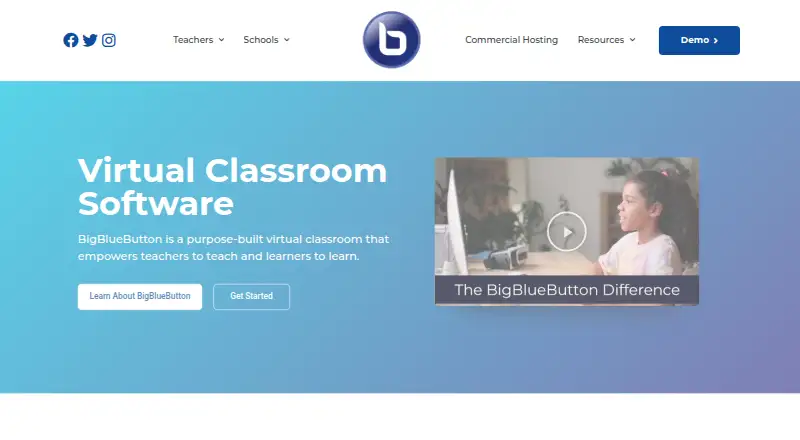
What BigBlueButton is
BigBlueButton is an open-source virtual classroom for teaching, office hours, and group collaboration. Its classroom tools include document uploads, a whiteboard, breakout rooms, chat, polls, shared notes, hand raising, webcam video, and screen sharing. Instructors can review attendance, participation, and poll responses in the Learning Analytics Dashboard, and classes can be recorded. The platform supports up to 200 participants and integrates with learning systems including Moodle, Canvas, Schoology, Open edX, and Sakai. It is free and lists web, iOS, Android, Linux, and self-hosted options. Its API lets applications create, join, and end meetings and manage recordings and documents. For organizations hosting it themselves, the installation guide recommends a dedicated Ubuntu 22.04 64-bit server with 16 GB memory and 8 CPU cores, alongside other requirements. Security measures described include HTTPS, API checksum validation, and encryption for real-time media, but the company says it cannot guarantee absolute security. Permanent sessions that preserve slides and chat after users leave are not supported.
Good
- Free and open source.
- Classroom tools include polls, whiteboard, and breakout rooms.
- Dashboard shows attendance, participation, and poll responses.
- Supports up to 200 participants.
Watch out
- Permanent sessions preserving slides and chat are unsupported.
- Self-hosting recommends a dedicated Ubuntu 22.04 server.
- Absolute security cannot be guaranteed.
Who it suits
BigBlueButton suits schools, instructors, and organizations running online teaching, office hours, or group collaboration. Self-hosting is an option for organizations able to meet the server requirements.
Verdict
BigBlueButton brings classroom interaction, recordings, and learning analytics into an open-source platform. Organizations considering self-hosting should weigh its recommended server requirements and the lack of permanent sessions.
The facts
Each one read from BigBlueButton's own pages, with the date it was checked.
What it does
- API
- Its API lets applications create, join and end meetings, manage recordings, insert documents and perform other meeting actions.checked 30 Sep 2026
- Breakout rooms
- Yeschecked 20 Sep 2026
- Deployment
- The maker’s installation guide supports self-hosting on a dedicated Ubuntu 22.04 64-bit Linux server and recommends production resources including 16 GB memory and 8 CPU cores.checked 30 Sep 2026
- Integrations
- The product lists integrations with learning platforms including Moodle, Canvas, Schoology, Open edX and Sakai.checked 30 Sep 2026
- Intended users
- The maker says BigBlueButton is designed for K–12 schools, higher education, and government as well as online teaching, office hours, and group collaboration.checked 30 Sep 2026
- Key integrations
- Moodle,Canvas,Schoology,Open edX,Sakai,ATutor,Chamilo,Drupal,Docebo,Nextcloud,Redmine,OpenOlat,Tiki Wiki,LTIchecked 20 Sep 2026
- Learning analytics
- The Learning Analytics Dashboard helps instructors see attendance, participation and responses to polls.checked 30 Sep 2026
- Max participants
- 200checked 20 Sep 2026
- Meeting recording
- Yeschecked 20 Sep 2026
- Open source
- The project says BigBlueButton is completely open source and developed by an international community.checked 30 Sep 2026
- Origin
- BigBlueButton was developed through Carleton University’s Technology Innovation Management program in Ottawa and launched externally in 2007.checked 30 Sep 2026
- Privacy
- BigBlueButton Inc. says it takes reasonable administrative, technical, and physical measures to protect personal information, while acknowledging it cannot eliminate all security risks.checked 30 Sep 2026
- Privacy limitation
- BigBlueButton says it takes reasonable measures to protect personal information but cannot guarantee absolute security.checked 30 Sep 2026
- Purpose
- BigBlueButton is an open-source virtual classroom designed to help teachers teach and learners learn.checked 30 Sep 2026
- Screen sharing
- Yeschecked 20 Sep 2026
- Security
- The documentation describes HTTPS connections, checksum validation for API requests, and DTLS and SRTP encryption for real-time media.checked 30 Sep 2026
- Self-hosting
- The installation guide recommends a dedicated Ubuntu 22.04 64-bit Linux server for production installation.checked 30 Sep 2026
- Server requirements
- The production recommendations include 16 GB memory, 8 CPU cores and 500 GB of free disk space, or 50 GB when server-side session recording is disabled.checked 30 Sep 2026
- Session persistence
- The server does not support permanent sessions where users can leave and return later with slides and chat messages preserved.checked 30 Sep 2026
- Support
- The site directs users to a searchable knowledge base, community support and commercial hosting or support providers.checked 30 Sep 2026
- Teaching tools
- Its classroom features include document uploads, whiteboards, breakout rooms, chat, polling, shared notes, screen sharing, hand raising and webcam video.checked 30 Sep 2026
- Technical requirements
- The installation guide recommends a dedicated server, a valid SSL certificate, accessible TCP ports 80 and 443, and UDP ports 16384–32768.checked 30 Sep 2026
The company
- Founded
- 2007checked 23 Sep 2026
Where it runs
- Supported platforms
- web,iOS,Androidchecked 20 Sep 2026
The full review of BigBlueButton
Overview
BigBlueButton is an open-source virtual classroom for live teaching, with tools designed for instructors and learners rather than general-purpose meetings. It is best suited to schools and organizations able to integrate it into a learning platform or manage a dedicated server. Its classroom features are a strong fit for structured lessons, but self-hosting takes meaningful infrastructure and sessions cannot be resumed with slides and chat intact.
Key features
BigBlueButton combines webcam video, document sharing, screen sharing, chat, hand raising, polls, shared notes and an interactive whiteboard. Teachers can split a class into breakout rooms and record sessions; the stated maximum is 200 participants. That combination supports interactive lessons better than a meeting tool focused mainly on conversation, though larger events exceed its participant ceiling.
The Learning Analytics Dashboard gives instructors visibility into attendance, participation and poll responses. That can help teachers understand engagement across a class, rather than relying only on what they observe during a live session.
Integrations include Moodle, Canvas, Schoology, Open edX and Sakai, alongside other learning and content platforms. Its API lets applications create, join and end meetings, manage recordings, insert documents and perform other meeting actions, making it a practical option for organizations embedding classrooms in existing software.
The project is open source and developed by an international community. Security measures described by the company include HTTPS connections, checksum validation for API requests, and DTLS and SRTP encryption for real-time media. The company also acknowledges that it cannot eliminate all security risks, so organizations handling sensitive information should not treat those safeguards as a guarantee of absolute security.
Pricing
BigBlueButton is free and open source. There are no paid plans or seat prices given for the software itself; organizations can use it without a software subscription, but self-hosting still means providing and maintaining suitable server infrastructure. The site also points users to commercial hosting and support providers, which may involve separate costs.
There is no tiered plan to trade features or capacity for a lower price: the stated product limit is 200 participants. The main cost decision is therefore operational. A technically capable organization with server resources can take advantage of the open-source model, while a school seeking a managed service may prefer commercial hosting rather than run its own deployment.
Platforms
BigBlueButton supports web, iOS and Android clients, as well as Linux and self-hosted deployments; an API is also available for application integrations. Production self-hosting is recommended on a dedicated 64-bit Ubuntu 22.04 Linux server, with a valid SSL certificate, TCP ports 80 and 443, and UDP ports 16384–32768 accessible.
The recommended production server has 16 GB of memory, 8 CPU cores and 500 GB of free disk space. That storage recommendation drops to 50 GB if server-side session recording is disabled. These requirements make self-hosting a substantial commitment, especially for institutions without an existing operations team.
One notable limitation is that sessions are not permanent: users cannot leave and later return to the same session with slides and chat messages preserved. Teachers who depend on an ongoing virtual room should account for that before choosing it.
Who it's for
BigBlueButton is aimed at K–12 schools, higher education and government, as well as online teaching, office hours and group collaboration. It is especially compelling where an institution already uses a supported learning platform and wants teaching tools and engagement data within its course workflow.
It is less suitable for organizations that need persistent rooms, lack technical capacity to host a dedicated server, or routinely need to exceed 200 attendees. The project directs users to a searchable knowledge base, community support and commercial hosting or support providers, rather than positioning the software as a turnkey managed service.
Pros and cons
- Pros: Teaching-oriented interaction. Whiteboards, polls, hand raising, breakout rooms and shared notes give instructors more ways to structure participation than basic video and chat.
- Pros: Course-platform fit. Integrations and an API support embedding meetings and related actions into existing learning systems.
- Pros: Open-source licensing. The software is free, with no software plan tiers to restrict classroom features.
- Cons: Significant self-hosting requirements. The recommended dedicated server resources and network setup are a barrier for teams without infrastructure expertise.
- Cons: No session persistence. Participants cannot return later to a room with its prior slides and chat preserved.
- Cons: Capacity ceiling. The maximum of 200 participants rules it out for classes or events that regularly need larger rooms.
- Cons: Security is not absolute. The stated protections do not eliminate all risks, which matters to institutions assessing sensitive data.
Alternatives
For a classroom product with a published free tier and clear room limits, consider alfaview: its free plan includes one room/license and up to 50 participants per room, with 50 breakout rooms per room. Choose it when those stated limits suit your classes and you want a defined free allowance; BigBlueButton instead offers open-source software with a higher stated participant maximum.
LearnCube is another freemium option: its Virtual Classroom Basic plan provides unlimited 1:1 classes and a materials library of up to 10 files. It is worth considering when individual instruction is the priority, while BigBlueButton is oriented toward group teaching.
Adobe Connect is a paid alternative with Standard and Premium plans that include 100 room capacity; Standard includes 1–5 host licenses and 5 GB of cloud storage. Consider it if that room capacity and host-and-storage structure fit your needs better; BigBlueButton has a higher stated maximum and is open source.
TrainerCentral offers a free plan with three courses, unlimited learner accounts and 10 active learners. It may fit a small course operation that needs a defined learner cap; BigBlueButton supports up to 200 participants in a session.
MeritHub is a paid alternative for readers comparing virtual classroom products.
Electa Live has a Live Virtual Classroom plan at $29.90 a month, with one room and one teacher, and 25 or 100 attendees per live class. Its stated no-long-term-contract term may suit a buyer wanting a paid classroom plan without a long commitment; BigBlueButton is free software but requires infrastructure when self-hosted.
BrainCert Virtual Classroom offers a Bronze plan at $119 a month, billed annually, for up to 25 attendees per session and 5,000 virtual classroom minutes per month. Consider it when a defined monthly usage allowance is preferable to running an open-source server; BigBlueButton has a higher stated per-session maximum.
Classverse has a free plan with up to five enrollments per month, unlimited classrooms, 1 GB of media storage and no video recording. Its limits make it a possible fit for a small operation that can do without recording; BigBlueButton includes class recording and supports up to 200 participants.
For broader comparisons, browse Virtual Classroom Software, Secure Video Conferencing Software or Video Conferencing Software.
Verdict
BigBlueButton is a strong choice for schools and institutions that want open-source classroom software, interactive teaching tools and learning-platform integration, and can provide the operational support for deployment. Choose it for its education-first toolkit and freedom from software licensing fees; look elsewhere if you need persistent rooms, turnkey hosting or capacity beyond 200 participants.
Alternatives to BigBlueButton
- 1
Microsoft Teams
Free planAndroidiOSWebLinux9.0Free plan - 2

8x8 Meet
Free planAndroidiOSWebAPI8.9From $24 a month - 3

FreeConferenceCall.com
Free planAndroidiOSWebAPI8.7From $2 a month - 4
Webex App
Free planAndroidiOSWebmacOS8.5Free plan - 5
Google Meet
AndroidiOSWebLinux8.4From $7 a month - 6

TrueConf
Free planAndroidiOSWebAPI8.4From $10 a year