
TrainerCentral
TrainerCentral is a platform for creating and delivering online courses and running a training business.
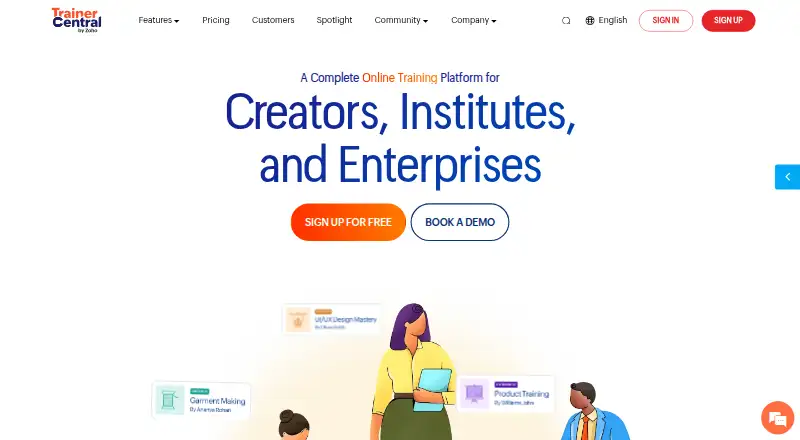
What TrainerCentral is
TrainerCentral is a platform for creating and delivering online courses and running a training business. Its course builder includes a live virtual classroom, drip scheduling, tests and quizzes. Course materials can include text, documents, audio, video, PDFs, spreadsheets, images and external links. Trainers can build a website, use custom branding and a custom domain, accept payments and subscriptions, and manage their business through a dashboard. Learners have a portal with live interaction, discussion forums and course certificates. The platform also offers email marketing and integrations through Zapier and Zoho Flow. Payments can use listed gateways including Razorpay, Stripe, Paytm, Forte, Authorize.net, PayPal and Mercado Pago, with no transaction fee. Learner access is available on the web, Windows, macOS, Android and iOS, including branded mobile apps; the Windows and Mac desktop apps can block screenshots, screen recording and text copying during course playback. A free plan includes up to three courses, 10 active learners and 5GB of storage, alongside unlimited learner accounts. A 15-day trial is available. TrainerCentral is a division of Zoho Corporation and states that it holds ISO/IEC 27001 and ISO/IEC 27017 certifications and is SOC 2 Type 2 compliant.
Good
- Course builder includes live classes, drip scheduling, tests and quizzes.
- Supports text, documents, audio, video, PDFs and other course materials.
- Integrated payments have no transaction fee.
- Branded learner mobile apps are available for Android and iOS.
- Zapier and Zoho Flow integrations are supported.
Watch out
- Free plan is limited to three courses and 10 active learners.
- Free plan includes 5GB of storage.
- Support by email or live chat is available Monday through Friday.
Who it suits
TrainerCentral suits experts and trainers who want to create online courses and manage learner engagement, payments and subscriptions in one platform. It can also suit businesses that need branded mobile access, custom domains or a choice of course materials and payment gateways.
Verdict
Choose TrainerCentral if you need course creation alongside business tools such as payments, subscriptions, email marketing and a website builder. Its free plan offers a way to start, but the included course, active learner and storage caps may not suit a larger training operation.
Plans and prices
From TrainerCentral's own pricing page, checked 8 Oct 2026.
| Plan | Price | What it gives you |
|---|---|---|
| Free | Free | Up to 3 courses · 10 active learners · unlimited learner accounts · 5GB storage |
| Starter | — | Single trainer · unlimited courses and learners · up to 50 live participants · 100GB storage · 5 additional site pages · Monthly or yearly (save up to 16%) |
| Professional | — | 3 trainer licenses · unlimited courses and learners · up to 100 live participants · 1TB storage · 20 additional site pages · Monthly or yearly (save up to 16%) |
The facts
Each one read from TrainerCentral's own pages, with the date it was checked.
What it does
- Audience
- TrainerCentral describes itself as a division of Zoho Corporation built to help experts share knowledge and build training businesses.checked 8 Oct 2026
- Business tools
- The platform includes a website builder, custom branding, payments and subscriptions, and a business dashboard.checked 8 Oct 2026
- Course creation
- Course features include a builder, live virtual classroom, drip scheduler, tests, and quizzes.checked 8 Oct 2026
- Course formats
- text,documents,audio,video,PDFs,spreadsheets,images,external linkschecked 22 Sep 2026
- Custom domain
- Yeschecked 22 Sep 2026
- Email marketing
- Yeschecked 22 Sep 2026
- Integrations
- TrainerCentral supports third-party app integrations through Zapier and Zoho Flow.checked 8 Oct 2026
- Learner engagement
- Learners can use a portal, live interaction, discussion forums, and course certificates.checked 8 Oct 2026
- Payment gateways
- Listed payment gateways include Razorpay, Stripe, Paytm, Forte, Authorize.net, PayPal, and Mercado Pago.checked 8 Oct 2026
- Payment options
- integratedchecked 22 Sep 2026
- Purpose
- TrainerCentral provides tools to create and deliver online courses and run a training business.checked 8 Oct 2026
- Security certifications
- TrainerCentral states it has ISO/IEC 27001 and ISO/IEC 27017 certifications and is SOC 2 Type 2 compliant.checked 8 Oct 2026
- Security controls
- TrainerCentral says its data centers have 24/7/365 security, video monitoring, and biometric access, and its network uses encryption and intrusion detection and prevention.checked 8 Oct 2026
- Support
- Support is available by email or live chat 24 hours a day, Monday through Friday.checked 8 Oct 2026
- Transaction fee
- 0checked 22 Sep 2026
Where it runs
- Desktop app
- The learner desktop app is available for Windows and Mac and can block screenshots, screen recording, and copying text during course playback.checked 8 Oct 2026
- Mobile app
- brandedchecked 22 Sep 2026
- Mobile apps
- TrainerCentral offers learner mobile apps for Android and iOS, including custom-branded app options for trainers.checked 8 Oct 2026
Money
- Free plan
- Yeschecked 22 Sep 2026
The full review of TrainerCentral
Overview
TrainerCentral combines online course delivery with the operational tools of a training business, including payments, subscriptions, email marketing and a website builder. It is a strong fit for independent experts and small training teams that want varied lesson formats, live teaching and branded learner apps in one service. The trade-off is scale: its no-cost tier is deliberately small, while the paid tiers use custom pricing.
Key features
The course builder accepts text, documents, audio, video, PDFs, spreadsheets, images and external links. That breadth suits trainers whose curriculum mixes reference files, media and linked resources rather than relying on video alone. Drip scheduling, tests and quizzes add pacing and assessment controls, while a live virtual classroom supports synchronous teaching.
Learners get a portal, live interaction, discussion forums and course certificates. These tools make TrainerCentral more suitable for an ongoing learning community than a simple file-hosting course site. A website builder, custom branding, custom-domain support, subscriptions, integrated payments, email marketing and a business dashboard keep sales and delivery in the same system. TrainerCentral reports a zero transaction fee, and supports Razorpay, Stripe, Paytm, Forte, Authorize.net, PayPal and Mercado Pago.
Android and iOS learner apps are available, including custom-branded versions for trainers. The Windows and Mac learner desktop app can block screenshots, screen recording and text copying during playback, a useful control for sensitive paid material. Zapier and Zoho Flow integrations extend automation beyond the built-in business tools.
TrainerCentral states that it holds ISO/IEC 27001 and ISO/IEC 27017 certifications and is SOC 2 Type 2 compliant. It describes 24/7/365 data-center security with video monitoring and biometric access, plus encrypted networking and intrusion detection and prevention. Support is offered by email or live chat 24 hours a day, Monday through Friday.
Pricing
TrainerCentral uses a freemium model, with a 15-day trial. The Free plan costs free and allows up to three courses, 10 active learners, unlimited learner accounts and 5GB of storage. It is appropriate for validating a small course or teaching a very limited active cohort; the course, learner and storage ceilings make it unsuitable as the main platform for a growing catalogue.
Starter has custom pricing and can be billed monthly or yearly, with yearly billing saving up to 16%. It supports one trainer, unlimited courses and learners, up to 50 live participants, 100GB of storage and five additional site pages. This is the sensible step up for a solo trainer who has outgrown the free caps and needs live sessions and a larger content library, but it does not provide extra trainer seats.
Professional also has custom pricing, with monthly or yearly billing and savings of up to 16% on yearly billing. It includes three trainer licenses, unlimited courses and learners, up to 100 live participants, 1TB of storage and 20 additional site pages. The additional seats, capacity and storage make it the better fit for a small instructional team or a larger media-heavy programme. Prospective buyers should request a quote to compare the two paid tiers directly.
Platforms
TrainerCentral supports Android, iOS, macOS, Windows and the web. The mobile apps are learner-facing and can be branded, while the desktop learner app adds playback restrictions on Windows and Mac. The web option keeps course access available across devices without requiring an app installation.
Who it's for
Choose TrainerCentral for an expert, consultancy or small training company that needs course creation, live classrooms, learner engagement and business administration together. It is particularly well matched to teams selling subscriptions or courses under a custom domain and delivering content through branded mobile apps.
It is a weaker fit for a large training operation that needs more than 100 live participants on the stated plans, or for a creator whose free programme quickly exceeds three courses, 10 active learners or 5GB of storage. Buyers who want a transparent published price may also prefer a platform with fixed plan rates.
Pros and cons
Pros
- Broad course support: text, files, audio, video, images and links handle mixed-format curricula.
- Business tools in one service: websites, custom domains, subscriptions, payments, email marketing and a dashboard reduce the need to combine separate products.
- Branded learner access: custom mobile apps and a playback-control desktop app strengthen the learner-facing experience and content protection.
- No transaction fee: the stated zero fee avoids an additional platform charge on payments.
- Live teaching capacity: paid tiers support 50 or 100 live participants, with Professional adding trainer licenses.
Cons
- Restrictive free tier: three courses, 10 active learners and 5GB of storage leave little room for a growing operation.
- Custom paid pricing: Starter and Professional costs are not published, making budgeting and direct comparison harder.
- Limited stated live scale: even Professional is capped at 100 live participants.
Alternatives
Browse Online course platforms for a wider category comparison, or Virtual Classroom Software when live teaching is the primary requirement.
FreshLearn is worth considering if a free plan with one product, 25 manual enrollments and five sales pages is enough, or if its $35 a month Pro plan suits your budget.
Open edX is the alternative for organizations prepared to handle hosting, infrastructure, maintenance, support and customization around free platform software with no license fees.
Prolaud offers a forever-free starter plan without a card or trial countdown for smaller initial deployments.
Euron Systems provides a free plan with no credit card or setup fee for exploring platform access.
Tutor LMS suits buyers wanting self-hosted delivery and a free core with unlimited courses, learners and instructors.
Thinkific is a paid platform with no free plan, but it offers a free trial and plans such as Basic with 10,000 current students.
LearnWorlds is a paid alternative whose Starter plan is $29 a month for launching a first paid course.
Loopwise is another freemium option, with a Starter tier for 100 students and one course and a Pro tier at $29 a month.
Verdict
TrainerCentral is best for independent trainers and small teams that want course authoring, live delivery and the commercial machinery around them in one branded service. Its strongest reason to choose it is the combination of varied content, integrated payments and marketing, learner apps and business controls without a transaction fee. Look elsewhere if the free limits are too tight, if you need live audiences beyond 100, or if published paid-plan prices are essential to your decision.
Getting started
- Open the TrainerCentral website.
- Choose the Free plan or review the available 15-day trial.
- Create courses using the builder and supported course formats.
- Set up learner access through the web or supported desktop and mobile apps.
- Configure payments, branding or integrations as needed.
Limits worth knowing
The Free plan allows up to three courses, 10 active learners and 5GB of storage, while learner accounts are unlimited. Starter includes up to 50 live participants and 100GB of storage; Professional includes up to 100 live participants and 1TB of storage.
Questions
Is there a free plan?
Yes. The Free plan costs nothing and includes up to three courses, 10 active learners, unlimited learner accounts and 5GB of storage.
Is a free trial available?
Yes, a 15-day trial is listed.
What platforms does TrainerCentral support?
It supports Android, iOS, macOS, web and Windows. Learner desktop apps are available for Windows and Mac, and mobile apps are available for Android and iOS.
What does TrainerCentral cost?
The Free plan is free. Starter and Professional prices are not provided here; both are billed monthly or yearly, with savings of up to 16% on yearly billing.
What payment gateways are listed?
Listed gateways include Razorpay, Stripe, Paytm, Forte, Authorize.net, PayPal and Mercado Pago. The transaction fee is 0.
Who makes TrainerCentral?
TrainerCentral describes itself as a division of Zoho Corporation.
Alternatives to TrainerCentral
- 1
Prolaud
Free planAndroidiOSWebAPI8.6From ₹124,915 a month - 2

LearnWorlds
AndroidiOSWebAPI8.5From $288 a year - 3
FreshLearn
Free planAndroidiOSWebAPI8.4Free plan - 4

Kajabi
AndroidiOSWebAPI8.4From $179 a month - 5

LearnDash
Open sourceAndroidiOSWebAPI8.4From $259 a year - 6

Academy of Mine
AndroidiOSWebAPI8.2From $999 a month