BrainCert Virtual Classroom
BrainCert Virtual Classroom is a web-based teaching space for live classes and collaborative sessions.
What BrainCert Virtual Classroom is
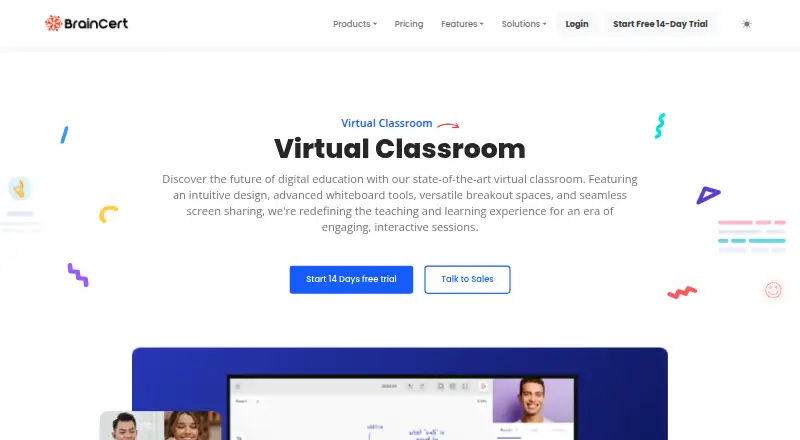
BrainCert Virtual Classroom is a web-based teaching space for live classes and collaborative sessions. It combines video and audio with a shared whiteboard, breakout rooms, screen sharing, polls, attendance tracking, and session recording. Teaching tools include a LaTeX equation editor, document annotation, a cloud media player, and an online code editor. BrainCert says sessions support up to 10 concurrent video streams and unlimited audio streams. Learners and teachers can join from Android or iOS devices and tablets through WebRTC without installing an app. The interface supports over 50 human-translated languages, including right-to-left languages such as Arabic and Hebrew. An HTML5 API can add the classroom to a website, LMS, or CMS. A free plan and a 14-day trial of standard premium features are listed. Paid plans have varying limits for classroom minutes, attendees per session, and recording minutes; Bronze costs $119 a month billed annually and lists up to 25 attendees per session.
Good
- Includes breakout rooms and session recording
- Whiteboard includes a LaTeX equation editor
- Supports over 50 interface languages
- Mobile joining does not require an app
- Offers an HTML5 embedding API
Watch out
- Paid plans cap classroom and recording minutes
- Bronze allows up to 25 attendees per session
- Free API plan limits sessions to 30 minutes
Who it suits
The classroom is presented for K12, universities, tutoring, group collaboration, and corporate training. It may suit teachers who need interactive teaching tools and browser access from mobile devices.
Verdict
BrainCert Virtual Classroom brings live teaching and collaboration tools together, with an API for embedding it elsewhere. Review the plan-specific session and usage limits before choosing a paid tier.
Plans and prices
From BrainCert Virtual Classroom's own pricing page, checked 19 Sep 2026.
| Plan | Price | What it gives you |
|---|---|---|
| Bronze | $119 a month | Up to 25 attendees per virtual classroom session · Up to 5,000 virtual classroom minutes per month · Up to 1,000 recording minutes per month · 100 active learners per month · billed annually |
| Silver | $239 a month | Up to 100 attendees per virtual classroom session · Up to 10,000 virtual classroom minutes per month · Up to 2,500 recording minutes per month · 200 active learners per month · billed annually |
| Gold | $511 a month | Up to 300 attendees per virtual classroom session · Up to 25,000 virtual classroom minutes per month · Up to 5,000 recording minutes per month · 500 active learners per month · billed annually |
| Free API plan | Free | Two connections: one instructor and one attendee · Maximum 30-minute session duration · 600 minutes of free API usage |
| Pro | $49 a month | Up to 2 admins or instructors · up to 3,000 contacts · 2,000 classroom minutes/month · up to 10 attendees/session · 700 recording minutes/month · Billed annually; page shows “$49/Monthly” and “20% off”. |
| Elite | $119 a month | Up to 5 admins or instructors · up to 15,000 contacts · 5,000 classroom minutes/month · up to 50 attendees/session · 1,500 recording minutes/month · Billed annually; page shows “$119/Monthly” and “20% off”. |
| Growth | $239 a month | Unlimited admins and instructors · up to 40,000 contacts · 10,000 classroom minutes/month · up to 200 attendees/session · 3,000 recording minutes/month · Billed annually; page shows “$239/Monthly” and “20% off”. |
| Enterprise | Priced on request | Custom plans are available for companies with more users, higher SLA, enterprise support, and increased platform limits. · Custom plans; contact sales. |
The facts
Each one read from BrainCert Virtual Classroom's own pages, with the date it was checked.
What it does
- API and embedding
- BrainCert offers an HTML5 Virtual Classroom API for adding the classroom to a website, LMS, or CMS.checked 28 Sep 2026
- Audience
- BrainCert describes the classroom as designed for K12, universities, tutoring, group collaboration, and corporate training.checked 28 Sep 2026
- Classroom limits
- The pricing page lists monthly classroom-minute, per-session attendee, and recording-minute limits that vary by plan; it says minutes are calculated from session length rather than participant minutes.checked 28 Sep 2026
- Encryption
- BrainCert says data in transit uses TLS 1.2 or 1.3 where applicable and data at rest uses AWS KMS HSMs and AES-256 where appropriate.checked 28 Sep 2026
- Integrations
- The integrations page lists Google Analytics, Stripe, SAML single sign-on, Zoho CRM, MailChimp, Dropbox, Google Drive, OneDrive, Okta, Pabbly, and Zapier among its integrations.checked 28 Sep 2026
- Language support
- The classroom supports right-to-left languages including Arabic and Hebrew and offers an interface in over 50 human-translated languages.checked 28 Sep 2026
- Mobile access
- BrainCert says learners and teachers can join on Android or iOS mobile devices and tablets using WebRTC audio and video without installing an app.checked 28 Sep 2026
- Paid from
- 119checked 19 Sep 2026
- Purpose
- BrainCert describes its virtual classroom as a live web-based teaching space with video, a shared whiteboard, breakout rooms, screen sharing, polls, and session recording.checked 28 Sep 2026
- Security
- BrainCert states that it holds SOC 2 Type II and ISO/IEC 27001:2022 certifications and supports GDPR and HIPAA compliance, with a Business Associate Agreement required for processing protected health information.checked 28 Sep 2026
- Support
- The pricing page lists 24x7 ticketing support and specifies premium onboarding support for the Growth plan.checked 28 Sep 2026
- Teaching tools
- The classroom includes an interactive whiteboard with a LaTeX equation editor, document annotation, a cloud media player, and an online code editor.checked 28 Sep 2026
- Video capacity
- The product page says a session supports up to 10 concurrent video streams and unlimited audio streams.checked 28 Sep 2026
The company
- Founded
- 2013checked 28 Sep 2026
- Headquarters
- Herndon, Virginia, USAchecked 28 Sep 2026
Money
- Free access
- BrainCert says its platform has a complimentary forever-free plan and a 14-day free trial of standard features for premium offerings.checked 28 Sep 2026
- Free plan
- Yeschecked 19 Sep 2026
The full review of BrainCert Virtual Classroom
BrainCert Virtual Classroom is a browser-based space for live teaching and collaboration. It is best suited to education and training teams that need interactive sessions or want to embed a classroom in their own learning platform. Its broad teaching toolkit is appealing, but capacity and recording limits make choosing the right plan essential.
Overview
BrainCert combines live video with screen sharing, polls, breakout rooms, attendance tracking, and class recording. The whiteboard, document annotation, media player, and code editor give instructors ways to build lessons around shared work rather than video alone. An HTML5 API also lets organizations add the classroom to a website, LMS, or CMS. The trade-off is a layered set of attendee and monthly usage caps that can constrain larger or frequent classes.
Key features
- Interactive teaching: The whiteboard includes a LaTeX equation editor, with document annotation, a cloud media player, and an online code editor alongside it. That makes the classroom a stronger fit for lessons involving equations, shared materials, or code than a tool focused only on video calls.
- Live participation: Breakout rooms, polls, screen sharing, attendance tracking, and recording support discussion and follow-up. Sessions support up to 10 concurrent video streams and unlimited audio streams; audio-led classes can accommodate broad participation, but video participation is more limited.
- Language and mobile access: The interface is available in more than 50 human-translated languages and supports right-to-left languages such as Arabic and Hebrew. Learners and teachers can join from Android or iOS phones and tablets through WebRTC without installing an app, useful for mixed-device groups.
- Embedding and integrations: The HTML5 API supports embedding in a website, LMS, or CMS. Integrations include Google Analytics, Stripe, SAML single sign-on, Zoho CRM, MailChimp, Dropbox, Google Drive, OneDrive, Okta, Pabbly, and Zapier, giving organizations options to connect classroom activity with existing services.
- Security: BrainCert states that it holds SOC 2 Type II and ISO/IEC 27001:2022 certifications and supports GDPR and HIPAA compliance. Processing protected health information requires a Business Associate Agreement. It says data in transit uses TLS 1.2 or 1.3 where applicable, while data at rest uses AWS KMS HSMs and AES-256 where appropriate.
Pricing
BrainCert offers a complimentary forever-free plan and a 14-day trial of standard features for premium offerings. Paid plans are billed annually at the stated monthly rates. Classroom minutes are calculated by session length, not by adding up each participant's minutes; attendee, monthly classroom-minute, recording-minute, and active-learner or contact limits still matter when estimating fit.
- Free API plan: free. It allows two connections—one instructor and one attendee—with a 30-minute maximum session and 600 free API usage minutes. This is a narrow way to evaluate an embedded classroom, not a plan for larger sessions.
- Pro: $49 a month, billed annually. It allows up to 2 admins or instructors, 3,000 contacts, 2,000 classroom minutes per month, 10 attendees per session, and 700 recording minutes per month. The low entry price suits small teams with modest session and recording needs, but its 10-person session cap is restrictive for group classes.
- Bronze: $119 a month, billed annually. It provides up to 25 attendees per session, 5,000 classroom minutes and 1,000 recording minutes per month, and 100 active learners per month. It gives small cohorts more room than Pro, though with fewer classroom minutes than the same-priced Elite plan.
- Elite: $119 a month, billed annually. It permits up to 5 admins or instructors, 15,000 contacts, 5,000 classroom minutes, 50 attendees per session, and 1,500 recording minutes per month. It is the more flexible choice at this price for teams that need greater session capacity and learner volume than Bronze offers.
- Silver: $239 a month, billed annually. It supports up to 100 attendees per session, 10,000 classroom minutes, 2,500 recording minutes per month, and 200 active learners per month. It suits larger cohorts than Bronze, but has fewer classroom minutes than the same-priced Growth plan.
- Growth: $239 a month, billed annually. It includes unlimited admins and instructors, up to 40,000 contacts, 10,000 classroom minutes, 200 attendees per session, and 3,000 recording minutes per month. This is a stronger fit for organizations with multiple instructors or larger sessions, with premium onboarding support also listed for Growth.
- Gold: $511 a month, billed annually. It allows up to 300 attendees per session, 25,000 classroom minutes and 5,000 recording minutes per month, and 500 active learners per month. It is aimed at high-volume programs, though buyers should still match those quotas to their schedule.
- Enterprise: Custom pricing. Custom plans are available for companies needing more users, higher SLA, enterprise support, or increased platform limits.
24x7 ticketing support is listed for the pricing plans. The free API plan's two-connection and 30-minute limits make it unsuitable for ordinary full classes; among paid choices, Pro is the smallest step up, while Elite or Growth offer substantially higher attendee capacity.
Platforms
The classroom is browser-based, with Android and iOS mobile access for learners and teachers. The API enables embedding in websites, LMSs, and CMSs; the listed platform categories also include API.
Who it's for
BrainCert is designed for K12, universities, tutoring, group collaboration, and corporate training. It is a particularly good fit for organizations that need interactive teaching tools, multilingual access, or an embeddable classroom. Teams with large cohorts should compare per-session attendance limits and monthly quotas before committing; a 10-stream video ceiling may also be a drawback for classes where everyone needs to be on camera.
Pros and cons
- Pro: The whiteboard, equation editor, document annotation, media player, and code editor support varied lesson formats in one classroom.
- Pro: The API, mobile browser access, broad language support, and extensive integrations give organizations several ways to fit the classroom into existing teaching workflows.
- Pro: Growth provides unlimited admins and instructors, while higher tiers raise per-session capacity substantially.
- Con: Attendee, classroom-minute, recording-minute, and learner or contact caps vary across plans, so teams must account for more than just the monthly price.
- Con: The Free API plan is limited to two connections and 30-minute sessions, and Pro allows only 10 attendees per session.
- Con: Up to 10 concurrent video streams may not suit classes that depend on many simultaneous cameras.
Alternatives
For a wider comparison, browse Virtual Classroom Software or Online course platforms.
- alfaview is worth comparing if Linux, macOS, or Windows support matters, or if its free plan's 50 participants per room and 50 breakout rooms better match your needs.
- LearnCube is an alternative to consider for its free Virtual Classroom Basic plan, which includes unlimited 1:1 classes and a materials library of up to 10 files.
- Lessonspace may suit buyers who prefer its per-participant-minute pricing and unlimited concurrent sessions.
- Pencil Spaces is another freemium classroom option.
- TrainerCentral is worth considering for course creators: its free plan allows up to 3 courses, 10 active learners, unlimited learner accounts, and 5GB storage.
- Neukol has a free plan capped at 15 participants, two lessons per month, 90-minute classrooms, and 1GB storage, with replays available for up to 7 days.
- Classverse offers a free-forever plan with unlimited classrooms, up to 5 enrollments per month, 1GB media storage, and no video recording.
- Koala Go is another freemium option.
Verdict
BrainCert is a strong choice for education and training teams that want a versatile teaching workspace, broad language support, mobile browser access, and an API for embedding classes. Its main advantage is the range of classroom tools; its main caveat is the combination of attendee and monthly usage limits, plus the 10-stream video ceiling. Choose it when those capacities fit your teaching plan, and look elsewhere if your sessions need more simultaneous video or simpler capacity planning.
Alternatives to BrainCert Virtual Classroom
- 1

alfaview
Free planAndroidiOSWebAPI8.1From €1 a month - 2

LearnCube
Free planAndroidiOSWebAPI8.0From $7 a month - 3

Lessonspace
Free planAndroidiOSWebAPI8.0From $9 a month - 4
Electa LMS
AndroidiOSWebAPI7.3 - 5

Pencil Spaces
Free planAndroidiOSWebAPI7.2From $1,000 a month - 6

Classverse
Free planAndroidiOSWebAPI7.1From $15 a month