Audionotes
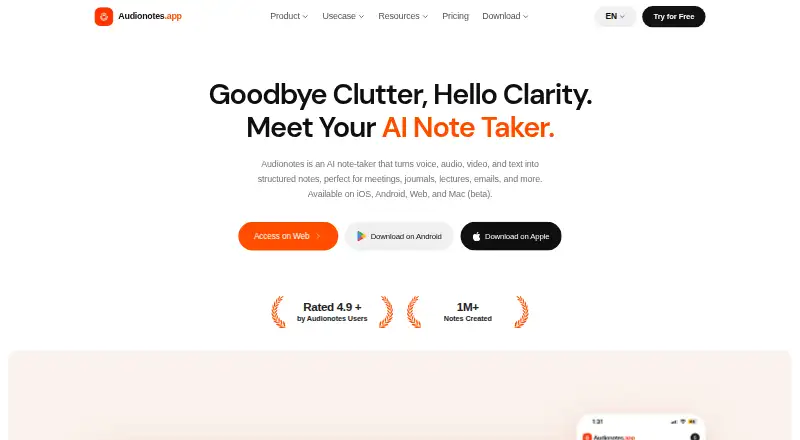
Audionotes turns voice, audio, video, and text into structured notes with AI.
What Audionotes is
Audionotes turns voice, audio, video, and text into structured notes with AI. Users can record or upload audio and video, add text or images, or submit a YouTube link. Transcription supports 99+ languages and speaker recognition. The service creates summaries and custom outputs, lets users chat with notes, and provides more than 100 output prompts. Integrations include Notion, Zapier, webhooks, and a WhatsApp bot; Notion sync, Zapier triggers, and webhooks are Pro features. Webhooks can send note data to a custom endpoint, while a public REST API is listed as planned. The company says notes are encrypted in transit and at rest and are not used to train AI models. Its privacy policy names OpenAI, Google Gemini, Deepgram, and Assembly AI among providers that may process data for AI features. The free plan includes unlimited voice notes, limited to one minute each, plus unlimited text notes, transcripts, and summaries. Pro costs $29.99 a month and permits recordings up to six hours. Recording uses the device microphone and does not capture audio from other sources such as speakers.
Good
- Transcription supports 99+ languages and speaker recognition.
- Accepts audio, video, text, images, and YouTube links.
- Includes chat with notes and 100+ prompts.
- Company says notes are encrypted and not used for AI training.
Watch out
- Free voice recordings are limited to one minute each.
- Device microphone recording does not capture other audio sources.
- Notion sync, Zapier triggers, and webhooks require Pro.
- Paid subscriptions are non-refundable.
Who it suits
It suits people who want to turn recordings, videos, links, or text into searchable notes and summaries. Listed use cases include meetings, lectures, journaling, sales, and content creation.
Verdict
Audionotes brings several input types together with transcription, summaries, and custom outputs. Consider the one-minute free recording cap, Pro-only integrations, and listed AI-processing providers when evaluating it.
Plans and prices
From Audionotes's own pricing page, checked 2 Oct 2026.
| Plan | Price | What it gives you |
|---|---|---|
| Free | Free | Unlimited voice notes (1 min/note) · unlimited text notes · transcripts and summaries · 99+ languages |
| Pro | $129.99 a year | Unlimited voice notes, file uploads, transcripts, summaries and AI generations · image and YouTube notes · Notion, Zapier and webhooks · Annual |
| Enterprise | Priced on request | For teams of 5+ · centralized billing · priority support · custom integrations and volume pricing |
The facts
Each one read from Audionotes's own pages, with the date it was checked.
What it does
- AI features
- It creates summaries and custom outputs, offers chat with notes, and provides more than 100 output prompts.checked 2 Oct 2026
- AI summaries
- Yeschecked 20 Sep 2026
- API
- A public REST API is listed as on the roadmap; webhooks currently send note data to a custom endpoint.checked 2 Oct 2026
- Audience
- The site describes use cases including meetings, lectures, journaling, sales, medical notes, legal notes, email drafting, and content creation.checked 2 Oct 2026
- Data processing
- The privacy policy names OpenAI, Google Gemini, Deepgram, and Assembly AI among providers that may process data for AI features.checked 2 Oct 2026
- Inputs
- Users can record or upload audio and video, add text or images, and submit YouTube links to create notes.checked 2 Oct 2026
- Integrations
- Integrations include Notion, Zapier, webhooks, and a WhatsApp bot; Notion sync, Zapier triggers, and webhooks are Pro features.checked 2 Oct 2026
- Limits
- Free voice recordings are limited to 1 minute each; Pro limits include 6-hour recordings, 500 MB file uploads, 6-hour YouTube videos, and 20 MB images.checked 2 Oct 2026
- Product
- Audionotes turns voice, audio, video, and text into structured notes using AI.checked 2 Oct 2026
- Recording limitation
- The app records from the device microphone and does not support recording audio from other sources such as speakers.checked 2 Oct 2026
- Refunds
- The company says paid subscriptions are non-refundable.checked 2 Oct 2026
- Security
- The company says notes are encrypted in transit and at rest and are not used to train AI models.checked 2 Oct 2026
- Support
- Support is available by email at [email protected], with a stated weekday response target of within 24 hours.checked 2 Oct 2026
- Transcription
- The service supports transcription in 99+ languages and speaker recognition.checked 2 Oct 2026
The company
- Founded
- 2023checked 28 Sep 2026
Money
- Free plan
- Yeschecked 20 Sep 2026
Where it runs
- Platforms
- The product is available on web, iOS, Android, and Mac beta, with notes syncing across devices.checked 2 Oct 2026
The full review of Audionotes
Overview
Audionotes turns spoken, recorded, and written material into structured notes, making it a fit for people who want more than a transcript from a class, meeting, or quick thought. Its broad range of inputs and generated outputs is appealing, but the free tier’s one-minute recording limit is a substantial constraint for longer sessions.
Key features
Capture and transcription
You can record through the device microphone, upload audio or video, submit a YouTube link, or add text and images. Transcription supports 99+ languages and speaker recognition, which suits multilingual notes and recordings with several speakers. The microphone restriction matters: Audionotes cannot record audio directly from another source such as speakers, so capturing a room’s playback requires a separate recording or upload.
Turning material into notes
Audionotes generates summaries and custom outputs, offers more than 100 output prompts, and lets users chat with and search their notes using AI. That gives it more ways to revisit material than a transcript alone, with potential uses from lecture review and meeting follow-up to journaling, drafting email, and content creation. These features are useful when the goal is to reshape or retrieve information, not simply store a recording.
Integrations, privacy, and support
Notion, Zapier, webhooks, and a WhatsApp bot are among its integrations; Notion sync, Zapier triggers, and webhooks are Pro features. Webhooks can send note data to a custom endpoint, while a public REST API is on the roadmap. The company says notes are encrypted in transit and at rest and are not used to train AI models. Its privacy policy names OpenAI, Google Gemini, Deepgram, and Assembly AI among providers that may process data for AI features, a consideration for medical, legal, or other sensitive notes. Email support targets a response within 24 hours on weekdays.
Pricing
Audionotes is freemium, with no free trial. The Free plan costs nothing and includes unlimited voice notes capped at 1 minute each, unlimited text notes, transcripts and summaries, and 99+ languages. It is a reasonable way to capture brief reminders or test the workflow, but the per-recording cap rules it out for longer interviews, meetings, or lectures unless you split them into separate notes.
Pro costs $29.99 a month, billed monthly. It raises the limits to 6 hours per audio recording and per YouTube video, 500 MB per file upload, and 20 MB per image, and adds the Pro integrations. The longer capture allowance makes it the practical option for extended sessions; the monthly price is a meaningful step up for someone who only needs occasional short notes. Paid subscriptions are non-refundable.
Enterprise requires a minimum of 5 users and has custom pricing. It is aimed at larger teams rather than individual users or small groups seeking a fixed per-month price.
Platforms
Audionotes supports web, iOS, Android, and a Mac beta, and offers an extension. Offline access is supported. The platform range suits people moving between mobile capture and desktop review, though Mac is still identified as beta.
Who it's for
Audionotes is best for people who regularly turn audio, video, or text into searchable, structured material and will use its summaries, custom outputs, or note chat. It is less compelling for occasional voice memos, for anyone who needs to capture audio directly from speakers, or for users who need a long free recording allowance. Teams of at least five can consider Enterprise, while individuals can compare Pro’s higher limits with the free tier’s tight recording cap.
Pros and cons
- Pros: Accepts audio, video, YouTube links, text, and images, so notes need not start as a live voice recording.
- Pros: Transcription in 99+ languages, speaker recognition, summaries, AI search, and more than 100 output prompts support both capture and later reuse.
- Pros: The free plan includes unlimited text notes and voice notes, transcripts, and summaries, despite its short recording cap.
- Cons: Free voice recordings stop at 1 minute each, sharply limiting long-form use without upgrading.
- Cons: Pro is $29.99 a month, and paid subscriptions are non-refundable.
- Cons: Microphone-only recording cannot capture audio directly from speakers or other sources.
- Cons: AI features may involve third-party providers named in the privacy policy, which users handling sensitive information should weigh.
Alternatives
For short recordings and a lower Pro price, AudioPen offers a free tier with recordings up to 3 minutes and transcription and rewrite, while its listed Prime (3 months) plan costs $33 per on. Its shorter free cap still limits longer sessions, but exceeds Audionotes’ one-minute allowance.
Voicenotes may suit people who prefer a defined free transcription quota: Basic includes 100 weekly transcription minutes, unlimited recordings, 30-day history, and 100+ languages. Its Pro plan is $9 a month, compared with Audionotes Pro at $29.99 a month.
Memex is an option for Android or iOS users looking for a free app, but its AI features require a configured model service that may incur provider charges.
Memoth offers a no-account guest option with one 3-minute recording and full AI transcription, or a free account with 10 min/month. That may work for a small amount of short-form capture.
VoiceJournal is worth considering for mobile and web users who want a free plan with 10 notes total, a 2-minute recording cap, and basic AI transcription; it also offers a free trial and an Individual plan at $99.99 a year.
Cleft may be a better fit for iOS and Mac users who value on-device transcription: its free Basic plan includes 5-minute recordings, three built-in output styles, tags, search, and export. Cleft Plus (monthly) costs $6.99 a month.
Letterly is another freemium option with Android, iOS, Mac, web, and Windows support, plus a free trial. Its PRO Subscription (1 month) costs $19.99 a month.
Snow may suit users who want cross-device sync alongside unlimited voice captures, AI summaries, tags, connections, and full-text and voice search. Its Pro plan costs $8 a month.
Browse AI Voice Note Apps, AI Note-Taking Apps, or Meeting Notes Software for more options in these categories.
Verdict
Choose Audionotes if you want a flexible note-making workflow that accepts several kinds of material and turns it into searchable, summarized, customizable output. Its strongest case is breadth, especially for people who will use the AI tools across regular work or study. Look elsewhere if you need long recordings without paying, direct capture of speaker audio, or a lower-cost paid tier.
Getting started
- Visit https://www.audionotes.app/.
- Choose the free plan or Pro at $29.99 a month.
- Use the web, iOS, Android, extension, or Mac beta platform.
- Record through the device microphone, or upload audio or video, add text or images, or submit a YouTube link.
- Use the resulting transcripts, summaries, chat, or custom outputs.
Limits worth knowing
The free plan limits each voice recording to one minute. Pro lists limits of six hours per recording, 500 MB per file upload, six hours per YouTube video, and 20 MB per image.
Questions
Is there a free plan?
Yes. It includes unlimited text notes and voice notes, transcripts, summaries, and support for 99+ languages; each voice note is limited to one minute.
How much does Pro cost?
Pro costs $29.99 a month, billed monthly.
Which platforms are supported?
Audionotes is available on web, iOS, Android, as an extension, and on Mac beta.
What integrations does it offer?
Integrations include Notion, Zapier, webhooks, and a WhatsApp bot. Notion sync, Zapier triggers, and webhooks are Pro features.
Can it record audio from speakers?
No. Recording uses the device microphone and does not support recording audio from other sources such as speakers.
Are paid subscriptions refundable?
The company says paid subscriptions are non-refundable.
Alternatives to Audionotes
- 1
AudioPen
Free planAndroidiOSWebExtension8.2From $99 a year - 2

Voicenotes
Free planAndroidiOSWebAPI8.1From $9 a month - 3

VoiceJournal
Free planAndroidiOSWebAPI7.9From $99.99 a year - 4

Memoth
Free planiOSAPIExtensionmacOS7.5From $9.99 a month - 5

Murble
Free planAndroidiOSmacOS7.2From $19.99 a year - 6
Letterly
AndroidiOSWebmacOS7.1From $89.99 a year