
Assess.one Employee Offboarding Workflow
Assess.one Employee Offboarding Workflow is a web template for handling departures after resignation or termination.
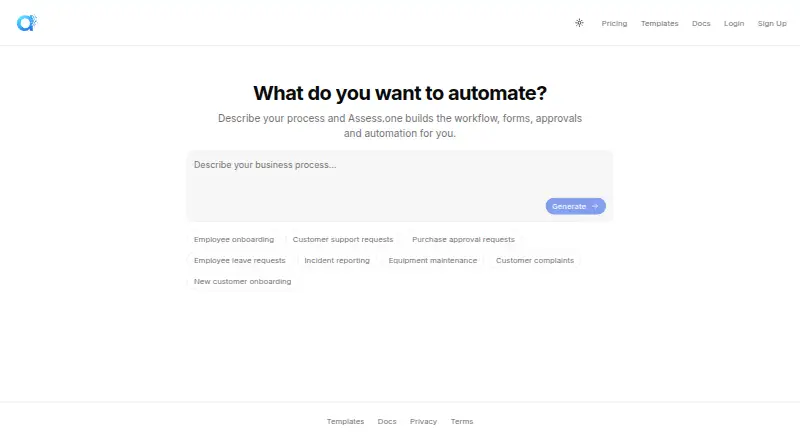
What Assess.one Employee Offboarding Workflow is
Assess.one Employee Offboarding Workflow is a web template for handling departures after resignation or termination. It covers intake, approvals, handover, final payroll inputs, property return, access removal, exit interviews, notifications, and completion checks. Case routing differs by departure type: resignations go to manager approval, while terminations proceed directly to employee notification. Some resignation cases can include HR review and legal escalation. The template assigns work to HR, line managers, payroll, IT, and legal stakeholders, and provides case records with status tracking, timelines, and dashboard views. A required access-removal task asks IT to confirm that system accounts, software licences, and physical site access have been removed. Steps, routing, roles, and notification triggers can be changed without code. The Free plan allows 100 operations per month and one team member; Starter is listed at $49 a month, billed $588 per year. An operation means one record created against a workflow, regardless of how many steps it contains.
Good
- Covers handover, payroll inputs, property return, and access removal.
- Routes resignation and termination cases differently.
- Workflow steps and routing can be customized without code.
- Records case status and timelines.
Watch out
- Free plan allows 100 operations per month.
- Free plan is limited to one team member.
- Starter is listed at $49 a month.
Who it suits
This workflow suits organizations that want to coordinate offboarding tasks across HR, managers, payroll, IT, and legal stakeholders. Its case tracking and configurable routing may help teams handle resignation and termination paths distinctly.
Verdict
The template brings departure tasks, approvals, and completion checks into a tracked workflow. Review the monthly operation and team-member limits before selecting a plan.
Plans and prices
From Assess.one Employee Offboarding Workflow's own pricing page, checked 30 Sep 2026.
| Plan | Price | What it gives you |
|---|---|---|
| Free | Free | 100 operations / month · 1 team member · 10 AI workflow generations · Unlimited workflows · Unlimited forms & dashboards |
| Starter | $49 a month | 2,000 operations / month · Unlimited team members · Unlimited AI workflow generations · Unlimited workflows · Unlimited forms & dashboards · billed $588/yr |
| Growth | $149 a month | 10,000 operations / month · Unlimited team members · Unlimited AI workflow generations · Unlimited workflows · Unlimited forms & dashboards · Priority support · billed $1788/yr |
| Scale | $399 a month | 50,000 operations / month · Unlimited team members · Unlimited AI workflow generations · Unlimited workflows & dashboards · Priority support · billed $4788/yr |
| Enterprise | Priced on request | Unlimited operations · Unlimited team members · Unlimited AI workflow generations · Unlimited workflows & dashboards · Dedicated support · SLA guarantee · Custom integrations |
The facts
Each one read from Assess.one Employee Offboarding Workflow's own pages, with the date it was checked.
What it does
- Access removal
- The template includes a mandatory System & Site Access Removal task for IT to confirm removal of system accounts, software licences, and physical site access.checked 30 Sep 2026
- Customisation
- The workflow page states that steps, routing logic, role assignments, and notification triggers can be customised without code.checked 30 Sep 2026
- Data residency
- The contact page states that data residency is available in the European Union, the USA, and Australia.checked 30 Sep 2026
- Integrations
- The offboarding page lists email via AWS SES as a recommended integration and says email and collaboration integrations such as Slack can be configured in the platform.checked 30 Sep 2026
- Offboarding workflow
- The Employee Offboarding Workflow covers resignation or termination intake, manager approval, handover, final payroll inputs, property return, system and site access removal, an exit interview, notifications, and completion verification.checked 30 Sep 2026
- Privacy and encryption
- The privacy policy says integration credentials are encrypted, data is encrypted in transit, and workflow or AI prompt content is not used to train third-party foundation models.checked 30 Sep 2026
- Product type
- Assess.one builds workflows, forms, approvals, and automation from a description of a process.checked 30 Sep 2026
- Roles
- The workflow assigns roles to HR, line managers, payroll, IT, and legal stakeholders.checked 30 Sep 2026
- Routing
- The template routes resignations to manager approval and terminations directly to employee notification, with HR review and legal escalation paths for some resignation cases.checked 30 Sep 2026
- Security and audit
- The offboarding page says actions are recorded in a tamper-evident audit log and that role-based permissions can restrict access to records and steps.checked 30 Sep 2026
- Support
- The pricing page includes priority support on Growth and Scale, dedicated support on Enterprise, and an SLA guarantee on Enterprise.checked 30 Sep 2026
- Tracking
- The template provides offboarding case records, status tracking, a timeline, and dashboard widgets for cases by status, type, and pipeline.checked 30 Sep 2026
- Usage limit
- The pricing page defines one operation as one record created against a workflow, regardless of the number of steps in that workflow.checked 30 Sep 2026
The company
- Company
- The privacy policy identifies the company as Assess.one Technologies Pty Ltd and gives its address as 715/2B Defries Avenue, Sydney, NSW, Australia.checked 30 Sep 2026
The full review of Assess.one Employee Offboarding Workflow
Overview
Assess.one Employee Offboarding Workflow is a web-based process template for managing departures in Assess.one’s workflow platform. It suits HR teams coordinating managers, payroll, IT and legal, especially when resignations and terminations need different handling. Its cross-team tracking is a strength, but monthly operation limits and the free plan’s single-member cap make plan choice important.
Key features
The template brings resignation or termination intake together with manager approval, handover, final payroll inputs, property return, access removal, an exit interview, notifications and completion verification. It routes resignations to manager approval and terminations directly to employee notification, with HR review and legal escalation paths for some resignation cases. That branching makes it more suitable for teams with distinct departure procedures than for those seeking only a basic checklist.
A mandatory System & Site Access Removal task assigns IT to confirm removal of system accounts, software licences and physical access. This makes access closure an explicit part of the workflow; teams still need to complete and verify the task. Roles can be assigned across HR, line managers, payroll, IT and legal. Case records, status tracking, a timeline and dashboard widgets for status, type and pipeline give teams ways to monitor progress and see where cases sit.
Teams can customise steps, routing logic, role assignments and notification triggers without code. Email through AWS SES is a recommended integration, and email and collaboration integrations such as Slack can be configured. Actions are recorded in a tamper-evident audit log, while role-based permissions can restrict access to records and steps. Integration credentials are encrypted, data is encrypted in transit, and workflow or AI prompt content is not used to train third-party foundation models. Data residency is available in the European Union, the USA and Australia.
Pricing
Assess.one uses a freemium model. One operation means one record created against a workflow, regardless of how many steps that workflow contains, so the monthly cap is a case-volume limit rather than a task limit.
| Plan | Price | Included |
|---|---|---|
| Free | free | 100 operations / month, 1 team member, 10 AI workflow generations, unlimited workflows, forms and dashboards |
| Starter | $49 a month (billed billed $588/yr) | 2,000 operations / month, unlimited team members and AI workflow generations, workflows, forms and dashboards |
| Growth | $149 a month (billed billed $1788/yr) | 10,000 operations / month, unlimited team members and AI workflow generations, workflows, forms and dashboards, priority support |
| Scale | $399 a month (billed billed $4788/yr) | 50,000 operations / month, unlimited team members and AI workflow generations, workflows and dashboards, priority support |
| Enterprise | Custom pricing | Unlimited operations, team members and AI workflow generations, workflows and dashboards, dedicated support, SLA guarantee and custom integrations |
Free is a useful way to start with a small team, but 100 monthly operations and one team member limit its use for shared HR work. Starter removes the member cap and raises the operation allowance to 2,000, making it the practical entry point for a team that does not need priority support. Growth is the step up for higher case volume and adds priority support; Scale increases the allowance to 50,000 operations but still has a defined monthly ceiling. Enterprise fits teams needing unlimited operations, custom integrations, dedicated support or an SLA guarantee.
Platforms
The workflow is available on the web. Assess.one’s platform builds workflows, forms, approvals and automation from a process description, so this template sits within a broader configurable workflow product rather than a standalone mobile app.
Who it's for
This is a strong fit for organisations that want to coordinate several departments through a recorded, configurable offboarding case, with distinct routing for resignations and terminations. It is less compelling for a solo HR operator with only occasional cases if that person needs more than the free plan’s single team member, or for organisations whose volume regularly exceeds the paid tier they can support.
Pros and cons
- Pro: Different resignation and termination paths accommodate more than one departure scenario.
- Pro: Mandatory IT confirmation makes system, licence and site access removal a defined workflow task.
- Pro: Role assignments, case tracking and an audit log support cross-team accountability.
- Con: Free is capped at 100 monthly operations and one team member, limiting collaboration and scale.
- Con: Paid plans also have finite monthly operation limits until Enterprise, which uses custom pricing.
Alternatives
Browse Employee Offboarding Software for the category. Consider 50skills Offboarding if its API and web platform, free trial and Starter access to essential features better suit your evaluation; its Business plan is $291 a month. MangoApps is an alternative for teams seeking broad platform coverage across Android, iOS, macOS, Windows, web, API and self-hosting; its Communications & Intranet plan is $9 a month from 200 employees. OffboardIT may suit teams that want the first workflow built and tested in their environment without setup costs before production payment begins. FlexiEle Employee Exit & Offboarding offers plans framed for startups and small businesses or mid-market companies, with web, API, Android and iOS platforms. Okta Lifecycle Management is worth considering when lifecycle management and 50 workflows are the priority; Essentials is $17 a month per user, billed annually, with a $1,500 annual contract. EmpCloud Emp-Exit offers an Essentials / Bronze plan at $22 a year per user for 1–10 users. Zluri is another paid alternative with API, macOS, web and Windows coverage and custom pricing. Treegarden Offboarding is another paid option, with a Startup HR plan at $299 a month on an annual commitment for up to 25 employees.
Verdict
Choose Assess.one Employee Offboarding Workflow if your HR team needs a configurable, tracked departure process that assigns work across departments and distinguishes resignation from termination. Its strongest case is the combination of explicit access-removal ownership, flexible routing and case visibility. Look elsewhere if a one-person free tier is too narrow, your operation volume outgrows the paid caps, or you need a broader platform footprint than web.
Getting started
- Visit https://assess.one/.
- Start with the Free plan or select a paid plan; Free includes 100 operations monthly and one team member.
- Configure the workflow steps, routing logic, roles and notification triggers without code.
- Assign stakeholders from HR, line management, payroll, IT and legal.
- Configure email or collaboration integrations if needed, including AWS SES or Slack.
Limits worth knowing
Free includes 100 operations per month and one team member. One operation is one record created against a workflow, regardless of the number of steps; Starter includes 2,000 operations monthly for $49 a month.
Questions
Is there a free plan?
Yes. Free costs nothing and includes 100 operations per month, one team member, 10 AI workflow generations, unlimited workflows, and unlimited forms and dashboards.
Which platforms does it support?
The listed platform is web.
Can the offboarding process be customised?
Yes. Steps, routing logic, role assignments and notification triggers can be customised without code.
What integrations are available?
Email via AWS SES is a recommended integration. Email and collaboration integrations such as Slack can be configured in the platform.
Who makes Assess.one?
The company is Assess.one Technologies Pty Ltd, with an address in Sydney, NSW, Australia.
Alternatives to Assess.one Employee Offboarding Workflow
- 1

50skills Offboarding
Free planAndroidiOSWebAPI8.1From $291 a month - 2

MangoApps
AndroidiOSWebAPI7.9From $9 a month - 3

OffboardIT
Free planWeb7.3Free plan - 4
Sovaro On- and Offboarding
WebAPILinuxmacOS7.3From €2.90 a month - 5
GatherMonk
WebExtension7.2From $29 a month - 6

EmplowHR
AndroidiOSWebAPI7.0From $99.99 a year