Arc Search
Arc Search is a free browser centered on Browse for Me, which searches multiple pages and creates an answer on a custom webpage.
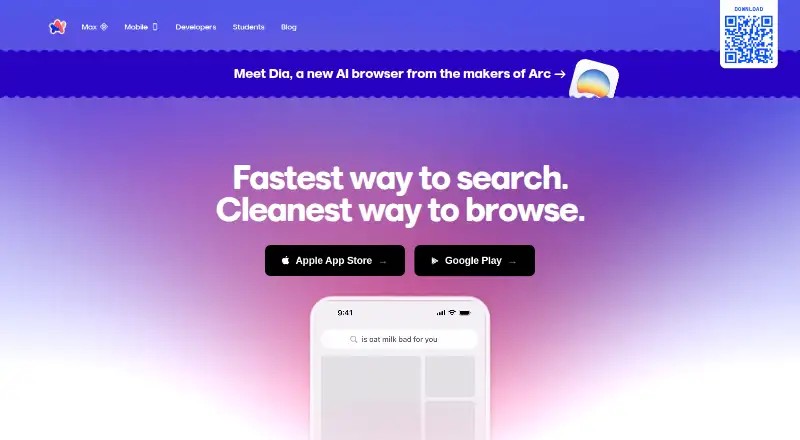
What Arc Search is
Arc Search is a free browser centered on Browse for Me, which searches multiple pages and creates an answer on a custom webpage. Its built-in ad blocker is described as blocking ads, trackers, pop-ups, and cookie banners. Other features include reader and incognito modes, website translation, voice search, and automatic archiving of inactive tabs; listed archive intervals range from 12 hours to 30 days. Browse for Me is the default search option, with Google, Bing, DuckDuckGo, Ecosia, Perplexity, and Kagi also available. Arc Sync can share desktop Spaces, pinned tabs, and Today tabs with Arc Search on iOS. Sync is unavailable on Android, and tabs created in Arc Search do not sync back to desktop. The maker says Browse for Me sends command-bar and search-result content to OpenAI to generate summaries. It describes end-to-end encryption for Arc Sync sidebar data, using Argon2 and Libsodium sealed boxes. The maker also says the browser lacks SOC 2 and ISO 27001 certification and account MFA. Arc Search supports iOS 16 or later and Android 10 or later.
Good
- Browse for Me searches multiple pages and creates an answer.
- Built-in blocker covers ads, trackers, pop-ups, and cookie banners.
- Includes reader, incognito, translation, and voice search.
- Inactive tabs are archived automatically.
Watch out
- Arc Sync is unavailable on Android.
- Arc Search tabs do not sync back to desktop.
- Browse for Me sends content to OpenAI for summaries.
- No account MFA is currently offered.
Who it suits
It suits mobile users who want a browser with multi-page search summaries, ad blocking, and automatic tab archiving. Users who rely on desktop sync should note its iOS-only availability and one-way tab limitation.
Verdict
Arc Search combines a summary-focused search option with familiar browser tools and automatic tab archiving. Review the stated data handling and sync limits if those matter to your setup.
Plans and prices
From Arc Search's own pricing page, checked 5 Oct 2026.
| Plan | Price | What it gives you |
|---|---|---|
| Arc Search | Free | Free mobile browser; premium and team features may be charged in the future, with no specifics announced |
The facts
Each one read from Arc Search's own pages, with the date it was checked.
What it does
- Ad blocking
- Arc Search says its built-in ad blocker blocks ads, trackers, pop-ups, and cookie banners.checked 5 Oct 2026
- Privacy
- The maker says Browse for Me sends the command bar content and search result content to OpenAI to generate summaries.checked 5 Oct 2026
- Product
- Arc Search is a mobile browser with Browse for Me, which searches multiple pages and creates an answer on a custom webpage.checked 5 Oct 2026
- Search engines
- Arc Search offers Browse for Me by default and lists Google, Bing, DuckDuckGo, Ecosia, Perplexity, and Kagi as alternative search engines.checked 5 Oct 2026
- Security
- The maker says Arc Sync uses end-to-end encryption for sidebar data and names Argon2 and Libsodium sealed boxes in its technical details.checked 5 Oct 2026
- Security limits
- The maker says it is not currently SOC 2 or ISO 27001 certified and does not currently offer account MFA.checked 5 Oct 2026
- Support
- Arc Search users can contact the team from the app settings or submit a support ticket through the help page.checked 5 Oct 2026
- Sync
- Arc Sync shares desktop Spaces, pinned tabs, and Today tabs with Arc Search on iOS; the maker says sync is unavailable on Android and tabs created in Arc Search do not sync back to desktop.checked 5 Oct 2026
- Tab management
- Arc Search automatically archives inactive tabs; its help page lists archive intervals from 12 hours to 30 days.checked 5 Oct 2026
Where it runs
- Device requirements
- Arc Search supports iOS 16 or later and Android 10 or later.checked 5 Oct 2026
- Other browser features
- Arc Search includes reader mode, incognito mode, website translation, and voice search.checked 5 Oct 2026
- Platforms
- The maker links to the Apple App Store and Google Play for Arc Search; its download page also offers Arc for Windows and Mac.checked 5 Oct 2026
Money
- Free plan
- Yeschecked 21 Sep 2026
The full review of Arc Search
Arc Search is a mobile browser that puts AI-generated answers alongside conventional browsing. It is best for mobile readers who want quick synthesis and everyday browser tools in one free app. Its appeal is tempered by limited sync and the fact that Browse for Me sends search content to OpenAI.
Overview
Browse for Me is the default search option: it searches multiple pages and creates an answer on a custom webpage. Readers who prefer a conventional search provider can choose Google, Bing, DuckDuckGo, Ecosia, Perplexity, or Kagi instead. This flexibility is useful, but Arc Search is not built for deeper research workflows: it has no deep research mode or source filters.
The browser pairs search with reader mode, incognito mode, website translation, voice search, and a built-in ad blocker. Arc says the blocker handles ads, trackers, pop-ups, and cookie banners. These familiar tools make it a credible everyday mobile browser, while automatic tab archiving is a meaningful departure from keeping every tab open indefinitely.
Key features
Browse for Me and search choices
Browse for Me turns material from multiple pages into an answer on a custom webpage, which suits quick questions better than manually opening several results. It is not a substitute for research tools that offer deep research or source filters, both of which Arc Search lacks. The choice of six alternative search engines is a useful fallback for people who would rather browse conventional results.
There is a privacy trade-off: Arc says Browse for Me sends command bar content and search result content to OpenAI to generate summaries. Readers who do not want that content sent for summarization can use another listed search engine, though Browse for Me is the default.
Everyday browsing and tab archiving
Reader and incognito modes, translation, voice search, and ad blocking cover common mobile browsing needs without requiring a separate search-only app. Arc Search also archives inactive tabs automatically; the archive interval can range from 12 hours to 30 days. That can help people who accumulate tabs, but those who rely on old tabs remaining open should consider the chosen interval.
Sync and security
Arc Sync shares desktop Spaces, pinned tabs, and Today tabs with Arc Search on iOS. Sync is unavailable on Android, and tabs created in Arc Search do not sync back to desktop. That makes the iOS connection useful but one-way for mobile-created tabs; Android users should not choose Arc Search expecting desktop continuity.
Arc says sidebar data in Arc Sync is protected with end-to-end encryption and names Argon2 and Libsodium sealed boxes in its technical details. It also says it is not currently SOC 2 or ISO 27001 certified and does not offer account MFA. Organizations requiring those certifications or MFA should look elsewhere. Users can contact the team from app settings or submit a help-page support ticket.
Pricing
Arc Search costs nothing. The free plan is a complete mobile browser, making it an easy choice for individuals who want Browse for Me and standard browser tools without a subscription. Arc says premium and team features may be charged in the future, but has announced no specifics; readers should not assume the current free terms will cover any future additions.
There are no paid plans to compare, nor published seat counts, quotas, or trial terms. If a future premium or team offering matters to your decision, Arc Search is not yet a choice with a defined paid tier.
Platforms
Arc Search is available on Android and iOS, with support for Android 10 or later and iOS 16 or later. Arc also lists macOS and Windows among its platforms, but the stated mobile app capabilities and device requirements apply to the Android and iOS versions. The platform gap that matters most is sync: Arc Sync works with iOS, not Android.
Who it's for
Choose Arc Search if you want a free mobile browser that can synthesize multiple pages into a quick answer and still offers familiar browsing tools. It is particularly suitable for iPhone users who want access to desktop Spaces and pinned tabs through Arc Sync. It is a weaker fit for Android users who need desktop sync, readers who want tabs to remain open without automatic archiving, or anyone needing deep research, source filters, or stronger account-security assurances such as MFA.
Pros and cons
- Pros: Browse for Me creates an answer from multiple pages, offering a faster route to an overview than opening results one by one.
- Pros: The free plan includes browser basics such as reader mode, translation, voice search, and an ad blocker.
- Pros: iOS users can sync desktop Spaces, pinned tabs, and Today tabs to Arc Search.
- Cons: Browse for Me sends command bar and search result content to OpenAI, which may rule it out for privacy-sensitive searches.
- Cons: Android has no Arc Sync, and mobile-created tabs do not sync back to desktop.
- Cons: Automatic tab archiving may frustrate users who expect inactive tabs to stay open; the interval ranges from 12 hours to 30 days.
- Cons: No deep research mode or source filters limits its usefulness for structured research.
Alternatives
For a broader set of AI-search options, compare the AI Search Engines and AI Browsers lists. Readers choosing primarily for conventional mobile browsing can also consult Mobile Browser Software or Web browsers.
Perplexity is a better fit for people who want an AI search service across mobile, desktop, web, and API platforms and are willing to consider a paid Pro plan at $20 a month; its free tier has limited daily use. Genspark Design suits readers interested in a free daily allowance of 100 credits and paid tiers with stated Plus storage and monthly credits, though those tiers have no listed prices.
Yahoo Scout is another free search option, with some features requiring a Yahoo account. Andi AI offers unlimited searches on its free plan, as well as reading, summarizing, explaining, and AI text generation. Consensus is worth considering for paper searches and research-oriented allowances, including three Deep reviews per month on its free tier.
Felo Search has a free plan with five professional searches per day and up to three file analyses. You.com offers 100 free queries per day, web and news results, and an API option. Elicit is a research-oriented alternative with search across more than 138 million papers and unlimited summaries on its Basic plan, alongside limited Research Agent and Research Reports usage.
Verdict
Arc Search is a strong free pick for mobile readers who want a synthesized answer without giving up ordinary browser tools, especially on iOS where some desktop Arc data syncs. Choose another browser or AI-search service if you need Android-to-desktop sync, deep research, source filters, or do not want search content sent to OpenAI.
Getting started
- Visit the Arc Search website.
- Install Arc Search on iOS 16 or later, or Android 10 or later.
- Use Browse for Me or choose an alternative search engine.
- On iOS, connect Arc Sync to share desktop Spaces, pinned tabs and Today tabs.
- Contact support through app settings or submit a ticket through the help page if needed.
Limits worth knowing
Arc Search is free. The maker says premium and team features may be charged for in the future, but has announced no specifics.
Questions
How much does Arc Search cost?
The Arc Search plan is free. The maker says premium and team features may be charged for in the future, without announcing specifics.
Which platforms does it support?
The listed platforms are Android, iOS, macOS and Windows. Device requirements are iOS 16 or later and Android 10 or later.
Can Arc Search sync with desktop?
Arc Sync shares desktop Spaces, pinned tabs and Today tabs with Arc Search on iOS. Sync is unavailable on Android, and tabs created in Arc Search do not sync back to desktop.
What data does Browse for Me send to OpenAI?
The maker says it sends command-bar content and search-result content to OpenAI to generate summaries.
What security protections and limits does the maker describe?
The maker says Arc Sync uses end-to-end encryption for sidebar data and names Argon2 and Libsodium sealed boxes. It also says Arc Search is not currently SOC 2 or ISO 27001 certified and does not offer account MFA.
How can users contact support?
Users can contact the team from app settings or submit a support ticket through the help page.
Alternatives to Arc Search
- 1

Brave Browser
Free planOpen sourceAndroidiOSLinuxmacOS9.2Free plan - 2

AVG Secure Browser
Free planAndroidWebExtensionmacOS8.8From $39.99 a year - 3

Kameleo
Free planAndroidiOSWebAPI8.8Free plan - 4

DuckDuckGo Browser
Free planAndroidiOSmacOSWindows8.7Free plan - 5

Opera
Free planAndroidiOSWebExtension8.6From $48 a year - 6

Waterfox
Free planOpen sourceAndroidExtensionLinuxmacOS8.6From $5 a month