Genspark Design
Genspark Design turns conversational descriptions into designs, including UI prototypes, websites, posters, animations, presentations, marketing assets, and …
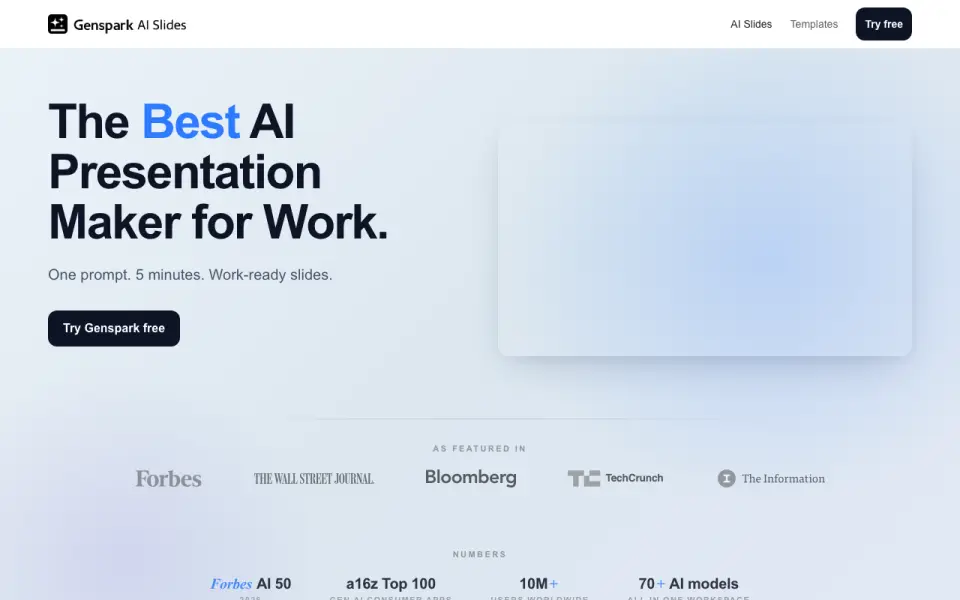
What Genspark Design is
Genspark Design turns conversational descriptions into designs, including UI prototypes, websites, posters, animations, presentations, marketing assets, and documents. It is intended for product managers, marketers, founders, engineers, and creators who do not have Figma or Canva expertise. Users can import Figma files, GitHub repositories, codebases, or uploaded assets to build reusable styles with colors, fonts, and components. Editing options include live sliders and color pickers, plus canvas tools for comments, edits, and drawing. Build it can export runnable websites, apps, or code ZIPs; chat commands can produce PDF, PPTX, MP4, PNG, HTML, or Canva formats. A verifier checks each generation and reports whether it passes or needs fixes. Genspark lists 37 standard connector options, including Gmail, Slack, Microsoft 365, GitHub, Salesforce, and Zapier. Its business page states SOC 2 Type II and ISO 27001 certification and says customer data is not used to train models. A free plan includes 100 credits per day.
Good
- Creates prototypes, websites, presentations, and other assets
- Imports Figma files, codebases, and uploaded assets
- Exports runnable websites, apps, and code ZIPs
- Verifier reports pass or fix-needed
- Free plan includes 100 credits per day
Watch out
- Plus and Pro prices are not listed
- Free plan provides 100 credits per day
- Enterprise pricing is custom
Who it suits
Genspark Design may suit people creating visual or document deliverables from descriptions, particularly those without Figma or Canva expertise. Its reusable styles and export options also suit users bringing in existing design or code assets.
Verdict
Genspark Design pairs conversational creation with canvas editing, reusable styles, and several export formats. Review the available plan details, since prices for Plus and Pro are not listed.
Plans and prices
From Genspark Design's own pricing page, checked 30 Sep 2026.
| Plan | Price | What it gives you |
|---|---|---|
| Free | Free | 100 credits/day · 1 GB AI Drive · limited model and agent access · Speakly 4,000 words/week · Free forever — no credit card required |
| Plus | $19.99 a month | 10,000 credits/month · 50 GB AI Drive · Free Quota · commercial use · $239.99/year billed annually; $24.99/month billed monthly |
| Team | $30 a month | Typically 2–150 users · 10,000 credits/seat/month · 60 GB AI Drive/seat · centralized admin · $30 / seat / month, billed monthly |
| Pro | $199.99 a month | 125,000 credits/month · 1 TB AI Drive · 10× Plus Free Quota · higher AI Chat limit · $2,399.99/year billed annually; $249.99/month billed monthly |
| Enterprise | Priced on request | Unlimited seats · 20,000 credits/seat/month · pooled credits · SAML SSO/SCIM · dedicated CSM · Custom; typically six figures annually |
The facts
Each one read from Genspark Design's own pages, with the date it was checked.
What it does
- Design outputs
- It can create UI prototypes, websites, posters, animations, presentations, marketing assets, and documents.checked 30 Sep 2026
- Design System
- Users can import Figma files, GitHub repositories, codebases, or uploaded assets to create reusable brand styles with colors, fonts, and components.checked 30 Sep 2026
- Editing controls
- Tweaks provide live sliders and color pickers, while Comment, Edit, and Draw tools support canvas feedback and element changes.checked 30 Sep 2026
- Export
- Build it exports runnable websites, apps, or ZIPs of code, and chat commands can export PDF, PPTX, MP4, PNG, HTML, or Canva formats.checked 30 Sep 2026
- Integrations
- Genspark lists 37 standard connector options, including Gmail, Outlook, Slack, Microsoft Teams, Google Suite, Microsoft 365, Notion, GitHub, Salesforce, Stripe, PayPal, Ramp, and Zapier.checked 30 Sep 2026
- Privacy and retention
- The privacy policy says data is stored on Microsoft Azure and account data is deleted from servers within 30 days after account closure.checked 30 Sep 2026
- Quality checking
- Verifier automatically quality-checks each generation and reports pass or fix-needed.checked 30 Sep 2026
- Security certifications
- Genspark's business page states that it has SOC 2 Type II and ISO 27001 and does not train models on customer data.checked 30 Sep 2026
- Support
- Enterprise includes a dedicated customer success manager, priority support with SLA, and help with security reviews and MSA/DPA documentation.checked 30 Sep 2026
- Target users
- The product is intended for product managers, marketers, founders, engineers, and creators without Figma or Canva expertise.checked 30 Sep 2026
- What it does
- Genspark Design is an AI creative suite that turns conversational descriptions into production-ready designs.checked 30 Sep 2026
Where it runs
- Platforms
- The official download page lists native apps for macOS, Windows, Linux, iPhone, and Android, alongside web access.checked 30 Sep 2026
The full review of Genspark Design
Overview
Genspark Design combines AI-generated creative work with canvas editing, reusable brand styles and outputs ranging from prototypes to runnable apps. It is best suited to teams and individual makers who want to move from a written brief or sketch to a range of design deliverables without relying on Figma or Canva expertise. Its breadth is appealing, but the right plan depends on how quickly you use credits and how much storage you need.
Key features
From brief to working output
Conversational descriptions can produce UI prototypes, websites, posters, animations, presentations, marketing assets and documents; sketch or image input gives users another way to start. Clickable prototypes help make interface concepts navigable, while Build can export runnable websites, apps or code ZIPs. That makes Genspark Design more useful than a tool limited to static mockups when a project needs a presentable, working deliverable.
Brand consistency and editing
Importing Figma files, GitHub repositories, codebases or uploaded assets can establish reusable colors, fonts and components. That is a practical advantage for repeat work, where a fresh prompt alone may not preserve a team's visual identity. Live sliders and color pickers support direct adjustments, while Comment, Edit and Draw provide ways to give canvas feedback or change elements.
Quality, connections and security
Verifier automatically checks each generation and reports pass or fix-needed, a useful checkpoint rather than a guarantee that the result is ready to publish. Genspark lists 37 standard connector options, including Gmail, Slack, Microsoft Teams, Google Suite, Microsoft 365, Notion, GitHub, Salesforce, Stripe, PayPal, Ramp and Zapier. Its business page states SOC 2 Type II and ISO 27001 certification and says customer data is not used to train models. The privacy policy says data is stored on Microsoft Azure and account data is deleted from servers within 30 days after account closure.
Exports
Build exports runnable websites, apps and code ZIPs; chat commands can also export PDF, PPTX, MP4, PNG, HTML or Canva formats. This range suits users who need to hand off work in different forms, though the right destination still depends on the output type required by the project.
Pricing
- Free: free, with 100 credits per day. It is a sensible way to try the workflow, but a daily credit allowance can constrain sustained or high-volume creation.
- Plus: custom pricing, with 10,000 credits per month and 50 GB of AI Drive storage.
- Pro: custom pricing, with 125,000 credits per month and 1 TB of AI Drive storage. The much larger allowance suits heavier individual use, though cost cannot be weighed against Team from the stated price.
- Team: $30 a month, billed at $30 per seat per month monthly. Typically for 2–150 users, it includes 10,000 credits and 60 GB of AI Drive per seat, plus centralized admin. The per-seat billing makes the total rise with team size.
- Enterprise: custom pricing, typically six figures annually. It includes unlimited seats, 20,000 credits per seat per month, pooled credits, SAML SSO/SCIM and a dedicated customer success manager. Priority support with SLA and help with security reviews and MSA/DPA documentation are also included. This is aimed at organizations that need enterprise administration and support, not buyers seeking a low-cost plan.
Plus and Pro provide monthly credit and storage quotas, while Team and Enterprise add per-seat team capacity and administration. Choose by expected generation volume and storage needs as well as price; the Free allowance is the only stated zero-cost entry point.
Platforms
Genspark Design is available on Android, iOS, Linux, macOS, web and Windows, giving it broad device coverage.
Who it's for
Product managers, marketers, founders, engineers and creators can use it to turn concepts into prototypes and a wider range of creative outputs. Reusable styles and code-oriented exports particularly suit people working across repeated brand assets or from design into runnable deliverables. It is less compelling for someone who only needs a lightweight static mockup or wants a clearly priced paid tier before committing.
Pros and cons
- Pro: Supports many deliverable types, from clickable prototypes to runnable apps, plus common document, image and video exports.
- Pro: Imports from Figma, GitHub and codebases to form reusable styles and components, helping keep recurring work consistent.
- Pro: A 100-credit daily Free plan lets users explore the product without a paid commitment.
- Con: Plus and Pro have custom pricing, making their generous-looking quotas difficult to compare on cost.
- Con: The Free plan's 100 credits per day may not suit sustained, high-volume work.
- Con: Team's monthly price is per seat, so budgeting depends on headcount.
Alternatives
For a different workflow, consider Miro, Figma Make, OpenDesign, Jenova UI/UX Prototype Generator, Prototyper, UX Pilot, Visily and Figr.
Miro is worth considering for its free tier with three editable boards, 7,000+ templates and 250+ integrations. Figma Make may fit users already drawn to Figma's AI-credit model, while OpenDesign offers a local CLI with bring-your-own-key support on its Free plan. Jenova UI/UX Prototype Generator is another freemium option for prototype-focused work. Prototyper's free plan caps usage at five AI messages a week and two workspaces; UX Pilot offers a free first design. Visily's free Starter plan includes 300 AI credits per month, and Figr's Free plan includes 10 monthly-refreshing credits, three canvases and Figma export.
For category browsing, see AI Wireframe Generators, AI Research Assistants and AI Search Engines.
Verdict
Choose Genspark Design if you want one AI creative workflow that can carry a prompt or sketch through canvas refinement to reusable brand styles and runnable or shareable outputs. Its breadth, import options and broad platform support are the strongest reasons to consider it. Look elsewhere if transparent paid-plan pricing or a modest, predictable workload matters more than wide-ranging generation and export options.
Getting started
- Visit https://www.genspark.ai.
- Choose the Free plan or review the listed plan options.
- Use a supported platform: Android, iOS, Linux, macOS, web, or Windows.
- Describe the design you want to generate.
- Import Figma files, a GitHub repository, codebase, or uploaded assets to create reusable brand styles.
- Edit the canvas and export in a supported format.
Limits worth knowing
The Free plan provides 100 credits per day. Team costs $30 a month per seat and includes 10,000 credits per seat per month and 60 GB of AI Drive storage per seat. Enterprise includes 20,000 credits per seat per month and pooled credits, with custom billing.
Questions
Does Genspark Design have a free plan?
Yes. The Free plan costs nothing and includes 100 credits per day.
Which platforms does Genspark Design support?
It is available on Android, iOS, Linux, macOS, web, and Windows.
What can it export?
Build it can export runnable websites, apps, or code ZIPs. Chat commands can export PDF, PPTX, MP4, PNG, HTML, or Canva formats.
What integrations does it list?
Genspark lists 37 standard connector options, including Gmail, Outlook, Slack, Microsoft Teams, Google Suite, Microsoft 365, Notion, GitHub, Salesforce, Stripe, PayPal, Ramp, and Zapier.
What does Team cost?
Team costs $30 a month, billed monthly at $30 per seat per month.
What security and privacy details are provided?
Genspark's business page states SOC 2 Type II and ISO 27001 certification and says customer data is not used to train models. Its privacy policy says data is stored on Microsoft Azure and account data is deleted within 30 days after account closure.
Alternatives to Genspark Design
- 1

Perplexity
Free planAndroidiOSWebAPI8.2From $20 a month - 2

Consensus
Free planAndroidiOSWebAPI8.1From $20 a month - 3

SciSpace
Free planAndroidiOSWebAPI8.1From $96 a year - 4
You.com
Free planAndroidiOSWebAPI7.6Free plan - 5

Andi AI
Free planAndroidiOSWebAPI7.3From $49 a month - 6

Felo Search
Free planAndroidiOSWeb7.2From $14.99 a month