
Visily
Visily is a browser-based AI UI design tool for people who need app mockups and product designs.
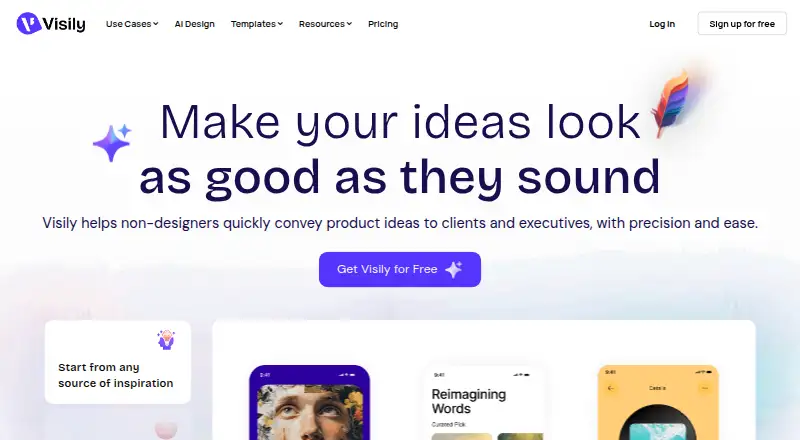
What Visily is
Visily is a browser-based AI UI design tool for people who need app mockups and product designs. It can create designs from text, turn screenshots into editable designs, and translate diagrams into screens. People can edit the same UI together in real time, using more than 1,500 customizable templates for mobile and web apps, websites, wireframes, and diagrams. The screenshot extension works with Chrome, Edge, and Firefox and turns captures into editable wireframes. Visily’s Figma plugin exports designs for further refinement; integrations also include Notion and Slack. The Starter plan is free and provides 300 AI credits per month, standard AI design, and limited boards and elements. Pro is $14 a month and includes 3,000 monthly credits, unlimited boards and elements, Figma import/export, code export, and Visily MCP. MCP connects designs to coding agents including Claude Code, Codex, Cursor, and ChatGPT, and is available on Pro, Business, and Enterprise. Visily says customer data is not used to train its AI models or shared with third-party AI platforms.
Good
- Generates designs from text, screenshots, and diagrams.
- Supports real-time multi-user editing.
- Offers more than 1,500 customizable templates.
- Runs in a browser on any computer.
- Connects with Figma, Notion, and Slack.
Watch out
- Starter limits boards and elements.
- Starter includes 300 AI credits per month.
- MCP is available on Pro, Business, and Enterprise plans.
- No free trial is listed.
Who it suits
Visily may suit founders, product managers, business analysts, developers, and development teams creating UI designs without a dedicated design workflow. Its real-time editing and templates also fit collaborative mockup work.
Verdict
Visily brings AI-assisted mockup creation, templates, browser access, and collaboration together. Check the plan limits and the tier required for features such as MCP before choosing it.
Plans and prices
From Visily's own pricing page, checked 28 Sep 2026.
| Plan | Price | What it gives you |
|---|---|---|
| Starter | Free | 300 AI credits / month · standard AI design · limited boards & elements |
| Pro | $14 a month | 3,000 AI credits / month · unlimited boards & elements · Figma import/export · Export to Code · Visily MCP server |
| Business | $29 a month | 10,000 AI credits / month · unlimited boards & elements · SAML SSO · custom team management · 30-day version history · priority support · annually |
| Enterprise | Priced on request | custom plan |
The facts
Each one read from Visily's own pages, with the date it was checked.
What it does
- AI inputs
- Visily can generate designs from text, convert screenshots into editable designs, and transform diagrams into screens.checked 28 Sep 2026
- Audience
- Visily identifies founders, product managers, business analysts, software developers, and development teams among its users.checked 28 Sep 2026
- Collaboration
- Visily supports real-time multi-user editing so people can design on the same UI together.checked 28 Sep 2026
- Compliance
- Visily’s privacy policy references GDPR and Standard Contractual Clauses for personal-data transfers.checked 28 Sep 2026
- Deployment
- cloud, browser extensionchecked 21 Sep 2026
- Figma integration
- Visily’s Figma plugin exports Visily designs into Figma for further refinement.checked 28 Sep 2026
- Integrations
- Figma, Notion, Jira, Slack, MCPchecked 21 Sep 2026
- MCP
- Visily MCP connects designs to coding agents including Claude Code, Codex, Cursor, and ChatGPT, and is available on Pro, Business, and Enterprise plans.checked 28 Sep 2026
- Other integrations
- Visily integrates with Notion and Slack, and its Slack integration provides link previews, comment notifications, and board updates.checked 28 Sep 2026
- Paid from
- 11checked 21 Sep 2026
- Privacy
- Visily states that it does not use customer data to train its AI models or share that data with third-party AI platforms.checked 28 Sep 2026
- Purpose
- Visily is an AI-powered UI design tool for non-designers that supports app mockups and product design.checked 28 Sep 2026
- Screenshot extension
- The Visily screenshot extension works on Chrome, Edge, and Firefox and can convert captures into editable wireframes.checked 28 Sep 2026
- Security
- Visily says it maintains physical, electronic, and procedural safeguards and encrypts personally identifiable information sent over the Internet.checked 28 Sep 2026
- Support
- Visily lists [email protected] as a support contact.checked 28 Sep 2026
- Support channels
- email, docschecked 21 Sep 2026
- Templates
- Visily provides more than 1,500 customizable design templates for mobile apps, web apps, websites, wireframes, and diagrams.checked 28 Sep 2026
Where it runs
- Browser platform
- Visily is 100% browser-based and can be used by opening a browser tab on any computer.checked 28 Sep 2026
The company
- Company size fit
- solo, small, mid market, enterprisechecked 21 Sep 2026
Money
- Free plan
- Yeschecked 21 Sep 2026
The full review of Visily
Visily is a browser-based AI UI design tool for turning prompts, screenshots and diagrams into app mockups and product screens. It suits non-designers and teams that need to shape and share interface ideas without leaving the browser. Its generous template library and collaboration tools make it a capable starting point, though recurring AI work and advanced team features push users toward paid tiers.
Overview
Visily focuses on early UI design: generate screens from text, make screenshots editable, or turn diagrams into screens. Real-time multi-user editing, interactive prototyping and prototype sharing support the move from a rough concept to something a team can discuss. Design-system support, variables and developer handoff extend its reach beyond static wireframes.
The core trade-off is that the free Starter plan has just 300 AI credits per month and limits boards and elements. That can be enough to explore the workflow, but frequent generation or larger projects are better suited to a paid plan.
Key features
AI-assisted mockups and templates
Visily offers more than 1,500 customizable templates spanning mobile and web apps, websites, wireframes and diagrams. That breadth gives founders, product managers and analysts a concrete base to adapt instead of starting with a blank board. Text-to-design, screenshot conversion and diagram-to-screen generation address different ways teams may already have an idea to work from.
Collaboration and handoff
Multiple users can edit the same UI in real time, and prototypes can be shared. Visily also integrates with Notion and Slack; Slack can surface link previews, comment notifications and board updates. Its Figma plugin exports Visily designs to Figma for further refinement, making it a practical bridge for teams that use Figma after the initial mockup stage.
The MCP server connects designs to coding agents including Claude Code, Codex, Cursor and ChatGPT, but access begins at Pro. Teams that want this design-to-agent connection should account for the paid tier rather than assume it comes with free use.
Privacy and security
Visily says it does not use customer data to train its AI models or share that data with third-party AI platforms. It also says it maintains physical, electronic and procedural safeguards and encrypts personally identifiable information sent over the Internet. Support is available by email and documentation.
Pricing
Visily is freemium, with no free trial. The free Starter plan costs nothing and provides 300 AI credits per month, standard AI design, and limited boards and elements. It is the sensible way to try the workflow, but its credit allowance and project limits make it a constrained choice for ongoing team work.
Pro costs $14 a month. It raises the allowance to 3,000 AI credits monthly and removes board and element limits; it also includes Figma import and export, Export to Code and the MCP server. This is the clearest fit for individuals or smaller teams doing regular design work who need those integrations and capacity.
Business costs $29 a month, billed annually. It includes 10,000 AI credits monthly and unlimited boards and elements, plus SAML SSO, custom team management, 30-day version history and priority support. The annual billing term matters; the added controls and support are most relevant to teams managing access and shared work at greater scale.
Enterprise has custom pricing and includes SAML SSO and a dedicated account manager. It is aimed at organizations that need that account-level support rather than a published per-user price. The plan descriptions do not give seat counts, so teams should confirm licensing before budgeting.
Platforms
Visily is web-based and works in a browser tab on any computer. Its screenshot extension works with Chrome, Edge and Firefox, capturing screens for conversion into editable wireframes. Deployment is cloud and browser extension; a native desktop application is not part of the platform offering.
Who it's for
Visily is a strong fit for founders, product managers, business analysts and developers who need to make UI concepts tangible without relying on a designer for every first draft. Small and mid-market teams can benefit from shared editing and integrations, while Enterprise may suit organizations requiring SAML SSO and a dedicated account manager. It is less compelling for occasional users whose mockups fit within Starter’s limited boards and credits, or for teams seeking a workflow that does not depend on monthly AI allowances.
Pros and cons
- Pros: Text, screenshot and diagram inputs cover several common routes from idea to editable screen.
- Pros: More than 1,500 templates and real-time co-editing give teams both a starting point and a way to work together.
- Pros: Figma export, developer handoff and MCP connect mockup work to later design and coding workflows.
- Cons: Starter’s 300 monthly AI credits and limited boards and elements can restrict sustained use.
- Cons: MCP is not included on Starter, and Business is billed annually.
- Cons: Enterprise pricing is custom, so organizations cannot estimate that tier from a listed monthly rate.
Alternatives
Consider UX Pilot if you want a freemium alternative with API access as well as web and extension platforms; its free plan makes the first design free, while enterprise API, SSO, team controls and design systems sit in its custom-priced Enterprise plan.
Uizard is another freemium web and extension option; its free tier specifies two projects, five screens per project, 400 components, three AI generations per month and ten templates. That explicit small-project allowance may suit someone comparing constrained free use.
Choose Jenova UI/UX Prototype Generator if broad device availability matters: it lists Android, iOS, Linux, macOS, web and Windows, with a free core tier and limited usage.
Prototyper offers a free plan with five AI messages per week, two workspaces, 100 MCP tool calls per week, one shared collaboration file and seven days of version history. It may suit readers prioritizing a defined free MCP allowance.
OpenDesign is a freemium alternative available as a local CLI with BYOK support on its free plan.
WireMagic is a desktop alternative for macOS and Windows, with a free forever plan that allows unlimited local projects, up to three pages per project, and watermarked PNG/PDF exports.
MockFlow is a freemium alternative available on web, desktop and extension platforms.
YouWare is a web and mobile alternative with a free tier that includes trial credits and up to five projects for web app building.
Browse AI Wireframe Generators, AI UI Design Generators, Wireframing Software, Prototyping Software, Web Design Software and UI design tools for category-wide options.
Verdict
Choose Visily if you want a browser-based way to turn prompts, screenshots or diagrams into collaborative UI mockups, with templates and a route onward to Figma or coding agents. Its free plan is a useful entry point, but the limited boards and 300 monthly credits make Pro the more practical tier for regular creation. Look elsewhere if you need a defined Enterprise price or want to avoid credit-based AI limits.
Alternatives to Visily
- 1

Justinmind
Free planAndroidiOSWebAPI8.3From $19 a month - 2

Mockplus
Free planAndroidiOSWebExtension8.3From $2.98 a month - 3

Fluid UI
Free planAndroidiOSWebLinux7.7From $8.25 a month - 4

Moqups
Free planWebAPIExtension7.6From $11 a month - 5

Mokkup.ai
Free planWeb7.1From $8 a month - 6

Frame0
Free planLinuxmacOSWindows7.0$79 one-time