
Figr
Figr is product-aware AI design software that uses product context to create UX reviews, flows, prototypes, and Figma-ready designs.
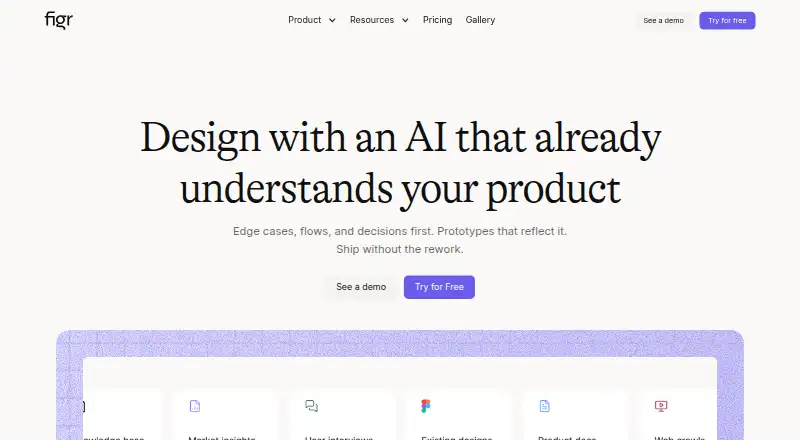
What Figr is
Figr is product-aware AI design software that uses product context to create UX reviews, flows, prototypes, and Figma-ready designs. Context can come from product screens, recordings, documents, links, research, analytics, walkthroughs, and design systems. Its workflow maps flows and states, identifies edge cases, asks clarifying questions, checks accessibility, and produces handoff artifacts. Figr can import Figma files, frames, components, and design systems, then generate editable screens. Prototypes can be sent to Figma as editable layers with variables, and front-end code can be downloaded. A Chrome extension captures live web apps and their structure, components, and patterns. The free plan has 10 monthly refreshing credits, three canvases, and one Context Pod of up to 200MB. Starter is listed at $39 a month and Max at $149 a month; Enterprise pricing is custom and not listed. Figr says customer data is encrypted at rest and that it does not sell customer data or use proprietary designs to improve models serving other customers.
Good
- Uses screens, documents, analytics, and design systems as context
- Maps flows, states, and edge cases
- Imports Figma files and generates editable screens
- Exports prototypes to Figma and front-end code
- Enterprise plan lists SSO and audit logs
Watch out
- Free plan limited to 10 monthly credits
- Free plan limited to three canvases
- Enterprise pricing is custom and not listed
Who it suits
Figr suits product and UX teams that want to turn product context into design reviews, flows, prototypes, and editable Figma screens. Its free plan may suit users willing to work within limits of 10 monthly credits and three canvases.
Verdict
Figr links product context to UX analysis and editable design outputs, with support for Figma and browser-based context capture. Check the free-plan limits and listed paid-plan prices against your expected use.
Plans and prices
From Figr's own pricing page, checked 15 Oct 2026.
| Plan | Price | What it gives you |
|---|---|---|
| Free | Free | 10 credits refresh monthly · 3 canvases · 1 Context Pod · 200MB per Pod · limited Design System · Figma export · always |
| Starter | $39 a month | 200 credits/month · unlimited canvases · 1 full-access seat · 3 Context Pods · 1GB per Pod · unlimited view-only guests · 3 full design systems · custom MCPs · monthly billing |
| Max | $149 a month | 1,000 shared credits/month · up to 3 full-access seats · unlimited team Context Pods · 3GB per Pod · unlimited shared Design System · real-time collaboration · comments · export · removes Figr branding · monthly billing |
| Enterprise | Priced on request | unlimited full-access seats · per-seat credits · SSO · audit logs · RBAC · unlimited Context Pod storage · custom MCPs and integrations · custom design-system setup · custom |
The facts
Each one read from Figr's own pages, with the date it was checked.
Where it runs
- Browser extension
- Figr offers a Chrome extension to capture live web apps and provide context about their structure, components, and patterns.checked 29 Sep 2026
What it does
- Chrome capture
- The Chrome extension parses live web-app HTML structure, components, layout and styling patterns.checked 15 Oct 2026
- Compliance
- The security page says Figr undergoes annual SOC 2 Type II audits, quarterly internal assessments and annual penetration testing.checked 15 Oct 2026
- Context inputs
- It accepts screens, recordings, documents, links and design systems as product context.checked 15 Oct 2026
- Data controls
- Customers can export designs as Figma, JSON or HTML, bulk-export on enterprise, delete data themselves and use project-level access controls.checked 15 Oct 2026
- Data security
- Figr says data in transit uses TLS and HSTS, customer data is encrypted at rest with AES-256, and access to customer data is restricted and monitored.checked 29 Sep 2026
- Documentation
- The Mintlify documentation index covers setup, workflows, canvas, inputs, design systems, connectors, exports, billing, permissions, security, FAQs and changelog.checked 15 Oct 2026
- Encryption
- Figr states that transit uses TLS/HSTS and stored customer data uses AES-256 encryption.checked 15 Oct 2026
- Enterprise controls
- Enterprise security features listed include SAML 2.0 single sign-on, audit logs, IP allowlisting, session timeouts, password requirements, and enforced two-factor authentication.checked 29 Sep 2026
- Enterprise deployment
- Figr states that on-premise deployment options are available for enterprise customers with specific requirements.checked 15 Oct 2026
- Exports
- Figr documentation says users can send prototypes to Figma as editable layers with variables and download front-end code.checked 29 Sep 2026
- Figma export
- Exports can preserve auto-layout, tokens and components when sent to Figma.checked 15 Oct 2026
- Figma integration
- Figr can import Figma files, frames, components, and design systems as context and generate editable, Figma-ready screens.checked 29 Sep 2026
- Funding news
- A LinkedIn founder announcement dated 2024 reported a $2.25 million seed round led by Kalaari Capital with Golden Sparrow and Antler.checked 15 Oct 2026
- Generated artifacts
- Figr produces flows, UX reviews, edge cases, PRDs, prototypes and Figma-ready screens.checked 15 Oct 2026
- Infinite canvas
- Its canvas keeps inputs, reviews, flows, PRDs and prototypes together in one workspace.checked 15 Oct 2026
- Inputs
- Figr can use Figma files and design systems, live product screens, recordings, documents, links, research, analytics, and product walkthroughs as context.checked 29 Sep 2026
- Integrations
- Documented connectors include Mixpanel, Notion, Linear, Slack, Mobbin, Miro, Google Workspace and other MCP-capable tools.checked 15 Oct 2026
- License
- No public Figr source repository, open-source license or SDK documentation was identified, so licensing is not publicly specified.checked 15 Oct 2026
- Limit: hands-on review
- Volticen found a failed Mermaid diagram, an overlapping sticky tray, invented evidence labels and an untested Figma sync, requiring human review.checked 15 Oct 2026
The company
- Company legal name
- The registered legal name shown in company databases is Figrfast Systems Private Limited.checked 15 Oct 2026
- Company size
- LinkedIn lists Figr at 11–50 employees.checked 15 Oct 2026
- Founded
- Inc42 lists Figr as founded in 2023 by Chirag Singla and Moksh Garg.checked 15 Oct 2026
- Headquarters
- LinkedIn lists San Francisco as headquarters, while Inc42 and Crunchbase list Bengaluru, India.checked 15 Oct 2026
The full review of Figr
Overview
Figr is product-aware AI design software that uses screens, specifications, documents, analytics and design systems to shape UX analysis and design work. It suits product teams that need to connect existing product context to flows, reviews and editable design outputs. Its strongest case is a workflow from context gathering through UX reasoning to Figma-ready screens; its credit, canvas and Context Pod limits make plan fit important.
Key features
Figr takes product context as its starting point rather than treating a design prompt in isolation. Teams can bring in Figma files, frames, components and design systems, as well as live screens, recordings, documents, links, research, analytics and product walkthroughs. The Chrome extension captures live web apps and supplies context about their structure, components and patterns. That breadth is useful when a UX decision depends on how a product already behaves, though teams should consider how much source material they need to keep in each plan's Context Pods.
Its UX work spans clarifying questions, flow and state mapping, edge-case discovery, UX reviews, accessibility checks, pattern comparisons and handoff artifacts. Figr can produce flows, edge cases, prototypes and designs, then generate high-fidelity screens intended for Figma. Prototypes can be sent to Figma as editable layers with variables; front-end code is also downloadable. Export formats include PNG, JPG, Figma, JSON, HTML and React/TSX. Interactive prototypes, version history and real-time collaboration support work beyond a one-off screen draft, with collaboration specifically included in Max.
Default MCP integrations include Linear, Confluence, Notion, Granola and Miro; custom MCPs are available on eligible plans. Figr describes safeguards including TLS and HSTS in transit, AES-256 encryption at rest, restricted and monitored customer-data access, and annual SOC 2 Type II audits. It says it does not sell customer data or use proprietary designs to improve models serving other customers. Enterprise controls include SAML 2.0 SSO, audit logs, IP allowlisting, session timeouts, password requirements and enforced two-factor authentication.
Pricing
Figr is freemium. The Free plan costs nothing, billed always, and includes 10 credits that refresh monthly, three canvases, one Context Pod with up to 200MB, and Figma export. It is a practical way to assess the workflow, but the small canvas count and context allowance constrain sustained or multi-project use.
Starter costs $39 a month, billed monthly. It includes 200 credits per month, one full-access seat, three Context Pods, 1GB per Pod and unlimited canvases. This fits an individual who needs more room for projects and context; the single seat and capped Pods make it less suited to a collaborating team.
Max costs $149 a month, billed monthly. It provides 1,000 shared credits per month, up to three full-access seats, unlimited team Context Pods, 3GB per Pod and real-time collaboration. It is the clearer fit for a small team sharing work and context, but costs substantially more than Starter and its credits are shared rather than individually allocated. Enterprise has custom pricing and includes unlimited full-access seats, SSO, audit logs, RBAC, unlimited Context Pod storage and custom integrations. It is aimed at organizations that need those controls and capacity rather than a fixed-seat plan.
The pricing note also gives a paid starting point of $32/mo (annual), while the detailed Starter and Max prices above are monthly-billed. Support options across plans include email, live chat, priority support, custom Slack support, dedicated customer success, onboarding and training.
Platforms
Figr is available on web and as a Chrome extension, and supports API access and self-hosted/on-premise deployment. The extension is particularly relevant for teams gathering context from live web apps; self-hosted deployment may suit organizations with deployment requirements that rule out a standard hosted workflow.
Who it's for
Figr is best suited to product designers and teams that want UX analysis and design generation grounded in their own screens, research and design systems, especially when the output needs to remain editable in Figma. A solo user can start on Free or use Starter for more credits and canvases. Teams needing shared context, collaboration or enterprise access controls should look at Max or Enterprise. It is a weaker fit for someone who only needs a basic flow-diagramming tool or who cannot work within recurring credit and context limits.
Pros and cons
- Pro: It accepts varied product context, including live screens, recordings, analytics and Figma assets, so UX work can be grounded in existing product material.
- Pro: Editable Figma layers, variables and multiple export formats make outputs more usable downstream than static mockups alone.
- Pro: The feature set covers analysis as well as design, including edge cases, accessibility checks and handoff artifacts.
- Con: Free is capped at 10 monthly credits, three canvases and one 200MB Context Pod, limiting ongoing use across projects.
- Con: Starter has only one full-access seat and three Pods; collaboration and unlimited team Pods require the $149.00 USD-per-month Max plan.
- Con: Max uses a shared monthly credit pool, which may be a constraint for teams with uneven or heavy usage.
Alternatives
For a straightforward user-flow workflow, compare User Flow Software; for AI-led wireframing options, see AI Wireframe Generators.
Choose Marvel if you want a freemium option spanning Android, iOS and web, with a Free plan for one user and one project or a Pro plan at $12 a month, billed yearly. Overflow is a paid alternative for macOS, web and Windows, with a Pro plan at €19.95 per user/month that includes cloud storage, sharing, folders and comments. Wireflow is a free, MIT-licensed, open-source option for web or self-hosting that can be forked.
Zeplin Flows is worth considering for a free project-based starting point: its Free plan allows one project, 100 screens, unlimited members and limited weekly AI reviews and organization runs. Rheo is a freemium Android and iOS option oriented around app engagement, with its Indie plan including one app, one seat and 400 MAU. FlowSnap is a freemium alternative for Android, iOS and macOS; its Free plan allows up to three projects and PNG export with a watermark.
Slickplan offers web-based planning with a Basic plan at $10.79 a month, billed annually, for one user, three active projects and 1 GB storage. EVONX is another freemium web option.
Verdict
Choose Figr if your team wants product context, UX analysis and editable Figma-ready design outputs in one workflow. Its range of inputs and handoff options is the main reason to pick it; its monthly credit pools, Pod caps and sharp jump from a single-seat Starter plan to Max are the main reasons to look elsewhere or stay on a narrower alternative.
Alternatives to Figr
- 1
Marvel
Free planAndroidiOSWebAPI8.2From $12 a month - 2

Zeplin Flows
Free planWebAPIExtensionLinux7.9From $12 a month - 3
Software Ideas Modeler
LinuxmacOSSelf-hostedWindows7.6$59 one-time - 4

Cairn
Free planmacOS7.2€39 one-time - 5

FlowMapp
Free planWebLinuxmacOSWindows7.2From $15 a month - 6

Overflow
WebmacOSWindows7.2From €19.95 a month