YouCam Online Editor
YouCam Online Editor is a browser-based tool for editing, enhancing, and generating images and videos with AI.
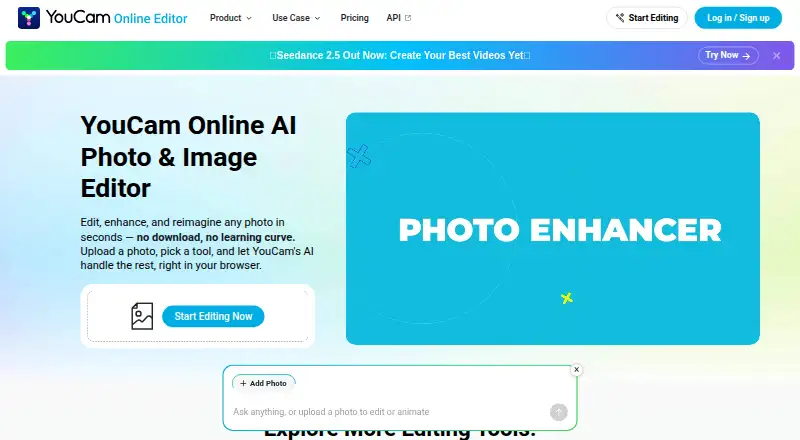
What YouCam Online Editor is
YouCam Online Editor is a browser-based tool for editing, enhancing, and generating images and videos with AI. Its Photo Enhancer sharpens blurry or grainy photos, can upscale them to 4K, and supports processing up to 50 photos at once. Magic Eraser removes objects selected by brushing and reconstructs the background. Other tools offer AI video generation from photos, 4K video enhancement, and virtual hairstyle and outfit try-ons. New users receive five free credits, and some features are available free; advanced tools use credits or a membership plan. Plus costs $9.99 a month, while Pro costs $69.99 a year and permits commercial use of output. Subscription credits remain usable for 60 days while the subscription is active; pay-as-you-go credits expire after one year. The editor accepts JPG and PNG photos and common video formats, with upload limits shown in each tool. It runs in a web browser, and its listed platforms include Android, iOS, Linux, macOS, web, and Windows, though there is no mobile app.
Good
- Photo enhancer can process up to 50 photos at once
- Photo and video tools support 4K upscaling
- Magic Eraser reconstructs backgrounds after object removal
- New users receive five free credits
Watch out
- No mobile app
- Advanced tools use credits or a membership plan
- Commercial use of output is permitted only for Pro subscribers
Who it suits
YouCam Online Editor suits people who want browser-based photo and video enhancement, object removal, or virtual try-on tools. It may also suit users needing batch photo enhancement or AI video tools, provided the credit and commercial-use terms fit their needs.
Verdict
YouCam Online Editor offers a range of browser-based AI tools for photos and videos, with five free credits for new users. Review the credit terms and commercial-use restriction before choosing a plan.
Plans and prices
From YouCam Online Editor's own pricing page, checked 22 Sep 2026.
| Plan | Price | What it gives you |
|---|---|---|
| Plus | $9.99 a month | 100 credits · monthly subscription |
| Pro | $69.99 a year | 300 credits · annual subscription |
| Free | Free | 5 free credits for new users · no credit card required · some advanced tools use credits or membership |
| Plus monthly | $9.99 a month | 100 credits per month · credits usable for 60 days while subscription remains active · monthly |
| Plus annual | $39.99 a year | 100 credits per month · credits usable for 60 days while subscription remains active · annually |
| Pro yearly | $69.99 a year | 300 credits per month · commercial use permitted · annually |
The facts
Each one read from YouCam Online Editor's own pages, with the date it was checked.
What it does
- API distinction
- The FAQ says Plus, Pro, and credit purchases do not provide API access; API units are used for API calls.checked 8 Oct 2026
- Batch editing
- Yeschecked 22 Sep 2026
- Commercial use
- The product terms say commercial use of output content is allowed only for Pro subscribers; pay-as-you-go credits are not for commercial use unless stated otherwise.checked 8 Oct 2026
- Credit expiration
- Subscription credits remain usable for 60 days while the subscription is active, while pay-as-you-go credits expire after one year.checked 8 Oct 2026
- File formats
- The FAQ states that the editor accepts JPG and PNG photos and common video formats, with upload limits shown in each tool.checked 8 Oct 2026
- Generative editing
- Yeschecked 22 Sep 2026
- Object removal
- Its Magic Eraser removes unwanted objects by brushing over them and reconstructs the background.checked 8 Oct 2026
- Paid from
- 9.99checked 22 Sep 2026
- Payments
- The FAQ lists credit or debit cards, PayPal, and Apple Pay among supported payment methods, with available options varying by region.checked 8 Oct 2026
- Photo enhancement
- Its Photo Enhancer sharpens blurry or grainy photos, can upscale to 4K, and supports enhancing up to 50 photos at once.checked 8 Oct 2026
- Privacy
- The FAQ says uploaded content is not used to train AI models without consent and files are securely processed and automatically deleted after a short period.checked 8 Oct 2026
- Purpose
- YouCam Online Editor edits, enhances, and generates images using AI in a browser.checked 8 Oct 2026
- Support
- Users can log in, open Support, and chat with the support chatbot.checked 8 Oct 2026
- Try-on tools
- The editor includes virtual hairstyle and outfit try-on features.checked 8 Oct 2026
- Video tools
- The editor offers AI video generation from photos and AI video enhancement with 4K upscaling.checked 8 Oct 2026
The company
- Founded
- 2015checked 28 Sep 2026
Money
- Free credits
- New users receive 5 free credits, and some features are available free while advanced tools use credits or a membership plan.checked 8 Oct 2026
- Free plan
- Yeschecked 22 Sep 2026
Where it runs
- Mobile app
- Nochecked 22 Sep 2026
- Platforms
- The editor runs in a browser on Windows, Mac, and Linux, and the page also describes use on a mobile tablet.checked 8 Oct 2026
- Supported platforms
- web browserchecked 22 Sep 2026
The full review of YouCam Online Editor
YouCam Online Editor is a browser-based AI editor for photos and videos, with tools for enhancement, object removal, generation and virtual try-ons. It suits people who want several kinds of visual editing in one place, especially those cleaning up batches of photos. Its breadth is useful, but recurring credit limits and Pro-only commercial rights make plan choice important.
Overview
The editor combines restoration and creative tools rather than focusing on one narrow task. Photo enhancement and object removal address common cleanup needs, while video generation, video upscaling and virtual hairstyle and outfit try-ons extend it into other kinds of editing. That range can reduce the need to switch tools, though users who only need one occasional fix may not get much benefit from a membership.
It runs in a web browser and accepts JPG and PNG photos plus common video formats. Upload limits vary by tool. The FAQ says uploaded files are securely processed and automatically deleted after a short period, and are not used to train AI models without consent. Support is available through a chatbot after logging in.
Key features
Photo cleanup and enhancement
Photo Enhancer sharpens blurry or grainy images, supports upscaling to 4K and can enhance up to 50 photos at once. Batch processing is the clearest practical advantage for users working through a collection; the credit system may be less convenient for occasional edits. Magic Eraser lets users brush over an unwanted object and reconstructs the background, making it a targeted cleanup tool rather than a general-purpose editor.
Video and try-on tools
The editor can generate video from photos and enhance video with 4K upscaling. Virtual hairstyle and outfit try-ons add a distinct use beyond repairing existing images. These options broaden the appeal, but advanced tools may consume credits or require membership, so the free allowance is better treated as a way to sample the service than as a dependable ongoing quota.
Pricing
The Free plan is free and gives new users five credits without requiring a credit card. Some features are free, while advanced tools use credits or require a membership. Five credits are a modest starting allowance, not a strong fit for sustained editing.
Plus monthly costs $9.99 a month, billed monthly, and includes 100 credits per month. Plus annual costs $39.99 a year, billed annually, and also includes 100 credits per month. The annual option lowers the effective cost for someone who expects to use the service consistently, but requires an annual commitment; both Plus subscriptions allow credits to be used for 60 days while the subscription remains active.
Pro yearly costs $69.99 a year, billed annually, and includes 300 credits per month. It is the plan to consider for heavier use or commercial output, since commercial use is permitted only for Pro subscribers. Pay-as-you-go credits are not for commercial use unless stated otherwise, and expire after one year. Subscription credits expire after 60 days if not used while the subscription is active. The FAQ lists credit or debit cards, PayPal and Apple Pay among payment options, with availability varying by region.
Plus, Pro and credit purchases do not provide API access; API calls use API units. A separate Plus plan is also described at $9.99 a month with 100 credits, while the specific monthly and annual Plus terms above clarify their billing and credit periods.
Platforms
YouCam Online Editor is used in a web browser; there is no mobile app. Although the service is categorized across Android, iOS, Linux, macOS and Windows, browser access is the supported workflow, so people seeking a dedicated phone app should look elsewhere.
Who it's for
It is best suited to people who want browser-based AI photo cleanup alongside video tools and virtual try-ons, particularly users who can make use of batch enhancement. Casual users can start with five free credits, while regular users should compare their expected credit use with the monthly quotas. Anyone using outputs commercially needs Pro; Plus and pay-as-you-go credits do not meet that stated requirement.
Pros and cons
- Pros: Batch enhancement handles up to 50 photos, a meaningful time-saver for a large set.
- Pros: Photo and video enhancement, object removal, generation and try-on tools cover varied editing needs in a browser.
- Pros: The free tier starts without a card, and the FAQ describes automatic deletion and no AI training without consent.
- Cons: Five initial credits limit how much a new user can do before considering a paid option.
- Cons: Commercial use requires Pro, which is an annual subscription at $69.99 a year.
- Cons: No dedicated mobile app is offered, and the editor does not include API access through its consumer plans or credit purchases.
Alternatives
Browse the AI Photo Editors category to compare other options. Choose PixiFixi if its free welcome credits or 2.99 USD monthly Quick Edits plan better suit a low-cost editing need. PhotoBoost is another option with a free tier offering two introductory credits, cloud output up to 3 MP and core editing tools, plus a free trial. Choose PhotoKit Background Remover for a background-removal-focused alternative with limited free downloads; its VIP plan excludes API and batch cutout. PhotoPad is a freemium alternative. Photopea offers free editor access. Airbrush has a free tier with limited access to selected editing and AI features. PhotoQuill offers five credits per day and ten bonus credits on its free plan. BeautyPlus has limited AI feature access on its free plan.
Verdict
Choose YouCam Online Editor if you want a broad browser-based toolkit, especially batch photo enhancement alongside video and try-on features. Its free credits make it possible to begin without a payment commitment, but users with regular workloads need to budget around credits, and commercial users must choose Pro. Look elsewhere if you need a dedicated mobile app, API access through a standard plan, or commercial rights without the annual Pro subscription.
Alternatives to YouCam Online Editor
- 1

Photoroom
Free planAndroidiOSWebAPI9.0From $7.50 a month - 2

Picsart
Free planAndroidiOSWebAPI8.9From $10.50 a month - 3
MyEdit
Free planAndroidiOSWeb8.8From $5 a month - 4
Phot.AI
Free planAndroidiOSWebAPI8.8From $9 a month - 5

Adobe Lightroom
AndroidiOSWebmacOS8.7 - 6

Adobe Photoshop
AndroidiOSWebmacOS8.7