PixiFixi
PixiFixi is a browser-based AI photo editor for restoring, changing, and animating photos.
What PixiFixi is
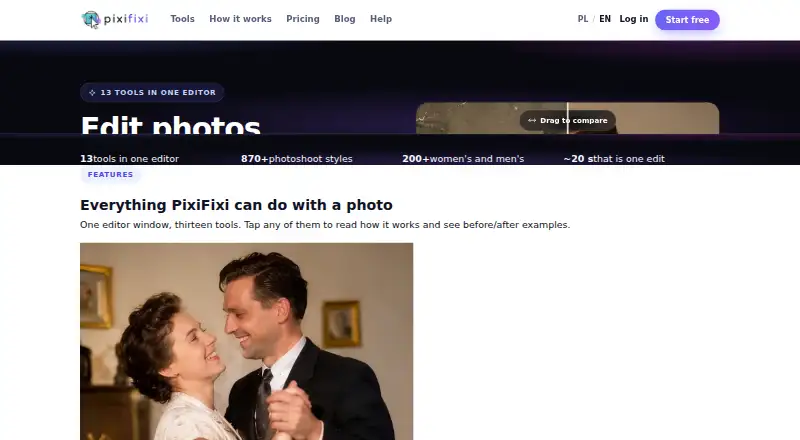
PixiFixi is a browser-based AI photo editor for restoring, changing, and animating photos. Its 13 tools include retouching, background and object edits, style changes, photoshoots, clothing and hairstyle changes, collages, animation, and custom edits. The photoshoot tool offers more than 870 scenes in 32 categories and allows up to four sessions to be selected at once. Most tools have Standard, Pro 2K, and Ultra 4K tiers priced at 1, 4, and 8 credits. New users receive two free credits after registration and account verification. Paid monthly options start with Quick Edits at $2.99 per month for 10 credits; credits do not expire. Uploads can be up to 10 MB in JPG, PNG, WebP, or HEIC format. PixiFixi says photos and results are account-only, are not used to train models, and can be removed manually or automatically after 7, 30, or 90 days. The browser editor works on Windows, macOS, Linux, iOS, Android, and tablets, but no mobile app is listed.
Good
- Thirteen tools cover restoration, edits, and animation.
- Photoshoot tool offers over 870 scenes.
- New users receive two free credits after verification.
- Credits on paid plans do not expire.
- Supports JPG, PNG, WebP, and HEIC uploads.
Watch out
- No mobile app is listed.
- Uploads are limited to 10 MB.
- Ultra 4K edits use eight credits.
Who it suits
PixiFixi suits people looking for browser-based AI tools to restore, transform, or animate photos. Its credits and quality tiers may work for users who want to choose how much processing to use for each edit.
Verdict
PixiFixi offers a broad set of browser-based photo tools, with multiple quality tiers and non-expiring paid credits. Note that it lists no mobile app, despite supporting mobile browsers.
Plans and prices
From PixiFixi's own pricing page, checked 28 Sep 2026.
| Plan | Price | What it gives you |
|---|---|---|
| Starter | Free | welcome credits · no card · no commitment |
| Quick Edits | $2.99, paid once | 10 credits · $0.30/credit · credits never expire · one-time |
| Serious User | $6.99, paid once | 30 credits · $0.23/credit · credits never expire · one-time |
| Professional | $9.99, paid once | 60 credits · $0.17/credit · credits never expire · one-time |
| Premium | $18.99, paid once | 100 credits · $0.19/credit · credits never expire · one-time |
| Business | $34.99, paid once | 200 credits · $0.17/credit · credits never expire · one-time |
| Elite | $69.99, paid once | 500 credits · $0.14/credit · credits never expire · one-time |
| Superior | $129.99, paid once | 1000 credits · $0.13/credit · credits never expire · one-time |
The facts
Each one read from PixiFixi's own pages, with the date it was checked.
What it does
- Automatic refunds
- Credits are automatically refunded for technical errors, timeouts, content-policy errors after fallbacks and other failed generations.checked 28 Sep 2026
- Batch editing
- Yeschecked 22 Sep 2026
- Batch limit
- 4checked 22 Sep 2026
- Business support
- PixiFixi supports business invoices for Polish and EU companies and sends the invoice by email after payment.checked 28 Sep 2026
- Editing tools
- The editor provides 13 tools including restoration, retouching, background changes, object editing, style changes, photoshoots, clothes, hairstyles, collage, animation and custom edits.checked 28 Sep 2026
- GDPR
- The privacy policy identifies Devlom as controller and describes processing under the EU GDPR.checked 28 Sep 2026
- Generative editing
- Yeschecked 22 Sep 2026
- Layers and masks
- Nochecked 22 Sep 2026
- Payment methods
- International payments use Stripe with cards, Apple Pay, Google Pay, PayPal and country-specific methods including UPI, iDEAL and Bancontact.checked 28 Sep 2026
- Payment security
- PixiFixi states that payments use SSL/TLS, PCI DSS compliant processing, no storage of card data and 3D Secure when required.checked 28 Sep 2026
- Photo privacy
- PixiFixi says photos and results are available only from the user’s account, are not used to train models, and can be deleted manually or automatically after 7, 30 or 90 days.checked 28 Sep 2026
- Photoshoot styles
- Its AI photoshoot tool offers over 870 ready scenes across 32 categories and lets users pick up to four sessions at once.checked 28 Sep 2026
- Quality tiers
- Most tools offer Standard at 1 credit, Pro 2K at 4 credits and Ultra 4K at 8 credits.checked 28 Sep 2026
- Upload limits
- Uploads can be up to 10 MB in JPG, PNG, WebP or HEIC format, with an optimal resolution of 1024×1024 to 2048×2048 pixels.checked 28 Sep 2026
- What it does
- PixiFixi is an AI photo editor that runs in a browser for restoring, transforming and animating photos.checked 28 Sep 2026
Money
- Free credits
- New users receive 2 free credits after registration and account verification.checked 28 Sep 2026
- Free plan
- Nochecked 22 Sep 2026
The company
- Headquarters
- Łódź, Polandchecked 28 Sep 2026
- Maker
- PixiFixi was created by Devlom, a studio based in Łódź, Poland.checked 28 Sep 2026
- Maker history
- Devlom says it has operated since 2015.checked 28 Sep 2026
Where it runs
- Mobile app
- Nochecked 22 Sep 2026
- Supported platforms
- Web browser on Windows, macOS, Linux, iOS, Android, and tabletschecked 22 Sep 2026
The full review of PixiFixi
PixiFixi is a browser-based AI editor for people who want to restore or transform photos without installing an app. Its range of tools and non-expiring credits make it a flexible option for occasional edits as well as recurring use, but the credit cost rises sharply for higher-resolution results.
Overview
The editor brings restoration, retouching, background and object changes, style adjustments, clothing and hairstyle edits, collages, animation, photoshoots and custom edits into one browser workspace. That breadth suits users who want several kinds of AI photo work in one place. The lack of layers and masks makes it less suitable for workflows that depend on detailed, manual compositing.
Batch editing is supported for up to four items, a useful cap for small sets rather than large production queues. Uploads can be JPG, PNG, WebP or HEIC files up to 10 MB; the recommended resolution is 1024×1024 to 2048×2048 pixels.
Key features
- AI photoshoots: More than 870 ready-made scenes across 32 categories give users substantial variety for generated portraits and other scene-based edits. Up to four sessions can be selected at once.
- Quality choices: Most tools offer Standard for 1 credit, Pro 2K for 4 credits and Ultra 4K for 8 credits. Standard is the economical choice for routine edits; repeated Ultra output can consume a small credit balance quickly.
- Privacy controls: PixiFixi says photos and results are account-only and are not used to train models. Users can delete them manually or set automatic deletion after 7, 30 or 90 days. Devlom is named as controller in the privacy policy, which describes processing under the EU GDPR.
- Failed generations: Credits are automatically refunded for technical errors, timeouts, content-policy errors after fallbacks and other failed generations, reducing the risk of paying credits for unsuccessful work.
Pricing
PixiFixi uses credits rather than charging per finished image. New users receive two free credits after registration and account verification, with no card or commitment required. There is no free trial. Those credits can cover two Standard edits, but not a single Pro 2K edit at four credits.
| Plan | Price | Credits | Best fit |
|---|---|---|---|
| Starter | free | Welcome credits | Trying the service with no payment commitment |
| Quick Edits | $2.99 a month | 10 | Occasional Standard edits |
| Serious User | $6.99 a month | 30 | Regular use with some room for higher tiers |
| Professional | $9.99 a month | 60 | Frequent editing across multiple tools |
| Premium | $18.99 a month | 100 | Higher-volume work or recurring Pro output |
| Business | $34.99 a month | 200 | Business use with larger monthly credit needs |
| Elite | $69.99 a month | 500 | Heavy ongoing generation |
| Superior | $129.99 a month | 1000 | Very high monthly volume |
Paid credits do not expire, so unused credits can carry forward rather than being lost at a monthly cutoff. The tradeoff is that the smaller plans provide little headroom for 2K or 4K work: a 10-credit Quick Edits allotment buys only two Pro 2K outputs or one Ultra 4K output, before any Standard edits. Polish and EU companies can request business invoices, sent by email after payment.
International payments are handled through Stripe and can use cards, Apple Pay, Google Pay, PayPal, UPI, iDEAL, Bancontact and country-specific methods. PixiFixi says payments use SSL/TLS and PCI DSS-compliant processing, card data is not stored, and 3D Secure is used when required.
Platforms
PixiFixi runs in browsers on Windows, macOS, Linux, iOS, Android and tablets. It has no mobile app, so phone and tablet users need to work through a mobile browser rather than a dedicated application.
Who it's for
PixiFixi is a good fit for people who want a broad collection of AI photo tools, especially users interested in scene-based photoshoots, occasional batch edits or output choices up to 4K. Non-expiring credits suit uneven workloads. Look elsewhere if you need layer-and-mask editing, a native mobile app, or high-volume 4K generation on a small monthly budget.
Pros and cons
- Pro: Thirteen tools span restoration, retouching, creative changes and animation, reducing the need to switch between narrow-purpose editors.
- Pro: A large photoshoot scene library and selection of up to four sessions offer breadth for generated photo variations.
- Pro: Credits do not expire, which helps users whose editing needs vary from month to month.
- Con: Pro 2K costs four credits and Ultra 4K costs eight, so the entry paid allotment goes quickly when quality matters.
- Con: Batch editing stops at four items, limiting its usefulness for larger queues.
- Con: No layers, masks or mobile app means less control for compositing and a browser-only phone workflow.
Alternatives
- PhotoBoost is worth comparing if a free trial matters; it also has a free plan with two introductory credits and output capped at 3 MP.
- Photopea is the alternative to consider for free editor access, rather than PixiFixi's credit-based AI generation approach.
- Evoto AI may suit users comparing annual plans; its Starter plan is $89 a year and includes 800 credits and two devices.
- PhotoQuill may fit users who want a free daily credit allowance: its Free plan provides five credits per day and 10 bonus credits.
- Meitu is an alternative for mobile users who prefer an app on Android or iOS.
- Pixlr is another freemium option for users comparing monthly AI credit plans.
- AI Ease is another freemium option with Android, iOS and web platforms.
- Airbrush is another freemium choice, with web, desktop and mobile platforms.
- Browse the AI Photo Editors category for more options.
Verdict
Choose PixiFixi if you want a versatile browser-based AI editor, a deep photoshoot scene catalog and credits that remain available after the month ends. Its main advantage is the breadth of tools paired with flexible carryover; its clearest drawback is the steep credit cost of higher-resolution output, compounded by the lack of layers, masks and a mobile app.
Getting started
- Open https://pixifixi.app/ in a browser on a supported platform.
- Register and verify your account to receive 2 free credits.
- Choose a paid monthly credit plan if you need more credits.
- Upload a JPG, PNG, WebP or HEIC image up to 10 MB.
- Select an editing tool and quality tier, then use credits for the generation.
Limits worth knowing
The free Starter plan provides welcome credits, with 2 credits issued after registration and account verification. Paid plans provide 10 to 1,000 credits per month; most tools consume 1 credit for Standard, 4 for Pro 2K or 8 for Ultra 4K.
Questions
Is PixiFixi free?
Yes. The Starter plan is free and includes welcome credits; new users receive 2 credits after registration and account verification.
How much do paid plans cost?
Quick Edits costs $2.99 a month for 10 credits.
What platforms does PixiFixi support?
It runs in a browser on Windows, macOS, Linux, iOS, Android and tablets. There is no mobile app.
How many credits do edits use?
Most tools offer Standard at 1 credit, Pro 2K at 4 credits and Ultra 4K at 8 credits.
How does PixiFixi handle photos?
PixiFixi says photos and results are available only from the user’s account and are not used to train models. Users can delete them manually or set automatic deletion after 7, 30 or 90 days.
Alternatives to PixiFixi
- 1
Phot.AI
Free planAndroidiOSWebAPI8.3From $9 a month - 2

Photoroom
Free planAndroidiOSWebAPI8.3From $7.50 a month - 3

Picsart
Free planAndroidiOSWebAPI8.3From $10.50 a month - 4

Pixelcut
Free planAndroidiOSWebAPI8.3From $8 a month - 5
LightX AI Cartoon Generator
Free planAndroidiOSWebAPI8.2From ₹408.33 a month - 6
PhotoBoost
Free planAndroidiOSWebLinux8.2From $39.99 a year