
Photopea
Photopea is a browser-based editor for raster and vector graphics.
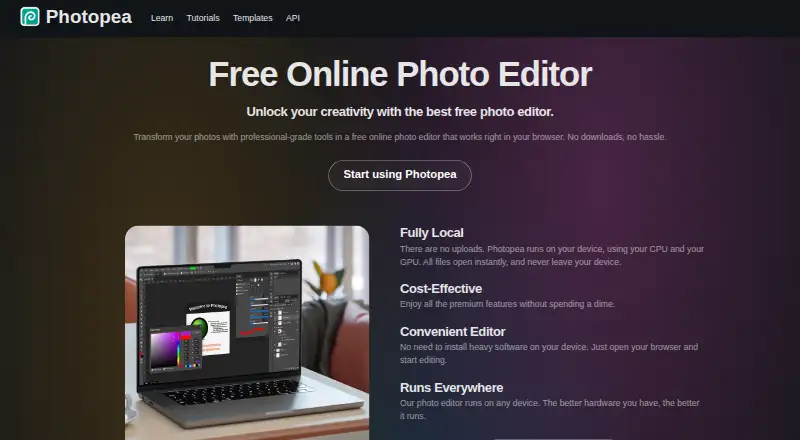
What Photopea is
Photopea is a browser-based editor for raster and vector graphics. It can handle tasks such as resizing images, designing webpages, making illustrations, and processing photographs. Its editing tools include cropping, resizing, layers, masks, blending, smart objects, adjustment layers, channels, paths, filters, and vector graphics. Photopea says it opens and saves PSD files, as well as formats including PNG, JPG, GIF, BMP, WEBP, SVG, PDF, AI, AVIF, HEIC, TIFF, MP4, INDD, and Figma. AI tools offer one-click background removal and replacement of image areas using a text description. Photopea says files are processed on the user's device and can be opened, edited, and saved offline. Dropbox, Google Drive, and OneDrive can be connected optionally. A self-hosted package can run on a customer's server or local network without internet access. The editor is free to use. School ad-free access costs $450 a year for the whole school; the self-hosted plan is listed at $5,002,000 a month, paid a year in advance.
Good
- Free editor access is available.
- Opens and saves PSD files.
- Files are processed on the user's device.
- Can work on files offline.
- Optional Dropbox, Google Drive, and OneDrive connections.
Watch out
- Premium account price is not listed.
- School plan requires a school website and distributor account/domain listing.
- Self-hosted plan is listed at $5,002,000 a month.
- Self-hosted plan is paid a year in advance.
Who it suits
Photopea suits people who want a browser-based editor for graphics and photos, including students, educators, small business owners, and graphic designers. Its offline and self-hosting options may suit users who want files processed locally or an editor on their own network.
Verdict
Photopea offers a broad set of raster and vector editing tools in a browser, with offline use and self-hosting also described. The free editor may fit many users; review the requirements and listed terms for paid options before choosing them.
Plans and prices
From Photopea's own pricing page, checked 30 Sep 2026.
| Plan | Price | What it gives you |
|---|---|---|
| Free account | Free | Free editor access |
| School ad-free access | $450 a year | Requires a school website and a Distributor account/domain listing · For the whole school |
| Premium account | — | Use Photopea without advertisements; requires login · One-time payment; the opened page gives 90 days as an example |
| Self-Hosted Version | — | Two updates during a year included; each additional update costs $300 · Paid a whole year (12 months) in advance |
The facts
Each one read from Photopea's own pages, with the date it was checked.
What it does
- AI features
- The site describes one-click background removal and replacing parts of an image using a text description.checked 30 Sep 2026
- AI retouching
- Yeschecked 20 Sep 2026
- API and embedding
- The API supports configuring Photopea in an iframe, passing files and resources, and sending saved document data to a configured server; API usage is free.checked 30 Sep 2026
- Batch editing
- Yeschecked 20 Sep 2026
- Cloud integrations
- Users can optionally connect Dropbox, Google Drive, or OneDrive to browse, open, edit, save, and copy files through Photopea.checked 30 Sep 2026
- Cloud sync
- Yeschecked 20 Sep 2026
- Editing features
- The editor includes cropping, resizing, layers, masks, blending, smart objects, adjustment layers, channels, paths, filters, and vector graphics tools.checked 30 Sep 2026
- File formats
- Photopea lists support for PSD and formats including PNG, JPG, GIF, BMP, WEBP, SVG, PDF, AI, AVIF, HEIC, TIFF, MP4, INDD, and Figma.checked 30 Sep 2026
- Intended users
- The site names social media enthusiasts, students and educators, small business owners, and graphic designers as audiences for its free editor.checked 30 Sep 2026
- Layer editing
- Yeschecked 20 Sep 2026
- Local processing and offline use
- Photopea says files are processed on the user's device, do not leave the device, and can be opened, edited, and saved after disconnecting from the internet.checked 30 Sep 2026
- Masking tools
- Yeschecked 20 Sep 2026
- Privacy controls
- Photopea says login stores the user's name, email, settings copy, and Premium payment details on its server, and that personal data is deleted after six months without login.checked 30 Sep 2026
- PSD support
- Photopea says it can both open and save PSD files, which it calls its main format.checked 30 Sep 2026
- RAW photo support
- Yeschecked 20 Sep 2026
- Self-hosting
- Photopea offers a self-hosted editor package that can run on the customer's server or local network without internet access or server-side technologies.checked 30 Sep 2026
- Support
- Photopea directs users who need help to its Reddit community and lists [email protected] on its site.checked 30 Sep 2026
- What it does
- Photopea is a browser-based editor for raster and vector graphics, for tasks including resizing images, designing webpages, creating illustrations, and processing photographs.checked 30 Sep 2026
Where it runs
- Browser installation
- Photopea can be installed through a supported browser as a homescreen icon that opens the editor in a reduced browser interface; it still runs in the browser.checked 30 Sep 2026
- Platform
- webchecked 20 Sep 2026
The company
- Founded
- 2012checked 28 Sep 2026
- Headquarters
- Prague, Czech Republicchecked 28 Sep 2026
Money
- Free plan
- Yeschecked 20 Sep 2026
The full review of Photopea
Overview
Photopea is a browser-based editor for raster and vector graphics, suited to people who want layered image and design tools without committing to a desktop-only workflow. Its strongest case is the breadth of formats and editing controls available alongside offline use; people who need native mobile apps or a simpler, photography-first workflow may prefer another tool.
It handles tasks from image resizing and photo processing to illustration and webpage design. Photopea is made by Photopea, founded in 2012 and headquartered in Prague, Czech Republic.
Key features
Editing and file support
Photopea combines cropping, resizing, layers, masks, blending, smart objects, adjustment layers, channels, paths, filters and vector tools. That mix suits work that benefits from compositing or precise edits, rather than only quick corrections. RAW support and batch editing broaden its use for photo workflows, while PSD can be both opened and saved as the editor's main format. Other supported formats include PNG, JPG, GIF, BMP, WEBP, SVG, PDF, AI, AVIF, HEIC, TIFF, MP4, INDD and Figma.
AI and file handling
One-click background removal and text-directed replacement of image areas offer shortcuts for targeted edits; they complement rather than replace the editor's manual layer and mask tools. Photopea says files are processed on the user's device and can be opened, edited and saved offline after disconnecting from the internet. That is useful when connectivity is unreliable, and avoids sending working files off-device for processing.
Cloud connections to Dropbox, Google Drive and OneDrive are optional, letting users browse, open, edit, save and copy files through Photopea. The API can configure the editor in an iframe, pass files and resources, and send saved document data to a configured server; API use is free. The self-hosted package can run on a customer's server or local network without internet access or server-side technologies, making it relevant for organizations that want to host the editor themselves.
A supported browser can install Photopea as a homescreen icon, but this remains the browser version in a reduced browser interface, not a separate native app. Photopea's login stores a user's name, email, settings copy and Premium payment details on its server; it says personal data is deleted after six months without login. Help is directed to its Reddit community and [email protected].
Pricing
Photopea uses a freemium model, with a free editor and paid options for ad-free access, schools and self-hosting.
| Plan | Price and terms | Best suited to |
|---|---|---|
| Free account | free; free editor access. | Individuals who can use the editor with advertisements. |
| Premium account | Custom pricing; one-time payment. A 90-day period is given as an example. Requires login; removes advertisements. | People who want ad-free use and are comfortable creating an account. The one-time payment means this is not presented as a recurring subscription. |
| School ad-free access | $450 a year for the whole school. Requires a school website and a Distributor account/domain listing. | Schools seeking ad-free access across the institution; the website and distributor requirements make it less suited to informal classroom use. |
| Self-Hosted Version | $5,002,000 a month; paid a whole year (12 months) in advance. Two updates during a year are included; each additional update costs $300. | Customers that need to run the editor on their own server or local network and can accept the annual upfront commitment and update limits. |
The free account gives access to the editor without a stated seat or usage quota, while Premium's stated difference is ad removal. The school and self-hosted plans serve organizational needs rather than adding a more capable individual editing tier.
Platforms
Photopea is available on the web and is listed for Android, iOS, Linux, macOS and Windows, as well as self-hosting. The homescreen installation still opens the browser editor; those platform listings should not be mistaken for confirmation of separate native apps.
Who it's for
Students and educators, social media enthusiasts, small business owners and graphic designers are named audiences for the free editor. It is a particularly sensible fit for people who need PSD compatibility, layered editing, vector tools or broad format support in a browser. Photographers can also consider it for RAW and batch work, though a dedicated photography workflow may be a better match if photo development is the main priority.
Pros and cons
Pros
- Broad editing range: Raster, vector, layer, mask and path tools make it suitable for both photo edits and graphic design tasks.
- Useful file compatibility: Opening and saving PSD, with support for formats including AI, TIFF, HEIC and Figma, helps when work arrives in varied formats.
- Offline and local processing: Editing can continue after disconnection, and Photopea says files are processed on the device.
- Flexible integration: Optional cloud connections, a free API and a self-hosted package cover personal and organizational workflows.
Cons
- Browser-centered experience: Even a homescreen installation remains the browser editor, which may not suit users seeking a native app experience.
- Free use includes advertisements: Removing them requires a Premium account and login.
- Organizational terms need planning: School access requires a website and distributor listing, while self-hosting requires a full year paid in advance and limits included updates.
Alternatives
For a broader choice of photo editing software, compare Photopea with other editors; the AI photo editors category is useful if AI editing is the priority.
- Pixlr is another freemium option with Android, iOS and web availability. Its Plus plan includes one concurrent AI generation and 80 monthly AI Credits; Premium raises that to four concurrent generations and 1,000 monthly AI Credits. Choose it when those stated AI quotas are a better fit.
- Adobe Creative Cloud offers a free plan and trial across web, desktop and mobile platforms. Its Single App plan includes one app, 25 monthly generative credits and 100GB cloud storage. It may suit someone choosing around those included app, credit and storage allowances.
- darktable is a free, open-source photography workflow application and RAW developer for Linux, macOS and Windows, with no free trial. Pick it when a desktop photography workflow and RAW development matter more than Photopea's browser-based raster and vector range.
- Evoto AI is a freemium editor for Android, iOS, macOS, web and Windows, with a free trial. Its Starter plan is $89 a year for 800 credits and two devices; consider it when that credit-and-device plan fits your needs.
- RawTherapee is free for Linux, macOS and Windows under GPLv3, and has no digital asset management, printing or uploading features. It is an alternative for users who want a free desktop RAW tool and do not need those capabilities.
- PhotoDirector is a freemium option for macOS and Windows. Its free PhotoDirector 365 Essential plan has limited features and requires no payment information, making it worth considering for a basic desktop option.
- Picsart is freemium across web, Windows, iOS and Android. Its Pro plan costs $10.50 a month billed yearly and includes 100 GB cloud storage, 50 images per batch and 10 devices. It may fit users who prioritize those batch, storage and device allowances.
- BeFunky is a freemium option for Android, iOS and web.
Verdict
Photopea is a strong choice for people who want a capable browser-based editor with PSD support, raster and vector tools, and the option to keep working offline. Its free editor makes it easy to start, while the browser-centered experience and ad-free access requirement are reasons to look elsewhere if you want a native app or an uninterrupted free workflow.
Getting started
- Open the Photopea website in a browser.
- Use the free account for free editor access.
- Optionally connect Dropbox, Google Drive, or OneDrive to browse and work with files there.
- Use a supported browser's install option to add a homescreen icon; the editor still runs in the browser.
- For self-hosted use, choose the package for a customer server or local network.
Limits worth knowing
The free account provides free editor access. The school plan is for the whole school and requires a school website and a Distributor account/domain listing; the self-hosted plan is billed a whole year in advance, includes two updates during a year, and charges $300 for each additional update.
Questions
Is Photopea free?
Yes. The Free account is free and provides free editor access.
Does Photopea support PSD files?
Yes. It can open and save PSD files, which it calls its main format.
Can Photopea work offline?
Photopea says files can be opened, edited, and saved after disconnecting from the internet.
Which cloud services can be connected?
Dropbox, Google Drive, and OneDrive can be connected optionally.
Who makes Photopea and where is it based?
Photopea is made by Photopea, founded in 2012 and headquartered in Prague, Czech Republic.
What does school ad-free access cost?
It is $450 a year for the whole school. It requires a school website and a Distributor account/domain listing.
Alternatives to Photopea
- 1

Picsart
Free planAndroidiOSWebAPI9.0From $10.50 a month - 2

Photoroom
Free planAndroidiOSWebAPI9.0From $7.50 a month - 3
PhotoPad
Free planAndroidiOSWebExtension8.8Free plan - 4

Adobe Photoshop
AndroidiOSWebmacOS8.7 - 5

Adobe Lightroom
AndroidiOSWebmacOS8.7 - 6

BeFunky
Free planAndroidiOSWeb8.7Free plan