RawTherapee
RawTherapee is a free desktop program for developing raw images on Linux, macOS, and Windows.
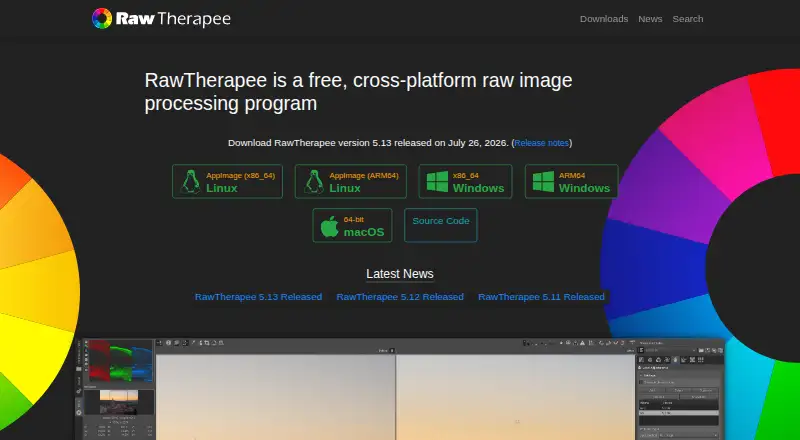
What RawTherapee is
RawTherapee is a free desktop program for developing raw images on Linux, macOS, and Windows. Its non-destructive, 32-bit floating-point processing engine handles raw files from a broad range of digital cameras, including HDR DNG, as well as JPEG, TIFF, and PNG images. It offers advanced control over demosaicing and development, with multiple demosaicing algorithms, masking tools, and batch processing. Users can copy or paste editing parameters across files and use the program from a command line as well as through its graphical interface. RawTherapee can open raw images from GIMP as a plugin and return edited images to GIMP, or send processed images to GIMP or another editor in one click. It is libre software under the GNU General Public License version 3. The project directs users to RawPedia and a community forum for help. It does not include digital asset management, printing, or uploading features. The macOS 5.13 build requires macOS Tahoe 26.0 or newer on Apple Silicon, or macOS Monterey 12.0 or newer on Intel, and must be installed in /Applications to start.
Good
- Free and available on Linux, macOS, and Windows.
- Uses a non-destructive, 32-bit floating-point engine.
- Supports raw, JPEG, TIFF, and PNG files.
- Includes masking and batch processing.
- Can integrate with GIMP or another editor.
Watch out
- Does not include digital asset management.
- Does not include printing or uploading features.
- macOS build requires installation in /Applications.
- macOS minimum version differs by processor type.
Who it suits
RawTherapee targets photographers ranging from enthusiasts new to raw processing to professionals. It may suit people who want desktop raw development with batch tools and GIMP integration.
Verdict
RawTherapee offers extensive raw development controls, batch processing, and links to external editors at no cost. Professionals who need asset management, printing, or uploading will need other tools for those tasks.
Plans and prices
From RawTherapee's own pricing page, checked 30 Sep 2026.
| Plan | Price | What it gives you |
|---|---|---|
| Free | Free | GPLv3 license · no digital asset management, printing, or uploading features · free of charge |
The facts
Each one read from RawTherapee's own pages, with the date it was checked.
What it does
- Batch editing
- Yeschecked 20 Sep 2026
- Batch processing
- It can batch process developed images and copy or paste editing parameters across files.checked 30 Sep 2026
- Command line
- It includes command-line usage in addition to its graphical interface.checked 30 Sep 2026
- Demosaicing
- It provides advanced control over demosaicing and development, including multiple demosaicing algorithms.checked 30 Sep 2026
- External editors
- It can send processed images to GIMP or another editing tool in one click.checked 30 Sep 2026
- Feature limits
- The project says professionals may lack peripheral features such as digital asset management, printing, and uploading.checked 30 Sep 2026
- GIMP integration
- RawTherapee can open raw images from GIMP as a plugin and import the edited image back into GIMP.checked 30 Sep 2026
- Image formats
- It supports non-raw JPEG, TIFF, and PNG files.checked 30 Sep 2026
- Installation security
- On macOS, RawTherapee must be installed in /Applications and refuses to start if installed elsewhere.checked 30 Sep 2026
- Latest version
- RawTherapee 5.13 was released on July 26, 2026.checked 30 Sep 2026
- Layer editing
- Nochecked 20 Sep 2026
- License
- RawTherapee is released as libre software under the GNU General Public License version 3.checked 30 Sep 2026
- Masking tools
- Yeschecked 20 Sep 2026
- Processing
- It provides a non-destructive, 32-bit floating-point processing engine.checked 30 Sep 2026
- Purpose
- RawTherapee is a free, cross-platform raw image processing program for developing raw files.checked 30 Sep 2026
- RAW photo support
- Yeschecked 20 Sep 2026
- Raw support
- It supports raw files from a broad range of digital cameras, including HDR DNG files.checked 30 Sep 2026
- Support
- The project directs users to RawPedia documentation and a community forum for help.checked 30 Sep 2026
- Target users
- It targets enthusiast newcomers through professional photographers.checked 30 Sep 2026
The company
- Founded
- 2004checked 28 Sep 2026
Money
- Free plan
- Yeschecked 20 Sep 2026
Where it runs
- macOS requirement
- The macOS 5.13 build requires macOS Tahoe 26.0 or newer on Apple Silicon or macOS Monterey 12.0 or newer on Intel.checked 30 Sep 2026
- Platform
- desktopchecked 20 Sep 2026
The full review of RawTherapee
Its deep development tools and batch workflow make it a strong focused editor, but it is not a full photo-management or output suite.
Overview
RawTherapee runs on Linux, macOS, and Windows, developing raw files from a broad range of digital cameras, including HDR DNG. It also handles JPEG, TIFF, and PNG. A non-destructive, 32-bit floating-point engine preserves the original image while edits are refined, a useful foundation for photographers who want to revisit processing choices.
The project has been around since 2004 and is released under the GNU General Public License version 3. That makes it a no-cost option for both newcomers willing to learn its controls and experienced photographers who want a dedicated raw-development tool. The trade-off is scope: professionals who need digital asset management, printing, or uploading will need separate software.
Key features
Detailed raw development
Multiple demosaicing algorithms and extensive development controls let photographers influence how raw data becomes an image. That flexibility is a meaningful advantage for users who want to shape rendering rather than accept a narrow set of presets; newcomers may find the depth less approachable than a streamlined editor. Masking tools are available, but layer editing is not.
Batch work and handoff
Batch processing and copying or pasting editing parameters across files reduce repetitive work when developing a group of images. A command-line interface complements the graphical application for users who prefer that route. RawTherapee can also open raw images from GIMP as a plugin and return the edited image to GIMP, or send processed images to GIMP or another editor in one click. These handoffs extend its editing workflow without turning it into a library manager.
RawPedia documentation and a community forum are the project's support channels. On macOS, installation has a specific constraint: the application must be placed in /Applications and refuses to start from elsewhere. Version 5.13, released July 26, 2026, requires macOS Tahoe 26.0 or newer on Apple Silicon, or macOS Monterey 12.0 or newer on Intel.
Pricing
RawTherapee costs nothing, with no paid tier described. The free plan includes the GPLv3-licensed software and its raw-development, batch-processing, and editor-handoff capabilities. There is no cheaper plan to compare, but the application does not include digital asset management, printing, or uploading, so photographers needing those parts of a workflow must add other tools.
Platforms
RawTherapee is desktop software for Linux, macOS, and Windows. macOS users should check the version-specific operating-system requirement and install location before choosing it.
Who it's for
Choose RawTherapee if you want a free raw developer with detailed demosaicing controls, non-destructive processing, and batch tools, and are comfortable using a focused editor rather than an all-in-one photo workflow. It suits enthusiasts who want room to learn as well as professionals who need development controls. Look elsewhere or pair it with other software if organizing a catalog, printing, or uploading from the same application is essential.
Pros and cons
- Pro: Broad camera raw support, including HDR DNG, plus JPEG, TIFF, and PNG handling makes it useful across common image inputs.
- Pro: Non-destructive 32-bit floating-point processing, multiple demosaicing algorithms, and masking give deliberate editors substantial control.
- Pro: Batch processing and transferable editing parameters help with repeated work across sets of images.
- Con: No layer editing, which limits workflows built around compositing or layer-based adjustments.
- Con: No asset management, printing, or uploading, so it cannot cover those professional workflow needs on its own.
- Con: macOS 5.13 has a defined minimum OS by processor type and must be installed in /Applications.
Alternatives
RAW Photo Processing Software, Photo Editing Software, and Batch Photo Processing Software provide category comparisons.
- darktable is another free, open-source raw developer for Linux, macOS, and Windows; choose it if you want to compare another GPL-licensed photography workflow application.
- vkdt is a free, open-source photography workflow toolbox for Linux, macOS, and Windows, a different option for those seeking a workflow toolbox.
- Nikon NX Studio is free desktop software for macOS and Windows; its Nikon camera and file-format support varies.
- Hasselblad Phocus is free RAW processing software for Mac and PC.
- Canon Digital Photo Professional is free software included in initial setup for Canon cameras, supporting EOS digital cameras and RAW-capable PowerShot models.
- ON1 Portrait AI is a paid alternative with a free trial and plans for two or three computers.
- Capture One is a paid alternative with a free trial and a Pro subscription that includes desktop software, RAW conversion, tethering, and advanced desktop editing tools.
- Darkroom offers a free plan and trial on macOS and iOS; its Starter plan requires Darkroom+ for export, while its Yearly plan costs $39.99 a year.
Verdict
RawTherapee is an excellent fit for photographers who want no-cost, detailed raw development with batch processing and do not need a built-in catalog or output services. Its strongest reason to choose it is control without a purchase price; its clearest reason to look elsewhere is the need for a broader end-to-end photo workflow.
Getting started
- Open the RawTherapee website and download the desktop application
- Install it on Linux, macOS, or Windows
- On macOS, use macOS Tahoe 26.0 or newer for Apple Silicon, or macOS Monterey 12.0 or newer for Intel
- On macOS, place the application in /Applications so it can start
- Open a raw, JPEG, TIFF, or PNG image
- Optionally connect the workflow to GIMP or another editor
Limits worth knowing
The free GPLv3 plan does not provide digital asset management, printing, or uploading features. On macOS, version 5.13 requires Tahoe 26.0 or newer on Apple Silicon or Monterey 12.0 or newer on Intel, and it must be installed in /Applications.
Questions
What does RawTherapee cost?
RawTherapee is free. The listed Free plan costs nothing.
Which operating systems are supported?
It runs as a desktop application on Linux, macOS, and Windows.
Does it support RAW files?
Yes. It supports raw files from many digital cameras, including HDR DNG, along with JPEG, TIFF, and PNG.
Is RawTherapee open source?
It is libre software released under the GNU General Public License version 3.
Can it work with GIMP?
Yes. RawTherapee can open raw images from GIMP as a plugin, return edited images, or send processed images to GIMP or another editor.
Where can users get help?
The project directs users to RawPedia documentation and a community forum.
Alternatives to RawTherapee
- 1

Picsart
Free planAndroidiOSWebAPI9.0From $10.50 a month - 2

Photoroom
Free planAndroidiOSWebAPI9.0From $7.50 a month - 3
PhotoPad
Free planAndroidiOSWebExtension8.8Free plan - 4

Adobe Photoshop
AndroidiOSWebmacOS8.7 - 5

Adobe Lightroom
AndroidiOSWebmacOS8.7 - 6

BeFunky
Free planAndroidiOSWeb8.7Free plan