Adobe Photoshop
Adobe Photoshop is an image and graphics editor for creating, editing, and designing visual content.
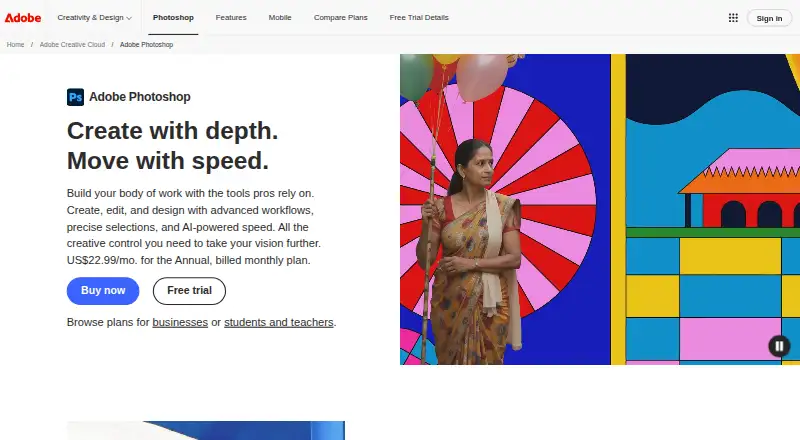
What Adobe Photoshop is
Adobe Photoshop is an image and graphics editor for creating, editing, and designing visual content. Its tools support detailed workflows, precise selections, batch editing, RAW photo input, layers, masking, AI retouching, and cloud sync. Users can combine and blend multiple images and graphics. Firefly-powered Generative Fill, Generative Expand, and Remove Tool provide generative editing, while Harmonize adjusts lighting, shadows, colors, and other details to blend people or objects into a background. Photoshop also offers Topaz Labs AI models for image upscaling and a UXP Plugin Marketplace that includes Slack for Photoshop and Trello for Photoshop.
Photoshop is available on Android, iOS, macOS, web, and Windows. Its browser-based web application is included in Photoshop plans, and free standalone mobile apps for iPhone and Android offer premium features by subscription. Buyers can choose Photoshop on its own or through a multi-app plan. Listed plan categories cover individuals, students and teachers, and businesses. Named options include Photography, Photoshop, Creative Cloud Pro, and team and student/teacher versions of Creative Cloud Pro. A 7-day trial is mentioned. Adobe was founded in December 1982 and is headquartered in San Jose, California; the Photoshop maker is listed as founded in 1990.
Good
- Works across Android, iOS, macOS, web, and Windows.
- Supports RAW photos, layers, masking, and batch editing.
- Combines multiple images and graphics.
- Includes Firefly-powered Generative Fill, Expand, and Remove Tool.
- Offers cloud sync and AI retouching.
Watch out
- The listed trial lasts 7 days.
- Mobile premium features require a subscription.
- Plan prices are not provided in the listed details.
Who it suits
Photoshop suits people who need image and graphics tools across desktop, mobile, and browser platforms, including workflows involving layers, masks, RAW photos, or image compositing. Its standalone and multi-app plans, plus student/teacher and business categories, provide options for different types of buyers.
Verdict
Choose Adobe Photoshop if you need image creation and editing tools with layers, masks, RAW support, compositing, and generative features across multiple platforms. Choose based on whether you want mobile premium features tied to a subscription.
Plans and prices
From Adobe Photoshop's own pricing page, checked 20 Sep 2026.
| Plan | Price | What it gives you |
|---|---|---|
| Photography | Priced on request | 1TB cloud storage |
| Photography | — | 1TB cloud storage |
| Creative Cloud Pro | — | 20+ apps · 4,000 monthly generative credits · 100GB cloud storage |
| Creative Cloud Pro | Priced on request | 20+ apps · 4,000 monthly generative credits · 100GB cloud storage |
| Creative Cloud Pro for students and teachers | Priced on request | 20+ apps · 100GB cloud storage |
| Creative Cloud Pro for students and teachers | — | 20+ apps · 100GB cloud storage |
| Creative Cloud Pro for teams | — | 20+ apps · 100GB cloud storage |
| Creative Cloud Pro for teams | Priced on request | 20+ apps · 100GB cloud storage |
| Photoshop | $22.99 a month | 100GB cloud storage · 25 monthly generative credits · Photoshop on desktop, web, and mobile · Adobe Express Premium · Annual, billed monthly |
| Photoshop for teams | $37.99 a month | 100GB cloud storage · 25 monthly generative credits · Photoshop on desktop, web, and mobile · Adobe Express Premium · exclusive business features · Annual, billed monthly, per license |
The facts
Each one read from Adobe Photoshop's own pages, with the date it was checked.
What it does
- AI retouching
- Yeschecked 20 Sep 2026
- Batch editing
- Yeschecked 20 Sep 2026
- Business category
- The plans page includes a Business category.checked 27 Sep 2026
- Cloud sync
- Yeschecked 20 Sep 2026
- Compliance
- Adobe lists Photoshop among products covered by its secure software development framework attestation for Creative Cloud enterprise apps and services.checked 11 Oct 2026
- Generative AI
- Photoshop includes Generative Fill, Generative Expand, and Remove Tool features powered by Firefly models.checked 11 Oct 2026
- Harmonize
- Harmonize blends people and objects into backgrounds by matching lighting, shadows, colors, and other details.checked 11 Oct 2026
- Image compositing
- Users can combine, edit, and blend multiple images and graphics.checked 11 Oct 2026
- Layer editing
- Yeschecked 20 Sep 2026
- Masking tools
- Yeschecked 20 Sep 2026
- Partner integration
- Photoshop offers partner AI models from Topaz Labs for image upscaling.checked 11 Oct 2026
- Plugins
- Photoshop’s Plugin Marketplace provides UXP plugins including Slack for Photoshop and Trello for Photoshop.checked 11 Oct 2026
Money
- Business plans
- The page links to plans for businesses.checked 27 Sep 2026
- Education plans
- The page links to plans for students and teachers.checked 27 Sep 2026
- Free plan
- Nochecked 20 Sep 2026
- Free trial
- The 7-day trial provides the full app and automatically converts to a paid membership unless canceled before it ends.checked 11 Oct 2026
- Individual plans
- The plans page includes an Individuals category.checked 27 Sep 2026
- Plan comparison
- The plans page compares Photoshop plans.checked 27 Sep 2026
- Plan FAQ
- The plans page includes a Photoshop plans FAQ.checked 27 Sep 2026
The company
- Company
- Adobe says it was founded in December 1982 by Charles Geschke and John Warnock and is headquartered in San Jose, California, USA.checked 11 Oct 2026
- Founded
- 1990checked 23 Sep 2026
Where it runs
- Mobile app
- Photoshop has free standalone mobile apps for iPhone and Android, with premium features available by subscription.checked 11 Oct 2026
- Multi-app option
- Photoshop can be part of a multi-app plan.checked 27 Sep 2026
- Platform
- multi-platformchecked 20 Sep 2026
The full review of Adobe Photoshop
Adobe Photoshop is a cross-platform image editor for creating, retouching, designing and compositing images and graphics. It is best suited to photographers and designers who need detailed, layered control as well as AI-assisted tools. Its breadth is a strong reason to choose it; the subscription model, especially for premium mobile features, is a meaningful trade-off.
Overview
Photoshop brings image editing and graphic design into a toolkit that includes layers, masks, precise selections, batch editing and RAW support. Those capabilities suit projects that move beyond quick adjustments into targeted retouching or combining multiple images. Cloud sync and access across desktop, web and mobile support work that moves between devices, though a focused editor may be a better fit for people who do not need this range.
Key features
Layers and masking keep elements and edits separable, while precise selections help target particular areas. Together, they give users control over detailed retouching and composites. Batch editing is useful when changes need to be applied across multiple images, and RAW support makes Photoshop relevant to photographers working from camera files as well as finished images.
Generative Fill, Generative Expand and Remove Tool use Firefly models to add to, extend or remove image content. Harmonize adjusts lighting, shadows, colors and other details when blending people or objects into backgrounds, helping with composites. Photoshop also offers Topaz Labs AI models for image upscaling. Its UXP Plugin Marketplace includes integrations such as Slack for Photoshop and Trello for Photoshop.
The browser-based Photoshop application is included in Photoshop plans. The standalone iPhone and Android apps are free, but premium mobile features require a subscription, so users seeking those capabilities should account for ongoing paid access.
Pricing
Photoshop is a paid product with a seven-day trial and a free plan. Adobe offers several plan types, but the named plans below have custom pricing.
- Photography: includes 1TB of cloud storage. It is the option to consider when that storage allowance is the priority.
- Photoshop: includes 100GB of cloud storage and 25 monthly generative credits. This is the standalone option for users focused on Photoshop rather than a multi-app bundle.
- Creative Cloud Pro: includes more than 20 apps, 4,000 monthly generative credits and 100GB of cloud storage. It fits users who need a broader app collection and a larger monthly credit allowance.
- Creative Cloud Pro for students and teachers: includes more than 20 apps and 100GB of cloud storage, making it the multi-app plan for eligible education users.
- Photoshop for teams: includes 100GB of cloud storage. It is the Photoshop-focused option in the business category.
- Creative Cloud Pro for teams: includes more than 20 apps and 100GB of cloud storage for teams seeking the broader app collection.
Photoshop can be purchased on its own or as part of a multi-app plan. Individual, student and teacher, and business categories are available. Compare the included apps, storage and monthly generative credits against the work you expect to do; the plans differ substantially in scope, and the named plan prices are custom pricing.
Platforms
Photoshop supports Android, iOS, macOS, the web and Windows. The web version runs in a browser and is included in Photoshop plans. Free standalone mobile apps are available for iPhone and Android, while premium mobile features are subscription-based.
Who it's for
Photographers who need RAW support and batch editing, and designers who work with precise selections, masks and layered composites, have clear reasons to consider Photoshop. Its generative tools and image-upscaling integrations add options for users who want AI-assisted editing. Someone who needs only a narrow photo workflow, or wants premium mobile tools without a subscription, should weigh simpler or free alternatives.
Pros and cons
- Pro: Layers, masks and precise selections support controlled, targeted edits rather than forcing changes across an entire image.
- Pro: RAW support, batch editing and compositing bring photographer-focused and design-focused work into one editor.
- Pro: Firefly-powered generative tools, Harmonize and Topaz Labs upscaling models extend its options for modifying and blending images.
- Con: Premium features in the free standalone mobile apps require a subscription, limiting the appeal for mobile users who want to avoid paid access.
- Con: The plans range from Photoshop alone to bundles with more than 20 apps, so users should choose carefully based on their need for storage, apps and generative credits.
Alternatives
Photopea is worth considering for a free editor: it has a free account and supports web, desktop and mobile platforms, among others. Its school ad-free access costs $450 a year, billed for the whole school.
Choose Adobe Lightroom if a photography-focused alternative is a better match; it has a free plan and trial, and its Lightroom plan includes 1 TB of cloud storage and 250 monthly generative credits.
darktable is a free, open-source photography workflow application and RAW developer for Linux, macOS and Windows. GIMP is another free option for Linux, macOS and Windows, distributed under the GNU General Public License.
Photomator may suit users working on Apple platforms: its monthly subscription is $7.99 a month and covers Mac, iPad, iPhone and Apple Vision Pro.
RawTherapee is a free RAW-focused option for Linux, macOS and Windows; it does not include digital asset management, printing or uploading features.
PhotoDirector offers a free Essential plan with limited features and no payment information required. PhotoPad is another freemium option across desktop, mobile and web platforms.
For category comparisons, see Photo Editing Software, Panorama Stitching Software and AI Photo Editors.
Verdict
Choose Photoshop if your work depends on precise layered editing, RAW support, compositing and a wide set of AI-assisted tools across desktop, browser and mobile. Its central advantage is the breadth and control of that toolkit; its chief drawback is that paid access and subscription-gated premium mobile features may be more than a focused or occasional editor needs.
Getting started
- Visit the Photoshop product page.
- Choose a standalone Photoshop plan or a multi-app plan.
- Review the Individuals, Students and teachers, or Business plan category.
- Use the 7-day trial mentioned for Photoshop.
- Access the browser-based web app through a Photoshop plan, or use a standalone mobile app on iPhone or Android.
Limits worth knowing
The plans page lists cloud storage and generative credit inclusions for Photography, Photoshop, and Creative Cloud Pro.
Questions
What platforms does Photoshop support?
The listed platforms are Android, iOS, macOS, web, and Windows.
Is Photoshop free?
A free plan is listed, and a 7-day trial is mentioned. The standalone mobile apps are free, with premium features available by subscription.
Can I get Photoshop by itself?
Yes. Photoshop is available as a standalone option or as part of a multi-app plan.
What are the listed plan options?
Named plans include Photography, Photoshop, Creative Cloud Pro, Creative Cloud Pro for students and teachers, Photoshop for teams, and Creative Cloud Pro for teams.
What does the Photoshop plan include?
The plans page lists plan options for Photoshop and Creative Cloud Pro.
Who makes Photoshop?
The maker is listed as Adobe Photoshop. Adobe says it was founded in December 1982 and is headquartered in San Jose, California, USA.