GIMP
GIMP is a free image editor for photo retouching, image composition and original artwork.
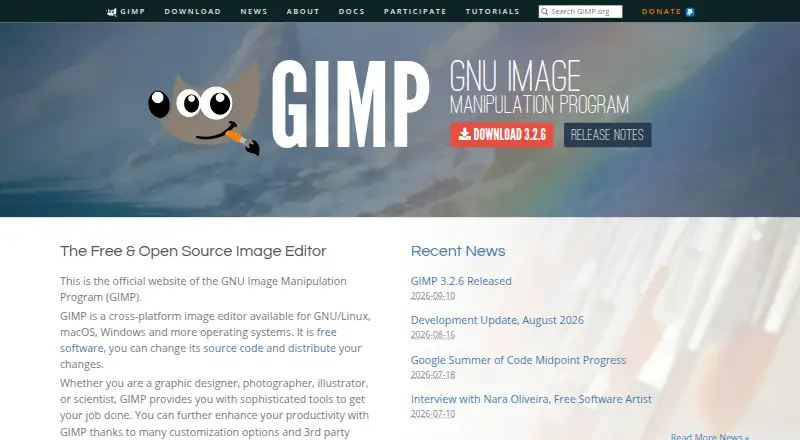
What GIMP is
GIMP is a free image editor for photo retouching, image composition and original artwork. Its tools are intended for graphic designers, photographers, illustrators and scientists. Users can create icons, graphic design elements, interface art and mockups, then refine images with layers, masks and batch editing. GIMP also supports scripted image manipulation in languages including C, C++, Python and Scheme, and can be customized with plug-ins and scripts, including community-created additions.
GIMP 3.2 adds link and vector layers, non-destructive filters for channels, layers and layer groups, and support for formats including APNG, JPEG 2000 export and Photoshop PSB export. It includes color management features, and its site recommends workflows with Scribus and Inkscape. The software is available for GNU/Linux, macOS and Windows. GIMP reports no ads or trackers and says it does not collect, transmit, share or use personal data; remote file access and image metadata can still expose information.
Good
- Free software for GNU/Linux, macOS and Windows.
- Layer editing, masking tools and batch editing.
- Supports scripts and plug-in customization.
- Includes color management features.
Watch out
- No RAW photo support is listed.
- Windows 32-bit builds stop at version 3.2.0.
- Remote file access may share an IP address or other data.
Who it suits
GIMP suits people who need a free editor for photo work, original graphics or scripted image manipulation. Its layer, masking and batch tools may also suit users handling multiple images or complex compositions.
Verdict
GIMP covers photo editing and original artwork, with scripting and customization for more specialized workflows. Check its listed platform requirements and the RAW support limitation before choosing it.
Plans and prices
From GIMP's own pricing page, checked 11 Oct 2026.
| Plan | Price | What it gives you |
|---|---|---|
| GIMP | Free | Free software under the GNU General Public License · downloadable for GNU/Linux, macOS, Windows and more |
The facts
Each one read from GIMP's own pages, with the date it was checked.
What it does
- 32-bit limit
- GIMP 3.2.0 is the last version distributed as 32-bit for Windows, and the team says it cannot promise support for building 32-bit GIMP from source.checked 11 Oct 2026
- Artwork and design
- GIMP supports original artwork creation and production of icons, graphic design elements, user interface art and mockups.checked 11 Oct 2026
- Batch editing
- Yeschecked 20 Sep 2026
- Download integrity
- The downloads page publishes SHA256 hashes for the listed installers and AppImages and links to VirusTotal checks.checked 11 Oct 2026
- Extensibility
- GIMP supports customization through plug-ins and scripts, including community-created ones.checked 11 Oct 2026
- File formats
- GIMP 3.2 adds support for formats including APNG, JPEG 2000 export and Photoshop PSB export.checked 11 Oct 2026
- Image editing
- GIMP is a freely distributed program for photo retouching, image composition and image authoring.checked 11 Oct 2026
- Intended users
- The site describes GIMP as providing tools for graphic designers, photographers, illustrators and scientists.checked 11 Oct 2026
- Layer editing
- Yeschecked 20 Sep 2026
- Masking tools
- Yeschecked 20 Sep 2026
- Non-destructive editing
- GIMP 3.2 adds link and vector layers, and supports non-destructive filters on channels, layers and layer groups.checked 11 Oct 2026
- Privacy caveat
- The policy notes that remote file access can share an IP address or other data as part of the connection, and image files may contain metadata.checked 11 Oct 2026
- Publishing workflow
- GIMP provides color management features and the site recommends workflows with Scribus and Inkscape.checked 11 Oct 2026
- RAW photo support
- Nochecked 20 Sep 2026
- Scripting
- GIMP supports scripted image manipulation with languages including C, C++, Python and Scheme.checked 11 Oct 2026
- Security and privacy
- The privacy policy says GIMP does not collect, transmit, share or use personal data and that the software contains no ads or trackers.checked 11 Oct 2026
- Support
- The webmaster page recommends forums or IRC for questions and comments, and the issue tracker for software bugs and feature requests.checked 11 Oct 2026
The company
- Founded
- 1995checked 28 Sep 2026
Money
- Free plan
- Yeschecked 20 Sep 2026
Where it runs
- Platform
- multi-platformchecked 20 Sep 2026
- Platform support
- The downloads page lists packages for GNU/Linux, macOS and Windows; it states macOS 11 Big Sur or newer and Windows 10 version 1903 or newer for the installer.checked 11 Oct 2026
The full review of GIMP
GIMP is a free, full-featured image editor for retouching, compositing, illustration and design production. It fits designers, illustrators, photographers working with non-RAW files, and technically minded users who want scripting or plug-ins. Its broad toolkit is compelling at no cost, but photographers whose process begins with camera RAW files need another application.
Overview
GIMP brings photo retouching, image composition and original artwork into one desktop application. You can create icons, graphic-design elements, user-interface art and mockups alongside ordinary image edits, so it suits creators whose work moves between photographs and designed assets rather than staying in one narrow category. The project was founded in 1995 and is distributed as free software under the GNU General Public License.
Privacy is unusually straightforward: GIMP’s policy says the software contains no ads or trackers and does not collect, transmit, share or use personal data. Remote file access can still reveal an IP address or other connection data during a connection, and image files may contain metadata, so those caveats remain relevant for sensitive work.
Key features
Layer editing and masking provide the control needed to combine elements, isolate adjustments and build complex compositions. Batch editing is useful when the same operation must be repeated across multiple images, making GIMP a better fit for recurring production tasks than a basic one-off editor. The decisive limitation for many photographers is that GIMP does not support RAW photos.
GIMP 3.2 adds link and vector layers and supports non-destructive filters on channels, layers and layer groups. These capabilities make revisions safer in layered projects because effects can remain adjustable instead of being permanently baked into pixels. The release also adds APNG support, JPEG 2000 export and Photoshop PSB export, which helps when exchanging work in those formats.
Automation is a genuine strength. Scripted image manipulation is supported through C, C++, Python and Scheme, while plug-ins and scripts—including community-created additions—allow users to customize workflows. That extensibility rewards people willing to configure their tools; users seeking a tightly controlled, minimal workflow may find the breadth unnecessary.
Color-management features support publishing work, and GIMP recommends workflows that pair it with Scribus and Inkscape. The downloads page publishes SHA256 hashes for installers and AppImages and links to VirusTotal checks, giving security-conscious users a way to verify downloads.
Pricing
GIMP is free software: the GIMP plan costs free. It is downloadable for GNU/Linux, macOS, Windows and more, with no paid tier or trial period to manage. That makes the complete feature set accessible to individuals, schools and teams that can work with desktop software; there is no subscription renewal or seat charge, but users also do not receive a paid plan with a separate support or service package.
Platforms
GIMP runs on Linux, macOS and Windows. The downloads page lists packages for GNU/Linux, macOS and Windows; the macOS installer requires macOS 11 Big Sur or newer, and the Windows installer requires Windows 10 version 1903 or newer. GIMP 3.2.0 is the last version distributed as 32-bit for Windows, and the project cannot promise support for building 32-bit GIMP from source, so older 32-bit Windows setups are a poor fit.
Who it's for
Choose GIMP if you need one free application for photo edits, compositing, illustration, mockups and other graphic assets, especially when layers, masks, batch work or scripting matter. It is also a strong choice for users who value plug-in customization, open licensing and a privacy policy that excludes ads, trackers and personal-data collection.
Look elsewhere if RAW development is central to your photography workflow. GIMP can still handle other image work, but the absence of RAW support prevents it from serving as a complete camera-first solution.
Pros and cons
- Pros: The full application is free under the GNU General Public License, with no paid tier or trial restriction.
- Pros: Layers, masks, batch editing and non-destructive filters support demanding compositing and repeatable production.
- Pros: C, C++, Python and Scheme scripting plus plug-ins enable specialized automation and customization.
- Pros: It covers retouching, original artwork, icons, interface art and mockups in one tool.
- Cons: No RAW photo support makes it unsuitable as the sole editor for RAW-first photographers.
- Cons: Older 32-bit Windows users face a hard version boundary at GIMP 3.2.0.
- Cons: Remote file access can expose connection data, and image metadata may carry information beyond the visible picture.
Alternatives
For a broader comparison, see Photo Editing Software. Pick Photopea instead if you want a freemium editor spanning web and mobile platforms; its free account costs nothing, while school ad-free access costs $450 a year for the whole school.
Adobe Photoshop is the better direction for readers seeking a paid, cross-platform option with a free trial and plans that include cloud storage. Choose Adobe Lightroom when a freemium, cross-platform photography product with a free trial and 1 TB cloud-storage plans is the priority.
darktable is a free Linux, macOS and Windows photography workflow application and RAW developer, making it the more suitable choice for RAW-centered work. Photomator is a paid macOS and iOS alternative with a 7.99 USD monthly subscription for one license across Mac, iPad, iPhone and Apple Vision Pro.
RawTherapee is a free, GPLv3-licensed RAW developer for Linux, macOS and Windows, but it does not include digital asset management, printing or uploading features. PhotoDirector offers a limited free tier on macOS and Windows, while PhotoPad is a freemium editor available across desktop, mobile, web and extension platforms.
Verdict
GIMP is the right recommendation for creators who want a capable, extensible image and artwork toolkit without software fees, particularly when layered editing, automation or plug-ins are part of the job. Its main reason to look elsewhere is equally clear: photographers who need RAW development should choose a RAW-focused alternative instead.
Alternatives to GIMP
- 1

Picsart
Free planAndroidiOSWebAPI9.0From $10.50 a month - 2

Photoroom
Free planAndroidiOSWebAPI9.0From $7.50 a month - 3
PhotoPad
Free planAndroidiOSWebExtension8.8Free plan - 4

Adobe Photoshop
AndroidiOSWebmacOS8.7 - 5

Adobe Lightroom
AndroidiOSWebmacOS8.7 - 6

BeFunky
Free planAndroidiOSWeb8.7Free plan