PhotoBoost
PhotoBoost is an AI photo editor for sharpening blurry pictures, restoring old photos, enhancing faces, improving color and lighting, and enlarging images by…
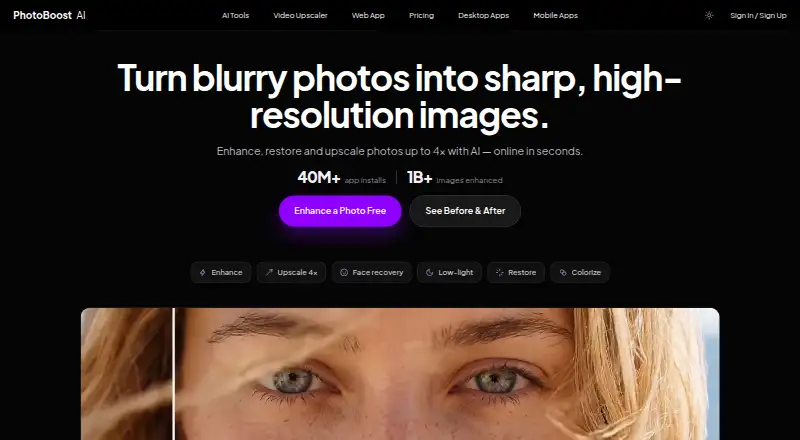
What PhotoBoost is
PhotoBoost is an AI photo editor for sharpening blurry pictures, restoring old photos, enhancing faces, improving color and lighting, and enlarging images by up to 4×. Its listed tools also cover colorization, low-light enhancement, image upscaling, and video upscaling. The web editor accepts JPG, JPEG, PNG, WebP, and HEIC files up to 45 MB and corrects their orientation automatically. Native desktop apps are available for macOS 11+, Windows 10+, and 64-bit Linux; the desktop page says exports are full resolution and not subject to web upload limits. Mobile apps are available for iPhone, iPad, and Android. The video tool describes 2× frame-by-frame enlargement, audio preservation, and MP4 export. Cloud processing uses credits, with usage tied to the enhancement and output resolution. The free plan includes two introductory credits and cloud output up to 3 MP. Pro is $39.99 a year, with 100 weekly credits and output up to 20 MP; Max is $79.99 a year, with 200 weekly credits and output up to 32 MP. PhotoBoost says uploads are not used for AI training without explicit consent, and cautions that enhanced images may be inaccurate or artificial.
Good
- Enhances blur, faces, color, and lighting.
- Web editor accepts images up to 45 MB.
- Desktop apps support macOS, Windows, and Linux.
- Mobile apps support iPhone, iPad, and Android.
- Batch processing is available.
Watch out
- Free cloud output is limited to 3 MP.
- Free plan includes two introductory credits.
- Enhanced results may be inaccurate or artificial.
Who it suits
PhotoBoost suits people who want AI help restoring, sharpening, or retouching photos across web, desktop, and mobile. Its video upscaling tool may also suit users working with short clips.
Verdict
PhotoBoost covers common photo restoration and enhancement tasks, with desktop and mobile apps alongside its web editor. Check the output and credit limits for the plan you need, and do not rely on enhanced images as evidence of identity or authenticity.
Plans and prices
From PhotoBoost's own pricing page, checked 14 Oct 2026.
| Plan | Price | What it gives you |
|---|---|---|
| Free | Free | 2 introductory credits total · up to 3 MP cloud output · core editing tools · no credit card |
| Pro | $39.99 a year | desktop app · 100 credits each week · video upscaling up to 15 seconds · unlimited local tools · up to 20 MP · 2 concurrent jobs · no watermark · $39.99/year or $4.99/week; cancel anytime |
| Max | $79.99 a year | desktop app · 200 credits each week · video upscaling up to 60 seconds · unlimited local tools · up to 32 MP · 8 concurrent jobs · no watermark · $79.99/year or $9.99/week; cancel anytime |
| 200 credits | $19.99, paid once | 200 credits · no subscription required · one-time payment |
| 700 credits | $49.99, paid once | 700 credits · no subscription required · one-time payment |
| 1,500 credits | $99.99, paid once | 1,500 credits · no subscription required · one-time payment |
| 3,200 credits | $199.99, paid once | 3,200 credits · no subscription required · one-time payment |
The facts
Each one read from PhotoBoost's own pages, with the date it was checked.
What it does
- AI tools
- Its listed workflows include video upscaling, image upscaling, sharpening, old photo restoration, face enhancement, colorization and low-light enhancement.checked 30 Sep 2026
- AI training policy
- PhotoBoost says uploaded images are not used to train AI models unless it separately obtains explicit consent.checked 14 Oct 2026
- Analytics and providers
- The privacy policy lists Plausible, Google Analytics, Google Ads and Mixpanel for measurement, and names Paddle, Zotlo, Apple and Google Play among payment or app-store providers.checked 30 Sep 2026
- API and extensibility
- The terms prohibit burdensome automated access and resale without written permission, while the official product pages expose web, desktop and mobile apps rather than a public API or SDK.checked 14 Oct 2026
- Core feature: color
- Its color-revive tool rebalances faded tones, applies film-stock tints and unifies lighting.checked 14 Oct 2026
- Core feature: documents
- Document clarity sharpens photographed text to make scans and documents easier to read.checked 14 Oct 2026
- Core feature: low light
- Clarity and low-light rescue are designed to improve soft detail, contrast and dark or backlit scenes.checked 14 Oct 2026
- Core feature: mobile editing
- The mobile product lists one-tap enhancement, 4× upscaling, beautify, color revive, relight and portrait blur.checked 14 Oct 2026
- Core feature: restoration
- The restoration workflow repairs faded color, creases and facial detail, then provides a separate downloadable result.checked 14 Oct 2026
- Core feature: upscale
- The service can increase image resolution by 4× while rebuilding detail in portraits, groups and scenes.checked 14 Oct 2026
- Credits
- Credits are flexible usage units for cloud AI processing, and the amount used depends on the enhancement and output resolution.checked 30 Sep 2026
- Data locations
- The company says it and its providers may process data in Israel, the United States, the European Economic Area and other countries.checked 14 Oct 2026
- Desktop
- The native desktop apps support macOS 11+, Windows 10+ and 64-bit Linux, and the desktop page says they export at full resolution without web upload limits.checked 30 Sep 2026
- Documentation and support
- The Tap Help Center includes sections for operation, privacy, quality, subscriptions, refunds, account data and troubleshooting, with support handled through the listed contact route.checked 14 Oct 2026
- Google Play data safety
- The listing says the app may share app activity, performance and device identifiers, may collect photos/videos and app activity, encrypts data in transit, and does not allow data deletion.checked 14 Oct 2026
- Google Play reach
- The Android listing reports 10M+ downloads and an update dated October 7, 2026.checked 14 Oct 2026
- Image processing
- The privacy policy says web editor projects are stored in browser IndexedDB, while cloud enhancement uploads only the selected image and retained remote content is kept only as reasonably needed for service and legal purposes.checked 30 Sep 2026
The company
- Company incorporation
- An Israeli company-registry record lists the private company as active and incorporated on January 6, 2011.checked 14 Oct 2026
- Company leadership
- IVC identifies Ofir Krisspel as CEO/co-founder and Jonathan Tsirlin as co-founder of Smart Media/Tap Mobile.checked 14 Oct 2026
- Company legal name
- The legal terms and privacy policy identify the maker as Smart Media Internet Marketing Ltd., company ID 514548544, at Sderot Hayahsut 11, Beer Sheva, Israel.checked 14 Oct 2026
- Company profile
- LinkedIn lists Smart Media Internet Marketing Ltd. as a privately held advertising-services company founded in 2010 with 11–50 employees and headquarters in Omer, Israel.checked 14 Oct 2026
- Headquarters
- Beer Sheva, Israelchecked 28 Sep 2026
Money
- Free plan
- Nochecked 20 Sep 2026
Where it runs
- Integrations and apps
- Official pages list a browser editor, native macOS, Windows and Linux apps, plus iPhone, iPad and Android apps; no third-party integration catalog is provided.checked 14 Oct 2026
The full review of PhotoBoost
Overview
PhotoBoost is an AI image enhancer for people repairing photos, improving lighting and color, or enlarging images, with video upscaling as an additional tool. It suits users who want both a browser editor and desktop or mobile apps; the best plan depends on how often they use cloud processing and how large their exports need to be.
Its combination of image restoration workflows, local desktop tools and flexible cloud credits makes it a broad option for everyday enhancement. But the free allowance is small, ongoing cloud use can require a subscription or credit purchase, and enhanced images should not be relied on to establish what a person or historical scene truly looks like.
Compare it with other AI Photo Enhancer Software, AI Photo Editors and AI Image Enhancers if you are still choosing a category fit.
Key features
Repair, enhancement and scale
PhotoBoost's workflows cover sharpening blurry pictures, restoring old photos, enhancing faces, improving color and lighting, colorization, low-light enhancement and image upscaling by up to 4×. That range suits a mixed collection of everyday photos better than a tool aimed only at one repair task.
Video and cloud credits
The video upscaler processes footage frame by frame at 2×, preserves audio and exports MP4. Paid plans cap video duration at 15 seconds on Pro and 60 seconds on Max, making Max the more practical subscription for longer short clips. Cloud processing uses credits, with consumption varying by enhancement and output resolution, so weekly allowances are not a fixed image count.
Privacy and authenticity
PhotoBoost says it does not train AI models on uploaded images without explicit consent. Web editor projects are stored in browser IndexedDB; cloud enhancement uploads only the selected image, and remote content is retained only as reasonably needed for service and legal purposes. Its stated safeguards include access controls, encrypted transport, restricted processing systems and monitoring. These protections may reassure people editing personal photos, but they do not make the output authoritative: PhotoBoost warns that enhancements can be inaccurate or artificial and should not be treated as evidence of identity, authenticity, historical facts or high-stakes conclusions.
Pricing
The Free plan costs nothing and provides 2 introductory credits total, core editing tools, cloud output up to 3 MP and no credit-card requirement. It is useful for a limited tryout, not sustained cloud work.
Pro costs $39.99 a year, or $4.99/week, cancel anytime. It includes 100 credits each week, video upscaling up to 15 seconds, unlimited local tools, output up to 20 MP, two concurrent jobs, no watermark and the desktop app. This is the lower-cost ongoing choice for regular users who can work within those output and concurrency limits. Max costs $79.99 a year, or $9.99/week, cancel anytime; it doubles the weekly credits to 200, raises output to 32 MP and concurrency to eight, and supports video up to 60 seconds. It keeps the same unlimited local tools, desktop app and no-watermark terms, so its extra cost is most relevant to heavier cloud use or larger projects.
For people who prefer buying credits as needed, the monthly plans are 200 credits for 19.99 USD, 700 for 49.99 USD, 1,500 for 99.99 USD, and 3,200 for 199.99 USD. These suit occasional or variable demand better than a weekly subscription, but the quoted terms do not describe rollover or expiration. Credits remain usage units rather than a guaranteed number of finished images because processing needs vary.
Platforms
PhotoBoost is available on web, Windows, macOS, Linux, iOS and Android. The web editor accepts JPG, JPEG, PNG, WebP and HEIC images up to 45 MB and corrects orientation automatically. Desktop apps support macOS 11+, Windows 10+ and 64-bit Linux; they export at full resolution without web upload limits, a meaningful advantage for large files. Mobile apps support iPhone, iPad and Android devices.
Who it's for
PhotoBoost is a sensible fit for people who want one toolkit for common photo cleanup, restoration and enlargement, especially if desktop local tools or broad device coverage matter. It is less compelling for someone who only needs occasional cloud edits beyond the two introductory credits, or for work requiring verified, faithful evidence rather than AI-generated reconstruction.
Pros and cons
- Pros: A broad set of photo workflows combines restoration, face enhancement, color and lighting improvements, and upscaling up to 4×.
- Pros: Desktop apps provide unlimited local tools and full-resolution export without web upload limits, avoiding reliance on cloud credits for those tools.
- Pros: Multiple credit and subscription options let regular users choose weekly allowances while occasional users can buy monthly credit packs.
- Cons: The free plan's two introductory credits and 3 MP cloud-output cap are restrictive for ongoing or high-resolution work.
- Cons: Credit use depends on the operation and resolution, making it difficult to translate an allowance into a predictable number of images.
- Cons: The enhanced image may be artificial or inaccurate, ruling PhotoBoost out as a source of proof about identity or historical detail.
Alternatives
AVCLabs Photo Enhancer AI is worth considering if its 100-credit monthly plan at 9.95 USD, with credits rolling over up to 150 days, better matches a lower-volume cloud workflow; it also offers free access and a trial.
ImageColorizer may suit users seeking a free tier with 50 credits a month, single processing, all AI features and ads, or a 500-credit Starter plan at $6.90 a month.
PicWish Photo Enhancer is a fit for readers who value free previews, free tools and five standard enhancements per day, accepting limited non-HD downloads.
Face26 is another freemium option for readers comparing face-enhancement apps.
LetsEnhance is an alternative for readers comparing image-enhancement services.
Remini is an alternative for readers comparing mobile and web enhancement apps.
HeyStar AI Image Enhancer may appeal to users wanting free core enhancement and upscaling, with plans potentially relevant for advanced or high-volume use.
YouCam Enhance is another freemium option for readers comparing web and mobile apps.
Verdict
Choose PhotoBoost if you want restoration, enhancement and enlargement across desktop, mobile and web, and especially if desktop local tools and full-resolution export matter. Pro is the natural starting point for recurring use; Max is justified by its higher weekly credits, output ceiling, job concurrency and longer video limit. Look elsewhere if you need a generous free allowance or an image that can serve as reliable evidence of identity or authenticity.
Getting started
- Visit https://photoboost.ai/ to use the web app.
- Upload a JPG, JPEG, PNG, WebP, or HEIC image up to 45 MB.
- Use the Free plan with its two introductory credits, or choose a paid plan.
- Install the desktop app for macOS 11+, Windows 10+, or 64-bit Linux, or use the iPhone, iPad, or Android app.
Limits worth knowing
The Free plan provides two introductory credits total and cloud output up to 3 MP. Pro includes 100 credits each week and video upscaling up to 15 seconds; Max includes 200 weekly credits and video upscaling up to 60 seconds.
Questions
Is there a free plan?
Yes. It includes two introductory credits, core editing tools, and cloud output up to 3 MP, with no credit card required.
How much do the paid plans cost?
Pro is $39.99 a year, or $4.99/week, and Max is $79.99 a year, or $9.99/week; both say cancel anytime.
Which platforms does PhotoBoost support?
It is available on Android, iOS, Linux, macOS, web, and Windows. Desktop apps support macOS 11+, Windows 10+, and 64-bit Linux.
What can it do with video?
The video tool describes 2× frame-by-frame upscaling, audio preservation, and MP4 export. Pro supports video upscaling up to 15 seconds and Max up to 60 seconds.
Are uploaded photos used to train AI?
PhotoBoost says it does not use uploaded images to train AI models unless it separately asks for and receives explicit consent.
Can enhanced results be treated as proof?
No. The terms caution that results may be inaccurate or artificial and should not be used as evidence for identity, authenticity, historical facts, or high-stakes conclusions.
Alternatives to PhotoBoost
- 1
Phot.AI
Free planAndroidiOSWebAPI8.3From $9 a month - 2

Photoroom
Free planAndroidiOSWebAPI8.3From $7.50 a month - 3

Picsart
Free planAndroidiOSWebAPI8.3From $10.50 a month - 4

Pixelcut
Free planAndroidiOSWebAPI8.3From $8 a month - 5
LightX AI Cartoon Generator
Free planAndroidiOSWebAPI8.2From ₹408.33 a month - 6
PhotoKit Background Remover
Free planAndroidiOSWebAPI8.2From $29.99 a year