LetsEnhance
LetsEnhance is an AI image upscaler for JPG, PNG, and WebP files.
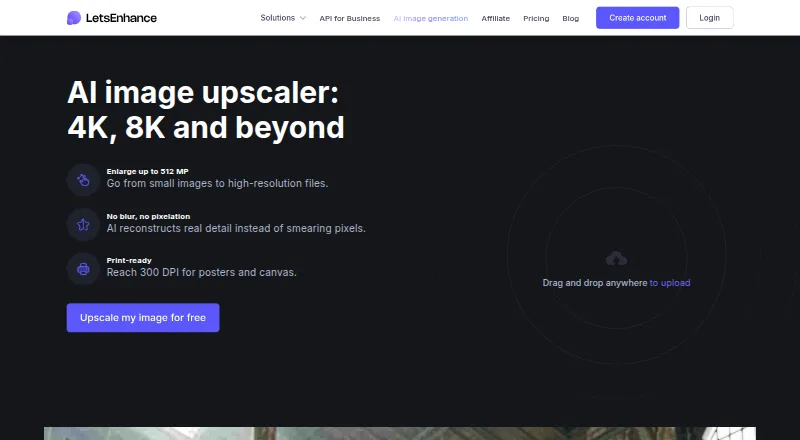
What LetsEnhance is
LetsEnhance is an AI image upscaler for JPG, PNG, and WebP files. It offers 2x, 4x, 8x, and 16x enlargement, along with custom dimensions, and can process batches of images. Prime, Gentle, and Old Photo modes address different enhancement needs; the service also lists face enhancement and old photo restoration. Output can reach 512 megapixels, with support for resolution suitable for 300 DPI printing. The API is available, but there is no desktop app. New users get 10 credits without a credit card, and one image uses one credit. On the free plan, input images are limited to 24 megapixels or 50 MB and output to 8 megapixels; images include a watermark. Paid plans remove the watermark. Starter costs $9 a month billed annually, with 100 monthly credits. Unused credits roll over during an active subscription, but expire when it ends. The company is based in San Francisco, California.
Good
- Accepts JPG, PNG, and WebP uploads.
- Offers batch processing and API access.
- Includes Old Photo and face enhancement.
- Free plan grants 10 credits without a card.
Watch out
- Free outputs are limited to 8 megapixels.
- Free-plan images include a watermark.
- There is no desktop app.
- Paid credits expire when the subscription ends.
Who it suits
It suits people who want to enlarge or restore images through a browser-accessible service or API. The free credits offer a way to try image processing, while paid plans raise output limits and remove the watermark.
Verdict
LetsEnhance combines several enlargement factors with dedicated enhancement modes, batch processing, and API access. Check the free input and output limits and watermark, or note the annual billing for the listed $9.00 USD monthly Starter price.
Plans and prices
From LetsEnhance's own pricing page, checked 28 Sep 2026.
| Plan | Price | What it gives you |
|---|---|---|
| Free | Free | 10 free credits upon signing up; no credit card needed · 24 megapixel input · 50 MB input · 8 megapixel output · 10 free credits |
| Starter | $9 a month | 100 credits to process images each month · 100 credits per month · 600 unused credits · 256 megapixel output · 64 megapixel or 50 MB input · Billed annually |
| Pro | $24 a month | 300 credits to process images each month · 300 credits per month · 1800 unused credits · 350 megapixel output · 64 megapixel or 50 MB input · Billed annually |
| Max | $34 a month | 500 credits to process images each month · 500 credits per month · 3000 unused credits · 512 megapixel output · 64 megapixel or 50 MB input · Billed annually |
The facts
Each one read from LetsEnhance's own pages, with the date it was checked.
What it does
- AI modes
- Prime, Gentle, and Old Photo modes target different enhancement needs.checked 28 Sep 2026
- API access
- Yeschecked 20 Sep 2026
- Batch processing
- Yeschecked 20 Sep 2026
- Cancellation rule
- Cancellation ends unused credits and membership benefits at the billing period's end.checked 28 Sep 2026
- Credit expiry
- Remaining credits expire when the subscription ends.checked 28 Sep 2026
- Credit rollover
- Unused credits roll over while the subscription remains active.checked 28 Sep 2026
- Credit unit
- Processing one image uses one credit.checked 28 Sep 2026
- Input formats
- JPG, PNG, WebPchecked 20 Sep 2026
- Maximum resolution
- The upscaler can enlarge images up to 512 megapixels.checked 28 Sep 2026
- Maximum scale
- customchecked 20 Sep 2026
- Paid from
- 9checked 20 Sep 2026
- Payment methods
- Payments are accepted by credit card and PayPal.checked 28 Sep 2026
- Payment security
- LetsEnhance says it does not store credit-card data and uses Stripe.checked 28 Sep 2026
- Print resolution
- The service supports output suitable for reaching 300 DPI.checked 28 Sep 2026
- Support channels
- Support is available by email, chat, and priority chat on paid plans.checked 28 Sep 2026
The company
- Company identity
- The page identifies the company as LetsEnhance, Inc., with 2026 copyright.checked 28 Sep 2026
- Headquarters
- San Francisco, California, United Stateschecked 28 Sep 2026
Where it runs
- Desktop app
- Nochecked 20 Sep 2026
Money
- Free credits
- New users receive 10 free credits without adding a credit card.checked 28 Sep 2026
- Free input limit
- Free input images can be up to 24 megapixels or 50MB.checked 28 Sep 2026
- Free output limit
- Free-plan images can be upscaled up to 8 megapixels.checked 28 Sep 2026
- Free plan
- Yeschecked 20 Sep 2026
- Free storage
- The free plan includes unlimited storage for 6 months.checked 28 Sep 2026
- Free watermark
- The free plan includes a watermark; paid users have it removed.checked 28 Sep 2026
The full review of LetsEnhance
LetsEnhance is an AI service for enlarging and enhancing images, aimed at people who need repeat processing or high-resolution output. Its mix of batch processing, API access, and restoration modes makes it more compelling for ongoing workflows than occasional one-off edits. The free tier is useful for a small trial, but its output cap and watermark make paid use the practical choice for finished work.
Overview
Upload JPG, PNG, or WebP images and enlarge them by 2x, 4x, 8x, 16x, or custom dimensions. The service supports outputs up to 512 megapixels and can prepare images for 300 DPI printing, giving it room for large-format jobs. That ceiling should not be confused with every plan’s allowance: Free is capped at 8 megapixels, while paid output limits vary by tier. There is no desktop app; LetsEnhance is best approached as an online service with API access for integrated workflows.
Key features
- Enhancement modes: Prime, Gentle, and Old Photo target different image needs, and the service also supports face enhancement and old-photo restoration. This breadth suits users handling mixed material, though it is not a substitute for a general-purpose photo editor.
- Batch processing and API: Both are supported, making LetsEnhance a stronger fit for recurring jobs and teams than for someone who only enlarges an image now and then.
- Formats and scale: JPG, PNG, and WebP uploads, custom dimensions, and factors up to 16x offer useful flexibility. The service’s 512-megapixel maximum is most relevant to demanding output needs; lower plan caps can be the binding constraint.
- Storage and watermark: Free users get unlimited storage for six months, but free images carry a watermark. Paid users have the watermark removed.
- Credits: Each processed image uses one credit. Unused credits roll over while a subscription remains active, but expire when it ends; cancelling also ends unused credits and membership benefits at the end of the billing period. That makes credit planning important for intermittent workloads.
- Support and payment: Support is available by email and chat, with priority chat on paid plans. Payments are accepted by credit card and PayPal; LetsEnhance says it uses Stripe and does not store card data.
Pricing
The free plan costs nothing and gives new users 10 credits without a credit card. Inputs can be up to 24 megapixels or 50 MB, outputs up to 8 megapixels, and storage is unlimited for six months. One credit processes one image. The watermark and small output ceiling make Free a trial tier rather than a strong option for polished or large-format delivery.
Starter costs $9 a month, billed annually. It includes 100 credits per month, a 600-credit unused balance allowance, inputs up to 64 megapixels or 50 MB, and outputs up to 256 megapixels. It is the entry point for regular individual use, but annual billing and credits that expire when membership ends are meaningful commitments.
Pro costs $24 a month, billed annually, and includes 300 credits per month, up to 1,800 unused credits, 64-megapixel or 50 MB inputs, and 350-megapixel outputs. It suits heavier workloads that exceed Starter’s monthly volume or output ceiling. Max costs $34 a month, billed annually, with 500 credits per month, up to 3,000 unused credits, the same input limits, and outputs up to 512 megapixels. It is the fit for the largest stated jobs and highest monthly volume. Both higher tiers share the same rollover and expiry terms, so unused credits are not a permanent reserve.
Platforms
The platform listing is API, and the service has no desktop app. Its website provides the upscaler, while API access is the relevant route for integrating processing into a software workflow.
Who it's for
LetsEnhance is a good match for creators, businesses, and teams that process images repeatedly, need batch handling, or want API access alongside enhancement and restoration options. Starter is a reasonable paid entry for steady but moderate volume; Pro and Max make sense when monthly credit demand or output resolution justifies their higher annual-billed prices. People who need only occasional enlargement, desktop software, or unrestricted free output should look elsewhere.
Pros and cons
- Pros: Multiple scale factors and custom dimensions, with output up to 512 megapixels; three AI modes plus face enhancement and old-photo restoration; batch processing and API access; paid plans remove the watermark.
- Cons: Free output stops at 8 megapixels and includes a watermark; paid prices are billed annually despite monthly price presentation; subscription credits expire at cancellation or subscription end; no desktop app.
Alternatives
Image Upscaling Software, AI Photo Enhancer Software, AI Image Restoration Software, and AI Image Upscalers provide category-wide comparisons. Choose NextGenUp if a completely free, open-source option with no subscription or watermark is the priority. Bigjpg is an alternative when its free 20-picture monthly allowance, slower shared-server processing, 5 MB upload limit, or 4x cap fits the job. Consider Real-ESRGAN for a free, open-source option. SupaRes is another web and API option, with a free one-time quota of 10 credits and a 64-megapixel limit. PixelPanda Image Upscaler offers one-time credit purchases rather than a subscription. Adima Image Upscaler Pro is worth comparing for Android or Windows use and its stated free 4x upscales and batch processing. PicWish Image Upscaler is an alternative with limited daily non-HD downloads on its free plan and daily HD downloads on Pro. Upscale.media gives free users three credits and three downloads each month.
Verdict
Choose LetsEnhance if you need repeatable image enlargement, substantial output resolution, and a combination of batch processing, API access, and restoration-oriented modes. Its strongest case is the ability to scale from modest monthly volume to 512-megapixel outputs within one service. Look elsewhere if you need a desktop app, watermark-free free output, or credits that remain usable after a subscription ends.
Alternatives to LetsEnhance
- 1
Cutout.Pro
Free planAndroidiOSWebAPI8.5From $5 a month - 2

Krea Enhancer
Free planiOSWebAPISelf-hosted8.4Free plan - 3

Bigjpg
Free planAndroidiOSWebAPI8.4$6 one-time - 4
Phot.AI
Free planAndroidiOSWebAPI8.4From $9 a month - 5

Pixelcut
Free planAndroidiOSWebAPI8.4From $8 a month - 6
Upscal
Free planiOSmacOSWindows8.3Free plan