Workrave
Workrave monitors keyboard and mouse use and prompts users to take breaks, with the stated aim of supporting recovery and helping prevent repetitive strain i…
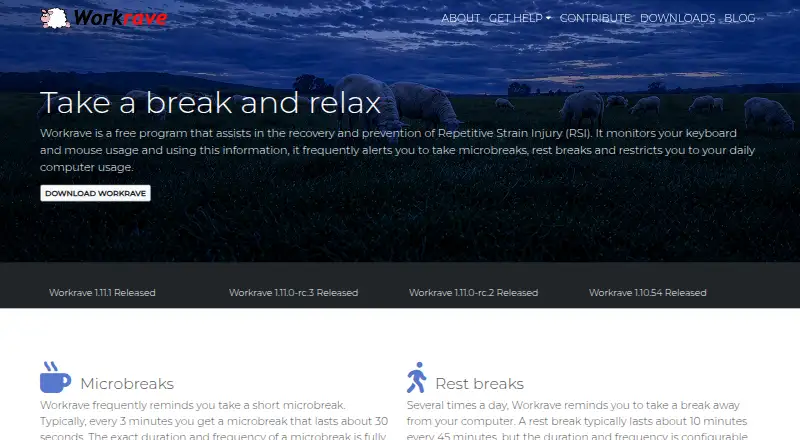
What Workrave is
Workrave monitors keyboard and mouse use and prompts users to take breaks, with the stated aim of supporting recovery and helping prevent repetitive strain injury. Its typical reminders include a 30-second microbreak every three minutes and a 10-minute rest break every 45 minutes; users can adjust both intervals and durations. It can track computer use and prompt the user to stop when a configured daily usage limit is reached. Break prompts can enforce a pause or try again a few minutes later if ignored for more than 30 seconds. At the start of a rest break, the program can show configurable exercises that take about 30 seconds each. Its statistics report breaks taken, ignored, or postponed, as well as computer use by day, week, and month. Workrave is free software for GNU/Linux and Windows, with source code available. The Windows release supports ARM64, includes auto-update, and can be installed per-user or system-wide. Linux desktop integrations include StatusNotifierItem tray support, a GNOME Shell extension, and a Cinnamon applet. Networking functionality was removed in version 1.11. Community help is available through a user mailing list, while bug reports and feature requests go to its GitHub issue tracker.
Good
- Configurable microbreaks and rest breaks
- Can enforce breaks or retry reminders
- Tracks daily usage and break statistics
- Includes configurable rest-break exercises
- Free software for GNU/Linux and Windows
Watch out
- Networking functionality was removed in version 1.11
- No macOS stable release is listed
Who it suits
Workrave suits people using GNU/Linux or Windows who want configurable reminders and usage limits during computer work. Its exercise prompts and break statistics may also suit users who want to track how they respond to reminders.
Verdict
Workrave offers configurable prompts, exercises, usage limits, and break statistics for supported Linux and Windows systems. Its reminders can be adjusted or enforced, and the project also provides source code and community support.
Plans and prices
From Workrave's own pricing page, checked 11 Oct 2026.
| Plan | Price | What it gives you |
|---|---|---|
| Workrave | Free | Free software · GNU/Linux and Windows · source code available |
The facts
Each one read from Workrave's own pages, with the date it was checked.
What it does
- Break enforcement
- Break reminders can be configured to enforce a break or try again a few minutes later if ignored for more than 30 seconds.checked 11 Oct 2026
- Daily limit
- It tracks computer use and prompts the user to stop when the configured daily usage limit is reached.checked 11 Oct 2026
- Development build limitation
- The maker says the macOS port is in the development version, which is less thoroughly tested and may be less stable than the stable version.checked 11 Oct 2026
- Exercises
- At the start of a rest break, Workrave can show configurable exercises that take about 30 seconds each.checked 11 Oct 2026
- Microbreaks
- It typically prompts for a 30-second microbreak every three minutes, with configurable duration and frequency.checked 11 Oct 2026
- Privacy and security
- The maker pages reviewed describe local activity monitoring and statistics but make no security certification or compliance claim.checked 11 Oct 2026
- Purpose
- Workrave monitors keyboard and mouse use and prompts users to take breaks to help with recovery and prevention of repetitive strain injury.checked 11 Oct 2026
- Removed networking
- Workrave's networking functionality was removed in version 1.11.checked 11 Oct 2026
- Rest breaks
- It typically prompts for a 10-minute rest break every 45 minutes, with configurable duration and frequency.checked 11 Oct 2026
- Settings
- Users can configure break duration, intervals, enforcement strictness, and other settings.checked 11 Oct 2026
- Support
- Community support is available through a user mailing list, and the maker directs bug reports and feature requests to its GitHub issue tracker.checked 11 Oct 2026
- Usage statistics
- It reports breaks taken, ignored, or postponed, plus computer use by day, week, and month.checked 11 Oct 2026
Where it runs
- Linux desktop integrations
- The release announcement lists StatusNotifierItem tray support, a redesigned GNOME Shell extension, and Cinnamon applet support.checked 11 Oct 2026
- Windows features
- The Windows release has an auto-update feature, ARM64 support, and can install per-user or system-wide.checked 11 Oct 2026