Workflow
Workflow is a design feedback platform for collecting, organizing, and acting on comments across web and extension workflows.
What Workflow is
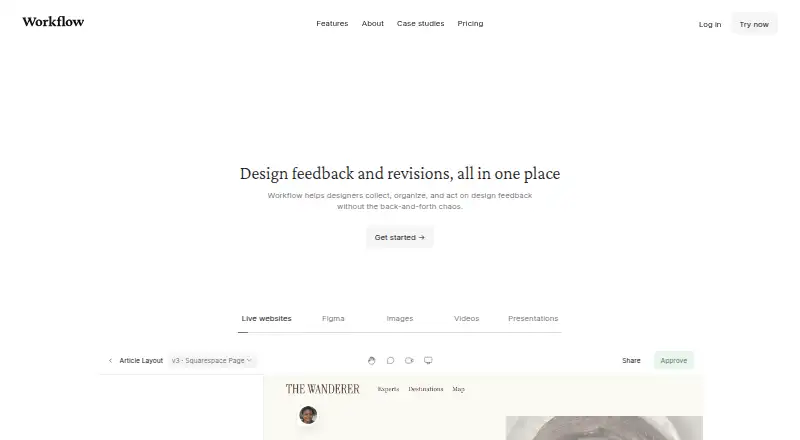
Workflow is a design feedback platform for collecting, organizing, and acting on comments across web and extension workflows. For website reviews, people can open a shared link and comment on a live page; Workflow captures a screenshot and attaches it to each comment. It also supports feedback on PDFs, videos, Figma designs, newsletters, and more than 30 other media types. Review pages keep earlier comments and versions together, and reviewers can approve work without a Workflow account. Voice and video feedback are available without another tool. A one-way Figma sync sends Workflow comments to Figma, while the Pixel Perfect Chrome extension overlays a design image on a live webpage to help identify visual mismatches. The free plan includes unlimited projects and reviewers, with the first projects free for 14 days; after that, an upgrade is needed to start something new. The Standard Plan is $16 a month per seat on annual billing. Workflow says it does not work on single-page applications or apps such as Google Docs.
Good
- Comments on live websites include screenshots.
- Supports more than 30 media types.
- Review pages retain comments and versions.
- Reviewers can approve without an account.
- Built-in voice and video feedback.
Watch out
- Does not work on single-page applications.
- Does not work with apps such as Google Docs.
- Videos have a 100 GB limit; extra 100 GB costs $5.
- Starting new projects after 14 days requires an upgrade.
Who it suits
Workflow suits designers and teams collecting feedback on websites and varied design files. Its account-free approvals and guest reviewer support may also fit work involving clients or other external reviewers.
Verdict
Workflow brings design comments, approvals, and version history into a shared review process across supported media. Check its website compatibility and video storage limit against your workflow before choosing a plan.
Plans and prices
From Workflow's own pricing page, checked 30 Sep 2026.
| Plan | Price | What it gives you |
|---|---|---|
| Free | Free | Unlimited projects · unlimited reviewers · first projects free for 14 days · after 14 days, upgrade to start something new |
| Standard Plan | $16 a month | Unlimited uploads · unlimited comment-only users and reviewers · video feedback · Kanban board · client portals · Yearly plan; page shows $16/month per seat with $20 crossed out |
The facts
Each one read from Workflow's own pages, with the date it was checked.
Where it runs
- Approvals
- Reviewers can approve work without creating a Workflow account.checked 30 Sep 2026
The company
- Company
- The About page says Workflow is a team of 14 working to support creatives and improve design project collaboration.checked 30 Sep 2026
- Headquarters
- London, United Kingdomchecked 28 Sep 2026
What it does
- Data location
- The policies page describes Workflow as a UK company with all data infrastructure located in the EU.checked 30 Sep 2026
- Extension
- Workflow’s Pixel Perfect Chrome extension overlays a design image on a live webpage to help spot visual mismatches.checked 30 Sep 2026
- Integrations
- Workflow describes a Figma sync that sends Workflow comments to Figma, and says the sync is one-way.checked 30 Sep 2026
- Limit
- The pricing FAQ says videos have a 100 GB limit, with each additional 100 GB costing $5.checked 30 Sep 2026
- Purpose
- Workflow helps designers collect, organize, and act on design feedback in one place.checked 30 Sep 2026
- Screenshots
- Workflow automatically captures a screenshot when someone comments on a website, attaching it to the comment.checked 30 Sep 2026
- Security
- Workflow says it uses backups, redundancies, and encryption, and encrypts data transmitted from the public internet, with some edge-case exceptions.checked 30 Sep 2026
- Supported work
- The pricing page says Workflow supports feedback on PDFs, videos, Figma designs, newsletters, and more than 30 other media types.checked 30 Sep 2026
- Version history
- Review pages keep past comments and versions together.checked 30 Sep 2026
- Video feedback
- Workflow supports voice and video feedback without requiring another tool.checked 30 Sep 2026
- Website compatibility
- Workflow says it does not work on single-page applications or apps such as Google Docs.checked 30 Sep 2026
- Website reviews
- Reviewers can open a shared link and click anywhere on a live website to leave feedback.checked 30 Sep 2026
Alternatives to Workflow
- 1

Artwork Flow
Free planAndroidiOSWeb8.0From $30 a month - 2
Cage
Free planiOSWebExtension7.8From $8 a month - 3

Ashore
Free planAndroidiOSWebAPI7.5From $15 a month - 4
Ziflow
Free planAndroidiOSWebAPI7.5From $199 a month - 5
StreamWork
Free planWebAPIExtension7.2From $219 a month - 6
Approval Studio
AndroidiOSWebAPI7.1From $60 a month