WinSnap
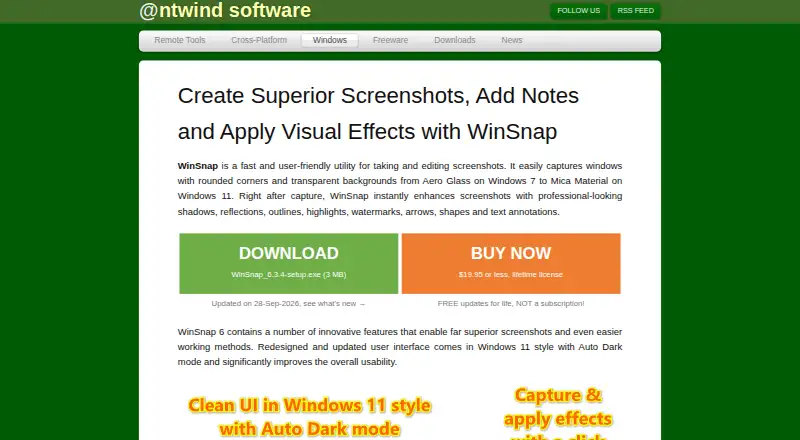
The facts below are what the maker publishes about WinSnap, checked and dated. Our editors have not written about it yet.
Plans and prices
From WinSnap's own pricing page, checked 11 Oct 2026.
| Plan | Price | What it gives you |
|---|---|---|
| Single PC License | $19.95, paid once | 1 user · 1 PC · One-time purchase; all updates free |
| Single User License | $34.95, paid once | 1 user · up to 3 computers · One-time purchase; all updates free |
| Family License | $69, paid once | Up to 3 users · 6 PCs in one household · One-time purchase; all updates free |
| Business License | $139, paid once | Up to 10 users · 10 PCs in one company · One-time purchase; all updates free |
| Enterprise License | $1,800, paid once | Unlimited users and PCs in one company · One-time purchase; all updates free |
The facts
Each one read from WinSnap's own pages, with the date it was checked.
What it does
- Annotations
- Markup tools include arrows, lines, shapes, text comments, a pen tool, pixelation, highlights, colorize, and blur effects.checked 11 Oct 2026
- Capture modes
- It supports window, whole-screen, and region capture, including fixed-size regions and simultaneous capture of multiple objects or regions.checked 11 Oct 2026
- Current release
- The maker lists WinSnap 6.3.4, updated September 28, 2026, as a maintenance release with fixes and minor improvements.checked 11 Oct 2026
- Export formats
- PNG,JPEG,GIF,TIFF,BMPchecked 20 Sep 2026
- License and updates
- The maker says purchases are perpetual and updates are free, and registered users receive free upgrades.checked 11 Oct 2026
- Office integration
- With Microsoft Office installed, users can paste transparent captures directly into Word, PowerPoint, Outlook, and OneNote.checked 11 Oct 2026
- Payment security
- The maker says payments are securely processed by PayPro Global using industry-standard encryption and data protection.checked 11 Oct 2026
- Purpose
- WinSnap is a utility for capturing and editing screenshots, aimed at technical communicators, web designers, and ordinary users.checked 11 Oct 2026
- Refunds
- Purchases come with a 30-day money-back guarantee, with a full refund or a license change offered if the buyer is dissatisfied.checked 11 Oct 2026
- Support
- The FAQ directs users to a support forum and provides an email contact; the maker says it can resend lost licensing information at no charge.checked 11 Oct 2026
- Transparency and Office
- It saves screenshots with PNG transparency and can copy transparent images to the clipboard for pasting into Word, PowerPoint, Outlook, or OneNote when Microsoft Office is installed.checked 11 Oct 2026
- Visual effects
- Screenshots can be enhanced with shadows, reflections, outlines, highlights, and watermarks, with customizable shadow color, size, direction, and opacity.checked 11 Oct 2026
- Window capture
- It captures windows with rounded corners and transparent backgrounds, including Aero Glass effects on Windows 7 and Mica Material on Windows 11.checked 11 Oct 2026
Money
- Free plan
- Nochecked 20 Sep 2026
- Trial limitation
- The 30-day trial allows evaluation of all features, but adds a watermark to screenshots in the unregistered version.checked 11 Oct 2026
Where it runs
- Supported platforms
- windowschecked 20 Sep 2026
- Supported Windows
- The product page says WinSnap supports Windows 7 through Windows 11 and includes a native 64-bit version in the setup package.checked 11 Oct 2026
Alternatives to WinSnap
- 1
Gyazo
Free planAndroidiOSWebExtension8.0Free plan - 2

Awesome Screenshot
Free planiOSWebExtensionmacOS7.6From $5 a month - 3

Microsoft Edge
Free planAndroidiOSWebExtension7.5Free plan - 4

Monosnap
Free planWebExtensionLinuxmacOS7.5From $2.50 a month - 5

Greenshot
Free planWindows7.0$1.99 one-time - 6
Screention
Free planLinuxmacOSWindows7.0Free plan