WinDirStat
WinDirStat is a free, open-source disk usage analyzer and cleanup assistant for Microsoft Windows.
What WinDirStat is
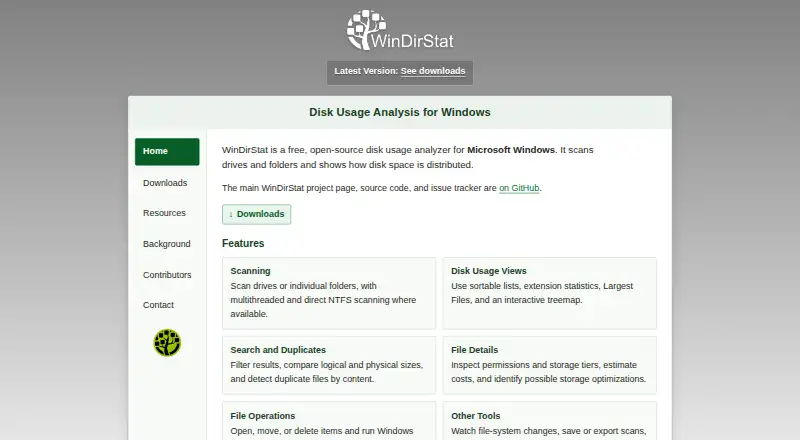
WinDirStat is a free, open-source disk usage analyzer and cleanup assistant for Microsoft Windows. It scans drives, folders, network shares, and MTP devices, then presents results in a file tree, extension list, treemap, flame graph, or sunburst. Users can compare logical and physical sizes and search by name, size, type, or owner. File content hashes can be compared to identify duplicates. WinDirStat can save and reopen scan snapshots, export CSV or JSON reports, and automate scans. It also offers cleanup tools and attempts to recover deleted files from local NTFS, exFAT, and FAT drives. Storage Analytics estimates monthly savings for configurable storage tiers based on file sizes and modification ages, but does not move files or configure storage services. Permission entries can be scanned and exported, though reports do not calculate a particular user’s effective access across group memberships. Downloads include Windows x64, x86, and ARM64 installers, portable archives, and a Microsoft Store package. The project says it is developed for Windows 7 through 11 and Windows Server 2008 R2 through 2025; other versions are unsupported. It is distributed under GPL version 3 or later for free personal or commercial use.
Good
- Scans drives, folders, network shares, and MTP devices.
- Offers treemap, flame graph, and sunburst views.
- Searches by name, size, type, or owner.
- Exports CSV and JSON reports.
- Free for personal or commercial use.
Watch out
- Available only for Windows.
- Other Windows versions are unsupported.
- Permission reports omit effective access across group memberships.
- Storage Analytics does not move files or configure storage services.
Who it suits
It suits Windows users who want to inspect disk usage, locate large or duplicate files, and export scan reports. It may also help administrators review storage and permission entries, with the stated limit on effective-access reporting.
Verdict
WinDirStat combines several disk-usage views with search, reporting, cleanup, and recovery tools for Windows. Its permission-reporting and storage-automation limits matter if those are central to your workflow.
Plans and prices
From WinDirStat's own pricing page, checked 11 Oct 2026.
| Plan | Price | What it gives you |
|---|---|---|
| WinDirStat | Free | Free software for personal or commercial use · Windows |
The facts
Each one read from WinDirStat's own pages, with the date it was checked.
What it does
- Cleanup and recovery
- The product offers cleanup tools and attempts to recover deleted files from local NTFS, exFAT, and FAT drives.checked 11 Oct 2026
- Compatibility
- The project says it is developed for and tested on Windows 7, 8, 8.1, 10, 11, and Windows Server 2008 R2 through 2025, while other versions are unsupported.checked 11 Oct 2026
- Disk usage views
- It presents scan results in a file tree, extension list, treemap, flame graph, or sunburst and can compare logical and physical sizes.checked 11 Oct 2026
- Downloads
- The download page lists Windows x64, x86, and ARM64 installers, portable ZIP and 7z archives, and a Microsoft Store package.checked 11 Oct 2026
- Exportable reports
- Yeschecked 23 Sep 2026
- File-type breakdown
- Yeschecked 23 Sep 2026
- License
- WinDirStat is distributed under the GNU GPL version 3 or later and may be used free of charge in personal or commercial settings.checked 11 Oct 2026
- Origin
- Bernhard Seifert wrote WinDirStat after finding no equivalent to KDE's KDirStat for Microsoft Windows, and Oliver Schneider and Bryan Berns later took responsibility for the project.checked 11 Oct 2026
- Permissions
- It can scan and export permission entries, but its report does not calculate a particular user's effective access through all group memberships.checked 11 Oct 2026
- Purpose
- WinDirStat is a free, open-source disk usage analyzer and cleanup assistant for Microsoft Windows.checked 11 Oct 2026
- Reports and automation
- WinDirStat can save and reopen scan snapshots, export CSV or JSON reports, and automate scans.checked 11 Oct 2026
- Scanning
- It scans drives, folders, network shares, and MTP devices, with elevated scanning enabling accelerated scans on local NTFS drives.checked 11 Oct 2026
- Scan scope
- files_folderschecked 23 Sep 2026
- Search and duplicates
- Users can search by name, size, type, or owner and compare file content hashes to find duplicates.checked 11 Oct 2026
- Security contact
- Security issues or private security questions can be emailed to the WinDirStat Team; other issues and translation errors should be reported through GitHub Issues.checked 11 Oct 2026
- Storage analytics
- Storage Analytics estimates monthly savings for configurable storage tiers using file sizes and modification ages; it does not move files or configure a storage service.checked 11 Oct 2026
- Support
- The project provides a user guide and wiki, GitHub issue reporting, a subreddit, and a project blog.checked 11 Oct 2026
- Treemap view
- Yeschecked 23 Sep 2026
Where it runs
- Desktop platforms
- Windowschecked 23 Sep 2026
The company
- Founded
- 2003checked 28 Sep 2026
Money
- Free plan
- Yeschecked 23 Sep 2026
The full review of WinDirStat
WinDirStat is a free, open-source utility for analysing storage and cleaning up Windows systems. It suits home users, support staff, and administrators who need several ways to trace space usage across local and connected storage. It is a particularly strong fit when visual analysis, repeatable reports, or duplicate searches matter more than cross-platform support or full access-control analysis.
Overview
WinDirStat examines drives, folders, network shares, and MTP devices, then turns the results into navigable storage information rather than a single capacity figure. Its GPL version 3-or-later licence permits personal and commercial use at no charge, so there is no purchase decision for a Windows deployment. The project dates to 2003 and remains focused on finding what occupies space and helping users act on that information.
Key features
The program offers a file tree, extension list, treemap, flame graph, and sunburst view. That variety lets a user move from folder hierarchy to file-type trends or a visual map of the largest items. Comparing logical and physical sizes is useful when apparent folder size does not match storage consumption. The breadth rewards investigation of complicated drives, although a person checking one small folder may find several visualisations unnecessary.
Search filters by name, size, type, or owner, and content-hash comparisons can expose duplicate files. Together they support targeted cleanup instead of deleting solely from a chart. Elevated scanning can accelerate scans on local NTFS drives; scans also reach network shares and MTP devices, extending the utility beyond a single internal disk.
Scan snapshots can be saved and reopened, while CSV and JSON exports support handoff, record-keeping, and external analysis. Scan automation makes recurring checks practical. WinDirStat can scan and export permission entries, but its report does not determine an individual user's effective access after all group memberships are considered. It is therefore a storage-reporting aid, not a complete permissions-audit solution.
Storage Analytics estimates monthly savings for configurable storage tiers from file sizes and modification ages. The estimate can inform policy discussions, but WinDirStat neither moves files nor configures a storage service, so implementation remains manual. Cleanup tools are included, and the program attempts recovery of deleted files from local NTFS, exFAT, and FAT drives; recovery should be treated as an additional capability rather than a substitute for a dedicated recovery workflow.
Pricing
WinDirStat — free. The free software licence covers personal and commercial Windows use. There is no paid tier, seat charge, quota, or trial period to manage. The trade-off is not a pricing restriction but scope: Windows is the supported environment, and storage automation or effective-permission calculations are outside the product's role.
Platforms
Windows installers are provided for x64, x86, and ARM64 systems, alongside portable ZIP and 7z archives and a Microsoft Store package. The project develops and tests against Windows 7, 8, 8.1, 10, 11, and Windows Server 2008 R2 through 2025. Other Windows versions are unsupported, and there are no macOS or Linux editions.
Who it's for
Choose WinDirStat for a free Windows workstation or server utility when you need to explain disk growth, locate large or duplicate files, inspect removable or network-connected storage, or produce repeatable CSV/JSON records. Its multiple views also suit help-desk and IT staff who need both a quick visual diagnosis and searchable detail. It is a weaker choice for mixed-platform households, teams seeking a managed storage-tier service, or auditors who require user-effective permissions.
Pros and cons
- Pro: Multiple visual and hierarchical views reveal storage patterns from different angles.
- Pro: Hash comparison, flexible search, and cleanup tools support focused removal of duplicates and oversized files.
- Pro: Snapshots, CSV/JSON exports, and automation make recurring reporting possible.
- Pro: Free GPL licensing permits commercial as well as personal use, with native packages and portable archives.
- Con: Windows-only support excludes macOS and Linux users.
- Con: Permission exports do not resolve effective access through group membership.
- Con: Storage Analytics forecasts savings but does not migrate files or configure storage tiers.
Alternatives
Browse Disk Space Analyzers for a wider category comparison. Pick WizTree instead if you want a freemium option spanning Windows and macOS; its Individual Supporter Code costs $25 a month and is perpetual for personal use. TreeSize is another Windows freemium choice, with a free personal, non-commercial edition and a trial. Choose Filelight for a free, GPL-licensed alternative on Linux or Windows.
FolderSizes suits someone willing to buy a 30.00 USD once-only Personal Edition for personal and home-network use. Disk Analyzer Pro offers macOS and Windows coverage with a free personal edition for local-drive reports, deletion, and duplicate reports. SizeTrend is a Windows freemium alternative whose free tier retains local scans, cleanup recommendations, and duplicate analysis. OmniDiskSweeper is a free macOS utility, while Disk Usage Analyzer is a free Linux desktop option.
Verdict
WinDirStat is the right recommendation for Windows users who want broad storage visibility, duplicate searching, exports, and cleanup without a licence fee. Choose it especially when snapshots or automated reports matter. Look elsewhere if your devices span macOS or Linux, if you need storage-tier changes performed automatically, or if permissions must be evaluated as each user actually receives them.
Alternatives to WinDirStat
- 1

WizTree
Free planmacOSWindows8.0Free plan - 2
LumaDisk
Free planmacOSWindows7.9$6.89 one-time - 3

Disk Usage Analyzer
Free planOpen sourceLinuxmacOS7.7Free plan - 4

FolderSizes
Free planWindows7.7$30 one-time - 5
SizeTrend
Free planWindows7.7$69.99 one-time - 6
dust
Free planOpen sourceLinuxmacOSWindows7.6Free plan