
OmniDiskSweeper
OmniDiskSweeper is a free macOS utility that lists files on a drive from largest to smallest, helping users locate large files they may want to open or remove.
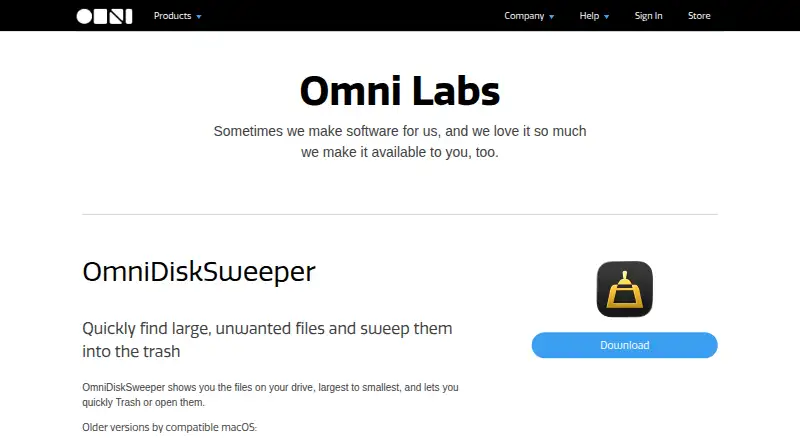
What OmniDiskSweeper is
OmniDiskSweeper is a free macOS utility that lists files on a drive from largest to smallest, helping users locate large files they may want to open or remove. It can scan external drives. Moving items to the Trash is the default removal behavior; holding the Option key allows direct deletion instead. Omni says the app was tested for compatibility with macOS 26, and that update makes the entire app accessible with VoiceOver. The product page also lists older downloads for macOS 10.4 through 10.13. Omni notes that the utility does not receive updates as frequently as its other titles, although it does receive updates. The freeware download does not require a form or personal information. Omni says it does not share data gathered from its apps or websites with social media or advertising services. Support is listed by email and phone, Monday through Friday, 10am–5pm Pacific Time. The app is available for macOS, with a free plan listed as free.
Good
- Lists drive files from largest to smallest.
- Can scan external drives.
- Trash is the default removal action.
- The macOS 26-compatible update makes the app accessible with VoiceOver.
- Free download requires no form or personal information.
Watch out
- Available only for macOS.
- Omni says updates are less frequent than for its other titles.
- Direct deletion requires holding the Option key.
Who it suits
It suits Mac users who want to identify large files on internal or external drives and decide whether to open or remove them. VoiceOver accessibility is also relevant to users who rely on that feature.
Verdict
OmniDiskSweeper offers a straightforward way to locate large files on a Mac, with Trash as the default removal path. Its platform is limited to macOS, and Omni says updates arrive less frequently than for its other apps.
Plans and prices
From OmniDiskSweeper's own pricing page, checked 12 Oct 2026.
| Plan | Price | What it gives you |
|---|---|---|
| Free | Free | macOS utility |
The facts
Each one read from OmniDiskSweeper's own pages, with the date it was checked.
What it does
- Accessibility
- The update compatible with macOS 26 makes the entire app accessible with VoiceOver.checked 12 Oct 2026
- Current compatibility
- Omni says OmniDiskSweeper was tested for compatibility with macOS 26.checked 12 Oct 2026
- Privacy policy
- Omni says it does not share data gathered from its apps or websites with social media or advertising services.checked 12 Oct 2026
- Purpose
- OmniDiskSweeper shows files on a drive from largest to smallest so users can find large, unwanted files and move them to the Trash or open them.checked 12 Oct 2026
- Removal behavior
- Trash is the default behavior; holding the Option key allows direct deletion instead.checked 12 Oct 2026
- Scan scope
- files_folderschecked 23 Sep 2026
- Support
- Omni lists support by email and phone, Monday through Friday, 10am–5pm Pacific Time.checked 12 Oct 2026
- Update cadence
- Omni says the app is not updated as frequently as its other titles, though it does receive updates.checked 12 Oct 2026
Where it runs
- Desktop platforms
- macoschecked 23 Sep 2026
- Older macOS downloads
- The product page lists older versions for macOS 10.4 through 10.13.checked 12 Oct 2026
The company
- Founded
- 1993checked 28 Sep 2026
- Headquarters
- Seattle, Washington, United Stateschecked 28 Sep 2026
- Maker
- The Omni Group describes itself as employee-owned and founded in Seattle, Washington.checked 12 Oct 2026
Money
- Free download
- Omni says the freeware download does not require a form or personal information.checked 12 Oct 2026
- Free plan
- Yeschecked 23 Sep 2026
Alternatives to OmniDiskSweeper
- 1

WizTree
Free planmacOSWindows8.0Free plan - 2
LumaDisk
Free planmacOSWindows7.9$6.89 one-time - 3

Disk Usage Analyzer
Free planOpen sourceLinuxmacOS7.7Free plan - 4

FolderSizes
Free planWindows7.7$30 one-time - 5
SizeTrend
Free planWindows7.7$69.99 one-time - 6
dust
Free planOpen sourceLinuxmacOSWindows7.6Free plan