Wave Corrector
Wave Corrector is a standalone program for moving music from analogue recordings into digital audio formats.
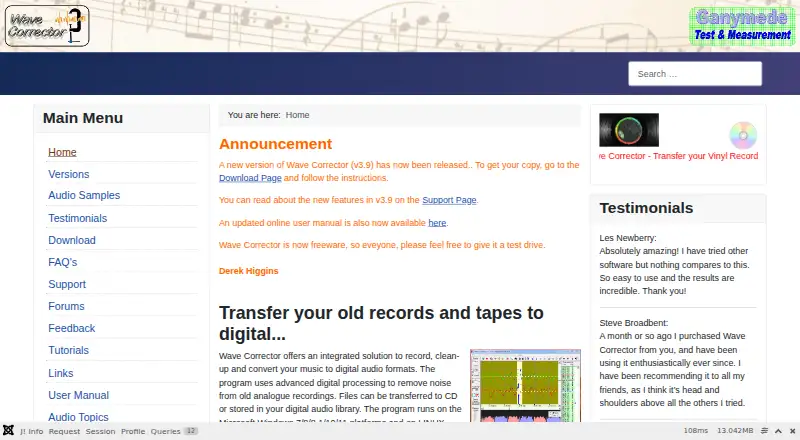
What Wave Corrector is
Wave Corrector is a standalone program for moving music from analogue recordings into digital audio formats. It records directly and can schedule unattended sessions, including radio broadcasts. Digital processing targets surface defects such as clicks, ticks, and plops, while a separate hiss-removal option is available for tape recordings. The software can identify and divide a recording into numbered tracks, then lets you adjust track boundaries and add fades. Professional Edition adds filters, a graphic equaliser, volume normalisation, channel balance, and Cut and Splice tools. Version 3.9 includes built-in MP3 encoding. Its track-detection workflow can use Discogs track durations for guidance and validation, or MusicBrainz durations when Discogs has no duration. Noise reduction, hum removal, and batch processing are supported. Downloads provide Professional Edition 3.9 installers in 64-bit and 32-bit versions; the Standard Edition is no longer available. Wave Corrector runs on Linux and Windows and is intended for home music lovers and professional archivists. Personal use of the Professional Edition costs nothing, with no registration required. Support includes a feedback form, beginner's guide, FAQ, forum, and manual.
Good
- Free personal-use Professional Edition at 0.00 USD
- Runs on Linux and Windows
- Removes clicks, ticks, plops, hiss, and hum
- Supports timed unattended recordings
- Automatic numbered-track splitting with boundary edits
- Built-in MP3 encoding in version 3.9
Watch out
- Standard Edition is no longer available
- Professional Edition downloads are separate 32-bit and 64-bit installers
Who it suits
Wave Corrector suits home music lovers converting records, tapes, or other analogue sources into digital files. Professional archivists can use scheduled recording, track editing, processing tools, and metadata-assisted detection for larger preservation workflows.
Verdict
Choose Wave Corrector if you need free analogue-to-digital recording with noise cleanup, scheduling, and track editing. It is also a practical fit for archival work requiring batch processing and metadata-guided detection. Look elsewhere if you need a different operating system or an actively offered Standard Edition.
Plans and prices
From Wave Corrector's own pricing page, checked 7 Oct 2026.
| Plan | Price | What it gives you |
|---|---|---|
| Wave Corrector Professional Edition (personal use) | Free | No charge for personal use · registration not required |
The facts
Each one read from Wave Corrector's own pages, with the date it was checked.
What it does
- Download options
- The download page offers Professional Edition 3.9 installers in 64-bit and 32-bit versions; the Standard Edition is no longer available.checked 7 Oct 2026
- Encoding
- Version 3.9 includes built-in MP3 encoding.checked 7 Oct 2026
- Intended users
- The maker says the software is designed for home music lovers and professional archivists.checked 7 Oct 2026
- Metadata integrations
- Version 3.9 uses Discogs track durations to guide and validate track detection, and can obtain durations from MusicBrainz when unavailable in Discogs.checked 7 Oct 2026
- Noise removal
- It uses digital processing to remove surface noise such as clicks, ticks, and plops, and has a hiss removal option for tapes.checked 7 Oct 2026
- Professional tools
- The Professional Edition includes filters, a graphic equaliser, volume normalisation, channel balance, and Cut and Splice.checked 7 Oct 2026
- Purpose
- Wave Corrector records, cleans up, and converts music from analogue recordings to digital audio formats.checked 7 Oct 2026
- Recording
- The program supports direct recording and timed unattended recordings, such as radio broadcasts.checked 7 Oct 2026
- Security and compliance
- The pages reviewed do not state security or compliance certifications.checked 7 Oct 2026
- Support
- The maker directs users to a feedback form for support and also provides a beginner's guide, FAQ, support forum, and user manual.checked 7 Oct 2026
- Track editing
- It can automatically divide recordings into numbered tracks and lets users edit boundaries and add fades.checked 7 Oct 2026
The company
- Headquarters
- Amersham, United Kingdomchecked 28 Sep 2026
Where it runs
- Platforms
- The maker lists Windows 7, 8, 8.1, 10, and 11, and Linux under Wine as supported platforms.checked 7 Oct 2026
The full review of Wave Corrector
Wave Corrector is a standalone application for turning records, tapes, and other analogue sources into cleaned digital audio. It is best suited to home music collectors and professional archivists who need a focused restoration workflow on Linux or Windows. The strongest reason to choose it is the combination of free personal use, scheduled recording, noise reduction, and track preparation; its narrower platform and edition choices matter if your workflow needs something broader.
Overview
Wave Corrector combines capture, restoration, track handling, and conversion in one program. You can record directly from an analogue source or schedule an unattended session, which is useful for radio broadcasts and recordings that must run without constant supervision. It is purpose-built for digitisation rather than general music production, so its value is greatest when the job is preserving and organising older material.
Its cleanup tools address common analogue defects: digital processing removes clicks, ticks, and plops, while a separate hiss-removal option targets tapes. Hum removal and batch processing extend the workflow to larger collections. That combination makes repeated archival work more practical than handling each file through unrelated utilities, although the application is not positioned as a complete production suite.
Key features
Recording and unattended capture
Direct recording keeps the transfer process in the same application as restoration. Timed unattended recording is a practical advantage for broadcasts or other sources that begin at a set time, reducing the need to monitor a session manually.
Track detection and editing
Wave Corrector can automatically split a long recording into numbered tracks. You can then adjust boundaries and add fades, so automatic detection serves as a starting point rather than a fixed result. This is particularly useful for album transfers where pauses and transitions do not always produce perfect divisions.
Restoration and professional controls
The Professional Edition adds filters, a graphic equaliser, volume normalisation, channel balance, and Cut and Splice. These controls give archivists more ways to correct uneven levels, stereo imbalance, or sections that need rearranging before export. Noise reduction, hum removal, and batch processing support both individual transfers and collection-scale work.
Metadata-guided detection and encoding
Version 3.9 can use Discogs track durations to guide and validate track detection, with MusicBrainz supplying durations when Discogs cannot. This metadata-assisted approach can make album splitting more dependable than relying on audio gaps alone. Built-in MP3 encoding also provides a direct output path without requiring a separate encoder.
Pricing
Wave Corrector Professional Edition (personal use): free. Personal use is free and registration is not required, making it suitable for collectors, hobbyists, and archivists working without a software budget. The free plan includes the Professional Edition rather than a reduced feature tier, so users receive the listed filters, equaliser, normalisation, channel balance, Cut and Splice, batch processing, and restoration functions at no charge.
The download page provides Professional Edition 3.9 installers in 64-bit and 32-bit versions. The Standard Edition is no longer available, so readers looking for that edition should not plan around it. There are no paid renewal terms or seat charges attached to the personal-use plan; commercial requirements may therefore need a separate discussion with the maker.
Platforms
Wave Corrector supports Linux and Windows. That makes it a reasonable choice for desktop digitisation on either of those systems, but it does not suit readers who require macOS or a browser-based workflow.
Who it's for
Choose it for home music collections, tape and record transfers, scheduled radio recording, or archival projects where batch processing and metadata-guided track detection save time. The free personal-use terms are especially attractive for non-commercial work. Look elsewhere if you need a general-purpose production environment, a macOS-native option, or an actively offered Standard Edition.
Pros and cons
- Pro: Free personal use with no registration requirement removes a major barrier to starting an archive.
- Pro: Recording, timed capture, cleanup, track editing, and MP3 encoding form a coherent digitisation workflow.
- Pro: Discogs and MusicBrainz durations can guide and validate automatic track detection.
- Pro: Batch processing, hum removal, hiss removal, and professional correction controls suit repeated restoration work.
- Con: Linux and Windows are the supported platforms, excluding macOS and web-only setups.
- Con: The Standard Edition is no longer available, leaving fewer edition choices for users who expected that release.
- Con: Its specialist restoration focus does not replace a broader audio-production workstation.
Alternatives
Browse the Audio Restoration Software category for more options.
Vinyl Restoration Suite is a free MIT-licensed alternative for Linux, macOS, and Windows when cross-platform coverage matters.
VinylRest offers free Linux, macOS, and web options, including a public Beta with licensing requirements for processing.
@audio/denoise is a free browser-based choice that runs without an account or upload.
Neiro is another free option with Linux, macOS, self-hosted, web, and Windows availability.
PD Cleaner is free and open source for Windows 64-bit, with no account or trial required.
CEDAR Cambridge is a paid modular hardware and software system for readers who need configurable professional equipment.
Cathar is a free alternative for Linux and macOS.
Algorithmix Sound Laundry is a paid Windows alternative.
Verdict
Wave Corrector is a strong recommendation for Linux and Windows users digitising records, tapes, or broadcasts, especially when free personal use, batch restoration, scheduled recording, and track editing are priorities. Its focused toolkit and metadata-assisted detection make it well suited to practical archival work. Choose another application if you need macOS or web access, broader production features, or the discontinued Standard Edition.
Getting started
- Open the Wave Corrector website
- Choose the Professional Edition 3.9 installer
- Select the 64-bit or 32-bit download
- Install on Linux or Windows
- Record directly or schedule an unattended recording
Limits worth knowing
The personal-use Professional Edition is free at 0.00 USD and does not require registration. The Standard Edition is no longer available.
Questions
How much does Wave Corrector cost for personal use?
The Professional Edition personal-use plan costs nothing, with no charge and no registration required.
Which operating systems does it support?
Wave Corrector runs on Linux and Windows.
Can it remove tape hiss and other noise?
Yes. It processes clicks, ticks, plops, and hum, and includes a hiss-removal option for tapes.
Can recordings be scheduled?
Yes. It supports timed unattended recordings, including radio broadcasts.
Does it encode MP3 files?
Version 3.9 includes built-in MP3 encoding.
Where can users get support?
Support options include a feedback form, beginner's guide, FAQ, support forum, and user manual.
Alternatives to Wave Corrector
- 1
Avidemux
Free planOpen sourceWebLinuxmacOSWindows7.3Free plan - 2

@audio/denoise
Free planOpen sourceWeb7.1Free plan - 3
VinylRest
Free planWebAPILinuxmacOS7.1Free plan - 4
PD Cleaner
Free planOpen sourceWindows7.0Free plan - 5

LANDR ReHance
WebmacOSWindows6.5From $11.99 a month - 6
Wave Arts Master Restoration Suite 6
macOSWindows6.5$99 one-time