VinylRest
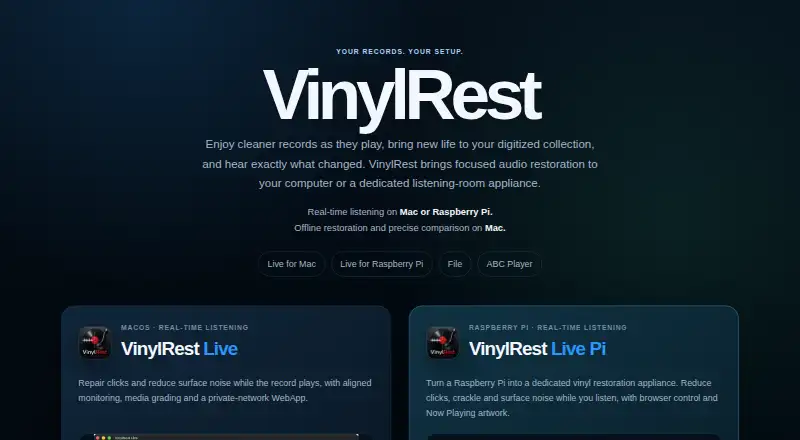
VinylRest makes tools for real-time vinyl listening restoration, offline restoration of digitized records, and synchronized audio comparison.
What VinylRest is
VinylRest makes tools for real-time vinyl listening restoration, offline restoration of digitized records, and synchronized audio comparison. VinylRest Live processes stereo audio in real time with DeClick and DeCrackle, plus optional NRNG surface-noise reduction. It supports 16-bit or 24-bit stereo audio from 32 to 192 kHz when input and output formats are compatible. Its browser WebApp can control and monitor a Live session from a phone, tablet, or computer on the same network, without an account or cloud synchronization. The WebApp uses unencrypted HTTP without a password, so VinylRest advises limiting it to a private, trusted LAN. Optional Shazam-powered recognition can provide artwork and track details.
VinylRest File restores a recording or folder, preserves the source, and saves restored audio and reports as new files. It handles mono or stereo WAV, AIFF, FLAC, and ALAC up to 192 kHz while retaining the source format and timeline. ABC Player synchronizes two compatible files on an exact sample timeline and switches among Source, Cleaned, and live Difference monitoring. It requires matching sample rates, channel counts, and frame counts. VinylRest says processing runs locally on the Mac, so recordings need not be uploaded to a remote processing service. Live and File are free public Betas requiring a free license for processing; ABC Player is free on the Mac App Store.
Good
- Live offers DeClick, DeCrackle, and optional NRNG reduction.
- Supports stereo 16-bit or 24-bit audio from 32 to 192 kHz.
- WebApp controls a session over the same network without an account.
- File restoration preserves the source and writes new output files.
- Processing runs locally on the Mac.
Watch out
- Live and File processing require a free license.
- The Live WebApp uses HTTP without a password or encryption.
- ABC Player rejects files that do not match its compatibility requirements.
- Live Beta licenses support up to three active Mac installations.
Who it suits
VinylRest suits people who want to reduce clicks, crackle, or surface noise while listening to vinyl, or restore digitized records as files. ABC Player is for users comparing compatible audio files on a synchronized timeline.
Verdict
Choose VinylRest for its focused set of vinyl restoration and audio comparison tools, especially if local file processing matters. Look elsewhere if you need encrypted or password-protected remote Live control, or if your audio files do not meet ABC Player’s matching requirements.
Plans and prices
From VinylRest's own pricing page, checked 15 Oct 2026.
| Plan | Price | What it gives you |
|---|---|---|
| VinylRest ABC Player | Free | macOS 13+ · WAV/AIFF/FLAC/lossless ALAC · matching sample rate, channels and frame count · Free on the Mac App Store |
| VinylRest File | Free | Free public Beta; restoration requires a free license |
| VinylRest File Beta | Free | macOS 15.4+ · WAV/AIFF/FLAC/ALAC · mono or stereo · up to 192 kHz · single file or folder · Free public Beta; license required for restoration |
| VinylRest Live | Free | Free public Beta; license required for processing; up to three active Mac installations |
| VinylRest Live Beta | Free | Up to three active Mac installations · macOS 15.4+ · stereo 16/24-bit · 32–192 kHz · Free public Beta; license required |
The facts
Each one read from VinylRest's own pages, with the date it was checked.
What it does
- ABC comparison
- ABC Player keeps original and processed files on one exact sample timeline and switches among Source, Cleaned and live Difference monitoring.checked 15 Oct 2026
- ABC compatibility limit
- ABC Player requires matching sample rate, channel count, and frame count, and rejects incompatible file pairs.checked 4 Oct 2026
- ABC Player
- ABC Player synchronizes two compatible files on an exact sample timeline and switches between Source, Cleaned, and live Difference monitoring.checked 4 Oct 2026
- ABC system requirements
- ABC Player requires macOS 13 or later and matching sample rate, channel count and frame count for both files.checked 15 Oct 2026
- API
- The Live WebApp exposes versioned local HTTP endpoints for monitoring, events, sensitivity, repair settings, output, noise reduction and grading.checked 15 Oct 2026
- API streaming
- The control interface provides a Server-Sent Events endpoint at GET /api/v2/events for live state updates.checked 15 Oct 2026
- Batch restoration
- File processes supported files directly inside one selected folder using a bounded parallel queue and does not recurse into subfolders.checked 15 Oct 2026
- Documentation depth
- Separate English manuals cover installation, licensing, controls, restoration, formats, troubleshooting, updates and remote control.checked 15 Oct 2026
- File formats
- VinylRest File supports mono or stereo WAV, AIFF, FLAC, and ALAC up to 192 kHz while preserving source format and timeline.checked 4 Oct 2026
- File processing
- VinylRest File restores one recording or a folder while leaving the selected source untouched.checked 15 Oct 2026
- File restoration
- VinylRest File restores one recording or a folder, preserves the source file, and writes restored audio and reports as new files.checked 4 Oct 2026
- License validation
- Live Beta normally contacts the license service every seven days and allows a further two-day network grace period during temporary outages.checked 15 Oct 2026
- Limit: audio routing
- Live does not provide phono preamplification or RIAA equalization, so a turntable normally needs a suitable phono stage first.checked 15 Oct 2026
- Limit: network security
- Anyone able to reach the Live or Pi HTTP port can view the session and operate controls because there is no authentication or encryption.checked 15 Oct 2026
- Limit: strict comparison
- ABC Player rejects pairs with mismatched sample rate, channel count or frame count and does not automatically resample or align them.checked 15 Oct 2026
- Live automatic controls
- Live provides separate automatic controls for clicks, crackle and surface noise.checked 15 Oct 2026
- Live formats
- VinylRest Live supports stereo 16-bit or 24-bit audio from 32 to 192 kHz, subject to compatible input and output formats.checked 4 Oct 2026
- Live license limit
- One Live Beta license supports up to three active Mac installations, and periodic online validation is normally due every seven days.checked 4 Oct 2026
- Live Pi
- VinylRest Live Pi is a beta image for Raspberry Pi, with Raspberry Pi 5 strongly recommended and a microSD card of at least 8 GB required.checked 4 Oct 2026
- Live processing
- VinylRest Live runs DeClick, DeCrackle and optional NRNG surface-noise reduction in real time.checked 15 Oct 2026
- Live restoration
- VinylRest Live processes stereo audio in real time through DeClick, DeCrackle, and optional NRNG surface-noise reduction.checked 4 Oct 2026
The company
- Headquarters
- Portugal, Europechecked 28 Sep 2026
Where it runs
- Limit: platform coverage
- The published applications target macOS and Raspberry Pi; the phone and tablet experience is browser control rather than a native mobile app.checked 15 Oct 2026
- Live Pi appliance
- Live Pi is a Raspberry Pi image that processes stereo audio on the Pi and exposes browser controls and Now Playing artwork.checked 15 Oct 2026
The full review of VinylRest
VinylRest is a free collection of tools for cleaning vinyl during playback, restoring digitized records, and comparing audio. It is best suited to record listeners who want separate workflows for those jobs, particularly Mac users who prefer local processing. Its focused toolkit is appealing, but Live’s network controls and Pi audio setup impose meaningful constraints.
Overview
VinylRest divides its work among Live for real-time cleanup, File for offline restoration, and ABC Player for synchronized comparison. That separation lets listeners clean audio as it plays, create a restored copy while preserving the source, or compare compatible recordings. Restoration runs locally on Mac, so files do not need to be uploaded to a remote processing service.
The standalone approach keeps the tools centered on specific restoration tasks rather than a broader audio-production workflow. That is a good fit for vinyl digitization and listening; it is less suited to anyone seeking a general-purpose audio editor.
Key features
Live listening and control
VinylRest Live applies DeClick and DeCrackle to stereo audio in real time, with optional NRNG surface-noise reduction. It supports 16-bit or 24-bit stereo audio from 32 to 192 kHz when input and output formats are compatible. That makes it useful for cleaning playback without first processing a recording, though the compatible signal path is a prerequisite.
A browser WebApp lets a phone, tablet, or computer on the same network control and monitor a Live session without an account or cloud synchronization. The security trade-off is substantial: the WebApp uses plain HTTP with no password or encryption. It should be confined to a private, trusted LAN, not exposed to an untrusted network. Optional Shazam-powered recognition can provide artwork and track details.
File restoration and comparison
VinylRest File can restore one recording or a folder, preserving the source and writing the cleaned audio and reports as new files. It accepts mono or stereo WAV, AIFF, FLAC, and ALAC up to 192 kHz, while preserving the source format and timeline. Folder processing is useful for larger digitization jobs, and retaining the original makes the workflow less destructive.
ABC Player synchronizes two compatible files on an exact sample timeline and switches among Source, Cleaned, and live Difference monitoring. The comparison can help listeners assess what restoration changed, but both files must match in sample rate, channel count, and frame count. Incompatible pairs are rejected, so it is not a flexible way to compare arbitrary versions.
Raspberry Pi option
Live Pi is a beta image for Raspberry Pi, with Raspberry Pi 5 strongly recommended and a microSD card of at least 8 GB required. It also needs a single Linux-compatible USB audio interface with stereo input and output on the same device; separate input and output devices are unsupported. This makes the Pi route practical only for listeners whose hardware meets those requirements.
Pricing
All three tools are free, but the licenses and distribution terms differ. VinylRest Live costs nothing under a public beta license and requires a license for processing. One Live Beta license supports up to three active Mac installations, with online validation normally due every seven days. That limit is reasonable for a small personal setup, but the recurring validation matters if the Mac is often offline.
VinylRest File costs nothing as a public beta, and restoration requires a free license. VinylRest ABC Player costs nothing and is free on the Mac App Store. These free options make it possible to use the tools without a paid tier, but Live and File still require license steps before processing.
Platforms
VinylRest is available for Linux, macOS, and the web across its product set. Live’s supported stereo processing and license terms are specifically described for Mac installations, while Live Pi provides a separate Raspberry Pi beta route. ABC Player is distributed free on the Mac App Store. The product mix is therefore most compelling for Mac users, with the Pi option suited to listeners prepared to meet its specific audio-interface requirements.
Who it's for
VinylRest suits collectors digitizing records who want local file cleanup, listeners who want to reduce clicks and crackle during playback, and anyone who values a synchronized source-versus-cleaned comparison. File’s batch workflow is useful when working through folders of recordings, while Live is the better fit for immediate listening restoration.
It is a weaker choice for users who need secure remote control beyond a trusted local network, who use separate USB devices for Pi input and output, or who need ABC Player to compare files with different technical properties.
Pros and cons
- Pros: Live combines click and crackle removal with optional surface-noise reduction, so playback cleanup can be tailored beyond a single process.
- Pros: File preserves the source and supports folder restoration, making it useful for non-destructive digitization work at scale.
- Pros: Local Mac processing avoids requiring remote uploads of recordings.
- Pros: ABC Player offers exact-timeline comparison with Source, Cleaned, and Difference monitoring.
- Cons: Live’s WebApp has no password or encryption, limiting responsible use to a private, trusted LAN.
- Cons: ABC Player rejects files unless sample rate, channel count, and frame count match.
- Cons: Live Pi requires a single compatible USB interface with both stereo input and output, narrowing hardware choices.
- Cons: Live’s beta license normally needs online validation every seven days, which can inconvenience offline setups.
Alternatives
Audio Restoration Software is the category directory for comparing tools by category.
- Vinyl Restoration Suite is a free Linux, macOS, and Windows alternative from flarkAUDIO; choose it if you want a cross-platform option.
- Wave Corrector is a free Linux and Windows alternative, including a no-charge personal-use Professional Edition with no registration required; choose it if you want a Windows option or do not need Mac support.
- @audio/denoise is a free browser tool that runs without an account or upload; choose it for browser-based denoising rather than VinylRest’s distinct Live, File, and comparison workflows.
- Neiro is a free option for Linux, macOS, self-hosted, web, and Windows; choose it if platform breadth is the priority.
- PD Cleaner is free and open source for Windows 64-bit, with no account or trial; choose it if you want a Windows-only open-source option.
- CEDAR Cambridge is a paid modular hardware and software system with custom pricing; choose it if you want to explore a configurable system rather than a free standalone toolkit.
- Cathar is a free Linux and macOS alternative; consider it if you want another free option on those platforms.
- Algorithmix Sound Laundry is a paid Windows alternative.
Verdict
VinylRest is a strong fit for vinyl listeners who want free, locally processed restoration across playback and file workflows, with a dedicated tool for exact audio comparison. Its main advantages are the distinct Live and File workflows, non-destructive file output, and folder processing. Look elsewhere if you need encrypted or password-protected remote Live control, if your Pi setup relies on separate USB input and output devices, or if your comparison files do not meet ABC Player’s matching requirements.
Getting started
- Visit the VinylRest website.
- For Live or File processing, obtain a free license; both are free public Betas.
- Install Live on a Mac; one Live Beta license supports up to three active Mac installations.
- Connect compatible stereo input and output formats for Live processing.
- For Live remote control, use its browser WebApp on the same network and keep it to a private, trusted LAN.
- For ABC Player, get the free app from the Mac App Store and use files with matching sample rates, channel counts, and frame counts.
Limits worth knowing
Live and File are free public Betas, but processing requires a free license. A Live Beta license covers up to three active Mac installations, and periodic online validation is normally due every seven days.
Questions
What does VinylRest cost?
The listed Live, File, and ABC Player plans are each free at no cost.
Do Live and File require a license?
Yes. Their free public Beta plans require a free license for processing.
Which audio files can VinylRest File restore?
It supports mono or stereo WAV, AIFF, FLAC, and ALAC files up to 192 kHz.
What does ABC Player require?
The two files must have matching sample rates, channel counts, and frame counts.
Is the Live WebApp secure for public networks?
It uses plain HTTP without a password or encryption; VinylRest advises using it only on a private trusted LAN.
Does restoration upload recordings to a remote service?
VinylRest says restoration runs locally on the Mac, so recordings do not need to be uploaded to a remote processing service.
Alternatives to VinylRest
- 1
Avidemux
Free planOpen sourceWebLinuxmacOSWindows7.3Free plan - 2

@audio/denoise
Free planOpen sourceWeb7.1Free plan - 3
PD Cleaner
Free planOpen sourceWindows7.0Free plan - 4

LANDR ReHance
WebmacOSWindows6.5From $11.99 a month - 5
Wave Arts Master Restoration Suite 6
macOSWindows6.5$99 one-time - 6

SpectraLayers Pro
macOSWindows6.4$359.99 one-time