VLC media player
VLC media player is a free media player for Windows, macOS, Linux, iOS, and Android.
What VLC media player is
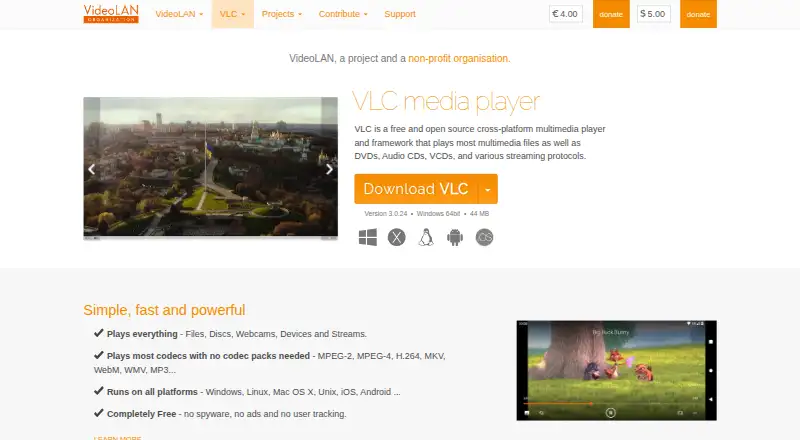
VLC media player is a free media player for Windows, macOS, Linux, iOS, and Android. It plays multimedia files, DVDs, Audio CDs, VCDs, and streams, drawing from files, discs, webcams, devices, and network sources. Its supported formats include MPEG-1/2, MPEG-4, H.264, DivX, XviD, WMV, MKV, MP4, MOV, AVI, WebM, MP3, AAC, and FLAC. VLC also supports subtitles, hardware acceleration, and 4K playback, as well as varied streaming protocols. Most codecs can be played without separate codec packs. The player offers skins, a skin editor, and extensions for customization, and its source code is available directly. VideoLAN describes itself as a project and non-profit organisation. Downloads are listed for several Linux distributions and additional systems, as well as Apple TV. The free plan states that the player has no spyware, ads, or user tracking, and lists no other limits.
Good
- Plays files, discs, webcams, devices, and streams.
- Supports subtitles, hardware acceleration, and 4K playback.
- Most codecs play without codec packs.
- Available on desktop and mobile platforms.
- No spyware, ads, or user tracking stated.
Watch out
- No other free-plan limits are specified.
- Feature availability may vary across its many listed platforms.
Who it suits
VLC suits people who want one free player for local files, discs, devices, and streams across desktop and mobile platforms. It may also fit users who want subtitle support or player customization through skins and extensions.
Verdict
VLC covers a wide range of media formats and playback sources without a listed price. Its platform coverage and customization options make it a flexible choice, while users should check the download option for their particular system.
Plans and prices
From VLC media player's own pricing page, checked 27 Sep 2026.
| Plan | Price | What it gives you |
|---|---|---|
| VLC media player | Free | Completely free with no spyware, ads, or user tracking. |
The facts
Each one read from VLC media player's own pages, with the date it was checked.
What it does
- 4K playback
- Yeschecked 21 Sep 2026
- Codec pack requirement
- The page says most codecs play without codec packs.checked 27 Sep 2026
- Customization options
- Supports skins, skin creation with VLC Skin Editor, and extensions.checked 27 Sep 2026
- Format support
- MPEG-1/2,MPEG-4,H.264,DivX,XviD,WMV,MKV,MP4,MOV,AVI,WebM,MP3,AAC,FLAC,DVD,Audio CD,VCDchecked 21 Sep 2026
- Hardware acceleration
- Yeschecked 21 Sep 2026
- License model
- VideoLAN software is licensed under various open-source licenses.checked 27 Sep 2026
- Media playback
- Plays most multimedia files, DVDs, Audio CDs, VCDs, and streaming protocols.checked 27 Sep 2026
- Network playback
- Yeschecked 21 Sep 2026
- Other systems
- Supports Android, Chrome OS, FreeBSD, NetBSD, OpenBSD, Solaris, QNX, and OS/2.checked 27 Sep 2026
- Playback sources
- Plays files, discs, webcams, devices, and streams.checked 27 Sep 2026
- Pricing model
- Completely free.checked 27 Sep 2026
- Source code
- The source code can be obtained directly.checked 27 Sep 2026
- Streaming protocols
- Supports various streaming protocols.checked 27 Sep 2026
- Subtitle support
- Yeschecked 21 Sep 2026
- Supported formats
- Supports MPEG-2, MPEG-4, H.264, MKV, WebM, WMV, and MP3.checked 27 Sep 2026
Where it runs
- Apple platforms
- Provides downloads for Mac OS X, iOS, and Apple TV.checked 27 Sep 2026
- Linux distributions
- Provides downloads for multiple GNU/Linux distributions, including Debian, Ubuntu, Mint, Fedora, and Arch Linux.checked 27 Sep 2026
- Platform coverage
- Runs on Windows, Linux, Mac OS X, Unix, iOS, and Android.checked 27 Sep 2026
- Supported platforms
- Windows,macOS,Linux,iOS,Androidchecked 21 Sep 2026
The company
- Company structure
- VideoLAN is a project and a non-profit organisation.checked 27 Sep 2026
- Headquarters
- Paris, Francechecked 23 Sep 2026
- Trademark owner
- VideoLAN, VLC, VLC media player, and x264 are trademarks of the VideoLAN non-profit organization.checked 27 Sep 2026
Money
- Free plan
- Yeschecked 21 Sep 2026
- Free tier limits
- The page states no spyware, ads, or user tracking, but gives no other limits.checked 27 Sep 2026
The full review of VLC media player
Overview
VLC media player is a cross-platform player for video, audio, discs, and streams. It suits people who want one free app for varied playback sources and formats; its breadth is more compelling than a focused, single-purpose player.
It handles common media formats alongside DVDs, Audio CDs, and VCDs, and supports network playback, subtitles, hardware acceleration, and 4K playback. Most codecs work without codec packs, which makes VLC a practical choice when you do not want to install an extra bundle just to play media.
Key features
Broad playback support
VLC plays files, discs, webcams, connected devices, and streams, with support for streaming protocols. Its formats include MPEG-1/2, MPEG-4, H.264, DivX, XviD, WMV, MKV, MP4, MOV, AVI, WebM, MP3, AAC, and FLAC. This range makes it useful as a general-purpose player, while subtitle support, hardware acceleration, and 4K playback address common playback needs without requiring separate tools.
Customization and openness
Skins, a skin editor, and extensions give users ways to adjust VLC beyond its default presentation. The source code is available directly, and VideoLAN is a non-profit organisation. The stated privacy position—no spyware, ads, or user tracking—also makes the free offering a straightforward option for users wary of ad-supported players.
Pricing
VLC media player is free, with no spyware, ads, or user tracking. There are no paid tiers or subscription terms to weigh. No other free-plan limits are stated, so users looking for a priced support or feature tier should consider a different product.
Platforms
VLC runs on Windows, macOS, Linux, iOS, and Android. Downloads also cover Windows ARM 64 and Windows Store, Mac OS X and Apple TV, and multiple GNU/Linux distributions, including Debian, Ubuntu, Mint, Fedora, and Arch Linux. The project also supports Chrome OS, FreeBSD, NetBSD, OpenBSD, Solaris, QNX, and OS/2. That reach is a strength for households and users switching between systems, though the range of download options means it is worth selecting the build for your particular device.
Who it's for
VLC is a strong fit for people who want a free, flexible player for mixed video and audio libraries, discs, subtitles, and network streams. Its wide platform coverage also suits users who want a familiar option across desktop and mobile devices. It is less suited to someone seeking a narrowly tailored interface or a paid support tier; those needs are not part of its stated offer.
Pros and cons
- Pro: Broad format, disc, and source support makes one player useful for varied media collections.
- Pro: Network playback, subtitles, hardware acceleration, and 4K playback cover several important playback needs.
- Pro: Free use without spyware, ads, or tracking avoids both recurring cost and advertising.
- Con: The many platform-specific download choices can make choosing the right installer less direct.
- Con: Its wide-ranging feature set may be more than someone seeking a simpler, specialized player needs.
Alternatives
For a command-line player with wide media-format, codec, and subtitle support, consider mpv. KMPlayer is another free or freemium player option. SMPlayer is a free, open-source choice for Linux, macOS, and Windows; MPlayer is another free player for those desktop platforms.
On Apple devices, Infuse offers a free 7-day trial of its Pro monthly plan, then $1.99 a month, with additional video formats and high-resolution Dolby and DTS-HD audio. 5KPlayer is a free option for iOS, macOS, and Windows with no subscription required. For a free player spanning Android, iOS, web, and Windows, consider MediaPortal; foobar2000 is another free option across Android, iOS, Linux, macOS, and Windows.
Browse more options in Media Player Software and Video Player Software.
Verdict
Choose VLC if you want a free player that handles a wide range of formats, discs, and streaming sources across desktop and mobile platforms. Its combination of playback breadth, customization, and no-ad privacy stance is the main reason to pick it. Look elsewhere if you want a more focused player experience or a paid tier with defined support or extras.
Alternatives to VLC media player
- 1
foobar2000
Free planAndroidiOSAPILinux8.2Free plan - 2
Volumio
Free planAndroidiOSWebAPI8.2Free plan - 3

Infuse
Free planiOSmacOS8.1From $16.99 a year - 4
mpv
Free planAndroidAPILinuxmacOS7.9Free plan - 5

Audirvāna
AndroidiOSLinuxmacOS7.7 - 6

MediaPortal
Free planAndroidiOSWebWindows7.6Free plan