mpv
mpv is a free, open-source media player designed for command-line use.
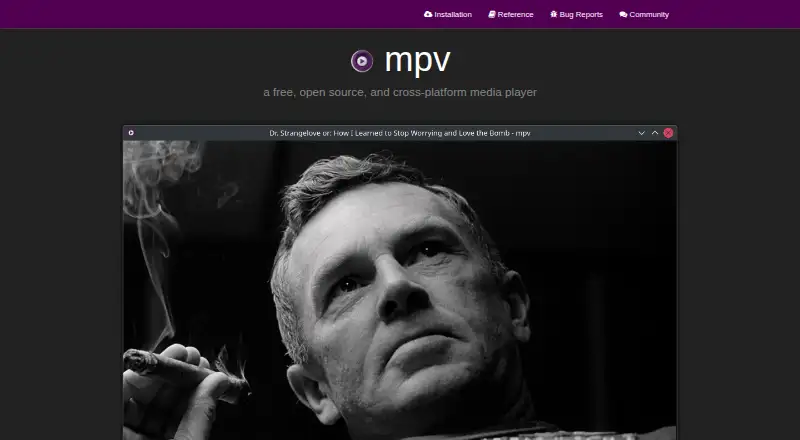
What mpv is
mpv is a free, open-source media player designed for command-line use. It runs on Windows, macOS, Linux, and Android, and supports network playback, subtitles, many media formats, and a wide range of audio and video codecs, including Matroska (MKV) and MP4. It has no full graphical interface, but provides a small on-screen controller for basic playback control. Its video output uses OpenGL, Vulkan, and D3D11, with features including scaling, color management, frame timing, interpolation, and HDR. mpv supports 4K playback and can use hardware decoding APIs, with decoding available on demand while the player is running. Scripting and user scripts can extend its behavior, and a C API lets developers embed it in other applications. The project is actively developed, but only the most recent stable release receives security updates; older releases are unsupported and unmaintained. mpv is intended as a desktop media player, not for untrusted environments, and it supports user scripts, subprocesses, and playback control through IPC.
Good
- Free and open-source.
- Supports Windows, macOS, Linux, and Android.
- Includes HDR and hardware decoding support.
- Scripting can extend the player.
- C API supports application integration.
Watch out
- No full graphical interface.
- Older releases are unsupported and unmaintained.
- Not designed for untrusted environments.
- Builds may come from unofficial third parties.
Who it suits
mpv suits users comfortable with command-line software who want broad media and subtitle support. Developers may also value its C API for embedding the player in other applications.
Verdict
mpv offers broad playback support and extensive video controls, with scripting and an embedding API for more technical users. Its command-line orientation and limited interface may not suit people seeking a full graphical player.
Plans and prices
From mpv's own pricing page, checked 1 Oct 2026.
| Plan | Price | What it gives you |
|---|---|---|
| Free and open source | Free | command-line media player · wide media-format, codec, and subtitle support |
The facts
Each one read from mpv's own pages, with the date it was checked.
What it does
- 4K playback
- Yeschecked 21 Sep 2026
- Active development
- Development focuses on refactoring, cleanups, and adding features.checked 27 Sep 2026
- Advanced video features
- Features include scaling, color management, frame timing, interpolation, and HDR.checked 27 Sep 2026
- Audio video codecs
- It supports a wide variety of audio and video codecs.checked 27 Sep 2026
- Builds
- The project says Windows and macOS binary packages are generally unofficial third-party builds, while first-party CI builds may miss features.checked 1 Oct 2026
- Command-line player
- mpv is designed as a media player for the command line.checked 27 Sep 2026
- Community support
- Users and developers can get help through IRC, GitHub Discussions, the issue tracker, and the public wiki.checked 30 Sep 2026
- Development
- The project is under active development focused on refactoring, cleanup, and adding features.checked 30 Sep 2026
- Downloads
- Official installation guidance covers Windows, macOS, Linux packages, Android, and source builds, while noting that many binaries are unofficial third-party builds.checked 30 Sep 2026
- Embeddable C API
- A C API lets developers use mpv as a library and integrate it into applications.checked 27 Sep 2026
- Embedding
- A C API makes mpv usable as a library for integration into other applications.checked 1 Oct 2026
- Feature requests
- Users can post patches or request features.checked 27 Sep 2026
- Format support
- Matroska (MKV),MP4checked 21 Sep 2026
- Hardware acceleration
- Yeschecked 21 Sep 2026
- Hardware decoding
- mpv can use most hardware decoding APIs on all platforms, enabled at runtime when desired.checked 1 Oct 2026
- High-quality video output
- Video output is based on OpenGL, Vulkan, and D3D11.checked 27 Sep 2026
- Integrations
- Applications and scripts can control mpv through JSON IPC, the libmpv C API, or user scripts.checked 1 Oct 2026
- License
- mpv is GPLv2 or later by default, with an LGPLv2.1-or-later option when built with -Dgpl=false.checked 1 Oct 2026
- License model
- freechecked 21 Sep 2026
- Media format support
- It supports a wide variety of media file formats.checked 27 Sep 2026
- Media support
- It supports a wide variety of media file formats, audio and video codecs, and subtitle types.checked 1 Oct 2026
- Minimal graphical interface
- mpv provides no real GUI, but includes a small on-screen controller.checked 27 Sep 2026
- Network playback
- Yeschecked 21 Sep 2026
Money
- Free plan
- Yeschecked 21 Sep 2026
The full review of mpv
mpv is a free, open-source media player for Windows, macOS, Linux, and Android. It suits people comfortable with command-line tools, scripting, or integrating playback into software. Its broad format support and fine-grained video controls are compelling, but the minimal interface makes it a poor fit for anyone who expects a complete graphical player.
Overview
mpv handles a wide range of media formats, audio and video codecs, and subtitle types, including MKV and MP4. Network playback, 4K playback, and hardware acceleration are supported, so its command-line focus does not mean it is limited to basic local files. The trade-off is that everyday control is built around commands and a small on-screen controller rather than a full graphical interface.
Key features
- Broad playback support: Wide-ranging format, codec, and subtitle support reduces the need to convert files before playback. Network playback and 4K support extend its usefulness beyond a basic desktop player.
- Video controls: OpenGL, Vulkan, and D3D11 output underpins scaling, color management, frame timing, interpolation, and HDR. These controls make mpv attractive to viewers who want to tune playback, though they add less value to someone seeking a straightforward point-and-click experience.
- Hardware decoding: mpv can use most hardware decoding APIs across its platforms, and decoding can be enabled while the player is running. That flexibility suits users who want control over how playback uses their hardware.
- Scripting and integration: Scripts can extend the player substantially, with many user scripts available. Its C API also lets developers embed mpv as a library in other applications; these strengths are most useful to technically inclined users, not people looking for a finished, self-contained media library interface.
Pricing
mpv is free and open source. Its Free and open source plan costs nothing and includes the command-line media player, with wide media-format, codec, and subtitle support. There is no paid tier described, so the main trade-off is not feature gating but the time and technical comfort needed to work with a player designed around the command line.
Platforms
mpv supports Windows, macOS, Linux, and Android. Its installation guidance also covers packages, source builds, and Android installation; source builds are recommended for most users through helper scripts that produce a static build with FFmpeg, libplacebo, and libass. The project gives baseline requirements of Windows 10 1607 or later, macOS 10.15 or later, or a reasonably recent Linux distribution, alongside a capable CPU and GPU. Only the latest stable release receives security updates, so users should keep current rather than rely on older releases.
Who it's for
Choose mpv if you value playback breadth and video-output controls, or if you want scripting or a C API for integration work. It is less suitable as a default recommendation for people who want a full graphical interface or are uncomfortable with a command-line-oriented application. mpv is a desktop player that supports user scripts, subprocesses, and playback control through IPC; it is not designed for untrusted environments.
Pros and cons
- Pro: Broad format, codec, and subtitle support, plus network playback and 4K, make it capable across varied playback needs.
- Pro: Hardware decoding and advanced video controls provide meaningful flexibility for users who want to tune output.
- Pro: Scripting and the embeddable C API make mpv extensible and useful beyond standalone playback.
- Con: No full graphical interface means routine use can feel less direct than a conventional desktop player.
- Con: Older releases are unsupported and unmaintained, so staying on the latest stable version matters.
Alternatives
VLC media player is a free option for readers who want an alternative available on iOS as well as Android, Linux, macOS, and Windows; it is described as free of spyware, ads, and user tracking.
Bitmovin Player is worth considering for readers seeking a freemium, usage-based option with a web platform and a stated allowance of 10k free impressions per month; additional impressions cost $1.5 / additional 1k impressions.
KMPlayer is another freemium alternative, with free PC player plans and Android, iOS, macOS, and Windows support.
5KPlayer is a free alternative for readers using iOS, macOS, or Windows who prefer a player described as requiring no subscription.
Infuse is a fit for readers on iOS or macOS who want a graphical-player alternative and are willing to consider a paid Pro tier: Infuse Pro Monthly costs $1.99 a month, with a free 7-day trial and cancellation anytime.
SMPlayer is a free, open-source alternative for Linux, macOS, and Windows users.
GOM Player offers a freemium alternative on Android, iOS, macOS, and Windows; its GOM Player+ Permanent License is priced at $22 a month for 1 PC.
MPlayer is another free option for Linux, macOS, and Windows, licensed under GNU General Public License version 2.
Browse more options in Video Player Software and Media Player Software.
Verdict
mpv is the right choice for technically comfortable viewers and developers who want broad playback support, detailed video controls, extensibility, and no cost. Its command-line design is also its central limitation: choose a more graphical player if convenient point-and-click use matters more than customization and integration.
Getting started
- Visit the mpv website for installation guidance.
- Choose a supported platform: Windows, macOS, Linux, or Android.
- Follow the platform's installation guidance; Windows, macOS, Linux packages, Android, and source builds are covered.
- Check the listed system requirements for your desktop platform.
- Launch mpv from the command line; use its small on-screen controller for basic playback control.
Limits worth knowing
Only the most recent stable release receives security updates. The listed system requirements include a capable CPU and GPU, and the player has no full graphical interface.
Questions
Is mpv free?
Yes. mpv is free and open source, with a listed price of no cost.
Which platforms does mpv support?
It supports Windows, macOS, Linux, and Android.
What media can mpv play?
It supports a wide variety of media formats, audio and video codecs, and subtitle types. Listed formats include Matroska (MKV) and MP4.
Does mpv have a graphical interface?
It has no full graphical interface, but includes a small on-screen controller for basic control.
Can developers integrate mpv into another application?
Yes. Its C API lets developers use mpv as a library and integrate it into other applications.
What licence does mpv use?
The default licence is GPLv2 or later. Builds configured with `-Dgpl=false` can use LGPLv2.1 or later.
Alternatives to mpv
- 1
foobar2000
Free planAndroidiOSAPILinux8.2Free plan - 2
Volumio
Free planAndroidiOSWebAPI8.2Free plan - 3

Infuse
Free planiOSmacOS8.1From $16.99 a year - 4

Audirvāna
AndroidiOSLinuxmacOS7.7 - 5

MediaPortal
Free planAndroidiOSWebWindows7.6Free plan - 6
Haihaisoft Universal Player
Free planAndroidiOSWebmacOS7.6Free plan