
VitePress
VitePress turns Markdown content into themed static HTML pages for documentation and other content-focused websites.
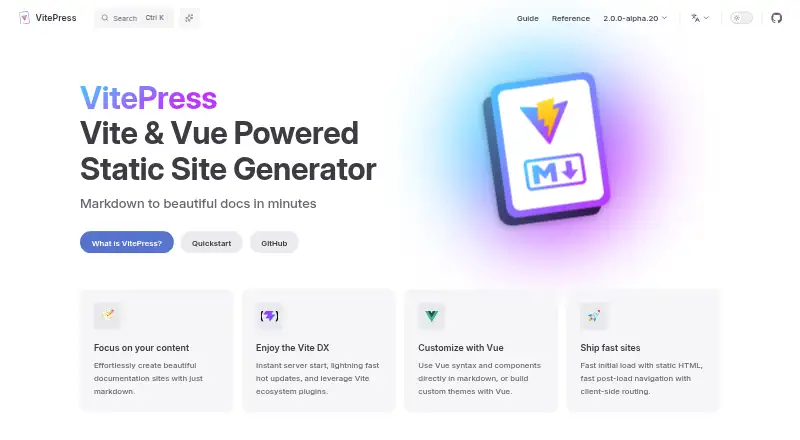
What VitePress is
VitePress turns Markdown content into themed static HTML pages for documentation and other content-focused websites. Its default theme is designed for technical documentation, and it also supports blogs, portfolios, and marketing sites. Authors can use built-in Markdown features such as frontmatter, tables, syntax highlighting, and advanced code blocks. Markdown pages are processed as Vue components, so projects can include Vue templates, imported components, and in-page logic. The Vite-powered development server reflects edits in under 100 ms without a page reload. Production builds pre-render static HTML in Node.js, then use client-side routing for later navigation. VitePress supports custom themes, Vite plugins, build-time data loading, and dynamically generated routes. Installation is available through npm, pnpm, yarn, bun, or deno, with a command-line setup wizard. Deployment guidance covers hosts including Netlify, Vercel, Cloudflare Pages, GitHub Pages, Azure, and Firebase. VitePress is free under the MIT License and requires Node.js version 22 or higher. Custom theme code must be compatible with server-side rendering.
Good
- Free under the MIT License.
- Supports documentation, blogs, portfolios, and marketing sites.
- Markdown pages can use Vue templates and imported components.
- Development edits appear in under 100 ms without a reload.
- Deployment instructions cover a range of hosting services.
Watch out
- Getting started requires Node.js version 22 or higher.
- Custom theme code must be compatible with server-side rendering.
Who it suits
VitePress suits developers and site authors building documentation or other content-focused websites from Markdown. It is a fit for projects that can use Node.js 22 or higher and account for server-side rendering in custom themes.
Verdict
VitePress offers a Markdown-centered workflow with Vue components and static HTML output. Its Node.js requirement and server-side rendering constraint are important considerations for setup and custom themes.
Plans and prices
From VitePress's own pricing page, checked 15 Oct 2026.
| Plan | Price | What it gives you |
|---|---|---|
| Free open-source software | Free | No paid tiers published · self-hosted static output · Free OSS |
| VitePress | Free | MIT-licensed static site generator; requires Node.js 22 or higher |
The facts
Each one read from VitePress's own pages, with the date it was checked.
What it does
- Build-time data
- Data-loader files ending in .data.js or .data.ts can fetch or generate data during builds and serialize it into the output bundle.checked 15 Oct 2026
- CLI
- The CLI includes dev, build, preview and init commands with options for ports, base paths, CORS, output directories and experimental MPA builds.checked 15 Oct 2026
- CMS integration
- The CMS guide documents authenticated API fetching with loadEnv, dynamic paths generation and rendering fetched content.checked 15 Oct 2026
- Current documentation versions
- The documentation site links to version 2.0.0-alpha.20 and to the 1.6.4 documentation.checked 5 Oct 2026
- Custom domain
- Yeschecked 20 Sep 2026
- Customization and data
- VitePress supports custom themes, Vite plugins, build-time data loading, and dynamically generated routes.checked 5 Oct 2026
- Deployment integrations
- Official deployment guidance covers GitHub Pages, GitLab Pages, Netlify, Vercel, Cloudflare Pages, AWS Amplify, Render, Azure, Firebase, Heroku, nginx and other hosts.checked 15 Oct 2026
- Development speed
- Its Vite development server reflects edits in under 100 milliseconds without a full page reload.checked 15 Oct 2026
- Installation
- VitePress can be installed as a development dependency with npm, pnpm, yarn, bun, or deno and includes a command-line setup wizard.checked 5 Oct 2026
- License
- The GitHub repository distributes VitePress under the MIT license.checked 15 Oct 2026
- Limit: blogging
- Docsio reports that VitePress lacks built-in tags, RSS, archives and comments for blogs.checked 15 Oct 2026
- Limit: customization learning curve
- Docsio says deeper theme customization requires Vue components and slot overrides rather than only configuration or CSS edits.checked 15 Oct 2026
- Limit: plugin ecosystem
- Docsio describes the plugin ecosystem as smaller than Docusaurus and says advanced search, analytics and OpenAPI needs may require custom work.checked 15 Oct 2026
- Limit: sidebar maintenance
- Docsio notes that new Markdown files do not automatically appear in the sidebar without manual configuration or a community plugin.checked 15 Oct 2026
- Limit: versioning
- Docsio says VitePress has no first-party documentation versioning and teams must use branches, folders or multiple deployments.checked 15 Oct 2026
- Local search
- The default theme provides fuzzy browser-side full-text search through MiniSearch.checked 15 Oct 2026
- Markdown features
- Built-in Markdown support includes frontmatter, tables and syntax-highlighted code blocks.checked 15 Oct 2026
- Notable news: acquisition
- Cloudflare announced on June 4, 2026 that it had acquired VoidZero and would bring its team into Cloudflare's Emerging Technology and Incubation organization.checked 15 Oct 2026
- Open-source license
- The VitePress site states that the project is released under the MIT License.checked 5 Oct 2026
The company
- Company founder
- VoidZero identifies Evan You as its founder and CEO.checked 15 Oct 2026
- Company founding and headquarters
- Dealroom lists VoidZero as founded in 2020 and headquartered in Palo Alto, United States.checked 15 Oct 2026
- Company size and funding
- Dealroom lists fewer than 100 employees and total disclosed equity funding in the $10–50 million range.checked 15 Oct 2026
Money
- Free plan
- Yeschecked 20 Sep 2026
Where it runs
- Limit: application workloads
- An independent comparison recommends a full framework such as Vue or Nuxt when a site is primarily an interactive application rather than content with limited interactivity.checked 15 Oct 2026
The full review of VitePress
VitePress is an open-source static site generator for turning Markdown into themed websites. It suits developers and teams building documentation or other content-led sites who are comfortable working in a Node.js and Vue environment. Its strongest appeal is a fast, flexible workflow that produces pre-rendered pages; server-side rendering compatibility is the key constraint for custom themes.
Overview
VitePress is built around writing content in Markdown and publishing it as static HTML. Its default theme is aimed at technical documentation, but the same approach can support blogs, portfolios, and marketing sites. That focus makes it a natural fit when readable content is the core of a site, rather than a need for a managed, all-in-one publishing service.
Generated pages arrive as pre-rendered HTML, with client-side routing handling later navigation. This gives content-focused sites a straightforward static output model while retaining a more app-like transition between pages. VitePress is free under the MIT License and supports custom domains.
Key features
The development server is powered by Vite: it starts instantly and reflects edits in under 100 ms without a page reload. For documentation authors making frequent changes, that tight feedback loop keeps writing and layout adjustments quick.
Markdown support goes beyond basic prose, with frontmatter, tables, syntax highlighting, and advanced code-block options. Markdown pages are also processed as Vue components, so teams can use Vue templates, import components, and add in-page component logic. That flexibility can make technical content more expressive, but it brings a Vue-oriented development model rather than a purely visual editing workflow.
For teams extending a site, VitePress supports custom themes, Vite plugins, build-time data loading, and dynamically generated routes. The trade-off is that production builds pre-render the app in Node.js, so custom theme code must remain compatible with server-side rendering. Teams choosing custom components and themes need to account for that requirement.
Deployment instructions cover hosts including Netlify, Vercel, Cloudflare Pages, AWS Amplify, Render, GitHub Pages, GitLab Pages, Azure, and Firebase. Installation is available through npm, pnpm, yarn, bun, or deno, and a command-line wizard helps with setup. The prerequisite is Node.js 22 or higher.
Pricing
VitePress is free: its plan costs nothing and is MIT-licensed. There is no paid tier in the plan described here, so users get the static site generator without a subscription charge. The cost is instead a technical one: installation requires Node.js 22 or higher, and custom themes must work with server-side rendering.
Platforms
VitePress is available for Linux, macOS, and Windows development, and its generated websites are delivered on the web. It supports custom domains, so a published site need not use a host-provided address.
Who it's for
VitePress is best for developers and technical teams who want to keep content in Markdown, build documentation with Vue components, and deploy a static site on a host of their choice. It also suits blogs, portfolios, or marketing sites where a content-first structure and customization through Vite and Vue matter.
It is a weaker fit for people who want to publish without managing a Node.js development environment, or who need custom themes that do not fit server-side rendering. Its component flexibility is useful to developers, but less compelling for readers seeking a turnkey, non-code publishing tool.
Pros and cons
- Pros: The Vite-powered server reflects edits in under 100 ms without reloading, which helps keep authoring iterations brisk.
- Pros: Markdown features and Vue component support let technical teams combine structured documentation with interactive, custom page elements.
- Pros: Static HTML output, custom domains, and deployment guidance for a broad range of hosts give teams flexibility over publishing.
- Cons: Node.js 22 or higher is required, adding a specific environment prerequisite to setup.
- Cons: Custom theme code must be server-side-rendering compatible, limiting themes that depend on code unavailable during Node.js pre-rendering.
Alternatives
For other options in this category, see Technical Documentation Software, Developer Documentation Software, and Knowledge base software.
- Fern is worth considering for teams that want a free plan with stated quotas: one site, 10 team members, 1,000 pages, 250 AI credits per month, and 2,000 page generations per month.
- Mintlify may suit teams looking for a free platform with five editor seats, a web editor, authentication, an MCP server, and an API playground.
- Sphinx is another free open-source option for teams looking to install documentation software locally or self-host it.
- Dokiel is a free open-source Scenari publishing chain, available as a desktop or SCENARIchain installation.
- GitBook may fit individuals who prefer a hosted documentation service; its free plan includes one user and unlimited page views.
- DocFX is a free static site generator to consider for teams already working with the .NET SDK; it requires version 8.0 or higher.
- Dr.Explain offers a Windows-only free plan restricted to 20 topics, making it an option for small documentation projects that fit that cap.
- Paligo is a paid option for teams seeking a per-author subscription; its Business plan starts at $15,000 a year.
Verdict
Choose VitePress if your team wants a free, Markdown-centered static site generator with Vue-powered customization and broad deployment flexibility. Its speed and extensibility are compelling for developer-led documentation and other content-heavy sites. Look elsewhere if you need a publishing workflow without a Node.js prerequisite or cannot accommodate server-side rendering in custom themes.