Dr.Explain
Dr.Explain is a Windows help authoring tool for producing user guides, operating instructions, help files, and manuals.
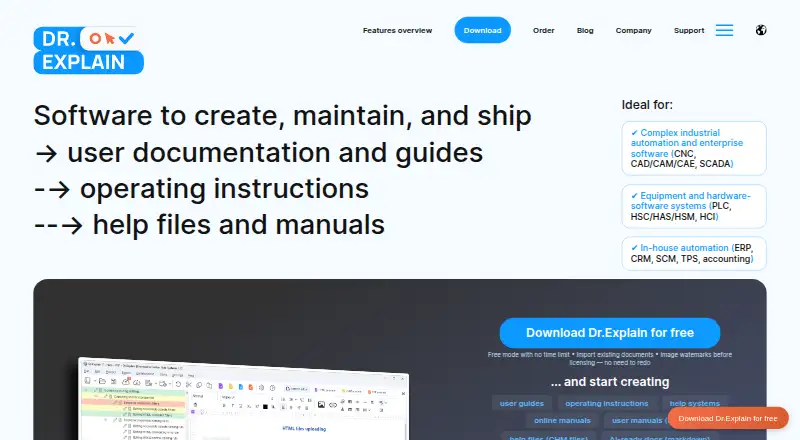
What Dr.Explain is
Dr.Explain is a Windows help authoring tool for producing user guides, operating instructions, help files, and manuals. It captures application windows or web pages and automatically marks interface elements with numbered callouts. Finished documentation can be exported as HTML, CHM, PDF, or DOCX. Its importer accepts CHM, HLP, HTML, XML, DOC, DOCX, and TXT while preserving project structure and formatting. For software integration, Dr.Explain supports Help Context IDs and generates map files in .h, .vb, and .inc formats. Multiple authors can work together through the free Tiwri.com service or a corporate server on an internal network. An in-program AI Assistant provides generation, translation, and proofreading. The desktop application runs on 64-bit Windows 11, 10, 8, or 7. A free license can be used indefinitely but restricts project size and places watermarks on exported images. Plans include a free option, Business Temporary at $290 a year for five users, Business Perpetual v.7 at $690, paid once for five users, and Home Perpetual v.7 at $9,000, paid once for one user. Support is offered through multilingual email and toll-free voicemail.
Good
- Captures screens with automatic numbered callouts
- Exports HTML, CHM, PDF, and DOCX
- Imports multiple documentation formats with structure preserved
- Supports Help Context IDs and map files
- Includes in-program AI generation, translation, and proofreading
- Supports collaboration through Tiwri.com or an internal server
Watch out
- Desktop application runs only on 64-bit Windows
- Free license limits project size
- Free exports add watermarks to images
- Paid plans have specified user counts
Who it suits
Dr.Explain suits technical writers, programmers and developers, business analysts and integrators, and technical support specialists creating structured documentation. It is also relevant to teams needing multi-author projects, context-sensitive help, or exports in several document formats.
Verdict
Pick Dr.Explain when Windows-based help authoring, screen annotation, structured imports, and varied publishing formats are priorities. Look elsewhere if you need a platform beyond Windows or a free license without project-size and image-watermark restrictions.
Plans and prices
From Dr.Explain's own pricing page, checked 20 Sep 2026.
| Plan | Price | What it gives you |
|---|---|---|
| Free | Free | 20 topics · Free restricted license |
| Business Temporary | $290 a year | 5 users · Unlimited topics · Subscription for 5 users |
| Business Perpetual v.7 | $690 a month | 5 users · Unlimited topics · One-time payment for 5 users |
| Home Perpetual v.7 | $9,000 a month | 1 user · Unlimited topics · One-time payment for 1 user |
| Free Restricted License | Free | Limited project size · Watermarks on images · Free; no time limit |
| Business License — Temporary | $290 a year | No watermarks · Unlimited topics · Collaboration · Free updates · 290 USD / Year; 25 USD / user / month |
| Business License — Perpetual for v.7 | $690, paid once | No watermarks · Unlimited topics · Collaboration · Free 7.x updates · 690 USD / forever; 31 USD / user / forever |
| Home License — Perpetual for v.7 | $9,000, paid once | 1 user · Unlimited topics · No commercial use · Image labels and footer credits · Business projects read-only · Free 7.x updates · 9000 USD / forever |
The facts
Each one read from Dr.Explain's own pages, with the date it was checked.
What it does
- AI assistant
- The product’s AI Assistant offers generation, translation, and proofreading within the program.checked 7 Oct 2026
- Article limit
- 20checked 20 Sep 2026
- Collaboration
- Multiple authors can work on a project using the free Tiwri.com service or a corporate server on the company’s internal network.checked 7 Oct 2026
- Content import
- The importer supports CHM, HLP, HTML, XML, DOC/DOCX, and TXT while preserving project structure and formatting.checked 7 Oct 2026
- Context-sensitive help
- It supports Help Context IDs and generates map files in .h, .vb, and .inc formats for software integration.checked 7 Oct 2026
- Intended users
- The maker identifies technical writers, programmers and developers, business analysts and integrators, and technical support specialists as intended users.checked 7 Oct 2026
- Payment security
- The maker says financial transactions are handled by PayPro Global and transaction and credit card information is not passed to third parties.checked 7 Oct 2026
- Product
- Dr.Explain is a help authoring tool for creating user guides, operating instructions, help files, and manuals.checked 7 Oct 2026
- Publishing audience
- bothchecked 20 Sep 2026
- Publishing formats
- Documentation can be exported as HTML, CHM, PDF, and DOCX.checked 7 Oct 2026
- Screenshot capture
- It captures application windows or web pages and automatically annotates interface elements with numbered callouts.checked 7 Oct 2026
- Support
- The maker offers multilingual technical and sales support by email and toll-free voicemail.checked 7 Oct 2026
- Version history
- Yeschecked 20 Sep 2026
The company
- Founded
- 2004checked 28 Sep 2026
- Headquarters
- New York, New York, USAchecked 28 Sep 2026
- Maker history
- Indigo Byte Systems LLC says it has developed Dr.Explain since 2004.checked 7 Oct 2026
Money
- Free license limitation
- The free license can be used indefinitely, but limits project size and adds watermarks to exported images.checked 7 Oct 2026
- Free plan
- Yeschecked 20 Sep 2026
Where it runs
- Platform requirement
- The downloadable desktop application runs on Windows 11, 10, 8, or 7 with 64-bit architecture.checked 7 Oct 2026
The full review of Dr.Explain
Dr.Explain is a Windows desktop help-authoring tool for turning software screens and existing documents into user guides, manuals, and in-product help. It suits technical writers, developers, analysts, and support teams that need structured imports, annotated screenshots, context-sensitive integration, and several delivery formats. Its main appeal is a broad documentation workflow in one application, while the Windows-only desktop requirement and free edition limits narrow its audience.
Overview
Indigo Byte Systems LLC has developed Dr.Explain since 2004 from its New York headquarters. The product is aimed at people documenting software rather than at general-purpose writers: technical authors, programmers and developers, business analysts and integrators, and technical support specialists.
The workflow covers capture, reuse, authoring, collaboration, and publication. It can bring in legacy help and office documents, retain their project organization and formatting, and produce web and file-based outputs. Version history is supported, which is useful when documentation changes alongside an application.
Key features
Screen capture and output
Dr.Explain captures application windows or web pages and automatically places numbered callouts on interface elements. That gives authors a quick way to explain a screen, particularly in operating instructions and user guides. Export to HTML, CHM, PDF, and DOCX lets one project serve browser users, traditional compiled help, downloadable documents, and editable office files.
Import and integration
The importer accepts CHM, HLP, HTML, XML, DOC, DOCX, and TXT while preserving project structure and formatting. This makes it a practical migration tool for teams consolidating older help systems instead of rewriting every topic. Help Context IDs and generated map files in .h, .vb, and .inc formats support integration with software that calls context-sensitive help.
Teamwork and AI
Multiple authors can work through the free Tiwri.com service or a corporate server on an internal network. That gives small distributed groups and organizations with internal infrastructure two collaboration routes. The in-program AI Assistant can generate, translate, and proofread content, extending the tool beyond screen labeling into editorial work.
Pricing
A free license can be used indefinitely, but it limits project size and adds watermarks to exported images. The Free plan is free, with a restricted license and 20 topics, so it fits evaluation, training material, or a small fixed manual rather than a growing documentation library.
The Business License — Temporary costs $290 a year for five users, equivalent to 25 USD per user per month, with unlimited topics, collaboration, no watermarks, and free updates. It is the sensible choice for a team that prefers subscription billing and ongoing updates.
The Business License — Perpetual for v.7 costs $690, paid once for five users, with unlimited topics, collaboration, no watermarks, and free 7.x updates. It favors teams that want a one-time purchase and can remain on the v.7 update scope.
The Home License — Perpetual for v.7 costs $9,000, paid once for one user. It allows unlimited topics and no watermarks, but prohibits commercial use, adds image labels and footer credits, and makes business projects read-only. It is therefore for personal, noncommercial documentation, not a business authoring seat.
Financial transactions are handled by PayPro Global, and the maker says transaction and card information is not passed to third parties. Multilingual technical and sales support is offered by email and toll-free voicemail.
Platforms
The downloadable desktop application runs on 64-bit Windows 11, 10, 8, or 7. Its publishing audience covers both internal and external documentation, but authors working primarily on macOS or Linux need another platform.
Who it's for
Dr.Explain is a strong fit for software companies, technical support groups, and consultants maintaining structured help across multiple formats. It is especially useful when screenshots, imported legacy content, and context-sensitive calls must coexist. The free edition can suit a short manual or proof of concept; teams with more than 20 topics need a paid license.
Pros and cons
Pros
- Automatic numbered screenshot callouts speed up interface documentation.
- HTML, CHM, PDF, and DOCX output covers web, compiled-help, print, and editable-document delivery.
- Imports preserve structure and formatting across CHM, HLP, HTML, XML, DOC/DOCX, and TXT.
- Context IDs and .h, .vb, and .inc map files support software integration.
- Paid business plans include unlimited topics and collaboration for five users.
Cons
- The authoring application is limited to 64-bit Windows, excluding native macOS and Linux workflows.
- The free license caps projects at 20 topics and watermarks exported images.
- The Home perpetual license is noncommercial and places labels, credits, and read-only restrictions on business projects.
- Business perpetual licensing is tied to v.7, while the temporary plan is required for continuing subscription updates.
Alternatives
XMLmind XML Editor is a better fit when Linux, macOS, web access, or Windows support matters, or when a free personal edition with professional conversion and DOCX import as paid features is preferable.
Dokiel suits readers seeking a free, open-source Scenari publishing chain deployable on desktop or through SCENARIchain.
HelpNDoc is another Windows freemium help-authoring option, with a personal edition for noncommercial use and a discreet banner in generated documentation.
Paligo is aimed at organizations choosing a paid, web-based CCMS; its Business plan starts at $15,000 a year for per-author licensing, with two authors and two languages included.
Creo is the alternative when a broader cross-platform design environment and floating organizational licenses are more important than Windows-focused help authoring.
Heretto fits teams needing a paid web/API CCMS with dynamic delivery, personalization, and publishing integrations.
QuarkXPress is a paid cross-platform publishing application with prepaid annual subscriptions that renew automatically.
DITA Exchange is a paid option for organizations working with API, self-hosted, web, and Windows deployments.
For broader category comparisons, see Help Authoring Tools, Technical Documentation Software, and Knowledge base software.
Verdict
Choose Dr.Explain if your team needs Windows-based help authoring that combines annotated screenshots, structured imports, context-sensitive integration, collaboration, and HTML, CHM, PDF, and DOCX publishing. Look elsewhere if your authors need macOS or Linux, if a free project must exceed 20 topics without image watermarks, or if you need a commercial home-style license without its usage restrictions.
Getting started
- Open the Dr.Explain website
- Download the desktop application for 64-bit Windows 11, 10, 8, or 7
- Choose the free license, free trial, or a listed paid plan
- Import existing CHM, HLP, HTML, XML, DOC, DOCX, or TXT content if needed
- Capture application windows or web pages and annotate interface elements
- Publish documentation as HTML, CHM, PDF, or DOCX
Limits worth knowing
The Free plan is listed as free with a restricted license, no time limit, a 20-topic allowance, limited project size, and watermarks on images. Paid plans list unlimited topics, with user counts and license terms varying by plan.
Questions
What operating systems does Dr.Explain support?
The downloadable desktop application runs on 64-bit Windows 11, 10, 8, or 7.
Is there a free plan?
Yes. The Free plan costs nothing. It is an indefinite restricted license with 20 topics.
What are the paid plan prices?
Business Temporary costs $290 a year for five users. Business Perpetual v.7 costs $690, paid once for five users, and Home Perpetual v.7 costs $9,000, paid once for one user.
What formats can it publish?
Documentation can be exported as HTML, CHM, PDF, and DOCX.
Can multiple authors collaborate?
Yes. Multiple authors can work through the free Tiwri.com service or a corporate server on the company’s internal network.
Does Dr.Explain offer an AI assistant?
Its AI Assistant provides generation, translation, and proofreading within the program.
Alternatives to Dr.Explain
- 1
Dokiel
Free planOpen sourceWebLinuxmacOSSelf-hosted8.1From €420 a year - 2

Paligo
Free planWebAPI7.5Free plan - 3
HelpNDoc
Free planAPISelf-hostedWindows7.4€99 one-time - 4
XMLmind XML Editor
Free planWebLinuxmacOSWindows7.1$195 one-time - 5

Heretto
WebAPILinuxmacOS6.7 - 6

MadCap Flare
WebWindows6.7