Via Browser
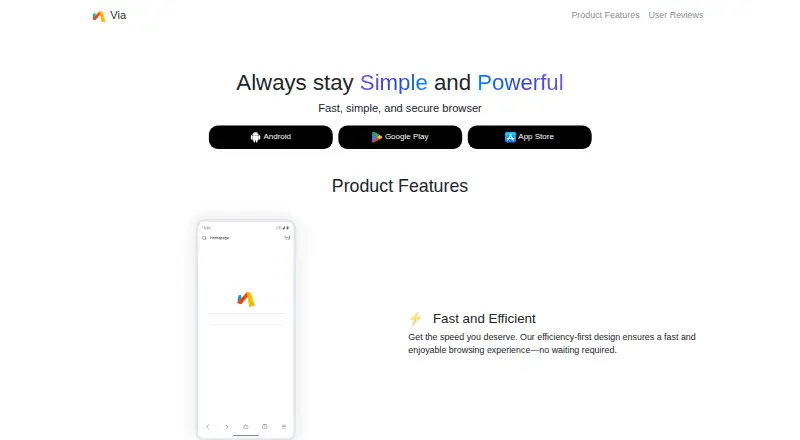
The facts below are what the maker publishes about Via Browser, checked and dated. Our editors have not written about it yet.
The facts
Each one read from Via Browser's own pages, with the date it was checked.
Where it runs
- Android add-ons
- The Google Play listing describes add-ons including a download manager and QR code scanning.checked 8 Oct 2026
- Android and iOS
- Via offers Android and iOS versions; its download page lists Google Play and the App Store.checked 8 Oct 2026
- Android features
- The Google Play listing names bookmarks, add-ons, night mode, desktop mode, translation, find in page, and search engine switching.checked 8 Oct 2026
- Browser
- Via is a mobile browser with web browsing and QR code functions.checked 8 Oct 2026
- Browser extensions
- Via for Android does not support Chrome CRX extensions, and its FAQ says there are no plans to add support.checked 8 Oct 2026
- Platforms
- The official site links to Android, Google Play, and the App Store.checked 8 Oct 2026
What it does
- Built-in ad blocking
- Yeschecked 24 Sep 2026
- Cloud sync data
- The privacy policy says cloud synchronization collects bookmarks, scripts, ad blocking subscription filters, and settings.checked 8 Oct 2026
- Customization
- The browser supports script support, homepage customization, and website settings.checked 8 Oct 2026
- Data protection
- The maker says it uses measures including network isolation and data encryption to protect personal information.checked 8 Oct 2026
- Data storage
- The privacy policy says data collected in China is stored in China and data collected outside China is stored in the United States.checked 8 Oct 2026
- Desktop availability
- The FAQ says Via has Android and iOS versions and does not plan to develop a Windows version in the short term.checked 8 Oct 2026
- Intended audience
- The Google Play listing describes Via as a lightweight browser aimed at users who prefer a minimal experience and customization.checked 8 Oct 2026
- Manual backup
- Via can export a data backup containing favorites, bookmarks, and settings for later import.checked 8 Oct 2026
- Password management
- Via for Android does not provide a password management feature, according to its FAQ.checked 8 Oct 2026
- Permissions
- The privacy policy says storage and camera permissions are requested when needed for downloads and QR scanning, respectively.checked 8 Oct 2026
- Privacy controls
- The privacy policy says device permissions are not enabled by default and are requested when needed.checked 8 Oct 2026
- Privacy features
- The maker lists ad blocking, tracker prevention, and third-party cookie disabling.checked 8 Oct 2026
- Product
- Via describes itself as a fast, simple, and secure browser.checked 8 Oct 2026
- Security measures
- The policy lists network isolation and data encryption among measures used to protect personal information.checked 8 Oct 2026
- Support
- The official site lists [email protected] as its contact address.checked 8 Oct 2026
Money
- Free plan
- Yeschecked 24 Sep 2026
The company
- Headquarters
- Shanghai, Chinachecked 28 Sep 2026
- Maker
- The official site identifies Shanghai Zhiwei Network Technology Co., Ltd. as the maker.checked 8 Oct 2026
Alternatives to Via Browser
- 1

Brave Browser
Free planOpen sourceAndroidiOSLinuxmacOS9.2Free plan - 2

AVG Secure Browser
Free planAndroidWebExtensionmacOS8.8From $39.99 a year - 3

Kameleo
Free planAndroidiOSWebAPI8.8Free plan - 4

DuckDuckGo Browser
Free planAndroidiOSmacOSWindows8.7Free plan - 5

Opera
Free planAndroidiOSWebExtension8.6From $48 a year - 6

Waterfox
Free planOpen sourceAndroidExtensionLinuxmacOS8.6From $5 a month